
Airline reservation systems work by storing passenger, route, status and ticketing details inside a live booking record, usually called a PNR. A dummy ticket, dummy flight ticket or onward ticket is strongest when the PDF matches that reservation logic: correct name, realistic route, current dates, clear booking reference where applicable, and no claim that a held booking is a paid ticket unless an e-ticket has actually been issued.
You submit a perfect-looking travel document, then someone types the locator and sees “not found.” That single screen can create questions even when your route and dates make sense. In 2026, verification is less about how pretty the PDF looks and more about where the record lives, how long it stays active, and which code the checker uses.
This guide explains how PNRs, GDS records, airline booking references, ticketing deadlines, NDC, ONE Order and verification checks actually fit together. The point is practical: if you use a dummy ticket, dummy booking or onward ticket, the document should behave like travel proof, not like a manually assembled story with weak system logic.
The clean rule is simple. A dummy ticket can support the travel-proof layer when it is current, coherent and honest about what it is. It should never pretend to be a paid ticket if it is only a temporary reservation or planning document.
Key facts before using a PNR-based dummy ticket:
- A PNR is not the PDF. It is the booking record behind the travel document.
- A record locator may work in one system but not another, especially with codeshares or agency bookings.
- A held reservation can exist before ticketing, but it is not the same as a paid e-ticket.
- Ticketing time limits can cancel or purge records before a reviewer checks them.
- NDC and ONE Order are changing airline distribution, but travelers still need consistent names, dates and route details.
- A dummy ticket should match hotel, insurance and onward ticket logic before submission.
Need travel proof that follows real reservation logic? Create a clean dummy ticket, dummy booking or onward ticket with route, date and passenger details aligned before you upload or submit.
Create Your Dummy TicketIn This Guide
The PNR Is Not Your PDF — It Is the Live Record Behind It

A PDF can look clean and still fail verification if the record behind it is expired, mismatched or checked with the wrong code. A PNR, or Passenger Name Record, is the reservation record that stores the passenger and itinerary data used by airline and travel systems.
The identifiers travelers mix up
Most verification problems are identifier problems. A traveler may have a seller reference, an airline record locator, a GDS locator, an order ID, and sometimes an e-ticket number. These are not always the same. A six-character code that works on an agent system may not retrieve directly on the airline website, especially if a partner carrier or codeshare is involved.
- Record locator: the booking reference used to retrieve a PNR in a specific system.
- Airline locator: the airline-side code that may differ from the agency or GDS code.
- Ticket number: the e-ticket identifier created only when ticketing happens.
- Order ID: a newer retailing reference travelers may see as airlines move toward offers and orders.
PNR fields that make travel proof feel credible
A strong dummy ticket does not need loud claims. It needs normal airline data. Passenger name should match the passport. Route and flight details should look realistic. Dates should match the travel file. Airport codes should make sense. If there is an onward ticket, it should explain the next movement rather than create a random extra trip.
Credibility comes from ordinary details. A normal airline-style record shows carrier code, flight number, departure airport, arrival airport, date, timing, passenger name and booking reference where relevant. It does not need dramatic “approved” language. It needs to look like a travel document that belongs inside an actual reservation workflow.
For a dummy ticket for visa use, the reviewer is usually checking whether the travel story makes sense. If your hotel begins on 10 March, your insurance starts on 10 March, and your dummy flight ticket lands on 10 March or slightly before, the file feels controlled. If the document lands in the wrong city or outside the coverage window, the PNR details become a problem instead of support.
What makes a PNR feel synthetic
A document starts to feel synthetic when the name format changes between pages, the route is impossible, the itinerary shows mismatched cities, the booking reference is copied inconsistently, or the document claims paid-ticket status without a ticket number. Even if parts of the record are technically real, weak presentation can make it look assembled by hand.
Another red flag is over-polished formatting with underdeveloped data. A glossy PDF cannot hide a weak route. If the journey has impossible connection times, inconsistent airport codes, mismatched passenger spelling or a booking reference that does not fit the channel, the document feels less reliable. The best dummy booking is clean because the data is clean.
Why edits create mismatches
Manual edits are dangerous because they can separate the PDF from the record. If the booking changes but the PDF is edited by hand, the live system and submitted document may no longer agree. That is exactly the mismatch a checker can notice. If the route, date or passenger name changes, regenerate the document instead of patching one field in isolation.
Privacy versus credibility
It is reasonable to hide sensitive payment details or unnecessary personal information when sharing a document casually. It is not smart to hide the core travel-proof elements needed for review: passenger name, route, dates, airline-style details and the relevant booking reference when applicable. If you remove the details that prove the document, the PDF loses its purpose.
Citation-ready baseline: a PNR-based dummy ticket is strongest when the PDF and the live reservation logic agree. The document should show a believable route, accurate passenger details, current dates and clear ticketing status.
GDS vs Airline Systems: Where the Reservation Actually Sits
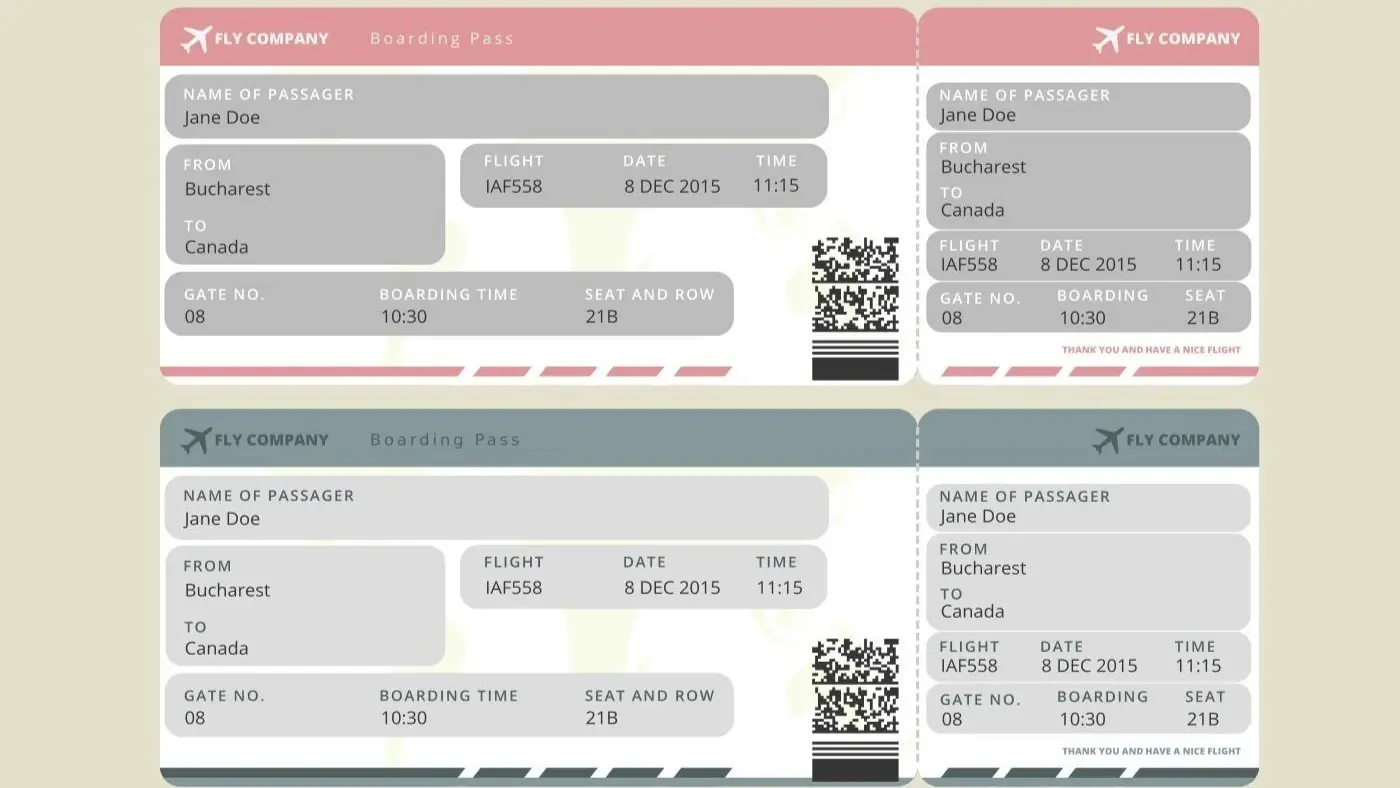
Airline reservations can pass through multiple systems. A travel agent may create a record in a GDS. The airline may hold its own copy. A partner carrier may create another locator. An online travel agency may show a seller reference. The traveler sees one trip, but the backend may involve several records.
Same booking, multiple records
Multiple records happen when agencies, airlines, codeshares and distribution systems need to synchronize the same trip. This is normal in aviation. The problem begins when the traveler submits one code, but the checker tries another system that does not recognize it.
For example, a travel agency may give you one reference, while the operating airline uses another. If the itinerary includes a partner airline, a third code may appear. None of this is automatically suspicious. What matters is that you know which code belongs to which system, and that the document does not present one locator as universally retrievable everywhere.
Why one locator works and another does not
A locator is system-specific. The agency locator may retrieve the PNR in the agency system. The airline locator may retrieve it on the airline site. A partner airline may require a different reference. A “not found” result does not automatically prove the document is bad, but it does mean the retrieval pair needs to be checked carefully.
The retrieval pair is usually locator plus last name. That last-name piece is where many travelers lose time. Compound surnames, prefixes, hyphens, spaces and middle-name handling can change how the system stores the passenger. If one spelling fails, test the exact name version shown on the booking record before assuming the PNR is dead.
Shopping, booking, holding and ticketing
Shopping means you are seeing offers. Booking means a reservation record may be created. Holding means the reservation may exist for a limited period before payment. Ticketing means an e-ticket has been issued. These are different stages. A dummy ticket should not blur them.
| Stage | What it means | Travel-proof risk |
|---|---|---|
| Shopping | Flight options are displayed. | No real reservation yet. |
| Booking | A record may be created with passenger and itinerary details. | May still need payment or ticketing. |
| Holding | Seats or fare may be held temporarily. | Can expire before review. |
| Ticketing | An e-ticket number is issued after payment. | Stronger but exposes traveler to fare risk. |
NDC is not “a new GDS”
NDC is a data exchange standard that changes how airline offers and orders can be distributed. For travelers, the practical effect is that a trip may be displayed differently depending on the channel. The core rule remains the same: the travel-proof document should match the system and status behind it.
This distinction matters because travelers often hear “NDC” and imagine a completely separate reservation universe. It is better to think of it as a different communication layer for airline retailing. The channel may show richer fare options, bundles or order details, but your dummy ticket still needs the same fundamentals: name, route, date, status and consistency.
When schedule changes break verification
Sometimes the airline changes the schedule after the document is created. That does not mean the traveler did anything wrong. But it can make the submitted PDF outdated. If a departure time, flight number or connection changes, refresh the travel-proof document before using it again.
Channel choice as a verification strategy
Do not choose a channel only because it is cheap. Choose the channel that gives you the right level of proof for the timing. If your appointment is close, a short-lived hold may be fine. If review may take longer, a more stable dummy ticket or onward ticket may be safer than a record that disappears quickly.
Record Locator Reality: The Two-Code Problem

The two-code problem is simple: the code on your document may not be the code the airline website expects. This can happen with agency bookings, codeshares, interline tickets, airline partnerships and modern retailing flows.
Why “not found” does not always mean fake
A record can fail retrieval because the wrong surname format was used, the wrong locator was entered, the record belongs to another system, the booking expired, the segment was cancelled, or the airline website does not expose that record type. “Not found” is a warning sign, but it is not the whole diagnosis.
How verification can look in the real world
A checker may look at the PDF only. Another may use an airline Manage Booking page. Another may ask for ticket number. Another may compare the route against your hotel or insurance dates. You cannot control every check, but you can make the document internally consistent and avoid obvious retrieval traps.
Codeshares and interline itineraries
Codeshares create more confusion because the marketing airline and operating airline may not use the same display. A dummy flight ticket with a codeshare route should clearly show the route and avoid overcomplicated presentation. If two locators exist, keep track of which one works where.
This is common on routes where one airline sells the journey and another operates a segment. The marketing carrier may appear on the PDF, while the operating carrier controls airport handling. If the checker tries the operating airline website using the marketing locator, “not found” can happen even when the trip is valid in another system.
Build a verification packet
Instead of relying on one PDF, keep a simple verification packet for yourself: the dummy ticket PDF, the exact name format, the locator that works, the route summary, hotel dates, insurance dates and onward ticket if used. You do not need to upload everything unless asked, but you should know your own file.
The packet is not meant to overwhelm a reviewer. It is for your own control. If someone asks a question, you can answer calmly because you know which document is current, which locator belongs to which system, and why the route matches your travel plan.
Held, Confirmed and Ticketed: The Status Details That Matter
The status behind a reservation matters more than the design of the PDF. A held booking, confirmed segment and ticketed trip can look similar to a traveler, but they are not equal inside airline systems.
Segment status is the quiet truth
A segment can be requested, held, confirmed, cancelled, waitlisted or changed. Travelers may not see the technical code, but the effect is visible. If a segment has disappeared or changed, the document should be refreshed before submission.
In plain language, the segment status tells you whether the flight portion of the record is still meaningful. A beautiful dummy ticket with a cancelled or expired segment is weak. A simpler document with current, consistent segment logic is stronger.
Ticketing time limit
A ticketing time limit is the deadline by which a held reservation must be ticketed before it cancels or purges. This is one of the most common reasons travel proof becomes weak. The document may have been valid when created, but dead by the time someone checks it.
The ticket-number expectation trap
Some travelers panic because a held dummy ticket has no ticket number. That is not automatically a problem. A ticket number exists after ticketing. If the document is temporary travel proof, it should not claim ticketed status. The stronger move is to be accurate about what the document is.
This is where wording matters. “Temporary travel proof,” “held reservation,” “planned itinerary,” “dummy ticket,” and “onward ticket” can describe different planning contexts. “Paid e-ticket” should be reserved for a ticket that has actually been issued. Mixing those labels is how a useful document becomes risky.
Why some reservations vanish fast
Short holds, passive segments, unpaid bookings and unstable agency records can vanish quickly. That does not mean every dummy ticket is bad. It means timing matters. Create and use the document when it is most relevant to the submission window.
If your appointment is three weeks away, a short hold created today may not survive. If your submission is tomorrow, a current dummy booking may be useful. The correct strategy depends on the document’s expected life and the moment it will be checked.
Choosing the right level of “realness”
If the trip is fully confirmed, buy the ticket. If the trip is nearly confirmed, a fare hold may help. If the plan is real but not ready for payment, a dummy ticket is often the clean planning layer. If the file needs proof of exit, add onward ticket logic. The right document depends on risk, timing and purpose.
Do not choose the strongest-looking option if it creates the wrong risk. A paid ticket is strong but expensive. A weak free hold may be cheap but unstable. A good dummy ticket sits in the middle: enough structure to support the file, enough flexibility to avoid locking money into the wrong date.
Need a dummy ticket that matches reservation-system logic? Prepare travel proof with clean passenger details, realistic route, current dates and onward movement where needed.
Prepare Your Dummy TicketYour Self-Verification Routine Before Submission
Before you upload or print a dummy ticket, run a basic verification routine. This takes minutes and catches most avoidable problems.
The 10-minute tri-check
- Check the passenger name against the passport.
- Check the route against the application, hotel and insurance dates.
- Check the locator and surname format wherever retrieval is expected.
- Check whether the document is held, ticketed or temporary planning proof.
- Check whether an onward ticket is needed to explain exit or next movement.
This routine should happen after every amendment. If the date changes, check again. If the route changes, check again. If a passenger is added or removed, check again. Most travel-proof failures are not complex technical failures; they are simple version-control mistakes.
Name matching problems
Small name differences can create outsized pain. Hyphens, spaces, compound surnames, middle names and title placement can affect retrieval. Use the exact name pattern that works with the reservation system, and keep it consistent across the dummy ticket, hotel proof, insurance and application documents.
If the airline site says “not found”
Do not panic. First check the locator. Then check last-name formatting. Then check whether there is an airline locator separate from the agency locator. Then check whether the reservation expired. If none of those works, do not submit the document as if everything is fine.
A practical troubleshooting ladder looks like this: try the exact surname on the document, try the compound surname without spaces, try the airline locator, try the agency locator, check whether the booking expired, then contact the provider if the document was supposed to be retrievable. Stop using the PDF if the explanation is unclear.
What skeptical checkers notice first
They notice mismatched names, impossible routes, expired dates, hotel conflicts, missing onward logic, ticket numbers that should not exist, and PDFs that use aggressive approval language. Remove those doubts before submission. Clean beats loud.
They also notice when the travel proof does not match the application story. If the trip says tourism but the stay length looks like relocation, explain the route with supporting documents. If the traveler needs onward proof, make the onward ticket logical. The dummy ticket should reduce questions, not invite new ones.
How to document verifiability without overselling
You do not need to over-explain the document inside the article or the file. Keep the proof simple. If a note is needed, say that the document shows planned travel and should be checked against the current itinerary details. Avoid claims that sound like approval is automatic.
What Changes in 2026: NDC, ONE Order and the Future of Proof
Airline retailing is moving from older booking-and-ticketing artifacts toward offers and orders. That does not mean travelers can ignore PNRs today. It means the language and identifiers may become more mixed for a while.
Why offers and orders matter
IATA describes ONE Order as a move toward one integrated customer record that can simplify reservation, delivery and accounting processes. In practice, travelers may start seeing order references where they used to expect classic booking references. The safest behavior is to save every relevant reference and know which one retrieves the trip.
This shift can make old assumptions weaker. A traveler may expect a traditional PNR, while a newer channel emphasizes an order reference. For now, many systems still use familiar booking references, but the future is mixed. Save the data the channel gives you, not just the code you expected to receive.
NDC display differences
NDC can change how fares, add-ons and booking details appear across channels. A route shown through one seller may not display exactly the same as another. This makes consistency more important, not less. The dummy ticket should reflect the route and status clearly enough that a human understands the travel plan.
For travelers, the important part is not the technical standard itself. The important part is that the same journey may be packaged, priced or displayed differently. If you create a dummy ticket from one channel, do not assume another channel will show identical language.
Future-proof checklist
- Passenger name remains consistent.
- Route and airport codes remain realistic.
- Travel dates match hotel and insurance.
- Booking reference or order reference is recorded accurately.
- Ticketing status is not overstated.
- Onward ticket logic is clear when needed.
When Things Go Wrong: Changes, Cancellations and Clean Recovery
Airline systems change. Flights retime. Segments cancel. Names need correction. Groups split. Holds expire. A good travel-proof strategy expects this and keeps the file clean.
The worst response is to keep stacking documents. One old PDF, one updated PDF, one agency email and one screenshot with different details can make the file look less credible. When things change, replace the active version and keep the archive separate.
If the airline changes the schedule
Refresh the travel-proof document if the route, date or time changes materially. Do not keep an old dummy ticket beside a new airline notice if the two now conflict. One clean current version is better than several conflicting versions.
If the change happens after submission, keep the notice and updated plan ready. If the change happens before submission, update the dummy ticket, hotel proof and insurance where needed before uploading anything.
Group travel and split records
Family or group bookings can split into different records after changes. One passenger may appear under a different locator. If you submit group travel proof, check each passenger, not just the lead traveler.
This matters for parents, spouses, children and group applicants because one person’s missing segment can make the whole file look unfinished. Each passenger should have the correct name, route and date pattern.
Name corrections
In airline systems, “minor” name changes are not always minor. A spacing or title issue may affect retrieval or ticketing. Correct the document before submission, especially if the dummy ticket is paired with hotel, insurance or onward ticket documents.
Do not rely on “close enough” spelling. Passport names, booking names and supporting documents should point to the same traveler. This is one of the easiest quality wins in any dummy ticket file.
After approval
After the decision is clear, buy the real ticket when dates are safe. Do not let an old dummy ticket control your final trip. The temporary document helped with planning; the final ticket should follow the approved travel reality.
The Confident Finish Before You Hit Upload
Final dummy ticket verification checklist:
- The passenger name matches the passport and application file.
- The route is realistic and easy to understand.
- The travel dates match hotel, insurance and onward ticket logic.
- The booking reference is typed exactly as the system expects.
- The document does not claim ticketed status unless an e-ticket exists.
- Expired holds and old PDFs are removed from the active file.
Airline reservation systems can be complicated, but your travel-proof document should not be. A strong dummy ticket makes the trip easy to understand, keeps your final airfare flexible, and avoids the messy gap between a beautiful PDF and a record that cannot be explained.
Frequently Asked Questions
What is a PNR in airline reservation systems?
A PNR, or Passenger Name Record, is the booking record containing passenger and itinerary details. It is not the PDF itself; it is the reservation data behind the travel document.
Is a dummy ticket with PNR the same as a paid ticket?
No. A dummy ticket with booking-style details can support temporary travel proof, but it is not the same as a paid e-ticket unless ticketing has actually happened.
Why does my locator show “not found”?
It may be the wrong locator, wrong surname format, expired hold, agency-side record, partner-airline locator issue or cancelled segment. “Not found” is a warning to troubleshoot before submission.
What is the difference between GDS and airline systems?
A GDS is a distribution system used by travel sellers, while airlines may keep their own reservation records. The same trip can have more than one locator across these systems.
Does a dummy ticket need a ticket number?
Not always. A ticket number exists when an e-ticket is issued. A held or temporary dummy ticket may not have one, and it should not pretend to be ticketed if it is not.
How long does a dummy ticket stay valid?
Validity depends on the booking method, provider, route and hold rules. Use the document close enough to submission that it still reflects the current travel plan.
What should I check before submitting a dummy ticket?
Check passenger name, route, dates, locator, hotel alignment, insurance alignment, onward ticket logic and whether the document accurately describes its ticketing status.
Can NDC or ONE Order affect dummy ticket verification?
Yes, they can affect how references and booking details are displayed across channels. The core requirement remains consistency: the travel document should match the system and status behind it.
Is an onward ticket different from a dummy ticket?
An onward ticket is a type of travel proof showing planned movement from one destination to another. It can be created as a temporary document when the traveler needs exit or next-route proof.
What is the safest way to use a dummy ticket?
Use a clean, current document with accurate passenger details, realistic route, aligned dates and no false paid-ticket claims. Buy the final ticket only when the trip is ready.
Friendly reminder: DummyFlights provides temporary travel-proof documents for planning and application support. Requirements vary by destination, airline, route and applicant situation. A dummy ticket can support a file, but it does not promise approval or entry.