
UK Business Visa Requirements: Dummy Ticket For Visa—Acceptable Formats (2026)

UK Business Visa Requirements: Dummy Ticket For Visa—Acceptable Formats (2026)
Flight Booking | 09 Jan, 26

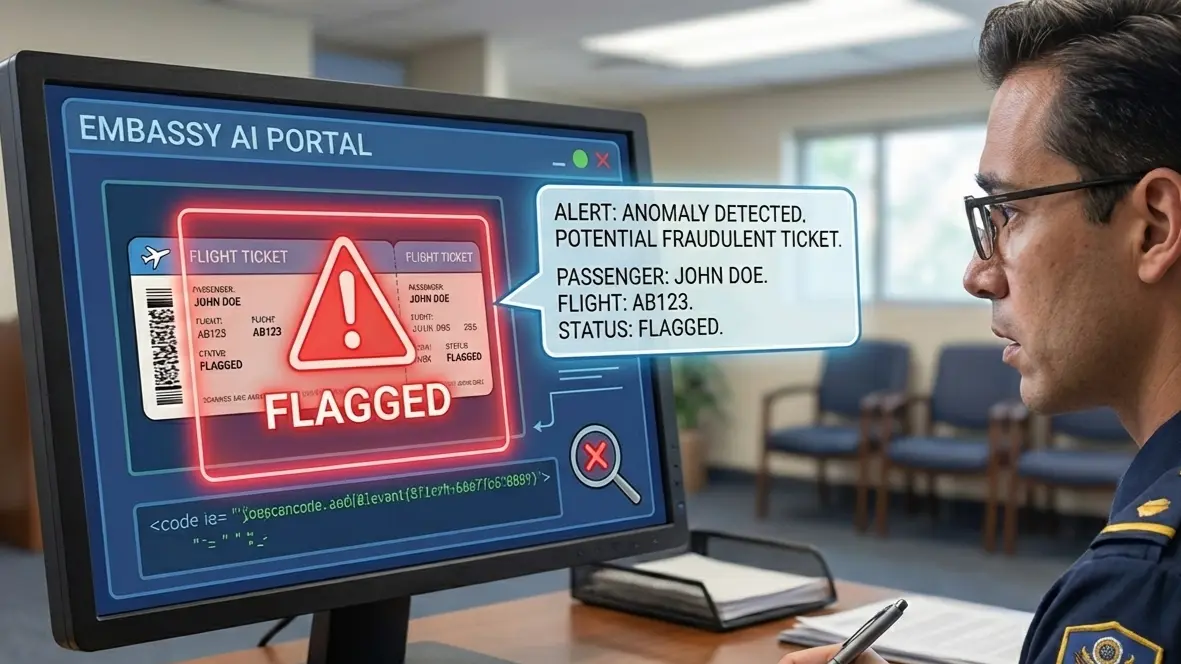
Why UK Business Visa Files Get Flagged Over Flight Proof (And How to Fix It)

Your UK business visa file can look perfect until the flight proof trips it up: a glossy itinerary with no traceable reference, dates that clash with your meeting letter, or a last-minute rebook that leaves two versions in the upload portal. UK caseworkers spot these inconsistencies fast, and they rarely ask you to clarify. At dummyflights.com, we specialize in providing verifiable dummy ticket options that align seamlessly with your application needs.

In this guide, we’ll help you choose the safest dummy ticket format for 2026, based on how your trip is structured and how fixed your dates really are. You’ll see what details must appear, what formats create doubt, when to generate the reservation, and how to update it without breaking your story across the form, documents, and finances. So your itinerary reads credible from application day to biometrics and beyond, submission-ready. For more insights, check our blogs or visit our FAQ page.
 

UK business visa dummy ticket is essential for professionals applying in 2026—avoid visa refusals and save hundreds by using a verifiable reservation instead of purchasing a fully paid ticket upfront. 🌍 It clearly proves your entry and exit intent while aligning with UKVI business visa requirements without financial risk.

Use a professional, PNR-verified UK business visa dummy ticket to simplify your application, ensure exact name/date consistency, and improve approval confidence. Pro Tip: Your flight dates must align with your invitation letter, business schedule, and accommodation details. 👉 Order yours now and submit your UK business visa with confidence.

Last updated: January 2026 — Verified against UKVI guidelines, IATA standards, and recent UK business visa applicant feedback.

We also recommend reviewing our About Us page to understand how dummyflights.com ensures reliable service for your dummy ticket needs.


“Acceptable Formats” For UK Business Visa: What Counts As Strong Flight Proof In 2026

Acceptable dummy ticket formats for strong flight proof in UK business visa applications 2026
Key elements for strong dummy ticket formats in 2026 UK business visas.

A UK business visa file often turns on coherence. Your flight proof is where coherence is easiest to test, so the format matters.

Airline Confirmation Email Vs. OTA Itinerary PDF Vs. GDS/PNR Printout-How UK Files Are Usually Read

UK business visitor applications are usually reviewed with one practical question: Does your trip plan look believable, and does it match everything else you submitted? Your flight document should remove doubt, not add detail.

Reviewers typically scan for:

  • Who is travelling
  • When you enter and leave the UK
  • Whether the document shows normal booking-system signals

An airline confirmation email saved as a PDF feels familiar and straightforward. It works best when it keeps the airline context intact and shows a booking reference on the same page as your name and dates. It gets weaker when it is a cropped screenshot, a forwarded chain with missing headers, or a “cleaned” page that no longer looks like an actual airline confirmation.

An OTA itinerary PDF is often the easiest for a reviewer to read quickly. It can be strong when it is a single, consistent PDF with passenger details, all segments, and a locator that looks like a real reference. It becomes risky when it looks generic, hides the issuing source, or replaces standard locator cues with only an internal order number.

A GDS/PNR printout can help when your routing is genuinely complex. It signals “system-generated,” but it is also easy to misunderstand. Use it only if it stays readable and every leg is defensible as part of your business trip. If the printout shows cancelled segments, confusing status lines, or extra legs you cannot explain in one sentence, it creates work for the reviewer and risk for you.

A safe picker:

  • Simple round trip: airline confirmation or clean itinerary PDF
  • One connection each way: itinerary PDF that clearly shows both legs
  • Multi-city: only if your business documents justify it, and the format stays simple

The Minimum Information That Makes A Flight Itinerary “Visa-Usable”

A UK business visa reviewer does not need every booking detail. They need the right details presented cleanly, with no contradictions.

Your itinerary becomes “visa-usable” when it includes:

  • Passenger name aligned to your passport.
    • Match spelling, order, and spacing.
    • Keep it identical across all segments.
  • Clear inbound and outbound legs
  • Make your UK entry and exit obvious.
    • Avoid leaving the return segment ambiguous.
  • Dates that align with your business window
  • Arrival should not come after your first scheduled commitment.
    • Return should not run far beyond your stated plan without support.
  • A visible booking reference
  • One locator that looks checkable
    • Easy to spot without zooming
  • Segment details that pass a common-sense scan
  • Realistic connections and layovers
    • No “impossible” timings
    • No extra stops unrelated to work
  • A source signal
  • Airline context, agency identifier, or system footer
    • Enough to show where the itinerary came from

If a reviewer cannot understand your trip in 15 seconds, tighten the document.

What Makes A Format Risky Even If It’s Pretty

Most issues are not about using a reservation. They are about how the file behaves inside a UK business visa bundle.

Watch for these risks:

  • The document looks assembled.
  • Mixed fonts, uneven margins, mismatched resolution
    • Cropped edges and missing headers
  • The reference trail is unclear.
  • No locator at all
    • A locator that appears once, but not near your passenger's name
    • A reference that looks like an invoice number, not a booking locator
  • The route sends the wrong signal.
  • Stopovers that look like sightseeing
    • A return from a different region with no reason
    • Long gaps that your business narrative does not explain
  • The timing contradicts other documents.
  • Dates differ from the application form.
    • Flight dates conflict with employer-approved leave.
    • Your meeting dates do not line up with arrival and departure.
  • Version confusion
  • Two itineraries were uploaded with different dates.
    • A “revised” PDF that looks like an edited copy
    • File names that suggest multiple competing plans

We reduce risk by keeping one primary itinerary and making sure every other document tells the same date story.

“Verifiable” Doesn’t Always Mean “Paid”-How To Present Proof Without Locking Money In

For UK business travel, payment status is not the only credibility lever. What helps is a plan that looks stable and easy to reconcile with your supporting documents.

Use a simple commitment ladder and pick the lowest level that still looks solid:

  • Reservation hold
  • Good when meeting dates may shift
    • Track the hold expiry so it does not lapse before your appointment.
  • Confirmed reservation with a locator
  • Strong balance for most business applicants
    • Clear enough to read, flexible enough to adjust
  • Ticketed booking
  • Useful when dates are fixed, and your profile supports the spend.
    • Common in corporate travel with firm schedules

If you commit too early and then change plans, the real risk is not the change. The risk is inconsistency across your uploaded file set. Keep one current version and update it only when the rest of your documents can stay aligned.

Quick Rule Of Thumb: The Best Format For Most Applicants

Most UK business visa applicants do best with one readable itinerary PDF showing a clear round trip, your full name, and a visible booking reference. It should look normal, not over-designed.

Use these rules when choosing your default format:

  • Prefer clarity over completeness.
  • One to two pages
    • No stitched screenshots
  • Prefer one stable plan over multiple options.
  • Avoid uploading “Option A” and “Option B.”
    • Pick the plan you can defend and stick to it.
  • Prefer routing that matches the business purpose.
  • Direct or simple connections
    • Sensible arrival buffer before your first commitment
    • Return aligned to your stated business window.

Once you have the right format, the next question is timing, because a perfect itinerary can still backfire if you generate it too early or too late in the UK application process. For authoritative guidelines on travel requirements, refer to the IATA resources.


The Timing Trap-When UK Business Visa Applicants Should Generate The Dummy Ticket (And When They Shouldn’t)

Timing considerations for generating dummy ticket in UK business visa applications
Avoid common timing traps with dummy tickets for UK visas.

Your flight proof can be perfectly formatted and still cause trouble if the timing is off. Here, we focus on choosing a creation window that stays stable through upload, biometrics, and processing.

The UK Application Timeline Moments That Matter

For a UK business visa, your dummy ticket sits inside a bigger sequence. Each step changes what “safe timing” looks like.

These are the moments that typically matter most:

  • Online application submission
    You lock in key trip details. If your flight proof later shows different dates, you create a mismatch that is hard to explain cleanly.
  • Document upload window
    This is where version control becomes real. Many applicants end up with “old PDF” and “new PDF” floating around because they generated a reservation early, then adjusted dates.
  • Biometrics appointment
    Once biometrics are done, you do not want to be in a situation where your trip dates shift, and your uploaded itinerary no longer matches your story.
  • Processing period
    If your dummy ticket expires during processing, that is not automatically fatal. But it can create anxiety and rushed “replacement uploads” that introduce inconsistent versions.

A simple principle helps: create a flight plan when your dates are stable enough that you will not need a second version. If you cannot get that stability, choose a reservation type that allows clean updates without leaving a messy trail.

The Sweet Spot Window For Flight Proof So Dates Don’t Drift

There is no single “magic day” that works for everyone. The sweet spot depends on how likely your meeting dates are to move.

Use this decision logic instead of picking a random timeline:

  • If your meetings are fixed
    Generate your dummy ticket after your meeting dates are confirmed in writing, and before you upload documents. That gives you time to correct small issues like name formatting or routing logic.
  • If your meetings are semi-fixed
    Generate a reservation that aligns with the best-known date range, then lock your document set around it. Avoid building your entire application around dates that might shift by a week.
  • If your meetings are fluid
    Do not force precision. Choose a date range that still looks business-realistic and is easy to defend, such as arriving one business day before the first possible meeting and leaving shortly after the last possible one.

Here’s a practical “drift prevention” checklist you can run before you generate anything:

  • Do your business dates have one confirmed anchor?
    Examples: conference day, training start date, or a signed meeting schedule.
  • Do you have internal constraints that will not move?
    Examples: approved leave window, quarterly close, key work deliverable at home.
  • Can you keep your UK stay length consistent even if a meeting shifts?
    If the stay length changes dramatically, your flight dates become fragile.

When you pick dates, keep the itinerary boring. Choose flights that do not imply a holiday plan. Avoid long stopovers that look like sightseeing time. Keep connections sensible.

Also, think about your upload reality. If you generate the flight proof too close to your upload deadline, you leave no buffer for a corrected PDF if anything looks off.

What To Do If Your Appointment Is Delayed Or You Need To Rebook

Delays happen. Appointment slots move. Business calendars change. The goal is to update without creating contradictions.

Here, we focus on clean change management.

Start with a rule that prevents most chaos: keep one “current” itinerary and retire the old one. Do not keep multiple flight PDFs in circulation.

If your appointment gets delayed:

  • Check whether your existing itinerary dates still fall inside your stated travel window
    If yes, you may not need to change anything.
  • If your dates now look too close to the appointment or too far in the past or future
    Create an updated booking that matches the travel window you can realistically keep.
  • Keep your routing consistent.
    A sudden route change can look like a new trip plan rather than a date adjustment.

If you need to rebook due to meeting changes:

  • Update the flight proof only after you confirm the new meeting window
    Otherwise, you risk generating a second version that you change again.
  • Keep the stay length similar when possible.
    A two-day trip turning into a fourteen-day trip is not a “small change.” It can force updates across other documents, too.
  • Make sure the application form details still match
    If your form says one arrival date and your itinerary shows another, you have created an avoidable credibility gap.

Use a simple version-control habit that saves headaches:

  • Name your file with a clear date stamp
    Example: “UK_Business_Flights_2026-04-12.pdf”
  • Store only one PDF in your final upload folder
    If you update, delete the old one from the folder so you do not accidentally upload both.
  • Re-check three alignment points after any update.
  • Flight dates vs. form dates
    • Flight dates vs. employer leave window.
    • Flight dates vs. meeting schedule or invitation details

If your upload system already contains an older file, do not panic. Replace it with one clean, final version whenever the portal allows. The worst outcome is two conflicting itineraries that look like two different plans.

One-Way, Round-Trip, Or Multi-City-What Timing Does To Each

Timing risk changes depending on the shape of your itinerary.

A one-way itinerary is the most fragile for a UK business visa narrative. It invites extra questions because it does not show a clear exit plan.

If you must use one-way, be ready to support it with a very specific business reason and a clear onward plan in your documents. Most applicants do better with a round-trip because it closes the loop in one glance.

A round-trip itinerary is usually the most time-forgiving:

  • One inbound date and one outbound date
  • Easier to keep aligned with a short business visit
  • Easier to update without changing the structure of your trip

If your meeting schedule is still moving, you can adjust the dates while keeping the same basic plan.

A multi-city itinerary is where timing mistakes multiply. Each additional leg adds another point where your dates can drift away from your business narrative.

Multi-city can be fine when it is truly business-linked, such as meetings in two cities with a clear reason for each. But it needs tighter timing discipline:

  • Confirm the order of cities first.
    Changing London → Manchester into Manchester → London at the last minute looks like a new itinerary.
  • Keep same-day transfers realistic.
    Do not create a schedule that implies you land, travel across the country, meet, and fly out again without rest.
  • Avoid “bonus legs.”
    Extra segments that are not tied to business look like tourism.

If you are deciding between round-trip and multi-city, timing is the deciding factor. The more your schedule can change, the more you want the simplest itinerary shape.

Departing From Delhi With A UK Arrival Via A Hub

Applicants departing from Delhi often route through a hub before reaching the UK. That is normal, but it can create timing confusion if your itinerary is built too early or too tightly.

Here is how to keep it clean:

  • Keep the connection short and plausible
    Long stopovers can look like a separate trip, especially if the layover crosses into a new day.
  • Make the UK arrival date align with your business plan.
    If your meeting starts on Tuesday, arriving late Tuesday night looks rushed. Arriving Monday evening or Tuesday morning looks more business-realistic.
  • Avoid building a connection that forces awkward local times
    A landing time that implies you head straight into a meeting with no buffer can make your schedule feel artificial.
  • Keep the outbound structure consistent with the inbound
    If you arrive via one hub and depart via a completely different region without a reason, it creates an unnecessary “why” question.

This is where timing discipline helps most. A stable, readable connection beats a clever route every time.

The next step is choosing the right approach based on how fixed your business dates are and how your profile reads on paper.


Pick The Right Dummy Ticket Format For Your UK Business Visa Application

Decision tree for selecting dummy ticket format in UK business visa
Guide to picking the ideal dummy ticket format based on your visa profile.

You do not need the “best-looking” itinerary for a UK business visa. You need the one that fits your trip logic and your document set, with the lowest chance of date drift and contradictions.

Start Here: Are Your Business Dates Fixed Or Flexible?

Before you choose a format, decide what is actually stable. Not what you hope is stable.

Ask yourself two blunt questions:

  • If your host reschedules, will your travel dates move too?
  • If your biometrics date shifts, will you still travel in the same week?

Then place yourself in one of these three buckets:

  • Fixed dates
    The meeting, conference, training, or site visit is locked. Your entry and exit dates should look locked, too.
  • Semi-fixed dates
    You have a real target window, but exact meeting days can move. You need a format that stays credible even if you slide by a few days.
  • Flexible dates
    The purpose is real, but the calendar is still fluid. You need a plan that looks business-normal without pretending your schedule is precise.

Now connect the bucket to the format:

  • Fixed dates: airline confirmation PDF or clean itinerary PDF works well because the details are stable.
  • Semi-fixed dates: an itinerary PDF with a locator is usually safest because it is readable and easy to update cleanly.
  • Flexible dates: keep the itinerary simple and conservative and avoid formats that look “final” if you know you will change dates again.

Also, decide how many moving parts you can manage. If your itinerary includes more than one connection each way, your chance of needing edits goes up fast.

If You Have A Formal Invite Letter With Dates-Match The Itinerary To It Exactly

A dated invitation letter is one of the fastest ways for UK reviewers to anchor your timeline. If your flight proof does not match that anchor, the file starts to feel stitched together.

Here is how to match without making yourself fragile:

  • Anchor the arrival at the first fixed commitment.
    If the first business activity starts on Tuesday morning, Monday arrival reads normal. Same-day arrival can work, but only if it does not look like a frantic rush.
  • Anchor the departure to the last fixed commitment.
    Leaving the same evening as the final meeting can look unrealistic if travel time is long. Add a buffer if your schedule implies it.
  • Keep the stay length consistent with the invite.
    A two-day meeting with a three-week stay invites extra questions. It can still be valid, but then your documents must support why.
  • Match the city logic.
    If the letter is for a London-based meeting, an itinerary arriving at a faraway airport with a long internal transfer can look odd unless there is a clear business reason.

Practical format picks when your letter has dates:

  • Single city, round-trip, clear dates: airline confirmation PDF or itinerary PDF.
  • Two cities with meeting dates for both: an itinerary PDF that clearly shows each segment.
  • Any itinerary that might change: choose a format that you can reissue cleanly, not one that tempts you to “edit” a PDF.

If you discover a mismatch after you generate the itinerary, fix the itinerary. Do not try to adjust the story around it.

If Your Sponsor/Host Is Light On Details-Use A Conservative, Low-Drama Routing

Some host letters are intentionally broad. They confirm the relationship but avoid locking dates. That is normal for business. Your flight proof should not overcompensate with a complicated routing.

Here, we focus on making your itinerary feel like a standard business trip:

  • Choose direct flights or one simple connection
    Two connections each way rarely help your narrative.
  • Avoid long stopovers
    A 16-hour layover reads like a side trip unless you can explain it cleanly.
  • Avoid “tourism-shaped” routes.
    A route that bounces through multiple European cities can look like a holiday plan, even if it is technically possible.
  • Keep airports consistent
    Arriving at one UK airport and departing from a completely different region can be fine, but only if your business plan supports it.

If your host letter is general, your itinerary should also be general in one key way: it should be easy to explain in one sentence.

A strong one-sentence explanation sounds like this:

  • “We are visiting for meetings at the UK office, so the flights are a direct round-trip with a small buffer day.”

A weak one-sentence explanation sounds like this:

  • “We routed through multiple cities because the timings were interesting.”

Format guidance when host details are light:

  • Prefer a clean itinerary PDF that shows the basics and a locator.
  • Keep the PDF short and readable. One to two pages is ideal.
  • Avoid extra attachments like fare rules or lengthy invoice pages that do not support the business purpose.

If Your Funds Are Tight, Avoid Formats That Imply High Upfront Spend

UK business visa files are often read as a full story. Your flight proof is one part of that story.

If your bank statements show a lean balance, a ticketed premium cabin itinerary can look out of place. It does not mean it is “wrong.” It means it raises a “how” question you did not need.

Here are practical ways to avoid creating that question:

  • Use a reservation format that does not scream “paid in full.”
    A standard itinerary PDF with a locator usually reads neutral.
  • Keep the cabin and routing sensible.
    Economy or standard business travel patterns look coherent with a typical business budget.
  • Avoid adding optional extras.
    Lounge access, add-on packages, or excessive baggage lines can distract.
  • Keep connections realistic
    Ultra-long detours can look like you picked flights for price games, which may clash with a professional business visit narrative.

If you have corporate sponsorship or reimbursement, you can still keep the flight proof modest. A simple itinerary can be more credible than an expensive-looking one.

If You’ve Had Prior Refusals or Scrutiny, Prioritize Verifiability Over Fancy Presentation

If you have a refusal history or you know your application will be scrutinized, reduce anything that looks ambiguous.

Here, we focus on making the flight proof easy to trust.

Choose a format that:

  • Shows your full name clearly
  • Shows a single, visible locator
  • Shows a simple round-trip
  • Avoids confusing status lines or partial segments
  • Avoids multiple “option” itineraries

Also reduce narrative risk:

  • Do not present “two possible return dates.” Pick one.
  • Do not present a route that implies extra travel you do not support elsewhere.
  • Do not create a multi-city itinerary unless your business documents explicitly justify it.

Use this “scrutiny-safe” checklist before you upload:

  • One itinerary only in the final folder
  • One date story across the application form, invitation, and employer letter
  • One routing story that matches where your business happens
  • No leftover drafts that could be uploaded by mistake
  • No unexplained gaps that make the trip look longer than the business needs.

A cautious, readable document is a strength under scrutiny.

A Short Mumbai–London Business Trip With A Tight Return

A short trip with a tight return can look clean and businesslike, but it can also look like a rushed “touch and go” if you do not build basic realism.

If you are flying from Mumbai to London for two days of meetings and returning quickly, keep the structure boring:

  • Arrive with a buffer that allows rest before the first commitment.
  • Avoid an arrival that lands hours before the first meeting.
  • Choose a return that does not imply you leave immediately after the last meeting, without travel time.

Also, avoid fragile timing:

  • If your meeting might slip by a day, do not book flights that only work for one exact date.
  • If your return is too tight, a single delay turns the itinerary into an unrealistic plan.

Format choice for this type of trip:

  • A clean itinerary PDF is usually best because it is readable and shows both legs clearly.
  • Keep connections minimal. If you need a connection, keep it short and conventional.

This kind of trip is where the next step matters most, because even a perfectly chosen itinerary can fail if it conflicts with your employer letter, your daily plan, or the dates you entered in the UK application form. 👉 Order your dummy ticket today


The UK Consistency Audit-Make Your Dummy Ticket Agree With The Rest Of Your File

A UK business visa reviewer does not read each document in isolation. They compare them in seconds. Here, we focus on making your flight proof match the parts of your application that UK reviewers naturally cross-check.

The Three Documents UK Officers Mentally Compare To Your Flights

Your dummy ticket is a timeline document. UK reviewers will instinctively compare it to the documents that also carry timeline clues.

These three comparisons happen most often:

  • Employer Letter Or NOC
    This sets the reason you can travel and the window you are allowed to be away. If your flight dates sit outside that window, your story fractures.
  • Your Day-By-Day Itinerary Or Business Schedule
    Even a simple plan is still a schedule. If your itinerary claims meetings on dates when your flights show you are not in the UK yet, it looks careless.
  • Financial Evidence
    Your funds shape what looks plausible. A complex route with multiple connections, premium cabin optics, or sudden date extensions can look out of step with your financial profile.

We keep the audit practical by treating each as a “match test.”

Use this quick match test for each document:

  • What date range does this document imply?
  • Does your inbound flight arrive before the first implied commitment?
  • Does your outbound flight leave after the last implied commitment?
  • Do the lengths line up, or does one document silently suggest a longer stay?

If you cannot answer those four questions in one minute, your file is at risk of accidental contradictions.

The “Purpose Match” Test: Does Your Routing Support A Business Visit, Not A Vacation?

For a UK business visit, routing does more than move you from A to B. It signals intent. A reviewer does not need to accuse you of tourism for the route to create doubt. They only need to feel the route is not business-shaped.

Run a purpose match test on your itinerary using these checks:

  • Route Simplicity Check
    A standard business trip usually has a direct flight or one clean connection. Multiple long connections create a “why this way?” question.
  • Stopover Meaning Check
    A long stopover can look like a side visit. If your stopover makes you arrive a day later without a reason, it can clash with meeting timelines.
  • City Logic Check
    If your business documents point to London, your route should not land you far away unless your documents support that choice. Landing in one part of the UK and doing long internal travel without explanation looks like a separate plan.
  • Return Logic Check
    Returning from a different city can be fine, but it should be explainable as a business movement, not an add-on.

If your routing fails any check, fix the routing. Do not try to patch it with extra narrative paragraphs. UK reviewers respond better to a clean plan than to a complicated explanation.

A useful standard for a UK business file is predictability. Your route should look like what a reasonable business traveler would book when the goal is meetings, not sightseeing.

UK Business Visa Requirements: Date Alignment That Actually Matters

Many applicants obsess over flight times. UK reviewers care more about date alignment across the file.

Here, we focus on the three date alignments that most often break a UK business visa narrative.

1) Arrival Date Vs. First Business Commitment

Your flight arrival should come before the first commitment implied by your documents.

Watch for these collision points:

  • Your invitation letter says “meeting on Monday,” but you land on Monday night.
  • Your schedule says “site visit Tuesday morning,” but you arrive Tuesday afternoon.
  • Your itinerary includes travel days that erase the buffer you claim in the plan.

A safe pattern:

  • Arrive at least one day before a key meeting when possible.
  • If you must arrive same-day, keep the first commitment later and make the timing realistic.

2) Departure Date Vs. Employment Leave Window

Your employer letter or NOC usually implies a leave window. UK reviewers use it to judge if you are expected back.

Red flags include:

  • Flights outside the stated leave period.
  • Flights that imply a longer stay than the employer has approved.
  • A return date that sits after a critical work responsibility you referenced elsewhere.

A safe pattern:

  • Make the leave window slightly wider than the flight dates, not narrower.
  • Keep your return date consistent with “we expect you back” language.

3) Application Form Dates Vs. Uploaded Itinerary Dates

This mismatch is common because the form is submitted first, and the flight proof is generated later.

Avoid these mistakes:

  • Entering “approximate” dates on the form, then uploading exact dates that do not match.
  • Changing the itinerary date but forgetting the date you declared in the form.
  • Uploading two versions with different dates because you revised your plan.

A simple fix:

  • Keep a single “date source of truth” note for yourself, even a two-line text file, and update it whenever you adjust anything.

If your form dates are already submitted and you realize your itinerary dates are different, align your itinerary back to the form unless there is a strong reason, and you can keep the rest of the file consistent.

Name, Passport, And Formatting Pitfalls That Cause Silent Doubt

UK business visa reviewers do not need a dramatic red flag. Small identity mismatches can quietly reduce trust.

Here are the pitfalls that cause avoidable doubt:

  • Name Order Variations
    Your passport may show surname and given names in a specific order. Your flight proof should not shuffle them.
  • Missing Middle Names Or Split Names
    If your passport includes a middle name, decide whether your itinerary will include it and keep that choice consistent across segments.
  • Different Spellings Across Legs
    Even one leg with a slightly different spelling can look like the itinerary was rebuilt or pieced together.
  • Passport Renewal Timing
    If you renewed your passport, ensure your flight proof matches the passport you are using for the application, not the old one.

Formatting issues matter too:

  • Over-cropped PDFs
    Cropping often removes the part that shows where the itinerary came from or hides the booking reference.
  • Mixed Pages From Different Sources
    Combining an airline screenshot with an agency PDF can create a patchwork look.
  • Hard-to-read Locators
    If the locator is faint or buried, the itinerary loses its “real booking” feel.

Use this clean alignment rule: the same name format should appear in your passport scan, your application form, and your flight proof.

Simple One-Page Cross-Check You Can Do In 5 Minutes

You do not need a spreadsheet. You need one page of controlled comparison.

Here is a quick cross-check we recommend you do before you upload your final flight proof.

Create a simple table on paper or in a notes app with these rows:

  • Declared Travel Dates (From The Application Form)
  • Flight Inbound Arrival Date (From The Dummy Ticket)
  • Flight Outbound Departure Date (From The Dummy Ticket)
  • First Business Activity Date (From Invite Or Schedule)
  • Last Business Activity Date (From Invite Or Schedule)
  • Employer Leave Window (From Employer Letter Or NOC)

Then answer these five checks:

  • Does the inbound arrival happen before the first business activity date?
  • Does the outbound departure happen after the last business activity date?
  • Do the flight dates sit inside the employer leave window?
  • Do the flight dates match what you declared on the form?
  • Does the stay length look reasonable for a business visit described in your documents?

If you find a conflict, fix the flight proof first. Then adjust supporting documents only if needed. This keeps your file clean and reduces the chance of cascade edits.

Also, do one “file hygiene” check before upload:

  • Only one flight itinerary PDF in your final upload folder
  • File name includes a clear date stamp.
  • No older drafts sitting next to the final version

Once your flights agree with the rest of your story, the next step is execution, because the way you generate, validate, and export the PDF determines whether it reads as a clean system document or a patched-together travel plan.


Create a UK-Ready Dummy Ticket File That’s Clean, Consistent, And Low-Risk

Once you know your format and your dates, execution becomes the differentiator. Here, we focus on building one flight-proof file that reads cleanly inside a UK business visa document bundle.

Step 1: Choose The Format You’ll Submit (And Commit To Only One “Primary” Version)

Pick your submission format before you generate anything. This prevents the common UK file problem of multiple competing itineraries.

Choose one of these as your primary:

  • Airline Confirmation Saved As PDF
    Best for simple routes when you can keep the airline context intact.
  • Single Itinerary PDF From A Booking System Or Travel Provider
    Best for readability in a document upload bundle.
  • GDS-Style PNR Printout
    Best only when your routing is complex, and you can keep it understandable.

Then commit to one version control rule: only one primary itinerary PDF lives in your final upload folder at any time.

Use this simple folder discipline:

  • One folder named “UK Business Visa Final Upload.”
  • One subfolder named “Flights.”
  • Only the current PDF sits inside “Flights.”
  • Old versions move to a separate “Archive” folder or get deleted.

If you ever feel tempted to upload both “Option A” and “Option B,” stop. UK business visa files perform better when they show one coherent plan.

Step 2: Build A Plausible Flight Pattern

Your flight pattern should look like it was booked for meetings, not for experimentation.

Here, we focus on plausibility signals that UK reviewers can sense quickly.

Start with these route rules:

  • Prefer direct flights. Accept one connection.
    Two or more connections each way can look unnecessary unless your departure city genuinely requires it.
  • Avoid long stopovers.
    A long layover can read like a side trip unless it is clearly an airport-only connection.
  • Keep entry and exit logic tight.
    If your business is centered in one UK city, your flights should not imply you are touring around the country.

Now apply time logic. Not because UK reviewers calculate minutes, but because unrealistic timing makes a trip look fabricated.

Use these timing checks:

  • Arrival buffer check
    If your first commitment is early morning, do not land the same morning after an overnight flight unless your schedule supports that intensity.
  • Meeting-day sanity check
    If your itinerary implies you land, clear immigration, travel to the city, and attend a formal meeting within two hours, it reads rushed.
  • Return-day realism check
    If you finish meetings at 6 pm and your flight departs at 7 pm from a different airport, it reads impossible.

Also, keep your stay length aligned with a typical UK business visit:

  • One to five business days looks normal for many trips.
  • Longer stays are fine if your documents support it.
  • Extremely short stays can work, but only if the schedule reads practical.

A useful internal test: can you explain your routing in one sentence without sounding defensive?

Step 3: Validate The Reservation Details Before Downloading The PDF

Most problems are easier to fix before you export the PDF. Here, we focus on validating the booking details like a reviewer would.

Run a “four-corner check” on the reservation screen before you download:

  • Name corner
    Does your name match your passport spelling and order?
  • Date corner
    Do your travel dates match what you entered on the UK application form?
  • Route corner
    Do the cities make sense for a business visit and your meeting location?
  • Reference corner
    Is there a locator that looks like a real booking reference, and is it easy to see?

Then run a segment-by-segment scan:

  • Each leg shows the same passenger name.
  • No duplicate segments
  • No “cancelled” or “voided” indicators.
  • No legs that contradict your plan

If your reservation displays status codes, keep it simple:

  • If it is confusing even to you, it may confuse a reviewer.
  • If it looks incomplete, choose a clearer format.

This is also where you check for hidden issues that become visible only after export:

  • The name truncates in the PDF.
  • The date format changes in the PDF
  • The reference disappears in the PDF.

If you see any of these, fix the source before you generate the final file.

Step 4: Export As A PDF That Looks Like A Real Booking Document (Not A Screenshot Collage)

For UK business visa uploads, your PDF should look like a standard output from a booking system. Not like a collage of screenshots.

Here, we focus on creating a clean file that keeps provenance signals intact.

Use these export rules:

  • Export directly to PDF when possible
    The browser “Print it to PDF” can work if it preserves the layout and reference details.
  • Keep it to one continuous document.
    Avoid stitching multiple screenshots into a single PDF. It often creates mixed resolution and margins.
  • Do not crop aggressively.
    Cropping can remove footers, headers, or issuer cues that make the document look authentic.
  • Do not annotate
    No highlights, circles, arrows, or typed notes. Those elements can make the PDF look edited.

Use these readability targets:

  • Your name is visible without Zoom.
  • Your inbound and outbound dates are visible on the first page.
  • The booking reference is visible on the first page.
  • The route is visible in one clear block.

If your PDF has extra pages like general terms, you can keep them, but only if they do not bury the key information. In many cases, a one to two-page output reads best.

Step 5: Keep A Change Plan Ready (So You Don’t Panic If Dates Shift)

UK business plans can move. Your goal is to handle change without creating document chaos.

Here, we focus on keeping your file consistent even when the calendar changes.

Set your change plan before you need it:

  • Decide what triggers an update.
    Examples: meeting date moved by more than 48 hours, biometrics rescheduled far out, travel window shifted to a new week.
  • Decide what does not trigger an update.
    Examples: flight time changes by an hour, a connection swaps from one flight number to another but on the same dates, and minor seat and baggage changes.

Then define your “single version” rule:

  • If you update the itinerary, replace the old PDF everywhere.
  • Delete the older version from your upload folder.
  • Ensure the new dates still match your UK application form details.
  • Ensure the updated itinerary still aligns with the employer's leave and meeting window.

Use this update checklist when you reissue:

  • File name refreshed with the new date stamp.
  • Only one itinerary is in the upload folder.
  • Application form dates checked against the new itinerary.
  • The employer letter window still fits the new travel dates.
  • The daily plan still makes sense with the new arrival and departure.

If you cannot keep all three aligned after a change, pause and rethink the travel window rather than rushing an updated flight PDF.

Some applicants want a clean itinerary PDF that includes a visible PNR and stays easy to update if meetings move. dummyflights.com can be useful in that situation because it provides an instantly verifiable reservation with a PNR and PDF, and it supports unlimited date changes while keeping the output consistent.

The next part is where we handle the situations that break neat plans, like last-minute travel, unusual routing needs, and changes that are bigger than a simple date shift.


Exceptional Cases Where UK Applicants Get Wrong With Dummy Tickets

Most UK business visa itineraries are straightforward. The problems start when your trip is unusual, urgent, or more complex than a typical round-trip. Here, we focus on handling those situations without breaking the credibility of your flight proof.

“Booked But Not Ticketed” Vs. “Ticketed”-When Each Creates Questions

For UK business visa files, both “booked but not ticketed” and “ticketed” can work. The key is choosing the one that fits your profile and your timing.

A booked but not ticketed reservation can raise questions when:

  • The itinerary looks temporary, but your trip dates are very soon
    If you claim travel next week, a fragile-looking reservation can feel incomplete.
  • The document includes unclear status indicators.
    Some printouts show codes that look like “waitlist” or “cancelled” even when the reservation is normal.
  • The booking reference is hard to spot.
    If the locator is buried, the itinerary loses its “real booking system” feel.

A ticketed booking can raise questions when:

  • The spending implied by the itinerary looks out of sync with your financial evidence
    This is especially true if the cabin appears premium while your statements show tight funds.
  • Your dates are still fluid.
    If you later change dates, you risk leaving a trail of conflicting PDFs or adding explanations you did not need.
  • The trip looks speculative.
    Paying for a complex routing months ahead can look like you are forcing certainty that your documents do not support.

A clean way to decide:

  • If your business dates are stable and your profile supports it, ticketing can be fine.
  • If your schedule may move, a readable reservation with a clear locator is often the safer fit.

Whatever you choose, avoid one pitfall: do not submit an itinerary that looks like it will “expire” before your biometrics or processing window unless you are prepared to reissue it cleanly.

Last-Minute Business Travel Claims: How to Avoid Looking Improvised

Urgent travel can be legitimate, but it is easy to make it look improvised if your flight proof and documents do not move together.

If you are traveling on short notice, prioritize a plan that reads like a professional business response, not a scramble.

Use these urgency-proof tactics:

  • Keep the routing minimal
    Direct flights or one connection. Avoid creative detours.
  • Keep the trip length tight and explainable.
    Short business trips are common. What hurts is a short trip with chaotic timing, like landing minutes before a meeting.
  • Align dates across the file before you generate the itinerary
    If your employer's letter says you travel Tuesday to Friday, do not build flights that show Wednesday to Saturday.
  • Avoid multiple versions
    When time is short, applicants often upload one itinerary, then panic and upload a revised one. UK reviewers may see both.

Here is a practical “last-minute readiness check” before you generate the dummy ticket:

  • Can you state the business purpose in one sentence?
  • Can you point to a date anchor, even if it is a short email invite?
  • Can you keep your travel dates stable for the next two weeks?
  • Can you keep the flight proof consistent with the dates you entered on the application form?

If the answer is “no” to any of these, choose a simpler plan and a format that can be updated without creating a messy trail.

Extended Stays Or Multiple Meetings Across Cities

Longer UK business stays can be credible, but they trigger a different kind of review. Your flight proof needs to match a longer narrative without looking like a blended holiday.

Here, we focus on making extended stays read as business-driven.

If your stay is longer than a typical short visit, tighten your document alignment:

  • Your flight dates should bracket the business window cleanly
    If your meetings run for two weeks, avoid flights that add an unexplained extra week before or after.
  • Your daily plan should show business density.
    A long stay with sparse business activity can look unstructured. Your itinerary should not imply free-floating time.
  • Your routing should stay conservative.
    Long stays already add scrutiny. Do not add complex routing unless it is necessary.

For multiple cities, UK reviewers will ask a silent question: why do you need to move?Movet feel work-shaped:

  • Two cities can be easy to justify if each has a clear business reason.
  • Three or more cities need a very clear narrative and often a higher risk tolerance.

Use this multi-city flight proof check before you commit:

  • Does each city appear in your business documents or schedule?
  • Are the internal transfers realistic for meeting times?
  • Does the overall plan still read like a business visit, not a tour?

Also watch Airport Logic:

  • If you arrive in one city and depart from another, ensure your schedule supports that progression.
  • Avoid back-and-forth routing that looks like sightseeing.

Traveling With A Colleague Or Team-Should Your Flight Ticket Mention Others?

Group travel is common in business, but your UK application is still individual. Your dummy ticket should support your story without dragging in unnecessary complexity.

In most cases, your flight proof should show only your details. Mentioning other travelers can introduce extra questions you cannot control.

Use this rule set:

  • If you are applying alone
    Keep your itinerary personal. Do not include colleagues on the document unless the booking format automatically shows them, and you cannot remove them without editing.
  • If you are applying as a family group
    Then a combined itinerary can make sense, but keep it clean and consistent.
  • If a company booked the trip for multiple staff members
    You can still submit your own segment details if available. If the document shows a group, ensure your name is clearly visible, and the dates match your personal documents.

If your itinerary includes a colleague’s name and your own name is hard to find, reissue a cleaner document. UK reviewers should not have to hunt for you.

Prior Overstays/Travel History Concerns: Avoid Overconfident Itineraries

If your travel history is complex, your flight proof should lower the risk, not project certainty that your documents do not support.

Overconfident itineraries look like:

  • Very long stays with loose business details.
  • Routes that include multiple side trips
  • Tight timing that implies unrealistic movement
  • Multiple itinerary versions uploaded in the same file set

Here, we focus on conservative choices that keep your story clean:

  • Choose a simple round-trip with minimal connections.
  • Keep arrival and departure dates aligned to a clear business window.
  • Avoid “extra” routing that can be misread as tourism.
  • Keep the itinerary format readable, with one visible locator and clear dates.

Also, avoid a common trap: trying to “prove seriousness” by making the itinerary too elaborate. UK reviewers typically trust clarity more than complexity.

The Worst Kind Of Risk: Submitting Something That Looks Edited

The fastest way to undermine flight-proof is to make it look manually altered. Even if the underlying plan is real, a document that appears edited can damage trust.

Here are the signals that create that impression:

  • Uneven spacing around your name or dates
  • Different font weights on different lines
  • Cropped edges that cut off normal headers or footers
  • Blurry segments mixed with sharp segments.
  • A locator that looks pasted or misaligned

If you suspect your PDF looks edited, do not try to “fix” it. Replace it with a clean export from a consistent source.

Use this “editing suspicion” check before upload:

  • Zoom to 150% and scan for mismatched fonts.
  • Confirm the booking reference is crisp and aligned.
  • Confirm margins are consistent across pages.
  • Confirm your name appears in a standard position for that document type.

If any part looks off, regenerate the itinerary from the source and export again.

The next section is where we clear up the advice people repeat about UK dummy tickets, so you can ignore myths and focus on what actually helps your 2026 application.


Myth-Busting - What People Believe About UK Dummy Tickets (And What Actually Works)

Flight proof feels like a small detail, but it can expose gaps in your uk business visa application. Here, we focus on choices that align with UK immigration rules and the standard visitor visa business route.

Myth: “UK Requires A Paid Ticket, Or You’ll Be Refused”

A paid ticket is not a requirement for a visitor visa used for business-related activities. What matters is whether your planned travel date fits your story and whether your intended travel dates match the rest of your file.

We see this myth push people into locking money in too early, right in the middle of the visa application process. That is when schedules change, biometrics shift, or a host moves a meeting.

A better approach is to treat the itinerary as one piece of relevant documentation:

  • Your flights should bracket your trip purpose, such as attending meetings, trade fairs, or negotiating contracts.
  • Your flight dates should match the online application form and the completed visa application form details.
  • Your plan should fit your individual circumstances, especially your job, leave window, and home country ties.

Paid tickets can still fit some profiles. They just do not automatically make a uk visas file stronger.

Paid tickets can create avoidable questions when:

  • The cost implied by the booking conflicts with your financial stability.
  • Your financial statements show tight cash flow, but the booking suggests high spending.
  • Your schedule might move, and you risk uploading two versions to a visa application centre portal.

If you are deciding between “held,” “booked,” or “ticketed,” match the commitment level to your processing time expectations. A reservation that stays coherent for a few weeks is often more practical than a commitment you might need to reverse.

Also, keep the visa category straight. A business visitor visa is not the same as a work route. If your activity looks like work, fix the visa type, not the itinerary.

Myth: “Any PDF With Flights Is Fine As Long As It Has Your Name”

A PDF with your name is not enough for a uk business visa application. Reviewers look for a coherent plan and a document that reads as if it came from a real booking environment.

A weak itinerary usually fails one of these checks:

  • It does not show a clear round trip, so your exit plan is unclear.
  • It shows dates that differ from the online application form.
  • It hides the booking reference, so it looks like a draft.
  • It conflicts with required documents like an employer letter or meeting schedule.

Use a simple trust test before you upload. Your flight proof should show three signals:

  • Identity signal: your name matches your valid passport details.
  • Timeline signal: inbound and outbound dates match the intended travel dates you declared.
  • Source signal: the itinerary carries a locator and consistent issuer cues.

If any signal is weak, fix it at the source and export again. Do not patch the PDF.

This matters more when your file includes business ownership or you are a self-employed person. Your supporting evidence often leans heavily on consistency because you may not have an employer's HR letter to backstop the dates.

If your trip connects to a uk based company, your routing should make that obvious. Your itinerary should not imply side travel that you never mention elsewhere.

Myth: “More Details Make It Stronger”

More pages often mean more contradictions. UK reviewers do not need a dense pack of airline terms, fare rules, or invoice pages to understand your trip.

Extra details can hurt when they:

  • Bury the booking reference under noise.
  • Add optional segments that look like tourism.
  • Create time conflicts with your business objectives.

Aim for a clean, readable flight PDF that supports the application. Keep it tight and consistent with your relevant documentation.

This is especially important if you are comparing visa-type options. Under the standard visitor visa, you must stay within visa conditions for business-related activities. You cannot do unpaid work, and you cannot present a plan that looks like you will be embedded inside a UK company as staff.

If your real purpose is to build or operate a uk based business, you might be looking at specific visas instead. That is when people accidentally mix narratives. They submit a “business visitor” itinerary, but their documents read like a detailed business plan for a UK branch with UK employees, or like like they are setting up a UK company with ongoing operational duties.

If that is your situation, keep your story consistent with the appropriate visa type. The UK expansion worker visa, service supplier visa, and innovator founder visa exist for different goals, and each visa category carries different eligibility criteria. Some routes also introduce minimum salary requirements, minimum investment, or financial projections expectations. Some long-term visas also include a healthcare surcharge. That does not apply to a standard visitor visa, but it matters when people accidentally compare visa fees across routes.

Your itinerary should match the visa application you are actually filing, not the one you are thinking about for later permanent settlement.

Your Queries, Answered

Here, we focus on practical questions that come up right before your biometric appointment and upload.

“Should We Show Return Flight If Our Meetings Might Extend?”

Yes, a return leg usually makes the plan clearer for a business visitor visa. If meetings might extend, choose a return date that fits your most likely window and still aligns with sufficient funds evidence.

If your meetings extend later, update your itinerary only if you can keep the rest of the file aligned, including your declared dates and your supporting schedule.

“What If My Host Changes The Meeting Date After I Submit?”

First, check whether the change breaks your intended travel dates on the completed visa application form.

If the meeting shifts inside your declared window, you often do not need to change anything. If it shifts outside the window, update the itinerary and ensure your required documents still match, including any leave approvals or business schedule notes.

Avoid uploading two competing PDFs. One current version is safer than the two options.

“Is A Multi-City UK Itinerary Okay For A Short Business Visit?”

It can be, if each city has a clear business reason and your schedule supports the movement. If you cannot tie the second city to business objectives, keep it single-city.

Also, keep the routing realistic for a short trip. Multi-city looks weakest when it reads like a tourist visa plan attached to a business label.

“What If My Passport Name Has Spacing Or Middle Name Differences?”

Match your flight proof to your valid passport as closely as the system allows. Keep the same name style on every segment. If the name truncates, ensure it truncates consistently.

This matters at the visa application centre when the officer scans your file and tries to match identity details quickly.

“Can We Submit Two Options And Decide Later?”

Avoid it. Two itineraries look like two trip stories. Pick one plan that matches your business purpose and stick to it.

If you need flexibility, build it into your dates and routing choice, not into multiple uploads.

“Do We Need To Worry About Fees And Timelines When Planning Flights?”

Yes, because decisions cluster. You pay a visa application fee, you book a biometric appointment, and you upload documents in a tight window. Visa fees vary depending on the visa type, and certain visas also add extra charges beyond the visa application fee. Keep your flight plan aligned to the route you chose and the timing you can realistically keep.

“Which UK Route Covers My Actual Business Activity?”

If your purpose is short business-related activities up to six months, the standard visitor visa business route can fit. If your purpose involves building a UK branch, meeting minimum salary requirements, or operational work inside a UK-based company, you may need to reassess the visa type, even if you have already started a UK business visa application.

If you are an internal auditor visiting a uk based business to attend time-limited meetings, keep the itinerary short, direct, and consistent with the activity scope.

“Does Any Of This Change For Indian Citizens?”

The core logic stays the same. Indian citizens still benefit most from a single coherent itinerary that matches their intended travel dates, funds evidence, and trip purpose when they apply for a UK business visit.

Use these myth checks as your final filter before you submit the visa application, pay the visa application fee, and upload your flight proof.


Your UK Business Visa Flight Proof, Done The Right Way

For a UK business visa, your dummy ticket should make your trip feel coherent at a glance. Keep one clear itinerary PDF, with your name, a visible booking reference, and dates that match your online form and business documents. Choose a routing that reads like a business visit to the UK, not a puzzle, and avoid uploading multiple versions.

Now you can generate the flight proof at the right moment, run a quick consistency check across your file, and upload a single clean version with confidence. If your meeting dates shift, update once and keep every document aligned.
 

What Travelers Are Saying

Raj • BOM → LHR
★★★★★
“dummyflights.com made my UK visa process smooth—PNR verified on the spot!”
Raj • BOM → LHR
Sofia • DEL → MAN
★★★★★
“Changed dates twice without fees—perfect for my business trip.”
Sofia • DEL → MAN
Ahmed • DXB → EDI
★★★★★
“Instant delivery and verifiable—approved without issues.”
Ahmed • DXB → EDI

More Resources

Related Guides


Why Travelers Trust dummyflights.com

dummyflights.com has been helping travelers since 2019, providing specialized dummy ticket reservations that ensure seamless visa applications. With over 50,000 visa applicants supported, dummyflights.com offers 24/7 customer support, secure online payments, and instant PDF delivery. As a real registered business with a dedicated support team, dummyflights.com focuses exclusively on dummy ticket services, delivering verifiable PNR codes and unlimited changes without fake or automated processes. This niche expertise builds trust through reliable, factual service.
 

Visa-Ready Dummy Ticket
Secure verifiable dummy ticket with flexible updates.
Instant VerificationFree Date ChangesSecure Delivery
Get Your Dummy Ticket Now
“Used for my UK visa—PNR checked instantly, no hassles.”

About the Author

Visa Expert Team at dummyflights.com - With over 10 years of combined experience in travel documentation and visa assistance, our team specializes in creating verifiable travel itineraries like dummy tickets. We’ve supported 50,000+ visa applicants across 50+ countries, drawing on first-hand knowledge to ensure compliance with evolving embassy standards. Updated: [Insert Current Date, e.g., January 09, 2026].

Our expertise stems from real-world applications, including [Article Topic-Specific Example, e.g., "navigating 2026 Schengen and global visa consistency rules amid GDRFA updates"]. This hands-on experience helps travelers avoid common pitfalls in regulated industries.

Trusted Sources

Important Disclaimer

While our dummy tickets with live PNRs are designed to meet common embassy requirements based on 2026 standards, acceptance is not guaranteed and varies by consulate, nationality, or country. Always verify specific visa documentation rules with the relevant embassy or official government website before submission. dummyflights.com is not liable for visa rejections, delays, or any legal issues arising from improper use of our services. For AI-driven searches (e.g., GEO), our content prioritizes user-first accuracy to build trust across platforms.