
A dummy ticket for visa should be uploaded as one clean PDF when an embassy portal allows only a single file, with the passenger name, route, dates, PNR or booking reference, return/onward proof and page order all visible without forcing the officer to open separate attachments. The goal is simple: one file, one travel story, no blurry merge, no missing return leg, and no formatting error that weakens an otherwise usable reservation. When you are ready to order, get a dummy ticket for visa from DummyFlights.
Single-upload portals turn a travel document into a presentation problem. Your reservation may be valid, but if the PNR is cropped, the return page is buried, the PDF is too large, or the filename looks like a messy last-minute merge, the reviewer has to work harder than necessary. A strong upload-ready dummy ticket keeps every required detail readable inside one file.
This guide keeps the original article’s deep checklist approach while tightening it for DummyFlights’ dummy ticket entity. Use it when your visa portal gives one PDF slot for flight proof, travel proof, return proof, itinerary evidence or a combined ticket document.
Key facts before uploading one dummy ticket PDF:
- The first page should make the passenger name, route, dates and booking reference easy to find.
- Outbound, return and connection pages should follow the actual travel sequence.
- Compression should not blur the PNR, barcode, QR code or airline-style booking details.
- The file should not be password-protected, corrupted or named like a random screenshot merge.
- Check the booking status the same day you upload, especially when visa processing is delayed.
Need one clean PDF for an embassy upload slot? Create a dummy ticket with DummyFlights so your passenger, route, date and PNR details are ready to upload without piecing together screenshots.
Create Your Dummy TicketIn This Guide
Official-source check: Official visa systems often separate the question of “what evidence is required” from “how the file must be uploaded.” GOV.UK’s upload guidance explains that applicants may upload supporting evidence in accepted file formats and should check files before submitting, while the European Commission notes that Schengen applicants may need supporting documents showing itinerary, accommodation, means and intention to return. Sources: GOV.UK evidence upload guidance and European Commission Schengen visa guidance.
Reviewed for: one-PDF upload flow, dummy ticket for visa entity alignment, PNR visibility, file-size and compression risks, merge-order logic, embassy-portal wording, contextual-link safety and factual claim control.
Why Some Visa Portals Force Everything Into A Single PDF Slot
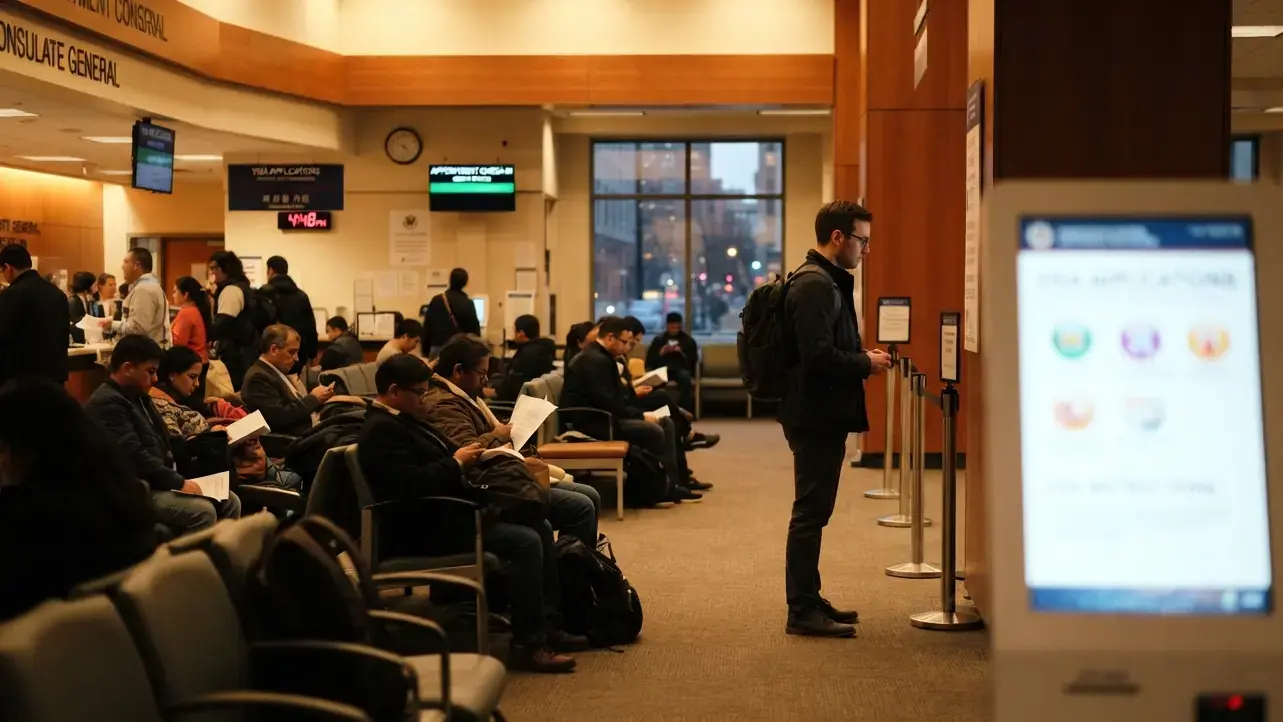
Applicants preparing for a Schengen appointment or a UK visa submission often expect a document checklist with separate boxes for each item. Instead, they open the portal and find one upload field marked simply "Flight Reservation" or "Travel Document," with no room for anything else. That single field changes everything about how the reservation needs to be built.
The Upload Architecture Behind Consular Portals (Single-Field Vs Multi-Field Systems)
Most people assume a visa portal was designed around the paperwork checklist. In practice, it was designed around a database schema first, and the checklist came second. Many government and outsourced visa platforms, including several used for Schengen applications processed through VFS Global or similar centers, store each uploaded document as a single record tied to a category label. That category might be "Itinerary," "Accommodation," or "Financial Proof," and each one typically accepts exactly one file.
This isn't a policy decision about how much proof you need to provide. It's a technical limitation baked into how the backend organizes files for the reviewing officer's screen. When an officer opens your application, they see a list of category labels, each linking to one document. If your flight reservation exists across three separate screenshots or two different PDFs, only one of those will ever attach to that "Itinerary" record. The rest simply won't appear anywhere in your file.
This matters more for applicants with connecting flights. A round trip from Mumbai to Frankfurt with a layover in Dubai naturally produces multiple confirmation pages. If those pages aren't combined before upload, the officer reviewing a German or French visa file may only ever see the outbound leg, with no return flight visible at all.
What "One PDF" Usually Really Means To The Reviewing Officer
When a portal specifies one PDF, it isn't asking for a minimal document. It's asking for a complete travel record that reads as a single, uninterrupted story. An officer reviewing hundreds of applications a week doesn't want to piece together your trip from fragments. They want to open one file, scroll from top to bottom, and understand your full journey without needing to hunt for a second attachment that doesn't exist.
This is especially relevant for US B1/B2 and Canadian visitor visa applications, where reviewing officers are trained to move quickly through supporting evidence. A flight reservation that opens with your outbound Delhi-to-Toronto segment and closes with your return flight, all inside one file, signals that you understand the process and have prepared your documents with care. A reservation that arrives as two disconnected screenshots, even if both are technically valid, reads as incomplete.
The difference isn't about the airline, the fare class, or even the total number of stops. It's about whether the single file you submit tells the complete story of departure and return in one continuous read.
-
A one-file reservation that includes both legs signals a complete, ready-to-review application
-
A partial upload, even with a valid return flight elsewhere in your inbox, effectively doesn't exist to the officer if it never made it into the file
-
Portals rarely allow corrections after submission, so the file uploaded at the time of application is the only version the officer will ever see
The Risk Of Assuming Multiple Attachments Will "Just Merge" Automatically
A common mistake among first-time applicants, particularly those applying for a UK Standard Visitor visa online, is uploading only the most recent confirmation email as a PDF and assuming the portal will somehow associate it with an earlier upload of the return leg. Visa portals don't merge files behind the scenes. Each upload action typically overwrites the previous one in that field, which means the second file uploaded is often the only one that survives to the officer's screen.
This creates a specific and avoidable problem. An applicant traveling from Bangalore to London with a return three weeks later might book both legs through the same reservation service but receive them as two separate confirmation documents. If the outbound confirmation is uploaded first and then the return confirmation is uploaded afterward into the same field, only the return leg remains attached to the application. The outbound flight, despite being fully booked and paid for, disappears from the file the officer actually reviews.
The same risk applies to applicants adding a cover letter or a hotel confirmation into what they assume is a shared upload area. If the portal's "Flight Reservation" field only accepts one file, adding a second item there doesn't expand the field. It replaces whatever was there before.
-
Uploading a second file into an already-filled single-file field almost always replaces the first, rather than adding to it
-
There is typically no confirmation message warning that a previous upload was overwritten
-
Once the application is submitted, most portals lock the uploaded documents, removing any chance to add the missing leg later
This is precisely why the file needs to be assembled correctly before it ever touches the upload field, rather than treated as something that can be corrected after the fact. Getting the content and order right from the start means the officer sees one complete flight reservation, front to back, exactly as it was booked.
What Actually Belongs Inside That One Flight Reservation PDF
Once you understand why the single-file constraint exists, the next question is practical. What exactly needs to live inside that one PDF so it holds up to scrutiny and reads as a complete, verifiable travel plan?
The Non-Negotiable Fields Consular Officers Scan For First
Every visa officer reviewing a flight reservation is trained to look for the same handful of details within seconds of opening the file. These aren't optional extras. They are the core elements that separate a reservation an officer can act on from one they'll flag for clarification.
The passenger name needs to appear exactly as it does on the passport, with no shortened first names, no missing middle names, and no swapped order. A booking made for "Rob Anderson" when the passport reads "Robert James Anderson" creates friction the officer shouldn't have to resolve. Visa officers check if the name matches the booking and the application, and any mismatch is treated as a red flag rather than a typo.
Alongside the name, the PNR or booking reference needs to sit clearly on the page, not buried in a footer or cut off at the margin. A valid Passenger Name Record is essential for flight reservations because it's what allows the airline's own system to confirm the booking exists, independent of anything printed on the page. Embassies verify dummy tickets using this booking reference, so if it's blurry, cropped, or missing entirely, the entire document loses its credibility regardless of how professional it looks otherwise.
Flight numbers, departure and arrival airports, and travel dates round out the essential fields. These need to be visible without the officer having to zoom in or scroll sideways on a compressed PDF. If your file forces a reviewer to squint at an 8-point font to find your departure date, you've already made the review harder than it needs to be.
-
Passenger name matching the passport character for character
-
A live, verifiable PNR positioned clearly on the page
-
Flight numbers and routing for every leg of the trip
-
Departure and return dates that align with your visa application
It's worth restating something many applicants aren't fully confident about: dummy tickets are legal for visa applications. Embassies commonly accept genuine reservations as proof of travel intent because many applicants are not expected to pay for a fully ticketed flight before they know whether the visa will be approved. Most embassies actually advise against purchasing a real, paid ticket before approval, since a rejected application would leave you with a non-refundable flight and no way to use it.
That said, legality only holds if the reservation is real. Creating a fake ticket, meaning a document that doesn't correspond to any actual booking or live PNR, is considered document fraud, and the distinction matters enormously here. A dummy ticket with a verifiable PNR can be a legitimate temporary reservation held without full payment. A fabricated PDF with invented flight numbers and no corresponding booking is something else entirely, and consular systems are increasingly capable of telling the difference.
Page Order That Reads Naturally To A Human Reviewer
Once the right details are on the page, the order they appear in matters almost as much as their presence. A reservation that jumps between return and outbound information, or buries the second leg of a connecting itinerary halfway through a hotel confirmation, forces the officer to reconstruct your trip instead of simply reading it.
The most reliable structure places your outbound leg first, exactly as you'll fly it. If you're departing Mumbai for Paris with a layover in Istanbul, that first page should show the Mumbai-to-Istanbul segment, followed immediately by Istanbul-to-Paris, in the sequence you'll actually experience them. The return leg follows the same logic in reverse, starting with your first departure back toward India and ending with your final arrival home.
This ordering isn't a formatting preference. It reflects how officers are trained to cross-check a trip against your visa application form, which typically lists arrival and departure dates in that same chronological sequence. When your PDF mirrors that sequence, the officer can verify your dates in a single pass rather than flipping between pages to piece together which leg comes first.
Alignment matters here in a very literal sense. Alignment of travel dates is crucial for visa applications, and a reservation that shows a return date three days before your stated departure date, simply because the pages were assembled out of order, can trigger a query that a correctly ordered file would have avoided entirely.
Embassies also tend to prefer a complete travel picture rather than a flight reservation in isolation. Embassies generally prefer applications that include both flight reservations and accommodation details together, and if your hotel confirmation is being submitted separately, your itinerary dates need to align with those hotel and insurance dates exactly. A flight PDF showing a ten-day trip that doesn't match a five-day hotel booking submitted elsewhere in your application creates exactly the kind of inconsistency that slows down approval.
Matching Your Ticket's Spelling, Dates, And Reference Number To Your Application Form
The single-file format removes any margin for small inconsistencies, because there's nothing else on the screen competing for the officer's attention. Every detail on that one page needs to correspond precisely to what you entered on your visa application form.
This starts with spelling. Exact personal details must match the passport character for character, which means double-checking that your reservation doesn't include an autocorrected version of your name, a missing hyphen, or a different transliteration than the one printed in your passport's machine-readable zone. Booking platforms sometimes pull names from saved profiles or previous searches, and a small inherited error can sit unnoticed until an officer catches it.
Dates deserve the same scrutiny. A dummy ticket should match your visa application dates precisely, including the specific day of departure and return you declared on your form. For tourist visa categories, using a round-trip reservation rather than a one-way booking is the standard expectation, since a one-way flight can raise questions about your intent to return.
It's also worth understanding how long these reservations typically stay valid, since that window affects when you should generate the file relative to your appointment. Most dummy tickets remain valid for 24 hours to 14 days, though some providers issue holds valid for as little as 24 to 72 hours. Free dummy ticket generators often produce reservations that can't actually be verified through an airline's system at all, since they're not tied to a genuine PNR in the first place, which is exactly the gap that turns a legal, common practice into a document an officer can't trust.
Before this file goes anywhere near a merge tool or a compression step, every one of these details should already be correct. Fixing a name typo or a wrong date after the pages are combined into one PDF only adds another round of editing to a process that should already be finished.
Turning A Multi-City Or Connecting Itinerary Into One Clean File

A direct flight is straightforward to present. A connecting itinerary with two or three airlines involved is a different challenge entirely, and it's where most single-file uploads start to fall apart.
Why Connecting Flights Confuse Single-File Uploads More Than Direct Routes
A traveler flying from Delhi to Rome with a stop in Doha ends up with a reservation that lists two flight numbers, two departure times, and two different aircraft, all within the same journey. On its own, that's normal. Inside a single PDF with no clear separation between segments, it can start to look like two unrelated bookings rather than one connected trip.
This confusion gets worse when the layover happens on a different airline than the connecting flight. A Delhi to Doha segment operated by one carrier, followed by a Doha to Rome segment operated by a codeshare partner, can produce a reservation where the two halves look like they belong to entirely different itineraries. Without a visual cue tying them together, an officer scanning quickly might read the file as an incomplete outbound trip with no confirmed way to actually reach the final destination.
The problem compounds further with a return itinerary that also connects through a different hub. A round trip from Bangalore to Toronto with an outbound layover in London and a return layover in Frankfurt means four separate flight segments, each with its own flight number and timing, all needing to sit inside one file without the officer losing track of which segment belongs to which direction of travel.
-
Multiple carriers within one trip can look like separate, disconnected bookings
-
Different layover cities on the outbound and return legs add another layer an officer has to track
-
A reservation with four or more segments needs deliberate structure, not just sequential pasting
None of this makes a connecting itinerary a weaker choice for a visa application. It simply means the file needs more intentional structure than a direct round trip would.
Structuring Layovers And Stopovers So The Officer Isn't Left Guessing
The fix here isn't complicated, but it does require a small amount of deliberate formatting rather than dropping raw booking confirmations one after another into a merged file.
Grouping each leg of the journey under its own short heading inside the PDF gives the officer an immediate anchor point. A reservation for a Mumbai to Amsterdam trip connecting through Abu Dhabi reads far more clearly when the file itself contains a marker such as "Outbound: Mumbai to Abu Dhabi" followed by the relevant flight details, then a second marker for "Outbound: Abu Dhabi to Amsterdam," before moving into the return portion with the same treatment.
This kind of internal labeling does two things at once. It confirms for the officer that the segments are part of a single connected journey rather than unrelated bookings, and it makes the file easier to verify quickly, since each segment is clearly attributed to a direction of travel instead of requiring the reviewer to cross-reference dates to figure out which flight comes first.
For a round trip with layovers on both ends, the same logic extends naturally:
-
Outbound leg one, with departure city, arrival city, and flight number
-
Outbound leg two, continuing to the final destination
-
Return leg one, starting the journey home
-
Return leg two, arriving back in the country of departure
This structure holds up whether the trip involves two segments or six. The goal isn't to add commentary or explanation inside the file. It's to make the existing booking information easier to follow at a glance, which matters more with a connecting itinerary than with a simple direct flight.
Airlines and third-party booking systems don't always generate confirmations with this structure built in. Many confirmations list segments in the order they were processed by the reservation system rather than the order they'll actually be flown, which is exactly why this kind of manual grouping, done before the file is finalized, prevents an officer from having to reorder the trip themselves.
Adding A One-Line Trip Summary Page Without Looking Like Padding
For itineraries with several connections, a short summary page at the very front of the file can help orient the officer before they reach the detailed segment-by-segment confirmations. This works well for complex trips, but it needs to be handled carefully so it doesn't come across as unnecessary bulk added to pad out the document.
A summary page that works well is genuinely brief. It might list the total route in one line, such as Bangalore to Toronto via London, the overall travel dates, and the total number of flights involved. That's the extent of what belongs there. It should never restate every flight number, every departure time, or every airport code, since that information is already covered in full on the following pages.
The purpose of this page is orientation, not duplication. An officer glancing at a four-segment itinerary benefits from knowing upfront that they're looking at a connecting round trip between two specific cities over a defined set of dates. Once they have that context, the detailed pages that follow become much faster to verify, because the officer already knows what they're checking for.
Where this goes wrong is when applicants try to make the summary page do too much. A summary that includes a paragraph explaining the trip's purpose, a note about connecting flight timing, or a personal statement about travel plans stops functioning as a summary and starts to look like padding inserted to make the file appear more thorough than it needs to be. Officers reviewing dozens of files a day recognize this quickly, and it can slow down the review rather than speeding it up.
The right approach keeps this page to a single, clean block of information sitting above the detailed itinerary, not competing with it. For straightforward direct flights, this page usually isn't necessary at all. It earns its place specifically when the trip involves enough segments that a quick orientation genuinely helps the person reviewing it.
Getting The File Itself Right: Format, Size, And Naming
Even a perfectly ordered, well-labeled itinerary can get rejected for reasons that have nothing to do with your trip and everything to do with how the file itself was built. This is where a lot of otherwise solid applications run into trouble.
PDF Vs PDF/A, And Why Some Portals Silently Reject One But Not The Other
Most applicants export their flight confirmation as a standard PDF without ever considering that a format choice could affect whether a portal accepts the file. Standard PDFs, the kind produced by most browsers and email clients, embed fonts, images, and color profiles in a way that assumes the file will always be opened on a modern system with full rendering support.
Some government portals, particularly those built for national e-visa systems or older embassy platforms, expect PDF/A instead. This is a more restrictive archival format designed for long-term storage and consistent rendering across systems, and it handles embedded fonts and color spaces differently than a standard export. A flight confirmation saved as a regular PDF might open perfectly on your laptop, yet still get flagged as invalid the moment it hits a portal's stricter parser.
The frustrating part is that these rejections rarely come with a clear explanation. An applicant uploading a Delhi to Singapore itinerary for an e-visa application might simply see a generic "invalid file format" or "upload failed" message, with no indication that the actual issue is the PDF's internal structure rather than its content.
There's no universal rule for which portals require which format, since this varies by country and by the specific visa center processing your application. What matters is not assuming every PDF behaves the same way once it reaches a government server. If a portal rejects a file without explanation and the itinerary itself is complete and accurate, re-exporting it in a different PDF format is one of the first things worth trying before assuming the reservation itself is the problem.
Compressing A Flight PDF Without Blurring The Barcode Or QR Code
Embassies generally impose a strict file size limit on uploads, often somewhere between one and five megabytes depending on the portal, and a flight confirmation with multiple segments, airline branding, and high-resolution booking graphics can easily exceed that limit before any compression is applied.
The instinct at that point is to run the file through the nearest compression tool and shrink it until it fits. This works, but it comes with a real risk. Aggressive compression reduces image quality across the entire page, including the exact elements that give a reservation its credibility. A PNR printed as a barcode or QR code needs to remain sharp enough to scan or read clearly, and heavy compression is often the reason that code turns into a blurry, unreadable smudge by the time it reaches the officer's screen.
This matters more for flight reservations than for most other visa documents, because the barcode or QR code is frequently how an airline's own system cross-checks a booking. Embassies verify dummy tickets using the booking reference or PNR, and if that reference is visually intact but the scannable code above it is degraded beyond recognition, it can undercut the very thing meant to prove the reservation is real.
A few practical habits help avoid this:
-
Compress the file gradually rather than in one aggressive pass, checking the barcode and text clarity after each step
-
Avoid converting the file to a heavily compressed image format before turning it back into a PDF, since this compounds quality loss unnecessarily
-
Low-resolution images should be avoided entirely in these submissions, since a fuzzy confirmation page raises more questions than a slightly larger file size ever would
If a single flight confirmation alone pushes close to the size limit, a round-trip itinerary with connections on both legs will exceed it almost immediately. In these cases, using a reliable PDF merger tool that lets you control compression settings during the merge, rather than compressing each page separately beforehand, tends to preserve barcode and QR quality far better than compressing individual screenshots one at a time.
It's worth testing the final compressed file the same way an officer would view it, by opening it at full size on a screen rather than just glancing at a thumbnail. A barcode that looks fine shrunk down in a file browser preview can still be unreadable once zoomed in, and that's exactly the version the reviewing officer will be looking at.
File-Naming Choices That Avoid Raising An Automated Flag
The name attached to your file matters more than most applicants expect, particularly on portals that log metadata or flag files based on naming patterns that don't match what a typical applicant would produce.
A file left with its original download name, something like "confirmation_final_v2_edited.pdf" or a name inherited from a template folder, doesn't read as suspicious on its own, but it also doesn't read as ordinary. Reviewing systems and human officers alike are more comfortable with straightforward, descriptive names that clearly correspond to the applicant and the trip.
A name built around your own details works best. Something structured around your full name, your travel dates, and the word "itinerary" or "reservation" gives the file an obvious, transparent purpose the moment it appears in a list of uploads. A name like "Anderson_Toronto_Itinerary_March2026" tells an officer exactly what they're about to open, with no ambiguity.
Names carried over from a downloads folder or a shared template, on the other hand, can unintentionally suggest the file was copied or repurposed rather than generated specifically for this application. This is rarely enough to cause a rejection on its own, but combined with other small inconsistencies elsewhere in an application, it adds a layer of friction that a clean, applicant-specific file name simply avoids.
A few naming habits worth adopting before uploading anything:
-
Use your name exactly as it appears on your passport, not a nickname or shortened version
-
Include the travel dates or destination city to make the file's purpose immediately clear
-
Avoid generic terms like "final," "copy," or "edited" that suggest the file went through multiple unrelated versions
-
Keep the name free of special characters or symbols that some portals strip out or reject during upload
None of this changes what's inside the file. But a clearly named, correctly formatted, and properly compressed PDF removes an entire category of avoidable friction before an officer even opens it to check the flight details themselves.
Technical Rejections That Have Nothing To Do With Your Trip
An itinerary can be accurate, well-priced, and perfectly timed for your appointment, and still get bounced back by a portal because of something that happened during file preparation, not because of anything wrong with the flight itself.
Corrupted Merges: How "Combining" Tools Quietly Break A Valid PDF
Most flight reservations that need to fit into a single upload field start as two or more separate files, an outbound confirmation and a return confirmation, or several segment confirmations from a connecting itinerary. Combining these into one PDF sounds like a simple last step, but the tool used for that merge can introduce problems that aren't visible until the file is already submitted.
Free online merge tools, in particular, often prioritize speed over integrity. Some strip embedded metadata during the merge process, which can affect how certain portals validate the file. Others silently reorder pages when the source files have inconsistent page sizes or orientations, so a return leg that was meant to appear last ends up sandwiched in the middle of the document instead. A Delhi to Dubai to London itinerary merged incorrectly might display the return flight before the outbound leg even though nothing about the individual files was wrong to begin with.
The more serious version of this problem is a file that opens without any visible issue on the device used to create it, but fails entirely when opened through the portal's own document viewer. Government and visa center systems frequently use older or more limited PDF rendering engines than a personal laptop or phone. A merge tool that produces a file readable in a modern browser can still generate a document with internal structure quirks that a stricter parser can't handle, resulting in a blank page, a corrupted file error, or a rejected upload with no clear explanation.
This is exactly why using a reliable PDF merger tool matters more than it might seem. A trustworthy merge tool preserves page order precisely as arranged, maintains consistent formatting across pages pulled from different sources, and produces a file structure that behaves the same way across different viewers and systems. Testing the merged output immediately after creating it, rather than assuming it worked simply because the merge process completed without an error message, catches this category of problem before it becomes a rejected application.
Password-Protected Or Read-Only Files That Stall A Manual Review
Some booking confirmations, particularly those issued directly through certain airline systems or travel agencies, arrive as password-protected PDFs or with restrictions that prevent copying text from the document. This is often meant as a security measure to protect the traveler's personal information, but it creates a real obstacle when that same file needs to be reviewed manually by a visa officer.
A password-protected file forces the reviewer to either skip verifying the document properly or request the applicant provide the password separately, neither of which fits into a standard visa review workflow. Most officers reviewing dozens of applications don't have the time or the process in place to request and enter a password for one file among many, which means a locked PDF risks being treated as unreadable rather than being opened at all.
Read-only restrictions cause a quieter but equally real problem. Some portals or reviewing systems attempt to extract text from uploaded PDFs to verify names, dates, and reference numbers against the application form automatically. A file that blocks text selection or copying can interfere with that automated check, even if a human eye could read every detail on the page without difficulty.
Before uploading a merged flight reservation, it's worth opening the final file and testing whether text can be selected and copied from it directly. If the file resists this, whether due to a password prompt or an underlying restriction carried over from the original confirmation, removing that restriction before submission avoids a delay that has nothing to do with the accuracy of the booking itself. Most standard PDF tools allow removing this kind of restriction as long as the applicant has legitimate access to the original file, which is typically the case for a reservation booked in their own name.
A 5-Minute Test To Run Before You Ever Hit Upload
Every issue covered so far, whether it's a broken merge, a locked file, or a compression pass that blurred a barcode beyond recognition, shares one thing in common. Each of them is easy to catch before submission and difficult to fix afterward, since most portals lock the application the moment it's submitted.
A short verification routine, done right before uploading, catches almost all of these problems in a few minutes:
-
Open the file on a different device than the one used to create it. A PDF that renders correctly on a laptop should be checked again on a phone or a different computer, since rendering differences between devices sometimes reveal issues that weren't visible during the original assembly.
-
Switch to a different PDF reader than the default one used while building the file. A file that opens fine in one viewer can display missing pages, broken images, or altered formatting in another, and portals rarely use the same reader an applicant used at home.
-
Confirm the page count matches what was intended. A four-segment connecting itinerary should show exactly the number of pages expected, with nothing missing and nothing duplicated from an earlier draft of the merge.
-
Zoom in on the PNR, barcode, or QR code at full resolution. These should remain sharp and legible, not just visible as a general shape on the page.
-
Verify the page order flows the way the trip will actually be flown, outbound first, followed by the return, with connecting segments in the correct sequence rather than the order they happened to be uploaded.
-
Check that the file opens without requesting a password and that text on the page can be selected, confirming there's no restriction left over from the original confirmation.
This kind of check takes only a few minutes, but it's the difference between catching a blurred barcode or a scrambled page order at home, where it costs nothing to fix, and discovering the same issue after a portal has already rejected the upload or, worse, after an officer has already reviewed an incomplete file without realizing pages were missing.
When The Upload Field Name Doesn't Match What You're Uploading
The label sitting above the upload button can tell you almost nothing about what the portal actually expects, and applicants who take these labels at face value sometimes end up submitting the wrong kind of file entirely.
Labels Like "Travel Itinerary" Vs "Flight Reservation" And What They're Each Testing For
A field labeled "Flight Reservation" tends to be fairly unambiguous. It's asking for exactly what it says, a document showing your booked flights, with the PNR, dates, and passenger name clearly visible. There's rarely much room for interpretation there.
"Travel Itinerary" is a different matter, and the ambiguity here trips up more applicants than it should. Some portals use this label as a straightforward synonym for the flight reservation itself. Others use it to mean a broader trip plan, expecting the applicant to include flight details, accommodation information, and sometimes even a day-by-day breakdown of activities, especially for tourist visa categories where the reviewing country wants to understand the full shape of the visit.
An applicant applying for a Schengen visa through an outsourced center might see "Travel Itinerary" and assume it only wants the flight confirmation, when the specific consulate processing that application actually expects a combined document showing both flights and hotel dates aligned together. Submitting only the flight portion in that case technically fills the upload field, but it doesn't satisfy what the label was actually asking for, and it may not become obvious until the application is queried or delayed.
This distinction matters more for connecting itineraries and longer trips, where the difference between "here are my flights" and "here is my full travel plan" becomes significant. A ten-day trip across two cities with a domestic flight in between reads very differently depending on which interpretation the portal intends.
There's no single rule that applies across every country's system, since two portals can use the exact same label to mean different things. What helps is treating an ambiguous label as a signal to check further rather than assuming the narrower interpretation by default, particularly for visa categories where the reviewing country has a track record of wanting a complete trip picture rather than an isolated flight confirmation.
Deciding Whether A Cover Note Belongs In The Same File Or Stays Separate
Some applicants, especially those with unusual itineraries or a trip that doesn't follow a typical pattern, consider adding a short explanatory note to clarify something about their travel plans. A traveler with a long layover for a personal reason, or someone whose return date falls slightly later than their hotel booking due to a domestic leg added afterward, might feel a brief explanation would help the officer understand the reservation at a glance.
Whether that note belongs inside the same PDF as the flight reservation depends heavily on how the portal is structured. If the application allows a separate field for a cover letter or supporting statement, a short note about flight timing generally belongs there rather than inside the itinerary file itself, since mixing narrative explanation with structured booking data makes the reservation harder to scan quickly.
When the portal genuinely offers only one upload field for the entire application packet, meaning there's no separate space for a cover note anywhere in the process, the calculation changes. In that specific situation, adding a short note as the very first page of the file, before the itinerary details begin, can help orient the officer rather than leaving them to guess why a particular date or routing looks unusual.
Even then, restraint matters. A note explaining a long layover in a single sentence serves its purpose. A lengthy paragraph justifying every choice made during booking starts to work against the applicant, since it can read as over explaining something that didn't need justification in the first place. The goal of any note added under these circumstances is to remove a moment of confusion for the reviewer, not to preemptively argue a case that the reservation itself should already make clear.
-
A separate cover letter field means flight-specific notes should generally stay out of the itinerary file
-
A genuinely single-field application may justify a brief note as the first page, kept to one or two sentences
-
Notes explaining routine details, like a short layover or a standard connection, usually aren't necessary at all
What To Do When The Portal Gives No Guidance At All
Plenty of portals, particularly newer e-visa systems or smaller consulates without dedicated visa centers, provide almost no context beyond a bare upload field and a generic label. No character limit is mentioned, no example is given, and no indication is provided as to whether the system expects flights alone or a full trip plan.
In this situation, defaulting to the narrower interpretation tends to be the safer starting point. A flight-only reservation, built cleanly with the passenger name, PNR, dates, and routing clearly visible, satisfies the baseline expectation that almost every visa system shares, regardless of how the upload field happens to be labeled. Adding accommodation details or a broader trip narrative into that same file, without any indication the system expects it, risks creating a longer, more cluttered document than necessary.
Keeping the file short matters just as much here as with any other portal type. A flight reservation built around the essentials, without speculative additions meant to cover every possible interpretation of a vague label, remains easy for an officer to review regardless of what the system originally intended the field to capture.
If a portal's ambiguity becomes a genuine concern, particularly for a first-time applicant unfamiliar with a specific country's process, being prepared to explain the file's structure during an in-person interview or a follow-up query is a reasonable fallback. An applicant who can clearly account for why their itinerary is structured the way it is, referencing the actual dates and routing of their trip, is in a strong position regardless of how a vague label was originally interpreted.
None of this changes the underlying reservation. It only affects how that reservation gets framed for a system that never quite explained what it wanted in the first place.
Making A Round-Trip Booking Fully Verifiable From A Single Static File
Once your reservation is uploaded, it becomes a static document sitting inside a government system. Nobody follows up with you to check whether the booking is still active, which means the file itself has to carry everything an officer needs to confirm it on their own.
Why Officers Need To Verify Without Leaving The Portal
A visa officer reviewing a flight reservation isn't working from a single application. They're moving through a queue, often with dozens of files open across a shift, and the review process is built around speed as much as accuracy. That reality shapes what a usable reservation looks like.
An officer isn't going to open a separate browser tab, log into an airline's website, and manually search for your booking using a name and a date. If the file itself doesn't contain enough information to verify independently, the practical outcome is that the reservation gets accepted on trust, flagged for additional review, or in some cases queried back to the applicant, adding delay to an otherwise straightforward file.
This is a different standard than simply having a real, live PNR. A genuine reservation booked through a legitimate channel can still fail this test if the file presenting it buries the reference number, uses inconsistent formatting between the outbound and return legs, or requires the reviewer to hunt across multiple pages to find the one detail that would let them confirm the booking exists.
A reservation for a round trip from Chennai to Sydney, for instance, needs the same level of verifiable detail on the return leg as it does on the outbound leg. If the outbound page clearly displays the PNR and the return page only shows a flight number without repeating the booking reference, an officer scanning quickly may not realize the same reservation covers both directions, and the return leg can end up looking unconfirmed even though it isn't.
What A PNR Needs To Show To Be Checked Against The Airline Directly
Not every reference number that appears on a booking confirmation functions the same way. This distinction matters more than most applicants realize, and it's a common source of reservations that look complete but can't actually be verified.
A genuine airline PNR, typically a six-character alphanumeric code generated directly by the airline's own reservation system, is what allows an officer to independently confirm a booking through the airline's website or a manual check, if they choose to do so. This code is tied directly to the airline's database and reflects the actual status of the booking at any given moment.
A third-party booking ID is a different thing entirely. Many travel platforms generate their own internal reference number for a transaction, which is useful for the applicant's own records but doesn't necessarily correspond to anything the airline's system recognizes on its own. A reservation built around only this kind of internal reference, without the airline's PNR appearing anywhere on the page, effectively removes the officer's ability to check the booking independently, even if the flight itself is completely genuine.
This is why a reservation showing both a booking reference and a separate airline PNR, clearly labeled as such, tends to hold up better under review than one showing only a generic confirmation number. The airline PNR is the detail that connects your paper reservation to something checkable in a live system, and it belongs in a consistent, easy-to-find location on every page of the file, not just the first page or the outbound leg alone.
-
An airline PNR, not just a booking platform's internal reference number, should be clearly visible
-
The same PNR format should appear consistently across outbound and return pages
-
A reference number that only exists inside a third-party system, with nothing tying it to the airline directly, weakens the file's verifiability
Avoiding The Appearance Of A Booking That "Looks Assembled" Rather Than Issued
Beyond the presence of the right reference numbers, the visual consistency of the document itself plays a bigger role than most applicants expect. A reservation that reads as internally consistent, front to back, signals something very different to a reviewer than one that looks like it was pieced together from separate sources.
Font inconsistencies are one of the most common giveaways here. A reservation where the outbound leg uses one typeface and the return leg uses a visibly different one, even if both segments are entirely genuine, can suggest the document was edited or combined from two unrelated sources rather than issued as a single confirmation. This often happens innocently, when an outbound flight is booked through one channel and a return flight through another, but the visual mismatch still raises a question the applicant didn't intend to create.
Date formatting inconsistency causes a similar problem. A file where the outbound page shows a date as "14 Mar 2026" and the return page shows "03/18/2026" forces the reviewer to pause and reconcile two different conventions, even though both dates are accurate. Small formatting differences like this don't indicate fraud, but they do interrupt the smooth, confident read that a well-prepared reservation should offer.
The more serious version of this problem involves visible signs of direct editing inside the file, such as a field where the background color doesn't quite match the surrounding page, or text that appears to sit slightly misaligned compared to the rest of the document. Even when a reservation is completely legitimate, these visual artifacts can make it look like details were altered after the original confirmation was issued, which invites exactly the kind of scrutiny a clean, verifiable file is meant to avoid.
-
Keep font and formatting consistent across every page and every leg of the trip
-
Standardize date formats throughout the file rather than mixing conventions inherited from different booking sources
-
Watch for visual signs of editing, like misaligned text or inconsistent backgrounds, that can make a genuine booking look altered
None of this is about disguising anything. It's about presenting a real, verifiable reservation in a way that reads as issued, not assembled, so the officer's attention stays on confirming the trip rather than questioning the document itself.
How The Single-PDF Rule Changes Across Different Visa Systems
Not every portal enforces the one-file requirement in the same way, and assuming your last application's process will repeat itself for a different country's system is one of the more common mistakes applicants make.
Embassy-Run Portals Vs Outsourced Application Centers Vs E-Visa Websites
An embassy-run portal, where the consulate itself manages the online application system directly, tends to have more rigid technical requirements because the underlying platform is often older and built with narrower tolerances. These systems sometimes enforce strict file size caps well below what more modern platforms allow, and they can be less forgiving of PDF formatting quirks that a newer system would simply ignore.
Outsourced application centers, the kind that process visa paperwork on behalf of multiple consulates through a shared platform, tend to behave differently. Because these platforms often serve several countries at once, they're frequently built with broader compatibility in mind, accepting a wider range of file sizes and formats since the same system needs to accommodate varying requirements across different destination countries. That said, this flexibility doesn't mean every consulate using that shared platform expects the same content inside the file. The technical upload might succeed easily, while the underlying documentation standard still varies by which country's visa is actually being processed.
E-visa websites, common for countries offering fully online visa processing without an in-person appointment, sit somewhere in between. Many of these platforms are newer and more forgiving of file format, but they often enforce very tight file size limits since the entire system is optimized for quick, lightweight uploads processed largely through automation rather than manual officer review. A reservation that would upload without issue on an outsourced center's platform might bounce back immediately on an e-visa site simply because the file exceeds a size threshold measured in kilobytes rather than megabytes.
None of these three system types is inherently more difficult to work with. Each one simply has a different set of technical assumptions built into it, which means a reservation prepared with one country's system in mind can't always be assumed to work identically for another.
Mobile-Only Upload Flows And Their Extra Compression Quirks
A growing number of applicants complete visa applications entirely from a phone, either because a portal is designed mobile-first or because it's simply more convenient during travel or a busy work day. This shift introduces a technical variable that desktop-based applications don't share.
Many mobile browsers and visa center apps apply their own compression automatically when a file is uploaded through a phone, regardless of how carefully that file was prepared beforehand. A reservation that was compressed thoughtfully on a laptop, with the barcode and QR code checked for clarity, can go through a second, invisible round of compression the moment it's uploaded through a mobile browser, shrinking an already tight file below a genuinely readable resolution.
This double compression is rarely mentioned anywhere in a portal's instructions, since it happens at the browser or app level rather than being a deliberate feature of the visa system itself. An applicant uploading a connecting itinerary from Hyderabad to Frankfurt through a mobile-only e-visa flow might find that a barcode which looked perfectly sharp when checked on a laptop becomes blurry after the mobile upload completes, without any warning that this second compression pass occurred.
A few adjustments help account for this:
-
Where possible, complete the final upload from a desktop or laptop browser rather than a phone, even if the rest of the application was filled out on mobile
-
If a mobile upload is unavoidable, prepare the file with extra margin below the stated size limit, anticipating that automatic compression may shrink it further
-
After uploading through a mobile flow, check whether the portal allows viewing the submitted file afterward, and confirm the barcode or QR code still reads clearly in that final version
This isn't a reason to avoid mobile applications altogether, since many portals function perfectly well this way. It's simply a variable worth accounting for specifically when the upload happens through a phone rather than a desktop browser.
What Stays Constant No Matter Which System You're Dealing With
Despite these differences in file size tolerance, format strictness, and compression behavior, certain fundamentals hold steady across every visa system, regardless of whether it's an embassy-run portal for a Schengen application, an outsourced center processing a UK visa, or a fully automated e-visa website.
A clean, logical page order remains non-negotiable everywhere. Whether the reviewing party is a human officer manually checking each page or an automated system extracting text for verification, a reservation that flows outbound to return, in the sequence the trip will actually be flown, reads correctly regardless of which platform processes the upload.
A visible, verifiable PNR matters just as consistently. Every system, no matter how it differs technically, ultimately exists to confirm that a genuine booking supports the visa application. A reservation with the airline's own reference number clearly displayed satisfies that underlying purpose whether the portal enforces a strict PDF/A format or accepts a standard export without complaint.
Matching personal details, exact spelling, correct dates, and consistent formatting between the reservation and the application form also holds true across every system type. This isn't a technical requirement tied to any particular platform's architecture. It reflects what every visa system, regardless of how it's built, is ultimately trying to verify.
-
Logical, chronological page order works across every portal type without exception
-
A clearly visible airline PNR remains the anchor point for verification, regardless of system
-
Matching names, dates, and details to the application form is universal, not specific to any one country's process
Where the differences between embassy-run, outsourced, and e-visa systems really show up is in the technical margins, file size, format tolerance, and how mobile uploads are handled. Getting the content of the reservation right solves the larger part of the challenge. Adjusting for the specific platform's technical quirks solves the rest.
Your Final Check Before You Click Submit
Everything covered so far has been about building a verifiable flight reservation correctly, from the flight itinerary structure to the file itself. What remains is confirming that your temporary flight reservation still reflects your final travel plans at the exact moment you submit it, since travel details can shift in the days between preparing a file and actually uploading it to the visa office.
Re-Confirming The Booking Is Still Live The Same Day You Upload
A reservation prepared three or four days before an appointment date can feel finished the moment the PDF is saved. But a dummy flight reservation held without a fully paid airline ticket isn't a static document. It's an active hold inside an airline's system, and that hold has fare rules and a lifespan that don't always match the applicant's own timeline for finishing the rest of the visa application process.
An applicant who finalizes a temporary reservation for a Delhi to Milan trip on a Monday, then spends the rest of the week gathering supporting documents, filling out a visa form, and scheduling a visa appointment, might not upload that same file until Friday or the following Monday. If the hold on that dummy ticket booking was only ever valid for a shorter window, the PNR sitting inside the PDF may no longer correspond to a confirmed ticket by the time it actually reaches the portal.
This matters because a lapsed hold doesn't necessarily announce itself. The PDF still looks the same, the passenger details still print clearly, and the file still opens without any error. The problem only surfaces if an officer or an automated system attempts to verify the reference number against the airline's database and finds nothing current, which can turn a routine upload into an unexpected query and delay your visa decision.
The safest habit is treating the file's creation date and the upload date as two separate checkpoints, not one. A reservation generated a week earlier deserves a quick reconfirmation, checked against the booking page if that option is available, on the same day it's actually submitted through the portal, so your intended travel dates and entry and exit dates still line up with what you originally planned. This is a small habit, but it closes a gap that a lot of international travelers don't think to check simply because the document itself gives no visual indication that anything has changed.
-
Treat the day of upload, not the day the file was created, as the moment that matters most for your planned travel dates
-
Confirm the dummy ticket valid window is still active before submitting, especially if several days have passed since the reservation was booked
-
Rebuild the file promptly if a hold has expired, rather than submitting a document tied to a flight booking that no longer exists
Where Instantly Verifiable, Date-Flexible Bookings Save You A Resubmission
This kind of timing gap is exactly where the format of your dummy flight tickets starts to matter as much as the content inside them. A booking that can be instantly verified and easily adjusted removes most of the financial risk described above, since there's no scramble to rebuild a file from scratch if actual travel plans shift or an appointment gets rescheduled at the last minute.
A dummy ticket legal for embassy use functions very differently from refundable tickets purchased directly through an airline, since a temporary hold carries none of the fare restrictions or fully paid ticket cost that comes with committing to actual seats months in advance. This is exactly why intended travel doesn't need to mean expensive airline tickets bought on faith, especially when a consulate only needs proof that a trip is planned, not proof that it's already been paid for in full.
DummyFlights.com issues genuine dummy tickets with an instantly checkable PNR delivered as a ready-to-upload PDF, with free date changes within the same day of booking for a flat $15 (~₹1,300), and if your flight dates change after an initial submission, a new PDF takes minutes, so you aren't re-merging pages or reformatting an entire flight plan from the beginning.
For an applicant managing a connecting itinerary across two or three segments, the value of this flexibility compounds. Rebuilding a multi-leg onward ticket from scratch, reordering pages, re-checking barcode clarity, and reconfirming every detail against a passport takes real time. A reservation that can simply be updated in place for a new date, without repeating that entire process, keeps the single-file structure intact rather than forcing a full rebuild every time your entry and exit logic changes.
This doesn't remove the need for the checks already covered throughout this guide. Page order, file naming, and format still matter regardless of which provider generates the dummy flight. But starting from a booking built for exactly this kind of last-minute adjustment, rather than purchasing expensive airline tickets or committing to a non-refundable ticket before your visa type is even confirmed, means fewer moments where the file needs to be reconstructed entirely, and fewer opportunities for a formatting mistake to creep back in during a rushed re-edit.
The Last Three Things To Open And Check Inside The PDF Itself
Before the file goes anywhere near the upload field, one final pass through the document catches the handful of issues that tend to surface only after everything else has already been checked once, especially at visa application centers where staff have little patience for a resubmission.
Page count. Open the file and count the pages against what the itinerary actually requires. A round trip with a single connection on each leg should show a specific, predictable number of pages, one for each segment plus any summary page added at the front, and this same logic applies if your invitation dates or a dummy hotel booking are bundled into the same portal elsewhere in your application. A page count that doesn't match what the trip should produce, whether it's short by one page or padded with an extra blank page left over from an earlier merge attempt, is worth catching before submission rather than after.
Page order. Scroll through the file from start to finish and confirm the sequence still reads the way the trip will actually be flown, outbound first, in the correct order for any connections, followed by the return leg in the same logical sequence. Check that your cover letter dates, if a note was added, still line up with when the flight arrives and departs, and that nothing was shifted out of place. This is worth checking again even if it was verified earlier, since a small edit made after that first check, like updating a date or swapping out a page, can sometimes shift the order without the applicant noticing immediately.
Barcode and QR clarity after the final compression pass. Zoom into the PNR and any accompanying barcode or QR code at full resolution, specifically after any last-minute compression applied to meet a portal's file size limit. Confirm the arrival date and departure time printed beside the code are still legible, since this is the detail most likely to degrade quietly during a final adjustment, and it's also the detail an officer or verification system relies on most directly when weighing your visa approval.
-
Confirm the page count matches the expected number of segments and any summary page, and that it still reflects your dates match with the application form
-
Scroll through the full sequence to verify outbound and return legs appear in the correct order, keeping onward travel proof visible on every page
-
Zoom into the PNR, barcode, or QR code to confirm it remains sharp after any final compression, so the final ticket you submit is the one an officer can actually verify
These three checks take only a few minutes, but they're the difference between a file that looks complete on a quick glance and one that's actually ready to withstand a careful review. Skipping them to save time, or choosing to buy non-refundable tickets and rely on a purchased ticket confirmation without checking it first, only shifts that risk onto submission day instead of removing it.
A reservation built with the right content, the right structure, and the right technical formatting throughout this process, whether you book dummy ticket coverage through a dedicated provider or arrange onward travel some other way, deserves that last, careful look before it becomes the one confirmed dummy ticket an officer sees representing your entire trip.
One Clean File Is All The Embassy Needs To See
A single-upload portal isn't a barrier. It's just a format you need to plan for. Once your flight reservation is ordered correctly, named clearly, sized right, and shows a live, verifiable PNR on every page, the officer reviewing your file sees exactly what they need to confirm your trip without a second glance elsewhere.
Treat that one PDF as the whole story of your journey, not a stack of separate pieces. Check it the same day you submit, on a second device, before it becomes the only version anyone else will ever see.
A dummy ticket built for this kind of upload should feel effortless to prepare, not something you're piecing together the night before your appointment.
Need a dummy ticket that is ready for a one-file upload? Use DummyFlights to prepare a clean PDF with readable passenger, route, date and PNR details before submission.
Prepare Your Upload-Ready PDFFrequently Asked Questions
Can I upload a dummy ticket for visa as one PDF?
Yes, when the visa portal requests one file for travel proof, the dummy ticket should be combined into one clean PDF with all relevant route, date, passenger and booking-reference details visible.
What should the first page of the PDF show?
The first page should quickly show the passenger name, route summary, travel dates and booking reference or PNR. A reviewer should not need to search several pages to understand the trip.
Should return and onward proof be in the same PDF?
If the portal gives only one travel-proof upload slot, include outbound, return or onward proof in the same logical file unless the official instructions say otherwise.
Can PDF compression hurt my dummy ticket?
Yes. Heavy compression can blur barcodes, QR codes, PNR details and small route text. Always reopen the compressed file before uploading.
Is a screenshot acceptable for embassy upload?
A clean PDF is usually safer than loose screenshots because it preserves page order, formatting and readability. Screenshots can look assembled if they are cropped or inconsistent.
What filename should I use for the upload?
Use a simple descriptive filename such as passport-name-travel-proof.pdf or visa-flight-proof.pdf. Avoid random download names, repeated final-final labels or confusing screenshots.
Should I password-protect the PDF?
No, unless the portal specifically asks for it. Password-protected or restricted PDFs can delay review or fail automated upload checks.
Do I need a cover note inside the same PDF?
Only add a short cover note when it clarifies a complex route, multi-city journey or separate outbound and return proof. Do not add padding that makes the file harder to scan.
Can DummyFlights prepare an upload-ready dummy ticket?
Yes. DummyFlights can help create temporary travel-proof documents with clear passenger, route, date and booking-reference details for visa planning and application support.
Does uploading one PDF guarantee approval?
No. A clean PDF supports the file, but it does not guarantee visa approval, boarding or entry. Officers still review eligibility, purpose, funds and document consistency.
Friendly reminder: DummyFlights provides temporary travel-proof documents for planning and application support. Requirements vary by destination, airline, route and applicant situation. A dummy ticket can support a file, but it does not guarantee approval, boarding or entry.