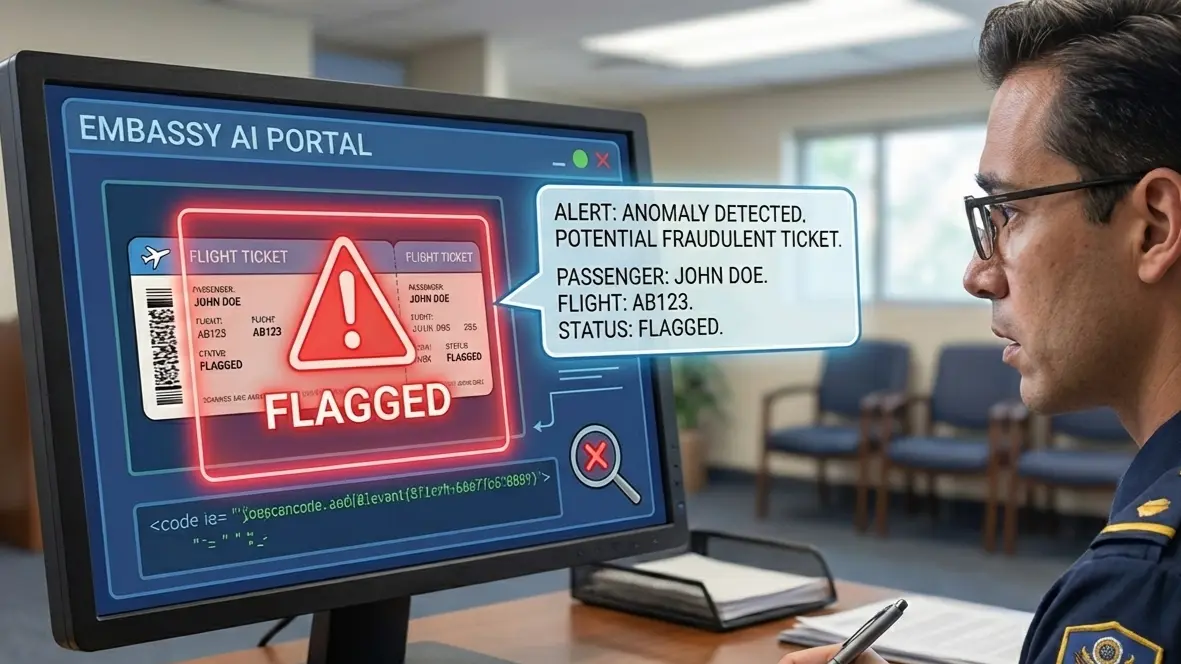
Short answer: An airline may reject a booking email at check-in because the message is old, the PNR no longer retrieves, the reservation is not ticketed or the route and passenger details do not satisfy the carrier's current check. A dummy ticket for visa can support visa-stage proof, but it is not automatically a boarding ticket. Before departure, verify the live record and follow the operating carrier's document instructions.
Key facts
- A booking email records what was sent, not necessarily what is live today.
- A current PNR and an issued ticket answer different check-in questions.
- Airline staff may need to retrieve the record through the issuing system.
- Visa-stage proof does not automatically satisfy boarding requirements.
- Keep names, route, dates and ticket status accurate across every document.
Need visa-stage flight proof that is easy to check? Use a truthful reservation that matches your application, then verify the current travel record before airport day.
Create your dummy ticketIn This Guide
- Why A Visa-Friendly Booking Email Can Still Fail At The Airport
- The Acceptance Ladder: What Check-In Staff Actually Trust Before You Board
- How Visa Applicants Should Choose Flight Proof Without Creating An Airport Problem Later
- What To Do When Staff Reject The Email And How To Prevent The Same Failure Again
- What Matters When The Check-In Desk Tests Your Booking
Official-source check: Confirm the current reservation, ticketing and check-in requirements with the issuing airline or operating carrier. For route-specific passport, visa and transit checks, consult the IATA Travel Centre; the carrier's own system controls whether a booking is live, ticketed, changed or cancelled.
Reviewed for: booking-email limitations, live PNR retrieval, ticketed-versus-reserved status, visa-stage proof, check-in verification and carrier-source alignment.
You reach the check-in desk with the same booking email that worked perfectly for your visa file. For terminology and document scope, review the what a dummy ticket means guide before relying on it. and the agent says it is not valid for travel. That moment catches travelers off guard because the problem is rarely the PDF itself. It is usually the gap between what looks acceptable on paper and what an airline can still retrieve, ticket, and clear in real time.
In this guide, we focus on the part that matters after approval and before departure. You need to know when a reservation email is enough, when a live PNR is the real test, and when only an issued ticket will protect your trip. We will sort the airport-safe proof from the visa-stage proof so you can avoid a counter-side surprise. For visa-stage proof, use a dummy ticket for visa you can verify before departure planning changes.
Why A Visa-Friendly Booking Email Can Still Fail At The Airport

The surprise usually happens after the visa is already stamped and your trip feels settled. You arrive at check-in with the same flight confirmation that looked perfectly acceptable for your Schengen file, UK visitor application, or short-stay trip to the UAE, and the airline still says no.
The Booking Confirmation Email Proves You Received Something — Not That The Flight Is Still Live
A booking email is a record of what existed when it was sent. It is not proof that the same reservation still works on the day you travel.
That distinction matters most for visa applicants because the timing gap is often long. You might submit a flight reservation for a France Schengen visa in January, receive approval in February, and fly in March. The email still looks clean and official in your inbox. The airline, though, is checking what exists now, not what existed when you printed the PDF.
This is why travelers get caught up on routes such as Delhi to Paris, Lagos to Madrid, or Manila to Rome. The email may still show the same dates, same flight numbers, and same passenger name. But if the live record has expired, changed, or dropped out of the system, the counter staff will not treat the attachment as usable travel proof.
For airport purposes, the email is supporting evidence. It is not the authority.
Why “I Have The PNR Right Here” Still Doesn’t End The Conversation
A visible PNR helps, but it does not settle the issue by itself. At check-in, the airline is not impressed by the code alone. The staff member wants to see whether that booking reference still opens a usable reservation in the correct system.
This matters even more on codeshare routes. You may hold a reservation that shows one airline in the email, while the actual operating carrier is different. That is common on long-haul itineraries such as Karachi to Toronto via Doha, or Nairobi to New York via Amsterdam. Your email may look complete. The airline in front of you may still be unable to act on it if the record is not synced correctly, not visible on their side, or no longer tied to an active ticket. For Kenya, see onward ticket for Kenya entry.
You should think of the PNR as a door key. Sometimes it opens the right door. Sometimes it opens nothing. Sometimes it opens a booking that still exists but is not ready for check-in.
That is why travelers who keep repeating, “But the PNR is valid,” often get nowhere. The real question is simpler: Can the airline retrieve this booking and move it forward today?
How Unticketed Holds Quietly Turn Into Check-In Disasters
This is one of the most common failure patterns after visa approval. A reservation created for a visa file can remain useful at the application stage, then become stale long before departure.
That happens when the booking was held but never issued as a final ticket, or when it expired after a payment window closed. The traveler still has the email. The airline no longer has an active travel product; it can check in.
Think about how this plays out in practice:
-
You submit a reservation for a German Schengen visa interview.
-
The embassy reviews it as part of the file.
-
Your visa is approved.
-
Weeks later, you show up for the actual flight using that old confirmation.
-
The system shows the booking was never ticketed, or was cancelled after the hold lapsed.
This is not unusual on routes with long lead times, especially summer Europe departures and multi-stop itineraries to Canada, the UK, or Australia. The trap is visual. The PDF still looks current. The flight details still look real. Nothing on the page tells you what happened in the backend.
That is why a polished itinerary email can create false confidence. It feels official because it was official at one point. But airport staff are working from live status, not document appearance.
Why The Airline Is Also Thinking About Passport, Visa, And Transit Rules
Sometimes the booking is not the only issue. The refusal happens during the same check-in conversation, so travelers assume the email was rejected when the airline is actually stopping the trip for a second reason.
This is especially common on transit-heavy routes. A traveler flying from Dhaka to Madrid via Istanbul, or Johannesburg to Toronto via London, may focus on the reservation email while the airline is checking something else at the same time:
-
Whether the transit point requires a visa for that passport
-
Whether the destination visa matches the route and travel dates
-
Whether the passport details align with the booking
-
Whether separate onward travel creates a document gap
At the counter, these checks happen together. So a traveler may hear “this booking won’t work” when the fuller meaning is closer to “this booking is not check-in ready with your current ticket and document setup.”
The Acceptance Ladder: What Check-In Staff Actually Trust Before You Board

Once your visa is approved, the airport stops caring about what looked acceptable in your application file. The check-in desk works on a different standard, and you need to know where your flight proof sits on that ladder before you leave for the airport.
A Forwarded Booking Email Sits At The Bottom Of The Trust Stack
A forwarded itinerary email is the weakest form of flight proof once you are standing at the counter. It helps you reference dates, flight numbers, and the original routing. It does not give the airline much confidence that your trip can still move.
That matters on common visa routes where travelers book early and travel later. A traveler flying from Mumbai to Milan after a Schengen approval may still have the same confirmation email from weeks ago. A traveler going from Accra to London for a UK visit may have printed the PDF neatly and organized every page. The agent still starts from the live booking system, not your inbox.
Emails also create practical confusion in three ways:
-
They may show old flight times after a schedule change
-
They may show a marketing carrier, not the airline operating the segment
-
They may look final even when no ticket was ever issued
That is why a screenshot, PDF, or forwarded message rarely resolves a check-in dispute by itself. It gives the airline something to cross-check. It does not give them a travel record they can process.
A Booking The Airline Can Still Retrieve Is The First Real Threshold
The first serious test is simple. Can the airline still pull up your booking in a usable way?
This is where many travelers on visa-heavy international routes should pause before departure. If you are flying Cairo to Paris, Colombo to Frankfurt, or Islamabad to Toronto, you should not rely on what your email says. You should try booking directly with the airline that will handle your check-in.
That means checking the booking through the airline’s own website or app with the booking reference and surname. If the route involves a codeshare, check with the operating carrier, not only the airline named most prominently in the original email.
A retrievable booking tells you a lot:
-
The reservation still exists in an active form
-
The airline can see the itinerary now
-
Your name matches closely enough to pull the record
-
The route has not drifted into a hidden schedule change you missed
It does not tell you everything. A retrievable booking can still fail later if the ticket status is incomplete, if the document review is not cleared, or if one segment sits in a different status than the rest.
Still, this is the first threshold that matters. If the airline cannot find the trip cleanly before travel, the airport is the wrong place to discover that.
An Issued Ticket Number Is Usually The Line Between “Reservation” And “Travel Product”
This is where airport acceptance becomes much firmer. A booking reference tells the airline there is a record. An issued ticket number usually tells them there is a real product attached to that record.
That distinction matters most for visa applicants who used a flight reservation earlier in the process, then assumed the same booking would carry them all the way to boarding. In practice, the airline wants to see more than a held itinerary. It wants to see that the journey has crossed from planning into ticketed travel.
On routes with transit complexity, this becomes even more important. Think of:
-
Karachi to Barcelona via Doha
-
Lagos to Amsterdam via Paris
-
Manila to Vancouver via Taipei
-
Delhi to Dublin via Abu Dhabi
Each routing introduces more chances for one part of the trip to look presentable in an email, while the actual ticketing record remains incomplete or uneven across segments.
You should check for signs that point to true ticketed status:
-
A visible ticket number is attached to the booking
-
Consistent segment status across the itinerary
-
The same routing is showing in the airline system, not only in the PDF
-
No pending payment or hold language buried in the record
Travelers often get misled by phrases like “confirmed” in old emails. In airport terms, “confirmed” is not always the same as “ticketed and ready for carriage.” That difference becomes critical when the trip includes a visa-controlled destination, a transit point with its own entry rules, or a tight onward connection.
Once you start thinking in ticket terms instead of email terms, your pre-departure checks get much sharper.
A Check-In-Ready Record Or Boarding Pass Is What Finally Moves The Trip Forward
The top of the ladder is not the prettiest PDF. It is a record that the airline can check in and advance toward boarding.
If your route allows online check-in, that is one of the strongest signs that your flight has moved past the reservation stage. It means the airline can see enough of the trip, your ticket, and your document setup to begin the departure process. For a traveler going from Nairobi to Madrid on a Schengen visa, or from Dhaka to Dubai on a UAE visit visa, that matters far more than a saved email attachment.
A check-in-ready record usually means several things are lining up at once:
-
The booking is retrievable in the correct airline system
-
The ticket is issued
-
The flight details are current after any schedule updates
-
The passport name and itinerary match closely enough
-
The route does not trigger an unresolved document block
A boarding pass, digital or printed, is even stronger because it shows the airline has already accepted the booking into the departure workflow. It is not absolute proof that every issue is gone. Some travelers still face final document inspection at the bag drop or at the gate. But it is far closer to what the airline trusts operationally than any standalone itinerary email.
How Visa Applicants Should Choose Flight Proof Without Creating An Airport Problem Later

The right flight plan depends on where you are in the process, not just what looks official in your inbox. A Schengen applicant, a UK Standard Visitor applicant, and a traveler heading to Canada on a temporary resident visa all face the same practical issue: the proof that helps your file is not always the proof that gets you onto the aircraft.
While The Visa Is Pending, Optimize For Verifiability — Not Reusability At Departure
While your visa is under review, your goal is not to hold a flight email forever and hope it still works months later. Your goal is to present a clean, credible itinerary that an embassy, consulate, or visa center can review without confusion.
That means your flight proof should be easy to verify, easy to read, and aligned with the trip dates in your application. If your France Schengen appointment is built around a ten-day stay in June, your reservation should match that plan clearly. The same applies if you are applying for Italy, Spain, the Netherlands, or a short-stay visit to the UAE.
At this stage, the strongest signals are simple:
-
Clear the passenger's name
-
Readable routing
-
Logical travel dates
-
Consistent booking details across your documents
-
A professional booking confirmation or booking confirmation email that does not create doubt
You do not need visa-stage proof to do the job of a final departure ticket. You need it to support your file properly.
When visa-stage proof is needed, choose a provider only after checking how its reservation is issued, where the PNR can be verified, how long it remains valid and what its current update terms are. Do not treat that record as a substitute for an issued ticket at the airport.
You should also keep your paperwork disciplined. Save the file, keep a clean confirmation page, and store it in the same folder as your appointment letter and travel plan. If the airline message lands in your spam folder, move it right away so you can find it quickly if the visa officer asks follow-up questions later.
Once The Visa Is Approved, Stop Treating The Old Attachment As Your Travel Plan
Visa approval changes the job your flight proof needs to do. Before approval, it supports your application. After approval, you need to decide what you will actually rely on for travel.
This is where many travelers lose track. They get the visa, feel relieved, and keep the original flight email as if nothing has changed. That is risky on routes where the travel date is weeks away, the carrier has adjusted schedules, or one segment is operated by another airline.
Once the visa is granted, review the record like a traveler, not an applicant. Check what is actually displayed when you pull up the trip. Confirm the routing, the timing, and whether the booking still reflects your real arrival plan. If the trip was built around a narrow embassy window, the original version may no longer fit the travel you now want.
Use this checkpoint:
-
Open the airline site or app
-
Verify the reservation can still be retrieved
-
Check whether the booking details still match your passport
-
Confirm whether the airline record has changed since the first email
-
Make sure you are not relying on a stale screen or an old PDF
If something looks off, do not guess. Contact the airline or the travel company that issued the record and request an updated view of the itinerary. A quick reply can save you from a hard conversation at check-in later.
This is also when you stop thinking like an applicant who wants a file accepted, and start thinking like a passenger who may be charged for rebooking if the live trip is not ready when travel day arrives.
In The Final 72 Hours, Test What The Airline Can Act On — Not What You Can Print
The last three days before departure are the most important test window. This is when you should stop admiring the document and start testing the live trip.
If you are flying Istanbul to Toronto, Delhi to Madrid, or Nairobi to London, run the booking through the exact airline workflow that will handle your departure. Do not rely on what you downloaded a month ago. Use the active record.
Here is what to check:
-
Can you view the booking in the airline system?
-
Is the passenger's name entered correctly?
-
Do the segments still line up after any schedule adjustment?
-
Is online check-in available yet, depending on the route and carrier?
-
Do passport and visa data match the itinerary exactly?
This is also the right moment to verify any extra trip elements tied to the booking. Some travelers confuse optional extras with core status, especially when the account page shows add-ons such as meals or seat choices. Those do not tell you whether the ticket is ready for airport use.
If something looks uncertain, act immediately. Do not wait until the final hour. A fast call or message can clarify the situation before airport stress takes over.
For Multi-Leg, Codeshare, And Transit Itineraries, “Looks Fine” Is Not Good Enough
Complex routes need a higher standard of checking because small mismatches create big airport problems. A direct flight is easier to read. A multi-leg trip through Doha, Abu Dhabi, Frankfurt, or Heathrow demands closer attention.
Here is where travelers get exhausted by assumptions. The email looks fine. The route seems normal. Then one leg is operated by another carrier, one transit rule has shifted, or the booking was called active by one system but not by the airline handling check-in.
Look closely at:
-
Which airline actually operates each segment
-
Whether all guests on the booking show correctly
-
Whether transit timing still works after schedule changes
-
Whether your phone and desktop show the same live status
-
Whether the record makes you eligible for check-in on every leg
If a separate site, agent portal, or third-party dashboard shows one situation while the operating airline shows another, trust the carrier handling departure first. That is the version that matters at the counter.
You should also verify whether any payment, change, or refund issues still sit in the background. Even when no new money is due, an unresolved status can affect what the airline can do with the record.
What To Do When Staff Reject The Email And How To Prevent The Same Failure Again
The worst part of a counter-side refusal is not always the delay. It is the confusion. You need a fast way to separate a fixable booking issue from a document stop, because the next five minutes usually decide whether you recover the trip or lose it.
Ask One Question First: “Is The Problem The Ticket, The Booking, Or My Documents?”
Do not start by arguing that your email looks valid. Start by narrowing the problem.
Use a short question that the agent can answer clearly: Is the problem the ticket, the booking, or my documents?
That wording matters because it pushes the conversation toward the actual block. A check-in agent can usually tell you which lane the issue falls into, even if the full fix takes longer.
You are trying to get one of these answers:
-
Ticket issue
The flight exists, but the ticket is not issued, not synced, or not usable for check-in. -
Booking issue
The record cannot be retrieved properly, one segment is off, or the operating carrier cannot act on it. -
Document issue
Your visa, transit permission, passport data, or route compliance is stopping the trip.
That distinction keeps you from wasting time on the wrong evidence. The subject line of your booking email does not matter if the real block is a transit visa. A clean PDF does not help if the ticket was never attached correctly. And a live booking will not rescue you if your passport data was entered incorrectly.
A calm question also makes it easier for the agent to assist you. Counter staff respond better when you are trying to identify the block, not prove them wrong.
What You Can Usually Fix On Your Phone In Minutes
Some airport refusals are reversible if you work from the airline record, not from the old attachment.
Open the carrier’s app or site and focus on what the airline can see now. Do not stay stuck on the first screen that shows the original itinerary. Go deeper into the live booking.
Check these items in order:
-
Booking reference and surname retrieval
-
Visible ticket number
-
Current flight times after any schedule change
-
Operating carrier on each leg
-
Passport name exactly as shown in the booking
-
Check-in status for every segment
If the agent says the booking is there but not ready, look for anything obvious that can be completed immediately. That may include passport data, destination contact details, or an incomplete travel document field.
Also, check whether you are solving the right airport stage. A check-in stop is not the same as security. If the airline has not accepted you for travel yet, moving toward the security queue will not help.
Be careful with false reassurance. A paid seat, paid bag, or prepaid meals do not prove the booking is flight-ready. Those extras sit on top of the reservation. They do not replace a valid ticket or a clear document result.
If you need support, call the airline or the issuer while you are still at the desk area, not after you leave the counter entirely. Use the speaker only if the agent invites it. In some airports, a quick phone confirmation from the booking source is enough to resolve a mismatch.
When The Only Sensible Move Is To Stop Defending The Email
Sometimes the smartest move is to stop treating the itinerary email like evidence that should win the argument.
That point usually arrives when one of these facts becomes clear:
-
The reservation has expired
-
The airline cannot retrieve the record in a usable form
-
The ticket is missing or inactive
-
One leg changed, and the record no longer matches the trip you think you have
-
The route now triggers a document rule; the old plan did not account for
At that stage, defending the email only burns time. The booking confirmation is no longer the issue. The trip itself needs a workable path forward.
Stay disciplined here. Do not start showing unrelated travel paperwork just because it is in the same folder. Your hotel directly confirmed the room for arrival, but that will not solve a flight denial. A hotel voucher, the property’s policy, or any other property email may help at the destination hotel, not at airline check-in. The same goes for a hotel contact, a room message, or a property receipt.
Keep the conversation tied to the flight record. Ask what would make you eligible to check in today. That may be a reissued ticket, a corrected segment, or a document review on the exact routing now displayed in the system.
This is also the moment to protect your money and time. If a same-day fix requires a new booking, ask first whether the original ticket remains refundable, changeable, or already exhausted as a travel option.
Build A “Second Attempt” Proof Stack That An Airline Can Actually Use
When you go back to the desk, do not return with the same single email and hope for a different result. Return with a stronger stack.
Your second attempt should include:
-
The live airline booking on your phone
-
The ticket number, if issued
-
The exact routing and operating carrier for each leg
-
Passport and visa details that match the itinerary
-
Any updated message or confirmation from the airline or issuer
-
A clear explanation of what changed since the first refusal
This stack works because each piece serves a purpose. The live record shows the trip exists now. The ticket shows it is commercially active. The document match shows the airline can carry you on that route.
Keep your wording simple when you return. You do not need a long story. A useful script is: The ticket has now been updated, the carrier can view the active booking, and my travel documents match this routing. Could you please check me in again?
That approach gives the staff something operational to work with. It also gives you a better chance of success than repeating that you already had a booking confirmation email.
For broader visa-stage travel-proof planning, see the complete dummy-ticket guide.
If your requirement is specifically a flight reservation rather than a dummy ticket, see BookForVisa's flight reservation for visa guide so the document type remains clear.
What Matters When The Check-In Desk Tests Your Booking
A booking email can support a visa file and still fall short at departure. What gets you through check-in is a flight record the airline can retrieve, ticket, and clear against your passport, visa, and routing on that day. Once you separate visa-stage proof from airport-ready proof, the whole process gets easier to manage.
That is the real next step after approval. Before you travel, check the live booking, confirm the ticket status, and make sure the operating carrier can act on it without guesswork. If you do that, you can walk up to the counter with the right kind of confidence.
Ready for check-in? Keep the visa-stage proof and the final travel record separate, verify the live booking and carry the documents the operating carrier requires.
Prepare your dummy ticketFrequently Asked Questions
Why would an airline reject a booking email at check-in?
The email may be outdated, the PNR may no longer retrieve, the reservation may not be ticketed or the route may not meet the carrier's current check.
Is a booking email enough to board a flight?
Not necessarily. Check-in staff may need a live reservation or an issued ticket, depending on the carrier, route, destination and ticket conditions.
Can a dummy ticket replace a final paid ticket?
No. A dummy ticket can support visa-stage intended travel where permitted, but it does not replace an issued ticket for boarding unless the carrier specifically accepts that proof.
How can I check whether my booking is still live?
Use the issuing airline or provider's retrieval process, confirm the passenger and route details and check whether the record shows an active ticket or only a reservation.
What should I do if the email and live record differ?
Do not edit the email. Preserve it, identify the current status and obtain a truthful replacement or ticket that matches the journey you intend to take.
Does a PNR guarantee boarding?
No. A PNR identifies a reservation record. The carrier still decides whether the record is valid, ticketed and sufficient for the route at check-in.
Friendly reminder: DummyFlights provides temporary travel-proof documents for planning and application support. Requirements vary by destination, airline, route and applicant situation. A dummy ticket can support a file, but it does not guarantee approval, boarding or entry.