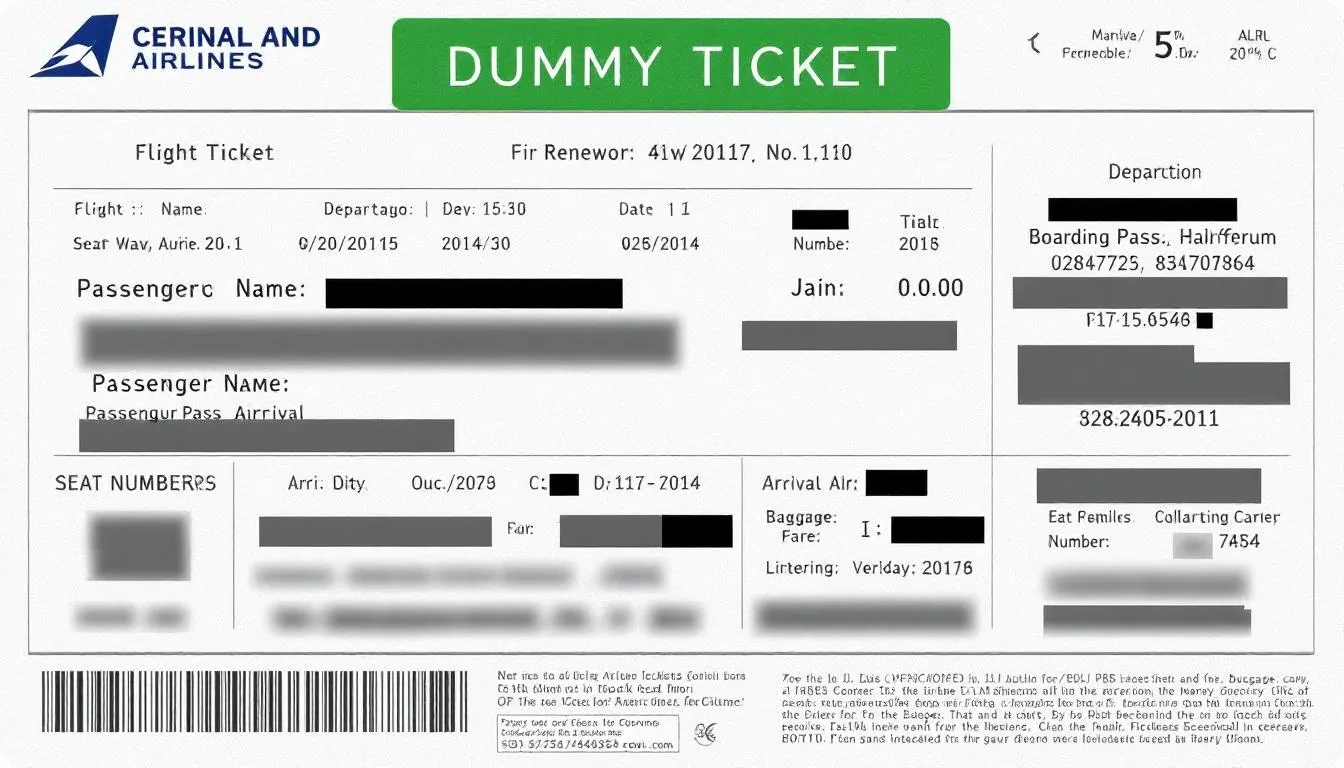
Short answer: A dummy airline ticket generator that only creates a PDF does not create a booking. For a visa, use a real dummy ticket: a temporary flight reservation with a live PNR in your name, matching your route and dates. EU guidance asks for genuine reservations that match your actual travel plans. It does not guarantee approval.
If you only need the reservation, book it on our dummy flight ticket for visa page: $15 per person, PNR valid for 48-72 hours.
A dummy airline ticket generator should create a temporary dummy ticket flight reservation for visa documentation using the traveller’s real name, route, dates and booking reference. The useful version is not a fake PDF maker. It helps you prepare a flight itinerary that matches your visa form, hotel or host proof, travel insurance where required and stated return or onward plan. It cannot guarantee visa approval or replace a real ticket for boarding.
Key facts
- A legitimate ticket generator creates a real, temporary flight reservation with a live PNR rather than an edited template PDF.
- Free fake-PDF generators invent booking codes that fail airline Manage Booking checks and risk visa refusal or misrepresentation flags.
- A genuine reservation PDF includes full passport name, flight numbers, airport IATA codes, local dates/times and a verifiable PNR.
- DummyFlights issues verifiable flight reservations for $15 per person with instant PDF delivery, 48–72 hour PNR validity and free date changes within the same day of booking.
- Verify your PNR on the airline website before uploading, and ensure all dates match your accommodation and insurance documents.
The best generator is judged by the output it creates, not by how dramatic the sales page sounds. A strong generated reservation should answer simple visa-file questions: who is travelling, where are they going, when do they enter, when do they leave, and does the route make sense?
This guide focuses on the generator workflow. For the full application strategy, read the dummy ticket for visa 2026 complete guide. For country-style visa use cases, compare it with dummy ticket for visa. If you need the concept from the beginning, start with what is a dummy ticket.
In This Guide
Dummy Airline Ticket Generator for Visa: What It Should Actually Do
A dummy airline ticket generator is a tool or service flow that prepares a temporary flight reservation for visa paperwork. It should not simply place your name on a decorative template. The document should be built around a plausible route, matching dates and a booking reference that fits the reservation type.
Applicants use these generators because many visa applications ask for proof of travel plans before the traveller is ready to buy a final ticket. That timing gap is real. Visa decisions can be delayed, appointments can move and travel dates can change. Buying a non-refundable ticket too early can create unnecessary financial risk.
The safer approach is to submit a consistent reservation or itinerary when the visa checklist allows it, then buy the real ticket after the visa decision and final travel plan are clear. Official guidance varies by country and visa type, so the generator should support your checklist rather than override it.
Practical rule: use a generator to create clean travel-plan evidence, not to invent a trip. The reservation should match your passport name, visa form dates, accommodation proof, invitation timing and intended return or onward travel.
Why Applicants Use a Dummy Ticket Generator Instead of Buying Full Tickets Early
Visa applicants usually want three things at the same time: a professional document, low financial risk and flexibility if the calendar changes. A generator helps when it creates a reservation that is clear enough for the application but does not lock the traveller into final airfare before approval.
Avoid Unnecessary Financial Risk
Airline tickets can be expensive, especially for families, long-haul trips, student routes and peak-season travel. If the visa is delayed or refused, a non-refundable ticket can become a costly mistake. A temporary reservation can reduce that risk when the destination’s rules allow flight booking or itinerary proof instead of a paid ticket.
Keep Dates Flexible While the Visa Timeline Moves
Visa timelines rarely behave perfectly. Appointments move. Schools change start dates. Employers approve leave later than expected. Family invitations are updated. A generator is useful when it lets the applicant prepare proof that can be corrected through the proper process instead of manually editing an old PDF.
Present Organized Travel Intent
A good flight reservation shows that the applicant has thought through the trip. It gives the reviewer a simple travel window and route to compare with other documents. That matters for tourist, student, business, family and event-based applications.
Who Benefits Most
- Tourists: applicants who need round-trip travel proof before buying final tickets.
- Students: travellers waiting for final school or visa timing before booking airfare.
- Business travellers: applicants with meeting or conference dates that may still move.
- Families: groups that need matching travel dates across several passports.
- Digital nomads: travellers who need onward or multi-city proof but have flexible routes.
- Last-minute applicants: people who need a clean reservation close to appointment or upload time.
The generator should not promise approval. It should make one part of the file cleaner: the proposed flight plan.
When a Generator Is Not the Right Shortcut
There are times when you should slow down instead of generating immediately. If your passport has just been renewed and your old name spelling still appears in drafts, fix the identity layer first. If your employer has not approved leave, avoid creating a fixed return date that may soon become false. If your destination checklist asks for a paid ticket, government form, airline-issued ticket number or special sponsor document, follow that instruction instead of assuming a generated reservation is enough.
A generator also should not be used to hide a weak or incomplete travel story. If the real problem is unclear funding, missing hotel proof, unexplained invitation dates or a trip length that does not match your job or school situation, a flight reservation will not repair that deeper issue. It may actually make the inconsistency easier to spot.
How a Dummy Airline Ticket Generator Workflow Works
The process should feel simple, but the inputs still matter. A rushed reservation with wrong dates or a misspelled name can create more trouble than no reservation at all.
Step 1: Enter Traveller and Route Details
Start with the exact identity and trip details that appear in your visa file. Do not use nicknames, old passport spellings or estimated dates that are different from your application form.
- Full name exactly as shown in the passport.
- Departure city and destination city.
- Entry date and return or onward date.
- Email address for delivery.
- Passenger count for family or group files.
- Visa purpose if the route depends on an event, study start date or business meeting.
If you are unsure about the date, stop and fix the travel window first. The generator can only be as accurate as the details you enter.
Step 2: Choose a Route That Looks Plausible
A visa file does not need an impressive route. It needs a believable route. Direct flights are clean when available. One normal hub is usually easier to understand than two or three unusual connections. Multi-city routes should be used only when the rest of the file explains why the trip moves between cities.
- Use a direct or normal one-stop route when possible.
- Avoid self-transfer routes unless you understand the baggage and transit implications.
- Keep return routing similar unless there is a clear reason.
- Do not add extra countries just to make the itinerary look stronger.
- Make the main destination obvious for Schengen-style applications.
Step 3: Confirm, Pay and Download the PDF
After choosing the route, review the passenger name and dates before checkout. Once the reservation is issued, save the final PDF with a clear filename. Do not keep multiple draft versions in the same submission folder.
A clean filename also helps when uploading: use something like Flight_Reservation_PassportName_Date.pdf. This is a small habit, but it reduces the chance of submitting an older version by mistake.
Step 4: Review Before Submission
The final review is where strong applicants separate themselves from rushed applicants. Compare the generated ticket against every document that mentions travel dates.
- Check passenger name against the passport.
- Check travel dates against the visa form.
- Check arrival and return dates against hotel or host proof.
- Check trip length against leave approval, school dates or event timing.
- Check insurance coverage where insurance is required.
- Check route logic and transit risk.
If one document is wrong, correct the wrong document. Do not use the cover letter to explain avoidable contradictions.
Version Control After Generation
Many applicants accidentally create their own problem after the reservation is generated. They download one version, ask for a date change, keep both PDFs, then upload the older file by mistake. This is common when applications are handled across phone, email, WhatsApp and a visa portal.
Use one controlled version. Save the final PDF in one folder, rename it clearly and remove draft copies from the upload area. If someone else is helping you submit the application, send them only the final file. For family applications, keep a simple table with each passenger name and the final route so every applicant’s document can be checked quickly.
| Version-control step | Why it matters |
|---|---|
| Use one final filename | Prevents uploading an old reservation |
| Delete or archive drafts | Reduces confusion during portal upload |
| Keep dates in one master note | Stops cover letter and ticket dates from drifting |
| Send only final PDFs to helpers | Protects family or agency-assisted submissions |
What the Generated Dummy Ticket PDF Should Include
A generator’s output should be easy to read in a fast document review. The PDF should clearly display the applicant’s travel plan without burying the key fields.
| Field | Why it matters | What to check |
|---|---|---|
| Passenger name | Connects the reservation to the applicant | Matches passport spelling and order |
| Route | Shows entry, exit and travel logic | Matches destination and purpose |
| Dates | Defines the travel window | Matches form, hotel, insurance and letters |
| Airline and flight details | Makes the itinerary specific | Looks plausible for the route |
| Booking reference or PNR | Supports verification where available | Uses the provider’s stated lookup method |
| Issue date | Shows document freshness | Fits appointment or upload timing |
A PNR Does Not Always Mean Fully Ticketed
A PNR is a booking reference. It may point to a reservation record, but that does not automatically mean a paid ticket has been issued. This distinction matters because some applicants wrongly assume that every PNR is the same as an e-ticket number.
If your document includes a PNR, follow the verification instructions while the reservation is active. If the booking cannot be retrieved through the expected channel, ask for support before submission. Do not invent an explanation or edit the reference yourself.
Avoid Fake Generator Output
A risky generator produces a polished-looking PDF without a real reservation logic behind it. Red flags include random flight numbers, impossible layovers, mismatched airport codes, no booking reference, copied airline branding, wrong fare terminology and passenger names that do not match the passport.
If a generator cannot explain what document it creates, how long it stays current or how revisions work, treat that as a warning sign. A cheaper document is not a bargain if it creates a visa-file inconsistency.
Generator Quality Check
Before using any generator, judge it by the questions it helps you answer. Does it ask for enough details to create a coherent route? Does it let you review dates before the reservation is issued? Does it explain whether the document is a temporary reservation, an itinerary or a ticketed record? Does it tell you what to do if the appointment moves?
- Identity control: the generator must use the passport name, not a casual display name.
- Date control: it should make departure and return dates obvious before checkout.
- Route control: it should avoid routes that look impossible or transit-risky.
- Document clarity: the PDF should show route, dates, passenger and booking reference without clutter.
- Revision process: changes should happen through the provider, not by editing the PDF.
- Expectation control: the page should not promise visa approval or universal acceptance.
If a generator fails these checks, do not use it for an important application. The visa file needs a boringly consistent travel document, not a flashy one.
Where Generated Dummy Flight Tickets Fit in Real Visa Files
A generated dummy ticket can support different application types, but the document should be adapted to the situation. The same route style does not fit every applicant.
Tourist Visas
Tourist applications usually benefit from simple round-trip logic. The itinerary should show a reasonable stay length, a clear return plan and dates that match hotel bookings. For multi-country tourism, keep the route connected to the declared main destination and the nights spent in each place.
Student Visas
Student files often involve uncertain timing. The applicant may know the course start date but not the final visa issue date. A generated reservation should stay close to the school timeline without pretending that the student has already locked every travel detail.
Business Visas
Business routes should match meeting dates, conference schedules or company letters. A business applicant does not need unnecessary stopovers or premium-looking complexity. The itinerary should look practical and aligned with the event.
Family and Group Visas
Family files need identity discipline. Every traveller’s name should match their passport. Children’s dates should align with guardian travel dates unless supporting documents explain a split schedule. Group reservations should not accidentally create different travel stories for different applicants.
Last-Minute Appointments
A generator can help when an appointment or upload deadline is close, but speed should not replace review. Even under time pressure, check the name, route and dates before submitting. A fast wrong document is still wrong.
Timing by Visa Style
The right generation date depends on how the application is reviewed. For Schengen-style files, the reservation often sits beside hotel proof, travel insurance and a day plan. That makes date matching especially important. For UK-style visitor files, the flight may be less central than funds and ties, but an odd trip length can still weaken the story. For Canada or Australia visitor files, online review timing may mean the reservation is checked later than the upload date. For Japan, Korea or UAE-style files, the route and date precision may matter more than adding extra complexity.
| Visa style | Generator timing focus | Common mistake |
|---|---|---|
| Schengen | Match flight, hotel and insurance dates | Generating before the final hotel window is clear |
| UK visitor | Keep trip length aligned with purpose and leave | Using a long stay that weakens home-tie logic |
| Canada/Australia visitor | Leave enough buffer for online processing | Using dates too close to the decision window |
| Japan/Korea | Keep route and first-day timing practical | Creating a complex itinerary for a short trip |
| UAE/onward travel | Show return or onward movement clearly | Ignoring airline or entry-check requirements |
Use the generator after the travel window is realistic, not before. If your application date is uncertain, choose a trip window that can survive a short delay without forcing every document to be rewritten.
Route and Transit Filters: The Generator Feature People Underestimate
Route choice can affect both visa-document clarity and actual travel planning. Some passport holders may need a transit visa for certain countries, even if they do not plan to leave the airport. Some routes include self-transfers that are risky because baggage, terminal changes or border control may be involved.
A useful generator should help you choose routes that do not create avoidable questions. This is especially important for applicants using onward travel proof, multi-city plans or routes through strict transit hubs.
Transit Safety Check
- Check whether the transit country requires a visa for your nationality.
- Avoid self-transfer routes unless the itinerary and visa status support them.
- Prefer reasonable layover times over ultra-tight connections.
- Avoid overnight transit unless the route naturally requires it.
- Do not route through a country that creates a second hidden destination.
After approval, you can buy the final ticket that fits your actual travel, visa validity and transit requirements. The dummy ticket should help the visa file, not trap you into a bad final route.
Benefits and Limits of a Dummy Airline Ticket Generator
A generator can make visa preparation faster and cleaner, but only when the applicant understands its limits. It solves a document-preparation problem. It does not solve every visa problem.
| Benefit | What it helps with | Limit |
|---|---|---|
| Lower upfront cost risk | Avoids buying final airfare too early | Does not replace official checklist rules |
| Cleaner travel window | Shows entry, exit and return logic | Dates must still match other documents |
| Faster preparation | Useful near appointment or upload time | Rushed inputs can create errors |
| PNR or booking reference | Supports verification where available | Reservations may expire |
| Route flexibility | Helps avoid awkward itineraries | Transit rules still need checking |
What a Generator Cannot Promise
- It cannot guarantee visa approval.
- It cannot make a weak application strong by itself.
- It cannot replace funds, invitation letters, insurance or accommodation proof when required.
- It cannot be used for boarding unless you buy a real issued ticket.
- It cannot fix false information elsewhere in the application.
The right expectation is simple: a dummy ticket generator helps you prepare one clean piece of travel evidence. The rest of the visa file must still be truthful, complete and coherent.
Common Generator Mistakes to Avoid
Most generator mistakes are small but damaging. The applicant chooses a route too quickly, accepts a date that does not match the form or forgets that accommodation proof covers fewer nights than the flight reservation. These errors make the file look careless.
- Generating a one-way ticket for a tourist file that needs clear return logic.
- Choosing a route through a transit country without checking transit rules.
- Using different dates in the cover letter and generated ticket.
- Submitting a reservation after it has expired or become stale.
- Using a premium-looking route that does not fit the applicant’s funds.
- Uploading an old generated PDF after requesting a corrected one.
- Assuming a PNR is always the same as a fully paid ticket number.
- Creating a multi-city itinerary when the visa purpose is a simple visit.
The fix is not complicated. Slow down for five minutes and compare every date in one place. If the generator output does not match the application, revise the reservation before submission.
Ticket Dummy Generator vs Real Reservation: Side by Side
A generated ticket is a document; a reservation is a record in an airline or booking system. Only the second can be looked up with a booking reference and surname.
| PDF-only generator | Real reservation (PNR) | |
|---|---|---|
| Live booking record | No | Yes, for the validity period |
| Can be looked up by PNR + surname | No | Yes, where the airline supports it |
| Fits EU wording (“genuine … reservations”) | No | Yes, if it matches your actual plans |
| Risk | Doubt about document authenticity (see EU Visa Code, Article 32(1)(b)) | Expiry if submitted too late |
Official wording: EU “Dos and Don’ts for Applicants” asks for “genuine hotel reservations and flight reservations that match your actual travel plans”. A DummyFlights reservation costs $15 per person (flight or hotel), the PNR is valid for 48–72 hours, and date changes are free within the same day of booking. Read next: PNR-verified reservation vs unverifiable PDF · how embassies verify flight reservations · what a dummy ticket is
Need a dummy airline ticket for your visa file? Choose the route and dates carefully, then review the PDF against your full application before submission.
Final Generator Checklist Before You Submit
Before you upload or print the generated ticket, run one final check. This takes a few minutes and prevents most avoidable document problems.
- Passport name matches the reservation.
- Departure and return dates match the visa form.
- Hotel or host dates support the same travel window.
- Insurance dates match where insurance is required.
- Route is plausible for your origin and destination.
- Transit points do not create visa problems.
- PNR or booking reference is checked using the provider’s instructions.
- Only the final version is uploaded or printed.
If the generated ticket passes those checks, it is doing its job: making the travel plan easier to understand. If it fails any check, fix it before submission. The best visa documents are not loud. They are consistent.
Essential PNR Verification & Cost Guides:
Dummy Airline Ticket Generator: FAQs
What is a dummy airline ticket generator?
It is a tool or service flow that prepares a temporary flight reservation or itinerary for visa documentation using the traveller’s route, dates and passenger details.
Is a dummy airline ticket generator legal?
It can be legal when it creates a genuine temporary reservation and is used truthfully for documentation. A fake PDF generator or manually edited ticket is risky.
Does a generated dummy ticket guarantee visa approval?
No. It only supports the travel-plan part of the application. Visa officers still review funds, purpose, identity, ties, accommodation and other required documents.
What details should I enter into the generator?
Use your passport name, departure city, destination, travel dates, return or onward date, email address and any route constraints that affect transit or purpose.
Should the generated ticket include a PNR?
A booking reference or PNR is useful when the reservation can be checked through the provider’s stated method while it remains active.
Can I use a generated dummy ticket to board a plane?
No. A visa-purpose dummy ticket is not a boarding document. Buy a real issued ticket before travel and confirm visa, transit and entry requirements.
When should I generate the dummy ticket?
Generate it after your travel window is stable and close enough to submission that the reservation remains current for appointment or upload review.
Can I change dates after generating the ticket?
Yes, if the provider supports revisions. Update the reservation properly and check every related document instead of editing the PDF yourself.
What is the biggest risk with free dummy ticket generators?
The biggest risk is receiving a non-verifiable or unrealistic PDF that looks like a ticket but does not match real route, date or booking logic.
What should I check before submitting the generated ticket?
Check passport spelling, route, dates, hotel or host alignment, insurance coverage where required, transit risk and whether you are uploading the final version.
Is a dummy ticket generator safe for a visa application?
A generator that only produces a PDF has no live booking behind it. EU guidance asks applicants for genuine flight reservations that match their actual travel plans, so use a real reservation with a PNR instead.
Can an embassy tell a generated ticket from a real reservation?
A real reservation can be looked up with its booking reference and surname where the airline supports it; a generated PDF cannot. Under the EU Visa Code, reasonable doubts about the authenticity of supporting documents are a ground for refusal.
Friendly reminder: DummyFlights provides temporary travel-proof documents for planning and application support. Visa requirements, booking visibility, airline reservation rules, boarding decisions and final immigration outcomes are controlled by the relevant embassy, consulate, visa center, airline and immigration authority. A dummy ticket can support a file, but it does not guarantee approval, boarding or entry.