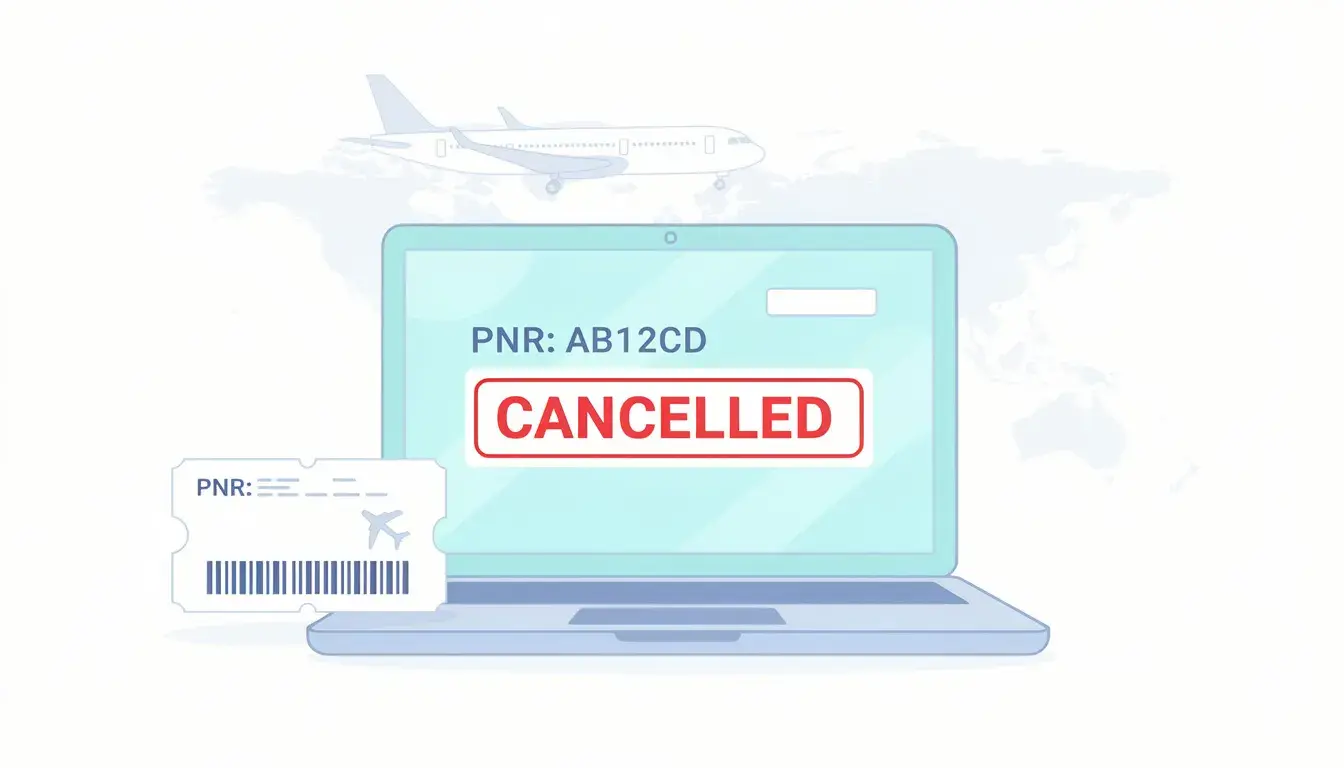
Your visa file is moving, you feel prepared, and then the embassy tries to verify your flight record. The PNR that looked fine yesterday suddenly shows cancelled, expired, or not found. Airlines do this for ticketing time limits, schedule reshuffles, payment checks, and partner segment issues, often without warning. When that happens, you do not just lose a reservation, you lose credibility at the worst moment.
In this guide, we map the exact triggers that cause PNR cancellations and how to spot a fragile record early. You will learn when to verify again, when to replace instead of edit, and how to keep dates and routing consistent if a cancellation hits after submission. Keep your reservation verifiable through embassy checks with a dummy ticket booking that includes a PNR and PDF.
Dummy ticket PNR cancellations are a common 2026 visa headache. For the complete strategies on dummy tickets, PNR verification, and full embassy workflows, read our main guide: Dummy Ticket for Visa 2026 – The Complete Guide.
Table of Contents
- A PNR Can Look “Confirmed” While Already Expiring
- Who Cancels Your PNR—and the Triggers That Make It Happen
- How To Keep Your Reservation Verifiable From Submission Day To Decision Day
- Rare But Painful—Uncommon Cases That Make PNRs Vanish (And What To Do)
- Can Airlines Cancel Dummy Ticket PNRs: The Bottom Line
Key Takeaways #1: Preventing PNR Cancellation for Visa Success
- Airlines cancel dummy ticket PNRs automatically for ticketing deadlines, schedule changes, and payment or fraud screening failures.
- A PNR can look “confirmed” while already expiring — always verify on the airline website before key milestones.
- Code-share and partner segments are the weakest link; one dropped leg can collapse the entire record.
- Replace a cancelled PNR quickly with one that matches your original route, dates, and airports exactly.
- Re-verify 48 hours before submission, biometrics, and expected embassy review to catch issues early.
A PNR Can Look “Confirmed” While Already Expiring

Your itinerary can look clean, consistent, and embassy-ready, while the system behind it is already counting down to cancellation. Here, we focus on the signals that tell you a PNR is living on borrowed time, and what to do before it disappears.
The Ticketing Time Limit That Quietly Kills Holds
Most PNRs die for one boring reason: the record has a ticketing deadline, and nobody ticketed it. That deadline can be hours, not days.
This hits hardest when your visa timeline is longer than your hold timeline. Think of a UK visitor visa application where the decision comes weeks later, or a Schengen file that gets checked again during review. Your PDF stays the same, but the airline system does not.
Use a simple rule: a hold is only useful if it can still be found when they check it. Before you rely on it, do three quick checks:
- Look for any “ticket by” or “time limit” line in the itinerary details you received
- Open the airline’s “Manage Booking” page and confirm the itinerary loads without errors
- If the airline site fails, verify through the channel that created the record, then decide if you need a fresher reservation closer to your appointment.
If your appointment is 10 to 20 days away and your hold behaves like a 24 to 72-hour hold, treat it as temporary evidence, not a stable file document.
“Active” Isn’t One Thing: The Status Clues That Predict Cancellation
A PNR can exist while parts of it are already rejected. That is when you see the “confirmed” illusion.
Embassy verification does not care that one leg looked fine. If one segment collapses, the route can become invalid or vanish from simple lookups.
When you or we check a record, we look for segment-level stability, not just the presence of a locator. Watch for these patterns:
Signs your PNR is fragile
- One leg looks confirmed, but another leg shows pending, waitlist, or unable to confirm
- A connection disappears, and the route silently changes
- The itinerary shows, but seat assignments or baggage rules fail to load, which can signal an incomplete sync
Signs your PNR is more stable
- All segments load consistently across checks
- The itinerary shows the same flight numbers and times on repeat checks
- Partner legs, if any, appear with matching times and airports
A practical example: you file a Schengen application for France with a multi-leg route, and the embassy checks the operating carrier’s record. If the middle leg is never confirmed, the whole chain can collapse even though your original PDF still looks polished.
Airline Record Vs Third-Party Record: When Two Systems Disagree
This is where most applicants get surprised. You search the locator on the airline website, and it says “not found.” You assume it got canceled. Then the booking still appears in the issuing system.
Both can be true.
Some reservations are created and stored in a distribution system that does not always display cleanly on every airline website, especially with partner segments. Some are visible only through the issuing channel until ticketed. Others load on the marketing carrier but not the operating carrier.
For visa purposes, the question becomes: where is the most convincing place for it to be verifiable? We usually apply this order:
- If your itinerary is on a single carrier, prioritize verification on that carrier’s website
- If it is a code-share, try the operating carrier’s lookup, not only the marketing carrier
- If neither airline site recognizes it, verify through the system that issued it, then consider a simpler routing that verifies more reliably.
If your visa file includes a route like Istanbul to Rome with a partner-operated segment, you want the record to survive checks in more than one place, not just in a single backend.
The “Fare Disappeared” Problem: Your Dummy Flight Ticket PNR Lives, Your Seats Don’t
Sometimes the PNR stays alive, but the fare rules that supported it vanish. This creates a specific failure: the system tries to finalize, reprice, or protect the booking and cannot. Then it cancels the hold.
This often happens after schedule changes or when you attempt edits. Even one small date change can trigger a full repricing event. If the original fare bucket is gone, the booking may require reissue logic that a hold cannot satisfy.
If you need flexibility, use one clean strategy instead of repeated tweaks:
- Keep the itinerary stable until after your visa appointment date is locked
- If you must change dates, prefer one controlled change, then re-verify immediately
- Avoid “micro-edits” across multiple days, because each one increases the chance of a repricing failure
This matters for visas with longer processing windows, where you are tempted to keep adjusting the plan as your calendar shifts.
Low-Cost Carriers And Hybrid Bookings: When The “PNR” Isn’t A Traditional PNR
Low-cost carriers and hybrid carriers often run booking references that behave differently from traditional airline PNRs. The record can be real, but verification methods can be limited.
Some systems only recognize the booking after payment. Some do not show much detail until check-in. Some provide a reference that works only inside that carrier’s ecosystem, not across common verification tools.
For visa documentation, that changes your risk math. If the consulate or VAC tries to validate the reservation through a standard airline lookup and the carrier’s system does not cooperate, you lose time proving a record that is technically valid.
If you want fewer surprises, structure your itinerary so verification is straightforward:
- Prefer direct or single-carrier routes when your timeline is tight
- Keep segments minimal if you must connect
- Re-check that the booking loads the same way on different days, not just once right after creation
Once you understand how “confirmed” can still mean “expiring,” the next step is to map who actually triggers the cancellation and which events make it happen without warning.
Who Cancels Your PNR—and the Triggers That Make It Happen

A PNR rarely disappears because someone “manually canceled” it. Most of the time, a system rule fires, and your record gets removed before a visa officer ever sees your PDF.
Airline Auto-Cancellations You Don’t Control (But Can Predict)
Airlines cancel PNRs automatically when the record no longer meets their rules. These cancellations are common during the exact window when embassies and consulates verify travel plans.
Here are the triggers that show up most in visa cases:
- Ticketing deadline expires: The reservation was never ticketed by the time limit, so the system clears it out.
- Payment or fraud screening fails: Even with a hold, some systems run risk checks that can purge a record without warning.
- Schedule change forces revalidation: A flight time update can break a segment confirmation and trigger an auto-cancel of the whole itinerary.
- Seat or service requests fail: Some systems treat repeated failures as a sign that the record is incomplete and remove it during cleanup.
- Duplicate booking detection: Two similar bookings for the same passenger on the same route can prompt an auto-cancel, especially near peak travel periods.
What you can do is treat these as predictable “risk dates.” If your visa appointment is next week, you do not want a PNR that is one schedule update away from collapsing. If your decision window is longer, you want a plan to refresh the record at the right time instead of hoping it survives.
When a Third Party Cancels Your Dummy Ticket For Visa (Even If You Didn’t Ask)
Sometimes the airline did not cancel your PNR. The cancellation happened in the issuing system or during an attempted change that never completed cleanly.
This is where visa applicants get trapped. You request a date adjustment, a routing tweak, or even a passenger detail edit. The system tries to reprice or revalidate. One step fails. The result is not a neat “updated booking.” It is a canceled record and a new one that may not match your submitted documents.
Common third-party trigger points include:
- Partial edits that break the itinerary: One leg is changed, the connection logic breaks, and the PNR gets voided.
- Repricing during a change request: The old fare is gone, so the change cannot be confirmed, and the hold collapses.
- Queue cleanup rules: Some issuing systems auto-cancel aged holds to reduce orphaned records.
- Partner confirmation not retained: The record exists, but the partner segment loses its confirmation, and the whole PNR gets dropped.
A practical visa context: a consulate may verify your itinerary two times, once at submission and again during final review. If a third party replaced your record in between, your new locator might not match what you submitted, even if your travel intent stayed the same.
Code-Share Itineraries: The Weakest Link Cancels the Chain
Code-shares are where “PNR looks fine” becomes a real problem. You can have a marketing carrier, an operating carrier, and a booking system that stores the records differently for each.
If one carrier drops a segment, the rest of the chain may not survive. That can happen after:
- Aircraft swaps
- Minor timing shifts
- Partner inventory changes
- Protection events after disruptions
For visa documentation, the risk is simple. A visa officer may try to verify with the operating carrier because that is the flight actually flown. If that carrier does not recognize the record, your itinerary looks unverifiable even if it existed elsewhere.
Name and Identity Mismatches That Trigger System Rejections
Name issues do not always show up as a “name mismatch” warning. They show up as segments that will not confirm, ticketing that cannot complete, or records that vanish after a system sync.
Visa contexts make this worse because your passport name must match your itinerary name closely. That includes spacing, order, and how multi-part surnames are handled.
Watch for these high-risk patterns:
- Different surname structure: A compound surname on the passport, but split differently in the booking.
- Missing middle name that appears elsewhere: Your application form includes it, your booking does not, and the airline system flags an inconsistency during checks.
- Honorifics or titles inserted into name fields: Some systems treat these as invalid characters and can reject the passenger name record.
- Passport name order reversed: The booking puts the given name where the surname should be, which can break verification and later check-in logic.
If you are applying for visas with strict document matching, like Japan tourist visas through an agency channel or certain Schengen submissions through a VAC, name consistency becomes a quiet but critical “PNR survival” factor.
Mistake Checklist: 12 Ways Applicants Accidentally “Invite” a Cancellation
These are avoidable, and they come up in real visa files:
- Booking too early for your appointment date, so the hold expires long before verification.
- Making multiple small edits across several days instead of one controlled update.
- Building a fragile route with too many partner segments for a simple tourist visa file.
- Using mismatched passenger details between the booking and the passport data you submit.
- Creating duplicate similar reservations for the same dates “just in case,” triggering auto-cancel logic.
- Mixing airports without document alignment, like swapping LHR and LGW while your cover letter still references the first plan.
- Choosing connections that require tight minimum connect times that are more likely to be reprotected.
- Ignoring airline schedule change emails and failing to re-verify after a change hits.
- Relying on a record that only verifies in one system, when the consulate may check through another channel.
- Adding extra passengers late and risking a chain failure across the whole PNR.
- Using inconsistent trip lengths across documents pushes you into last-minute edits that can trigger repricing failures.
- Assuming a PDF equals stability and skipping re-checks before biometrics or interview.
“Airlines Never Cancel a PNR Unless You Request It”
Airlines cancel PNRs without your request every day. They do it through automation, schedule management, payment and risk controls, and partner synchronization.
The visa-relevant takeaway is not to fear cancellations. It is to stop treating a PNR as a static document.
Treat it as a living record that must remain verifiable on key dates. That mindset sets up the next move: choosing the right reservation strategy for your timeline and running a simple workflow that keeps your itinerary checkable from submission through decision.
Many applicants pair strong flight proof with matching accommodation. For proven dummy hotel booking strategies that strengthen your full itinerary, explore our dedicated guide: Dummy Hotel Booking for Visa 2026.
How To Keep Your Reservation Verifiable From Submission Day To Decision Day

For a Schengen file, a UK visa, or a Canada visa review, the target is concrete. Your record must still load when someone checks it, not just when you saved the PDF.
Pick the Reservation Strategy That Matches Your Timeline
Match your plan to the way your visa application process unfolds.
- Schengen visa appointment within a week: keep the flight reservation straightforward, ideally a round trip with minimal connections.
- UK visa decision window is long: schedule one refresh, because a dummy ticket for visa can stop verifying if it sits too long.
- US visa interview booked: keep the same travel dates and airports, even if you later replace the record.
- Canada visa file likely rechecked: confirm the valid pnr before each milestone, not only on submission day.
Aim for an itinerary that still makes sense after one schedule change.
The 10-Minute Workflow: Create → Verify → Preserve → Re-Verify
Use this when airline reservation systems may change quietly while your application is in the queue.
- Create a record that matches your visa documents, including passenger name format and flight details.
- Verify it through the channel most likely to be used during checks, then save that view with the PDF from your dummy ticket booking.
- Preserve proof in two formats, because one file can fail even when the booking still exists.
- Re-verify at fixed points, such as submission, biometrics, and the week you expect review.
If a third party generated it, test that it behaves the same on two separate days, which is a quick stress test for an online dummy air ticket setup.
The “48 Hours Before” Routine That Prevents Counter-Day Surprises
Two days before biometrics or an interview, you want the record to behave like a confirmed flight ticket, even if it is still on hold.
- Load the itinerary and confirm the same flight ticket route and times.
- Check segment status consistency, because one changed leg can break a confirmed air ticket display.
- Look for an e-ticket number. If it exists, the file usually behaves closer to an actual flight reservation.
- If the airline page fails, verify via an alternate path and capture proof immediately.
If an applicant in Mumbai gets an earlier slot, this routine prevents a scramble with mismatched travel details.
Date Flexibility Without Chaos: Change vs Reissue vs Fresh PNR
Keep flexibility, but keep one story.
Use a small change when you only need to slide a dummy return ticket by a few days.
Use a fresh record when you need bigger movement, because repeated tweaks can collide with dummy ticket airlines' rules.
Verification varies by carrier system. Records sitting inside British Airways, Air France, KLM Royal Dutch Airlines, Qatar Airways, United Airlines, Singapore Airlines, or Air Canada often look different from a low-cost airline reference from Air Asia or Air Arabia.
If you must replace a dummy return flight ticket, keep airports and trip length stable so your airline tickets still read like a normal plan.
If Your PNR Is Gone: The Clean Replacement Plan (Without Raising Suspicion)
When a record disappears after submission, avoid producing a pile of new options. That pattern looks like fake ticket behavior in a Schengen visa application.
Do this instead:
- Recreate the same route family, so the itinerary details align and do not invite visa refusal questions.
- Hold the same dates unless you can document the change, because big shifts can complicate visa approval.
- Choose one replacement and freeze it, because churn can look like visa cancellation risk management.
Verify immediately and save proof, because a dummy air ticket that cannot be checked is not helpful, even if it resembles a real ticket.
A genuine dummy ticket can still be just a temporary reservation. The risk comes from inconsistency, not the concept of a flight dummy ticket or other dummy airline tickets.
If you want verifiable reservations with a PDF and free date changes within the same day of booking, dummyflights.com provides a verifiable dummy ticket with transparent pricing of $15 (~₹1,300), accepts credit cards, and is used worldwide for visa use when airlines provide dummy tickets only for short hold windows.
Rare But Painful—Uncommon Cases That Make PNRs Vanish (And What To Do)
Even when your flight itinerary looks stable, a few rare system events can make a record disappear or change in ways that confuse airline or visa embassies. Here, we focus on the situations that blindsided real applicants, and the exact moves that keep your file clean.
Record Locator Changes: When Your Booking “Moves” Instead Of Cancels
Sometimes your PNR did not die. It moved.
This happens when an airline protects your itinerary after an internal schedule adjustment, merges records during servicing, or shifts you to a new controlling system. The result is a different locator, even though the trip still exists.
For the visa process, the risk is obvious. You submitted one code. Now the airline lookup wants another.
When you suspect a moved record, do this before you create a new booking:
- Search for the reservation using passenger details, not only the locator.
- Check whether the original reference still pulls up partial data, which can signal a transfer.
- Save proof of the change event, including the updated confirmation screen if available.
This matters with normal airlines that protect passengers proactively, especially when the route includes a busy hub and the airline is reshuffling connections.
Schedule Changes That Trigger Auto-Rebooking—and Break Verification
Auto-rebooking can happen even when the schedule change is small. A 20-minute shift can force the system to rebuild a connection. If the connection logic fails, your record may end up in limbo.
Visa review timing makes this painful. A consulate may verify during the same week an airline pushes seasonal schedule updates.
Watch for these signs that your itinerary was silently rebuilt:
- Your departure time changed, but your connection airport changed too.
- One segment now shows a different flight number while the rest stayed the same.
- The booking loads, but you cannot see flight seats, baggage rules, or add-ons, which can indicate a partial rebuild.
If the record loads inconsistently, treat it like a temporary flight reservation that needs immediate stabilization.
A practical route example: a Schengen application with a European transit. A small update on the first leg breaks the connection. The system tries to protect you and fails. You end up with an itinerary that cannot be verified cleanly when someone checks it.
Multi-Passenger PNRs: One Error Can Nuke Everyone
A single PNR with multiple passengers is convenient. It is also brittle.
If one passenger has a name formatting issue, a document mismatch, or a segment that fails confirmation, the entire record can be affected. That is why group reservations sometimes vanish without a clear reason.
This problem shows up in family visa files and business travel cases where travel agents bundle everyone into one booking.
If you have more than one traveler, reduce blast radius:
- Use separate PNRs when travelers have different passport name structures.
- Avoid last-minute passenger additions, because that can retrigger validation on all segments.
- Keep passenger data consistent across the booking and visa paperwork, so the system does not reject one person and collapse the whole record.
This does not change whether a dummy flight ticket is useful. It changes how you structure it so a small error does not wipe out the entire plan.
Married Segments And “Do Not Split” Logic
Some itineraries have segments that the system treats as inseparable. These “married segments” can behave normally until you try to change one piece.
If you attempt to swap only the first leg, the system may refuse to reprice or revalidate. Then the booking gets canceled during the change attempt.
This is common when you have limited inventory on a specific connection, and the system wants to preserve the full chain.
If your route has a connection that feels “too perfect,” assume it might be linked and act carefully:
- Do not ask for partial changes unless you are ready for a full rebuild.
- If you need new dates, replace the whole itinerary rather than altering one leg.
- Re-verify immediately after any servicing action so you do not carry a broken record into your visa appointment.
This is one reason cheap dummy ticket approaches can backfire. Not because of the price, but because the route choice can be fragile.
If Your PNR Gets Canceled After You Submit: Damage-Control Playbook
If the PNR cancels after submission, your goal is not to panic-book five new options. Your goal is to preserve a consistent narrative and produce one verifiable replacement.
Start with a calm verification sweep:
- Confirm whether the record truly vanished or simply moved.
- Check whether a schedule change notice exists that explains the disruption.
- Capture a timestamped proof screen that shows the cancellation state, because it supports your explanation if asked.
Then rebuild cleanly:
- Keep the same origin, destination, and trip length, so your flight itinerary still matches your stated plan.
- Keep dates close unless you have a clear reason, because big jumps can complicate how the file reads.
- Avoid anything that looks like just payment attempts across multiple holds, which can create inconsistent records.
If you need to present updated proof, make sure the new itinerary is a dummy ticket valid in the sense that it is verifiable and coherent, not that it is “perfect.”
Patterns That Look Bad: The Replacement Habits That Create Suspicion
Embassies notice patterns, even when they do not say it directly. What raises flags is not the existence of a dummy flight ticket online. It is the way replacements shift your story.
These habits create unnecessary friction:
- Switching between unrelated routings that change the logic of your trip
- Changing connection hubs repeatedly, which looks like experimentation rather than planning
- Jumping between carriers in a way that feels random, including odd jumps such as an Emirates dummy ticket followed by a completely different style of routing
- Presenting a record that looks like a fake dummy ticket, such as mismatched passenger details or inconsistent segment timing
If you need a replacement, keep it calm and consistent. That is how dummy air ticket booking can support a visa file without creating noise.
These are not the only rare issues, but they are the ones that most often turn a clean reservation into confusion, which is why the conclusion matters as a final checklist for what you should do next.
Can Airlines Cancel Dummy Ticket PNRs: The Bottom Line
For a Schengen visa file or a UK visa review, the only flight record that helps is the one that still loads when it gets verified. We covered why PNRs disappear, what triggers airline cancellations, and how to replace a missing record without changing your travel story.
Now you can choose a flight reservation strategy that fits your appointment and processing window, then run the same quick checks before biometrics, interview, or final review. If you want, set a reminder to re-verify your itinerary 48 hours before each visa milestone.
A verifiable dummy ticket with real PNR is the safest protection against unexpected cancellations. For more on airline detection and PNR behavior, see our detailed guide: Can Airlines Detect Dummy Tickets? How PNR Verification Really Works (2026).
Myths vs Facts: Dummy Ticket PNR Cancellation Before Embassy Checks
Airlines only cancel a dummy ticket PNR if the applicant requests it or fails to pay.
Airlines automatically cancel PNRs for ticketing deadlines, schedule changes, payment screening failures, and partner segment issues without any applicant request.
Once a PNR shows as “confirmed,” it will remain active until the embassy checks it.
A PNR can look confirmed while already expiring; ticketing time limits and system cleanups can remove it days or weeks later.
Replacing a cancelled PNR with a completely different route is fine as long as you have a new PDF.
Big changes in routing or dates can raise suspicion; keep the replacement consistent with your original itinerary to avoid extra questions.
Low-cost carrier booking references behave the same as traditional airline PNRs for verification.
Low-cost and hybrid carriers often use references that verify differently or only after payment, making them riskier for embassy checks.
Final Plan: Keep Your Dummy Ticket PNR Verifiable Through Every Embassy Check
Airlines cancel dummy ticket PNRs automatically for ticketing deadlines, schedule changes, and system rules. If an embassy or VAC tries to verify and finds the PNR invalid, it can raise doubts or trigger extra requests. Choose a professional provider that issues stable GDS PNRs, verify the booking on the airline website multiple times, and replace it quickly with a new verifiable reservation that matches your original itinerary if needed. Re-verify 48 hours before submission, biometrics, and expected embassy review. Treat the PNR as a living record, not a static PDF, so your proof remains checkable from submission through decision.
Frequently Asked Questions
Can airlines cancel dummy ticket PNRs before embassy checks?
Yes. Airlines automatically cancel dummy ticket PNRs when ticketing deadlines expire, schedule changes occur, or the hold is not properly structured. This is common with low-quality providers.
What happens if my dummy ticket PNR gets cancelled during visa processing?
If an officer tries to verify and finds the PNR invalid, it can raise doubts or trigger additional requests. Replace it quickly with a new verifiable reservation that matches your original itinerary.
How do I prevent my dummy ticket PNR from being cancelled?
Use a professional provider that issues stable GDS PNRs with longer validity, verify the booking on the airline website multiple times, and re-verify 48 hours before key milestones.
How often should I check my dummy ticket PNR before visa submission?
Check immediately after creation, 48 hours before submission/biometrics, and again before any expected embassy review. Save screenshots each time.
Can I replace a cancelled dummy ticket PNR after submitting my visa application?
Yes. Submit the new verifiable PNR with a short explanation if requested. Keep the route, dates, and airports consistent to avoid raising new concerns.
Do embassies check if a dummy ticket PNR is still active?
Many do, especially Schengen, UK, Canada, Japan, and Australia. Officers or VAC staff may attempt to verify using the booking reference.
What causes dummy ticket PNR cancellation most often?
Expired ticketing time limits, schedule changes, partial edits, low-cost carrier rules, and poor-quality dummy tickets from unreliable providers.
Is it better to use a real ticket or dummy ticket to avoid PNR cancellation?
A well-structured dummy ticket from a reputable provider is safer for uncertain dates. Real refundable tickets still carry cancellation risk and lock up funds.
How do I verify my dummy ticket PNR is still active?
Go to the airline’s official “Manage Booking” page, enter the PNR and last name. All segments should show confirmed status with matching details.
Where can I get a reliable dummy ticket that won’t get cancelled easily?
DummyFlights.com provides stable, GDS-issued PNRs with longer validity, instant PDF, unlimited reissues, and strong verification success for visa applications.
What if my dummy ticket PNR is cancelled after I already submitted my visa file?
Replace it immediately with one that matches your original route and dates exactly, then submit the new verifiable PNR with a short explanation if requested by the embassy.
Can code-share flights make my dummy ticket PNR more likely to cancel?
Yes. Code-share and partner segments are fragile; if one carrier drops a leg, the entire record can become unverifiable even if it still exists in another system.
Why Travelers Choose DummyFlights.com
DummyFlights.com focuses exclusively on verifiable dummy ticket reservations. Every reservation is generated through legitimate airline reservation systems and includes a stable PNR that you can verify yourself before submission. Documents are delivered instantly as a PDF after secure online payment, reservations can be reissued with new dates at no extra cost if your plans change, and support is available 24/7 at any stage of the visa process. Transparent pricing: $15 per reservation, no hidden fees.
Visa-Ready in Minutes
Instant, verifiable dummy ticket for visa — unlimited reissues, no hidden fees.
About the Author
Visa Expert Team — Our editorial team specializes in creating verifiable flight and hotel itineraries for visa applications, aligning documentation with embassy and immigration standards.
Editorial Standards & Experience
Our content is based on real-world visa application cases, airline reservation systems (GDS), and ongoing monitoring of embassy and consular documentation requirements. Articles are reviewed and updated regularly to reflect current practices.
Trusted & Official References
- U.S. Department of State — Visa Information
- International Air Transport Association (IATA)
- European Commission — Schengen Visa Guidance
- Amadeus
- Sabre
Important Disclaimer
While our flight and hotel reservations are created to meet common embassy requirements, acceptance is not guaranteed and may vary by country, nationality, or consulate. Applicants should always verify documentation rules with the relevant embassy or official government website prior to submission.