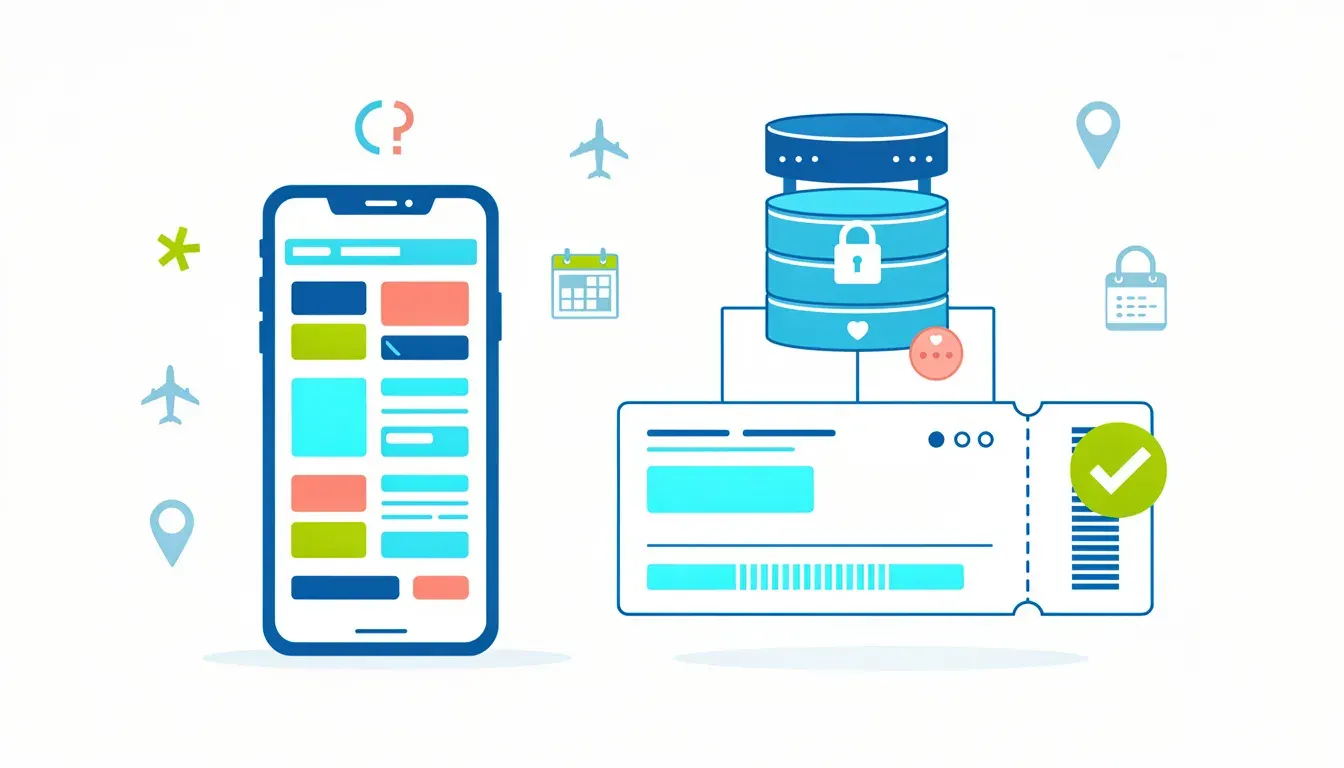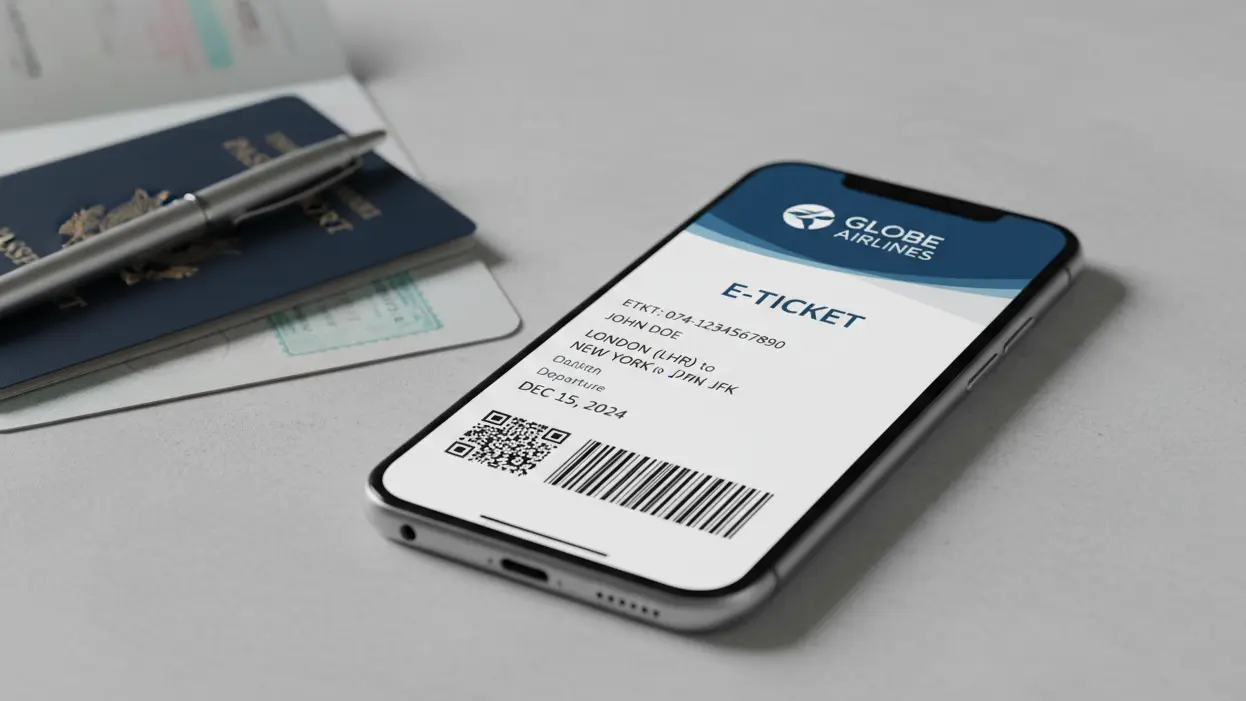
Some visa workflows may ask for more than a plain flight reservation or PNR. A dummy ticket with an eTicket number adds a 13-digit ticket-style reference to the booking record, making the travel proof easier to check when stronger verification is requested.
Table of Contents
- Table of Contents
- Why Do You Need a Dummy Ticket With an eTicket Number?
- When Do You Need an eTicket Number Instead of Only a PNR?
- How Do You Get a Dummy Ticket With eTicket Number From India?
- How Should Indian Applicants Use Dummy eTickets for Visa?
- How Is an eTicket Number Checked for Indian Applicants?
- How Do PNRs, GDS, and 13-Digit eTicket Numbers Work?
- Myths vs Facts: Dummy Tickets With eTicket Numbers
- How Do You Use a Dummy Ticket With eTicket Number Safely?
- How Should You Choose a Dummy Ticket With eTicket Number?
Key Takeaways #1: eTicket number basics
- A PNR shows a reservation record; an eTicket number shows ticketed-style proof linked to that record.
- An eTicket-style dummy ticket is most useful when a live counter, interview, or onward-travel check may happen soon.
- PNR-only reservations are often better for early planning because they can offer more flexible timing.
- The proof should match the passport, visa form, hotel dates, insurance, and travel purpose.
Some consulates won’t accept a plain flight reservation or PNR. They ask for an issued e-ticket number—the 13-digit code airlines generate after ticketing. For visa screening, that number signals a verifiable booking they can check in an airline’s “Manage Booking” tool. A dummy ticket with this eTicket number can make the travel-proof section easier to verify.
This guide explains what a “dummy ticket with an e-ticket number” actually is, when it’s required (and when a reservation is enough), and the safest ways to obtain one without risking cancellation fees or fraud. You’ll learn how to confirm that an e-ticket number is genuine, how long such tickets usually remain valid for visa review, and the common mistakes—wrong fare class, unverifiable third-party PDFs, mismatched names—that trigger delays. For more details on visa requirements, check our FAQ. Start your visa process today with our dummy ticket booking. If you're new to this, explore our blogs for tips, or learn about our team on the About Us page.
A dummy ticket with an eTicket number is a real airline reservation that includes both a Passenger Name Record (PNR) and a unique eTicket reference — making it easier to verify through supported airline or reservation channels. This format can be useful when a checklist or counter check expects ticketed proof rather than a basic reservation. dummyflights.com provides eTicket-enabled dummy tickets accepted for Schengen, US, UK, and GCC visa applications, giving travelers instant verifiable documentation without the need to purchase expensive, non-refundable flights.
Last updated: July 2026 — verified against Schengen, UK, and UAE visa office documentation standards.
Understanding these elements can make visa-document preparation less stressful. Many applicants overlook the difference between a reservation, a PNR, and a ticketed record, which can lead to avoidable questions.
The International Air Transport Association recognises held bookings created through professional reservation systems as a standard part of global airline distribution (iata.org).
A dummy ticket with eTicket number should still fit the wider visa-document strategy. Applicants often focus only on the 13-digit code, but the full file matters: passenger name, route, dates, hotel proof, insurance, cover letter, and appointment timing should all tell the same story. The complete dummy ticket for visa 2026 guide explains how temporary reservations, PNR checks, stronger proof, reissues, and final-ticket timing work together. That broader framework helps you decide whether a PNR is enough for early upload or whether an eTicket-style dummy ticket is safer near an interview or counter check. Use the guide first, then choose the proof level that matches the actual checklist and verification risk.
Why Do You Need a Dummy Ticket With an eTicket Number?
For many years, Indian travelers could simply attach a basic flight reservation or PNR to their visa application, and it worked just fine. But times have changed. More visa offices and immigration departments are tightening their documentation rules, and now they want something stronger—proof that looks and feels like a genuine ticket.
That’s where a dummy ticket with an e-ticket number becomes essential. It’s not just another travel formality; it’s your shield against last-minute visa rejections and embarrassing delays at the counter. To deepen your knowledge, our FAQ covers common queries on documentation.
Let’s break down why this small shift in documentation has become such a big deal, especially for travelers from India heading to countries with stricter verification systems. If your visa office appointment is near, book a dummy ticket now and get instant delivery in minutes. Discover more strategies in our blogs.
When a Simple PNR Isn’t Enough Anymore
Not long ago, many visa workflows allowed PNR-based reservations as proof of onward travel. These bookings are real but not ticketed—they exist in the airline’s system for a short time to show intent to travel. But some visa centers, airlines, and immigration counters cross-check flight details online. When they do, a plain PNR sometimes fails to display any confirmation in the airline’s database.
That’s where things get tricky. When your visa reviewer can’t verify the booking, it may raise doubts about the authenticity of your documents—even when the travel plan is genuine. By contrast, an eTicket number provides an added layer of validation. It’s issued from the Global Distribution System (GDS), meaning your itinerary appears as an active record in the airline’s system. For insights into global standards, refer to the IATA guidelines on travel documentation.
So, instead of leaving your application open to unnecessary questions, an eTicket number does the talking for you. It can show that your booking record is verifiable when the system supports the check.
Why Do Reviewers Prefer Verifiable eTickets in Some Cases?
It’s not about being difficult—it’s about preventing fraud. With the rise of easily editable PDFs online, some travelers submitted fake or altered itineraries. Some reviewers respond by checking directly with airlines or supported booking channels. They discovered that many of these fake documents didn’t exist in any airline database.
For that reason, certain visa-processing centers and consulates now specify “verifiable e-Ticket” in their documentation checklist. They want:
- A 13-digit eTicket number (e.g., 176-XXXXXXX) instead of just a PNR.
- GDS-based records that can be checked on the airline’s website.
- PDF copies showing the booking source and validity period.
This system filters out fake bookings while reducing the risk created by fake or edited documents.
For an Indian traveler, this makes sense. It saves you from unnecessary follow-ups, avoids visa office queries, and increases your credibility when applying for short-term tourist, student, or business visas. Consider how this integrates with other proofs like accommodation—our About Us page explains our holistic approach.
Situations Where You’ll Definitely Need an eTicket Number
Depending on where you’re going and how you’re applying, requirements can vary. But here are common situations where Indian travelers may find that e-ticket-based dummy tickets are the safer option:
- Schengen Visa Appointments (France, Germany, Italy): When applying in person or through VFS Global, your travel itinerary is sometimes verified on the airline’s system. Without an e-ticket number, reviewers can’t validate your booking.
- UAE Visa or Onward Travel Checks: The UAE’s immigration reviewers occasionally cross-check flight data, especially for travelers on visit or transit visas. Submitting an e-ticket-backed itinerary can reduce last-minute scrutiny.
- Sri Lanka and Malaysia Entry Requirements: Some travelers report smoother processing when their itineraries contain an e-ticket number. It’s not mandatory—but it’s highly recommended.
- Visa Interviews for Canada or the UK: When applying offline or through agents, reviewers may ask for a “confirmed” flight proof. A dummy e-ticket can support that request without forcing you to buy a full fare too early.
These scenarios show why it is useful to anticipate verification steps in your planning phase.
A Practical Example for Indian Travellers
Picture this: A student from Pune applies for a French student visa. She attaches a dummy booking with a PNR only. The consulate reviewer opens the airline’s website to verify, and nothing appears. The reviewer asks her to submit a verifiable ticket, causing a delay of two extra days.
Now imagine if she had submitted a dummy eTicket instead. The airline system would show an active reservation instantly, complete with a valid eTicket number. The record may be easier to check, allowing the file to move to the next document.
That’s the power of being proactive with your documentation. It’s not about spending more money—it’s about being smart and visa-ready.
How This Impacts Students, Families, and Digital Nomads
Every category of traveler benefits differently:
- Students: When applying for study visas in Schengen or Gulf countries, using an eTicket can help maintain a clean, verifiable file.
- Families and Group Travellers: A unified eTicket-based booking ensures all members have consistent itineraries, avoiding confusion at interviews or check-in.
- Digital Nomads and Frequent Travelers: For those applying repeatedly for short-stay visas, dummy eTickets reduce the hassle of buying and canceling full tickets each time.
In each case, verifiable documentation makes your travel record look professional and trustworthy—qualities visa offices appreciate. This tailored approach ensures no group feels overlooked in the process.
Why Indian Applicants Shouldn’t Wait Until the Last Minute
Another common mistake we see among Indian applicants is waiting until a day before the visa appointment to arrange their flight proof. At that stage, panic sets in, and they either purchase real (non-refundable) tickets or download unverified templates online.
Here’s the smarter approach:
- Arrange your PNR dummy booking early, for initial submission or form-filling.
- Get your dummy eTicket 24–48 hours before your visa office appointment, when it will be verified.
This timing helps the document remain valid during the likely check window and minimizes the chance of expiry.
What Proof Works When It Matters Most?
An eTicket number might look like a small detail, but for Indian travelers, it’s now one of the most practical tools for smoother document review. It bridges the gap between a temporary booking and a verified record.
Whether you’re applying for a Schengen tourist visa, planning a business trip to Dubai, or arranging a family holiday to Europe, a dummy ticket with an eTicket number shows you’re organized, consistent, and ready to travel. Use this tool when the checklist or review situation calls for stronger proof.
The European Commission's Schengen visa guidance advises applicants not to purchase non-refundable travel tickets before receiving a visa decision (home-affairs.ec.europa.eu).
Key Takeaways #2: Timing and verification
- Use a PNR early in the process, then switch to eTicket-style proof 24–48 hours before a likely check.
- Always verify the PNR or eTicket number through the supported airline or reservation channel after delivery.
- If the appointment moves, request a reissue so the record remains active during the check window.
- Codeshare flights may need verification on the operating carrier’s website.
When Do You Need an eTicket Number Instead of Only a PNR?
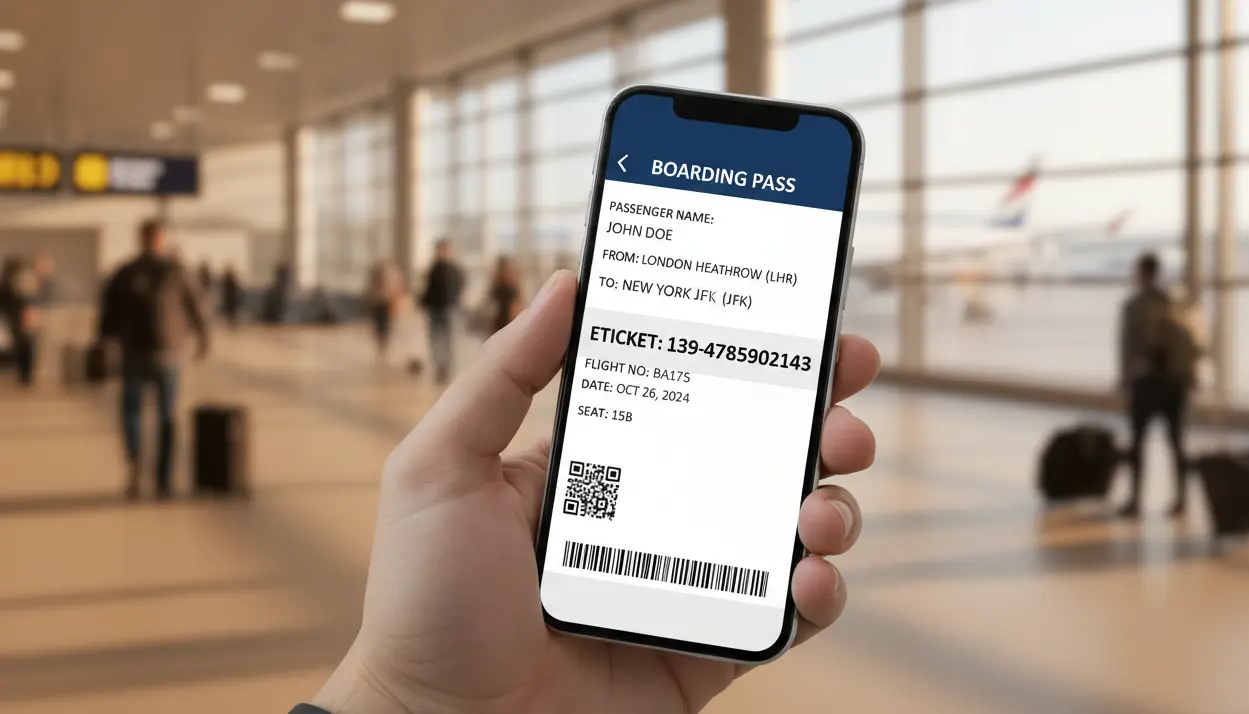
If you’ve ever stared at your visa checklist wondering whether your flight booking “counts,” you’re not alone. Many Indian travelers struggle to figure out the difference between a PNR and an eTicket number, and which one is required for their specific situation.
The truth is that both can be legitimate, but visa offices and consulates may treat them differently depending on how the file is processed. Knowing when to use each can save you time, money, and a lot of stress. 👉 Order your dummy ticket today for peace of mind.
Let’s decode this smartly so you can pick the right type of dummy ticket every single time. This decision tree is useful for choosing the right proof before submission.
PNR vs. eTicket Number—What Really Sets Them Apart
Both PNR and eTicket numbers come from the same airline reservation systems. The difference lies in what they prove:
- PNR (Passenger Name Record): This shows that your name, route, and flight details are recorded in the airline’s system. It’s a reservation—your seat is on hold, but not paid for.
- eTicket Number: This is a 13-digit code issued when the reservation is converted into a ticketed status. It appears on real bookings and is verifiable through airline websites or global distribution systems (like Amadeus or Saber).
So, while a PNR-based dummy booking shows your intent to travel, an e-Ticket-based dummy ticket goes one step further—it looks like a fully issued ticket, even though you haven’t actually paid the full airfare. Grasping this distinction empowers better choices across applications.
When Does a Simple PNR Work?
Let’s start with the good news. For many visa types, you don’t need an e-Ticket number at all. A verifiable PNR is enough to satisfy the “proof of travel” requirement.
Here’s where that applies:
- Online Visa Submissions: Countries like Thailand, Singapore, and Malaysia generally allow PNR-based flight reservations when you apply electronically. Their systems don’t verify bookings through the airline—only through the submitted PDF.
- E-Visa Applications: For e-visas, such as for Turkey or Kenya, authorities are more interested in your return intention than ticket verification.
- Onward Travel Checks: For destinations where you receive a visa after landing, a dummy PNR reservation may be enough as proof at the immigration counter.
- Preliminary Visa Stages: When filling out visa forms or sharing documents with travel agents, a PNR is more than sufficient.
In all these cases, your goal is to show intent, not confirmation. And since PNR dummy bookings stay valid for 48–72 hours, order yours close to when you submit your full application. This flexibility can help with preliminary planning.
When Is an eTicket Number Safer?
Now, there are situations where you’ll need more than just a PNR. Certain visa offices and visa processing centers have started verifying bookings directly with airlines. That’s where an eTicket number becomes your best friend.
Here’s when to go for a dummy eTicket:
- In-Person Visa Interviews (e.g., Schengen or UK): reviewers sometimes check if your flight exists in the airline system. A PNR alone may not show up—but an eTicket will.
- UAE or Saudi Arabia Visa Applications: These countries occasionally cross-verify tickets at immigration to ensure you have a confirmed exit plan.
- Student and Work Visa Submissions: When you’re applying for a long-term stay or through VFS, an e-Ticket-based booking often looks more professional and authentic.
- Transit Visa Requests: If you’re transiting through Europe or the Middle East, your onward connection must be clearly shown as an e-Ticket.
When in doubt, remember this simple rule:
Online = PNR works.
In-person = e-Ticket is safer. Applying this rule consistently can reduce verification issues.
Duration and Validity—Timing It Right
A big part of using dummy tickets correctly is knowing how long they stay valid. Timing matters—especially for Indian travelers managing multiple documents.
Here’s a quick guide:
- Dummy Reservation (PNR only): Usually valid for 48–72 hours. Great for early documentation, online forms, or visa office uploads.
- Dummy Ticket (with e-Ticket number): Valid for 24 to 48 hours. Best for visa interviews or in-person submissions where verification happens immediately.
Pro Tip: If your interview gets postponed, choose a provider (like dummyflights.com) that allows free date changes within the same day of booking, or a free reissue if your ticket isn't valid. That way, you won’t have to buy a new one each time. This adaptability is key in dynamic travel schedules.
How Indian Travelers Can Mix and Match Both Types
Smart travelers often use both, depending on where they are in the process. Here’s a quick strategy that works for most applicants:
Step 1 – Start Early: Use a PNR dummy reservation when you first fill out your visa form or share documents with your travel consultant.
Step 2 – Upgrade Later: When your interview or visa office visit date is confirmed, switch to a dummy e-Ticket so it’s verifiable.
Step 3 – Verify Before Submission: Always check that the e-Ticket number shows up correctly on the airline’s verification page.
This approach gives you flexibility and keeps your documents consistent throughout your application journey. It's a layered strategy that mirrors professional travel planning.
The Hidden Benefit: Instant Document Clarity
Think of it from the visa office reviewer’s perspective. They review hundreds of files a day—many with vague or fake itineraries. When your file includes a real eTicket number that checks out instantly, it saves them time. That positive first impression makes a subtle difference in how smoothly your application moves through the system.
It’s a small detail that signals professionalism and seriousness. You’re not just another applicant—you’re someone who knows the process and plays by the rules. This clarity can help the file move more smoothly.
Common Mistakes to Avoid When Choosing Between PNR and e-Ticket
Many applicants lose valuable time because of simple missteps. Here are a few you can easily avoid:
- Using Unverifiable PDFs: If your PNR or e-Ticket can’t be checked online, reviewers may question it.
- Booking Too Early: e-Tickets expire fast, so don’t get them a week before your appointment.
- Wrong Travel Dates: Even a small mismatch between your form and dummy ticket can raise questions.
- Fake Generators: Avoid free online “ticket makers” that create random numbers. They’re not linked to any airline system and can lead to serious credibility problems.
Always work with verified sources that use GDS-based bookings. Sidestepping these pitfalls reduces avoidable document problems.
Making Smart, Stress-Free Choices
For Indian travellers juggling tight visa timelines, the choice between PNR and e-Ticket shouldn’t feel confusing. The key is to match your document type to your visa stage:
- PNR for planning.
- eTicket for proving.
Once you understand this rhythm, preparing your travel proofs becomes faster and simpler. Integrate this into your routine for repeatable success across future trips.
Reservations and eTicket-style records can be generated through Global Distribution Systems — such as Amadeus and Sabre — used by licensed travel agents worldwide.
Name accuracy becomes even more important when an eTicket number is involved. A ticketed-looking record can still create questions if the passenger name, passport, visa form, hotel booking, invitation letter, or insurance document uses a different order or spelling. The guide on whether dummy ticket names must match the passport exactly explains middle names, initials, surname order, mononyms, long names, and airline-system truncation. Before submitting an eTicket dummy ticket from India, compare the PDF with the PNR result and every supporting document. If the name or date sequence differs, correct or reissue the document before printing or uploading it.
How Do You Get a Dummy Ticket With eTicket Number From India?
Want to obtain a dummy ticket with an e-ticket number from India? Follow these steps, and you can prepare a verifiable document without paying for a full fare too early. This process is designed for efficiency and document clarity.
Obtaining A Dummy Ticket For Visa Online
Here’s the straightforward route most Indian applicants follow.
- Choose a reputable provider that offers a dummy flight ticket online.
- Enter your travel details: name exactly as in passport, departure and return city, and approximate dates. Keep dates consistent with your visa form.
- Pick the type you need: a PNR-style reservation for early submission or a ticketed dummy for stronger verification.
- Pay securely and request instant delivery. This completes your dummy ticket booking.
- Receive a PDF that shows the PNR and the 13-digit eTicket number. Save it and verify it immediately on the airline’s site.
- Attach the PDF to your visa application or carry it to your in-person appointment.
Keep the purchase timing in mind. Get a PNR-style booking early in the process. Request the eTicket-style dummy 24 to 48 hours before the appointment or check window. This avoids expiry and keeps the booking verifiable when needed.
Key Features To Look For In A Reliable Provider
Not all suppliers are equal. Look for these features when you buy a genuine dummy ticket.
- GDS-based bookings, so the entry shows up in airline systems.
- A visible 13-digit eTicket number on the PDF.
- Clear expiration information for the PNR and eTicket.
- Instant email delivery and a PDF you can print.
- Reasonable, transparent fees with payment receipts.
- A policy for date changes in case your appointment moves.
Avoid sites that produce screenshots or online-generated dummy tickets with fake headers. These cannot be verified and may cause delays or rejections. If the provider offers a bundled dummy hotel booking, it can strengthen your application for Schengen or Gulf visas. But only add hotel proof when it matches the rest of your itinerary. Prioritizing these features guarantees a seamless experience.
What Should You Look for in an eTicket Dummy Ticket Provider?
When you need a quick, verified option, DummyFlights.com provides both standard reservations and eTicket-style dummy tickets. A standard dummy reservation can support early-stage document preparation, while an eTicket-style dummy ticket is better for short verification windows.
Our dummy ticket (eTicket) includes a verifiable eTicket number and is valid for 48–72 hours, ideal for visa office appointments. Pricing is transparent, and we offer urgent delivery when your schedule is tight. You can verify each booking on the airline’s official site after purchase. What sets us apart is our commitment to verifiability, supported by clear provider workflow details.
How Do You Verify an eTicket Dummy Ticket?
Verification is the final step that turns a document into proof. Always check the booking immediately after you receive it.
- Use the airline’s “manage booking” or “check PNR” page to confirm the PNR shows correctly.
- Enter the 13-digit eTicket number on the airline’s verification tool if available. A verifiable flight reservation will return the passenger's name, flight numbers, and dates.
- Cross-check that the name exactly matches your passport and your visa form. Any mismatch will trigger questions.
If a reviewer asks for confirmation during submission, having a verified booking record can make the response clearer. Keep screenshots of the airline verification page for your own records, and carry the PDF and email receipt to the appointment if documents are checked in person.
Quick Checklist Before You Submit
- Name matches passport.
- Dates match your visa form.
- PDF shows both PNR and e-Ticket numbers if required.
- You verified the booking on the airline’s site.
- You kept proof of payment for the booking.
Follow these steps, and you will present a tidy, verifiable travel record to the visa reviewer. If you prefer, we can also help you combine a flight with a dummy hotel booking for stronger support in countries that require accommodation proof. This checklist is your safeguard against oversight.
UK Visas and Immigration confirms that confirmed travel bookings are not required before a visa decision is issued (gov.uk).
How Should Indian Applicants Use Dummy eTickets for Visa?
Once you’ve figured out how to get a dummy eTicket, the next step is using it wisely. The right timing, accurate details, and a bit of strategy can make your visa application process smoother and more confident.
Many travelers from India don’t realize that even a small mistake in the flight itinerary can confuse—or worse, document questions. Let’s walk through how to use your dummy ticket for visa purposes the right way. Simplify your travel proof—complete your dummy ticket booking now. Effective usage turns potential pitfalls into strengths.
How Do You Time an eTicket Dummy Ticket Correctly?
Every dummy air ticket has an expiry. Whether you’re applying for a Schengen, UAE, or Canada visa, make sure your valid PNR covers your submission window. Ideally, your departure date should fall within 24–48 hours after your appointment if you’re using an eTicket type. This ensures the document remains an actual flight reservation during visa office verification.
If you’re submitting online, a longer-validity confirmed flight reservation or PNR version works better. Remember, dummy ticket airlines issue two main types: short-validity eTickets and long-validity reservations. Choose based on when your file will be reviewed. Mastering timing is akin to synchronizing a well-oiled machine.
Pair It With Accommodation and Insurance for Stronger Files
Visa files are easier to review when they show a complete picture. That’s why pairing your flight with a dummy hotel booking and travel insurance makes your submission more reliable. These elements together show intent, planning, and credibility.
For instance, many Schengen and Gulf visa offices look for both flight and hotel details before approving entry. Submitting both proofs can reduce mismatches and unnecessary questions.
If you’re wondering about dummy hotel booking benefits, they include:
- Showing confirmed accommodation without paying full rates upfront.
- Matching your mentioned flight itinerary and dates for easy cross-verification.
- Allowing flexibility for changes before you finalize your actual bookings.
This bundled approach creates a clearer travel story.
Avoid the Trap of Fake or Free Tickets
While you might find sites claiming to offer free dummy tickets, be cautious. Most of these generate fake dummy ticket PDFs that aren’t connected to any airline system. Submitting one can backfire—your booking reference number won’t verify, and the visa office may doubt your entire file.
Always go for valid dummy tickets that can be checked on the airline’s website. Spending a small fee for a cheap dummy ticket is far better than risking rejection. After all, a minor investment with just payment protects you from bigger issues like delays or visa refusal. The cost of authenticity pales against rejection repercussions.
Use eTickets to Strengthen Proof of Return
Reviewers value clarity. Submitting a dummy airline ticket or airline dummy ticket that includes your round-trip ticket details shows you plan to return after your visit. That’s your strongest proof of return—especially for short-term or visitor visas.
Always ensure your departure date and return date make sense with your purpose of travel. For example, a student heading to France shouldn’t show a 3-day itinerary; a business traveler visiting Dubai shouldn’t show a 90-day stay. The flight seats and schedule should reflect a realistic trip.
If you’re applying for countries that require exit visa procedures, like Saudi Arabia or some Gulf nations, your onward flight ticket plays a crucial role. Using a verifiable dummy eTicket helps you navigate exit visa procedures smoothly without buying a non-refundable actual flight ticket. This realism keeps the file coherent.
How Do You Get the Dummy Airline Ticket Details Right?
To make sure you never face surprises during verification, follow this checklist before you get your dummy ticket:
- Check that the booking reference number and valid PNR appear clearly.
- Ensure the airline is legitimate—a reliable provider should use legitimate booking workflows.
- Confirm both departure and return legs show the same traveler name.
- Match your travel dates to your hotel bookings and visa application form.
- Keep a soft copy and printed version handy in case of visa office questions.
If your provider accepts bank transfer or card payments, retain proof of payment as an added safeguard. This routine verification habit eliminates last-minute panics.
Why Do Realistic Details Matter?
When a booking is checked, reviewers look for coherence. That’s why your flight numbers, routes, and dates must align perfectly with your application. Showing realistic timings and layovers—like a 2-hour connection on Singapore Airlines or a short layover with Air France—helps the itinerary look realistic.
A well-structured flight itinerary also looks more professional. For example:
- Departure: Delhi to Paris (Air India)
- Return: Paris to Delhi (Air France)
It feels credible because it matches popular routes used by real travelers. A logical itinerary is easier to understand than a random-looking airline ticket.
How Do Dummy eTickets Benefit Different Travelers?
Each traveler category gains something different from using a dummy ticket:
- Students: A dummy air ticket helps them demonstrate travel intent for visa interviews without paying in advance.
- Families: A single itinerary showing all members on one booking helps avoid confusion.
- Business travellers: An e-Ticket adds professionalism to files reviewed by strict consulates.
- Frequent travellers: A confirmed flight ticket serves as reusable proof for multiple short trips.
These dummy flight ticket benefits save time and protect against costly cancellations, since you can update dates anytime. Tailored benefits ensure universal appeal.
Why Does Smart Planning Beat Last-Minute Proof?
Using a dummy airline ticket the right way isn’t about cutting corners—it’s about planning smart. It keeps your documents organized, your trip believable, and your document file coherent. Whether you’re applying for Europe, Asia, or the Middle East, a verifiable actual flight reservation shows you’re serious about your journey and prepared for every step.
Pair it with dummy hotel booking benefits, solid travel insurance, and a realistic timeline, and your file will stand out as complete and credible.
And remember—every good visa file starts with good preparation. With the right provider and clear understanding, a verifiable dummy flight ticket can help you handle document checks with more confidence.
The U.S. Department of State requires evidence of travel plans across non-immigrant visa categories rather than paid tickets (travel.state.gov).
How Is an eTicket Number Checked for Indian Applicants?
You want a visa file that can be checked quietly, without last-minute scrambling. The easiest way is to understand when a reviewer may check an e-ticket number and what they expect to see.
How Do Reviewers Check an eTicket Number?
Most reviewers do fast, simple checks. They need proof they can verify.
They usually:
- Open the airline’s Manage Booking page and enter your last name and booking details.
- Look for a 13-digit e-ticket number that confirms the ticketed status.
- Scan dates, routes, and names for obvious errors.
- Note the booking source, such as a GDS or airline confirmation.
If the system returns your name, flight numbers, and dates, your file moves along. If nothing appears, the reviewer may ask for updated proof or hold your file for verification. Understanding their workflow allows you to preempt issues.
What Different Regions Usually Do
Each region may have different document habits. Knowing them helps you pick the safer option before you print anything.
In Schengen countries, you often meet an reviewer or submit through a center that can verify online. A plain PNR sometimes does not display. An e-ticket number removes that risk.
In the UK and Canada, agent-led submissions may ask for a confirmed itinerary for certain categories. A dummy e-ticket meets that need without you buying a nonrefundable fare.
In the Gulf, immigration reviewers can do spot checks at arrival or departure. A verifiable e-ticket shows you have a clear exit plan.
Across parts of Southeast Asia with e-visa portals, a clean PNR can be enough at upload. If you must attend in person later, switch to an e-ticket close to your visit. Regional nuances like these inform strategic choices.
What Your PDF Must Show at a Glance
Your document should be boring in the best way. Clear, verifiable, and consistent with your form.
Aim for:
- Passenger name exactly as in the passport.
- Routes and dates that match your visa application.
- Airline locator and 13-digit e-ticket number.
- Flight numbers and times in local format, not mixed time zones.
- Booking source or reference that ties back to a GDS or airline.
If you can verify your ticket on the airline site in under one minute, the reviewer likely can too. Clarity accelerates decision cycles significantly.
Timing That Keeps You Safe
Good timing prevents expired holds and awkward questions. Use reservations early, then switch to ticketed proof when it matters.
A simple plan:
- Start your file with a PNR-style reservation. It covers early uploads and agent reviews.
- Upgrade to an e-ticket 24 to 48 hours before your in-person appointment.
- If your date moves, ask for a reissue so the verification window stays open.
This rhythm works for students, families, first-timers, and digital nomads who apply often. It's a timeless framework for reliability.
Quick Decision Grid You Can Trust
You should not guess on the day you submit. Use this quick guide.
- Online portal only, no interview: PNR is usually fine.
- In-person interview, Schengen or UK: e-ticket is safer.
- Gulf entry with onward proof checks: e-ticket is safer.
- Transit visas that require a confirmed onward leg: an e-ticket is safer.
- Early stage form filling or agent review: PNR is fine.
When unsure, choose the option that the reviewer can verify in seconds, which is the e-ticket. This grid simplifies complex decisions.
Red Flags You Avoid by Going E-Ticket
A few common issues slow files. You can dodge them with clean, verifiable proof.
Watch for:
- Name order problems, especially middle names or initials.
- Stale PNRs that expired before the appointment.
- PDFs that look edited or use odd templates.
- Itineraries that do not match your stated purpose or timeline.
- Codeshare segments that do not display on one airline site. Use the operating carrier’s page if needed.
A single mismatch can trigger questions. Align details and you keep the process smooth. Vigilance here pays dividends.
Real Situations, Clear Plays
Different travelers face different pressure points. We plan for them.
Students
You often submit stacks of paperwork and then attend in person. Start with a PNR for early uploads. Switch to an e-ticket two days before your appointment. Keep your departure close to your program start and your return aligned with your plan, for example, semester break or initial course end.
First-Time Applicants
You want zero surprises. Book a simple round trip on common carriers and routes. Avoid creative routings. Verify that your e-ticket number shows on the airline site. Carry a printout and a screenshot of the verification page.
Family Visitors
Keep everyone on one itinerary if possible, or on linked records that show the same dates. reviewers like consistency across the family. If one passport has a different name format, correct it on the booking before you print.
Digital Nomads and Frequent Travelers
You care about flexibility. Use a provider that can reissue quickly when plans shift. Keep your destination and exit leg realistic for the visa sought. When you pass through hubs like Dubai or Frankfurt, show a clear onward segment in ticketed form. Customized plays ensure tailored success.
Make Verification Effortless for the reviewer
We design for the fastest possible yes. That means you give the reviewer what they need in the order they check it.
Do this:
- Put the e-ticket number and airline locator near the top of page one.
- Use legible fonts, standard PDF formatting, and local date formats.
- Include both segments for round-trip or onward travel.
- Keep a payment receipt or booking confirmation email ready. It shows authenticity if asked.
The reviewer should not hunt for details. When everything is obvious, your file moves. Effortless design is the secret to swift approvals.
What to Do if the Site Does Not Show Your Record
Sometimes the airline site is down, or a codeshare hides details. Do not panic. Solve it.
- Try the operating carrier’s site for the segment.
- Check that your name fields match the booking exactly.
- Confirm the PNR has not expired and the e-ticket is still open.
- Capture a new screenshot when the page loads correctly.
- If needed, ask for a same-day reissue so the record refreshes.
A clean refresh beats a tense counter conversation. Quick resolutions keep momentum intact.
You do not need luck to pass document checks. You need verifiable details, smart timing, and proof that opens fast on an airline page. Use a PNR to start, then bring an e-ticket to the table when an reviewer might look. That simple playbook saves time for everyone and keeps your trip on track. This comprehensive strategy equips you for any scenario.
The value of an eTicket number is verification. A PDF may look professional, but the real question is whether the booking reference or ticket number can be checked through the airline or provider-supported channel while active. The guide to how airlines and document reviewers verify dummy flight tickets explains why some PNRs display differently across airline and GDS systems, why codeshares can hide records, and why fake ticket numbers create credibility risk. Apply the same method here: verify immediately, keep screenshots for your own records, remove old versions after reissue, and use the operating carrier’s site when a codeshare does not display correctly.
How Do PNRs, GDS, and 13-Digit eTicket Numbers Work?
You submit a ticket PDF. A reviewer may check it in seconds. What happens in between is simple once you see the plumbing. Understand it and you will verify faster and avoid messy surprises. Demystifying the backend empowers informed decisions.
What Really Happens Behind A Booking
Let’s connect the dots. You enter traveler details. A system creates a reservation. Another system issues the ticket. Both pieces matter to your visa file.
Behind the scenes:
- Your name and itinerary create a Passenger Name Record called a PNR.
- The PNR lives in an airline system and in a Global Distribution System called a GDS.
- When ticketed, the system generates electronic coupons and a 13-digit e-ticket number.
- Airline websites read those records for “Manage Booking” checks.
If a PNR exists, your intent is recorded. If a ticket number exists, your booking is ticketed. Reviewers may understand this difference when they check travel proof.
PNR Vs E-Ticket
You do not need jargon. Think of a PNR as a container. It holds names, flights, and contact details. It proves that a booking was created.
An e-ticket number proves the booking was issued. That number links to coupons for each flight segment. It is the quick way to confirm status.
Use this rule of thumb:
- PNR only = reservation on hold. Good for early steps and online uploads.
- PNR plus e-ticket = ticketed booking. Best for interviews and spot checks.
Students use PNRs to start paperwork. First-time applicants and families bring e-tickets to the counter. Digital nomads switch to e-tickets close to verification. Simplicity in concepts drives practical application.
Where The 13-Digit Number Comes From
That long number is not random. It has a structure you can trust.
- The first three digits identify the airline. For example, Air India has its own prefix.
- The remaining digits form a unique serial number for your ticket.
- Each flight leg gets a coupon inside the ticket. Coupons show status such as Open or Used.
Why you care:
- reviewers look for the prefix and total length.
- You can match the airline shown on the PDF with the prefix.
- If the format looks wrong, fix it before you submit.
This structure validates authenticity at a glance, streamlining checks.
How GDS Systems Fit Into Your Proof
We see GDS mentioned a lot. It matters because visa offices want verifiable sources.
A GDS is a backbone that agents and airlines use to create and manage bookings. Examples include Amadeus and Sabre. When a provider issues your dummy ticket through a GDS, the record aligns with airline data.
What this means for you:
- Your PDF can be checked on the airline site or via a partner site.
- Names, routes, and dates appear the same in both places.
- You reduce the chance of “not found” screens during verification.
GDS integration is the invisible thread tying your proof to global standards.
Why Your Ticket Does Not Show Online Sometimes
You did everything right. The site says no record. It happens. There are common reasons and simple fixes.
Typical causes:
- The airline site is down or caching old data.
- You checked the marketing carrier. The operating carrier holds the live segment.
- Name fields do not match. Extra spaces or missing middle names cause misses.
- The PNR expired before ticketing.
- The e-ticket coupons are voided or not opened yet.
Easy actions:
- Try the operating carrier’s Manage Booking page.
- Enter last name and booking code exactly as printed.
- Give it an hour and refresh. Then take a new screenshot.
- Ask for a reissue if the validity window passed.
Families and groups should check that all travelers display together or as linked records. Students on codeshares should verify both carriers. Troubleshooting knowledge turns obstacles into opportunities.
How To Self-Verify Like An reviewer
If you can verify your document in under a minute, the reviewer can too. Make it that easy every time.
Do this:
- Open the airline's Manage Booking page before you print.
- Confirm your name, dates, and flight numbers appear together.
- Look for the 13-digit e-ticket number or ticket status where available.
- Capture a clean screenshot showing the URL bar and timestamp.
- Keep the payment receipt or booking email handy.
For first-time applicants, this habit removes doubt. For digital nomads, it saves time during repeated applications. Self-verification is empowerment in action.
Edge Cases You Will See In The Wild
Not every itinerary is point-to-point. Complex trips add quirks you can manage with a checklist.
Open-jaw trips. Delhi to Paris, return from Amsterdam. Ensure both cities appear, and the ticket shows the correct turnaround.
Mixed carriers. One leg on a partner airline. Verify on the operating carrier site if the marketing site hides details.
Schedule changes. Airlines shift times. Refresh the PDF. Print the latest version with new segments.
Name order. Indian passports can include middle names and initials. Match the booking to the passport, not to social media spelling.
Children and seniors. Family bookings sometimes split into multiple PNRs. Link them or carry both codes to prove you travel together. Handling edges builds resilience.
Clean Data Habits That Save You Time
Good data beats long explanations. Keep your inputs tidy and your outputs standard.
Essentials:
- Use the exact passport name in the same order.
- Keep date formats local and consistent with your form.
- Avoid unusual routings that look like mileage runs.
- Put the PNR and e-ticket number near the top of page one.
- Ensure both outbound and return segments print on the same PDF.
Students should align travel dates with enrollment or orientation. Family visitors should match flight and accommodation dates. Digital nomads should show sensible layovers and a clear exit leg. Clean habits are the foundation of efficiency.
Picking The Right Proof For The Right Moment
You do not need a ticketed record for every step. You need the right record at the right time.
- Use a PNR to start forms, upload to portals, or brief an agent.
- Switch to an e-ticket 24 to 48 hours before any in-person check.
- Reissue if the appointment moves or the airline updates the schedule.
- Verify again just before you leave for the center.
This rhythm keeps your proof live when someone looks. It prevents expired holds and tense counter chats. Precision in selection optimizes outcomes.
A PNR shows a reservation. An e-ticket number proves the ticket was issued. Both live in airline and GDS systems that reviewers can check quickly. When your details match and the record opens fast, your file moves. Use reservations to prepare. Use e-tickets to pass verification. With that flow, students, first-time applicants, family visitors, and digital nomads all clear the desk with confidence. This backend knowledge elevates your expertise.
Key Takeaways #3: Safety rules
- A safe dummy ticket is a real, time-bound reservation created through a legitimate booking workflow.
- Do not use edited templates, random ticket-number generators, or screenshots that cannot be checked.
- Keep the PDF, payment receipt, and verification screenshot together for your own records.
- Use the document to show travel intent, not to board a flight.
Myths vs Facts: Dummy Tickets With eTicket Numbers
Every visa file needs a dummy ticket with an eTicket number.
Many early-stage or online submissions can use a verifiable PNR; eTicket-style proof is mainly useful when ticketed proof may be checked.
A 13-digit number on a PDF automatically makes the document safe.
The number only helps when the booking can be verified through the airline or provider-supported channel while active.
PNR-only reservations are always weaker.
PNR-only reservations can be the right choice for early forms, online uploads, and cases where a ticketed record is not requested.
Fake eTicket generators are harmless if the PDF looks professional.
Fake numbers can fail instantly when searched and can create credibility problems for the entire file.
How Do You Use a Dummy Ticket With eTicket Number Safely?
You want proof that works and never puts your visa at risk. The safest path is to use legitimate, verifiable reservations for documentation only. Let’s make the rules clear so you submit with confidence. Safety is paramount in every step.
What “Legal” Looks Like In Practice
A safe dummy ticket is a real reservation created in an airline or GDS system. It exists for a short window and is used to show intent to travel during visa processing.
You are not using it to board a plane. You are not misrepresenting your identity. You are presenting a verifiable record that an reviewer can check in seconds.
When the record opens on an airline page and shows your name, route, and dates, you are on solid ground. Legality ensures ethical and effective use.
What Crosses The Line And Creates Risk
Problems start when a document cannot be verified or was never created in an airline system. That is when files get flagged and time is lost.
Avoid:
- Editable templates that let you type any number
- Screenshots that do not match airline formats
- Random generators that output fake ticket numbers
- Records with wrong names or swapped segments
- Bookings that already expired before your appointment
If an reviewer cannot find your booking, they may hold the file or ask for new proof. That slows everything. Awareness averts these risks entirely.
How To Vet A Provider Before You Pay
We want you to choose partners that keep your record clean. A quick checklist saves headaches later.
Look for:
- GDS-backed issuance that mirrors airline data
- A visible 13-digit e-ticket number when you choose ticketed proof
- Clear validity windows for PNR and ticketed versions
- Fast reissue or date change options
- A payment receipt with the order ID
- Support that replies with specifics, not vague promises
Walk away if you see only sample PDFs, no verifiability steps, or pressure tactics. Vetting protects your investment and integrity.
Privacy And Payment Hygiene That Protect You
Keep your data tight. You rarely need to share more than your passport name, itinerary, and contact details.
Smart habits:
- Use the exact passport name in the same order
- Share only the data the booking requires
- Pay through used gateways
- Keep receipts and confirmation emails
- Redact nonessential personal data if you share screenshots
Students and first-time applicants should store documents in one secure folder. Families should use one email thread for all traveler confirmations. Hygiene safeguards your journey.
The Ethical Way To Use A Dummy Ticket
We all want smooth processing. Ethics help you get there. The principle is simple. Be accurate. Be verifiable. Be consistent.
Do:
- Match dates to your purpose of travel
- Align flight times with accommodation and insurance
- Present realistic routings on known carriers
- Refresh the file if your appointment moves
Do not:
- Inflate stays to look impressive
- Show impossible connections
- Recycle a stale reservation from an old application
Clean and coherent proof reduces avoidable questions.
If An reviewer Asks Questions, Answer With Proof
Sometimes an reviewer wants an extra check. You can resolve it quickly when your paperwork is in order.
Respond with:
- A fresh screenshot of the airline's Manage Booking page
- The e-ticket number and airline locator
- Your payment receipt or provider confirmation
- A short note explaining any change in dates
Keep it factual and concise. When you give verifiable details in the reviewer’s format, the conversation ends well. Preparedness turns queries into quick wins.
Common Misconceptions You Can Ignore
Noise online creates confusion. Focus on what actually moves files.
Not true:
- “Every visa needs a paid ticket.” Many stages accept a reservation.
- “A PNR always shows online.” Some do not. E-tickets show more consistently.
- “PDF layout proves authenticity.” reviewers trust what the system returns.
- “A free template is fine if it looks real.” If it does not verify, it fails.
True:
- Verifiable records pass faster than pretty PDFs
- Timing matters because holds expire
- Name order issues cause more delays than any other error
Dispelling myths sharpens your focus on facts.
Students, Families, And Digital Nomads Benefit Differently
Your situation shapes your safest choice. Plan for what the reviewer will look for in your category.
Students
- Use a PNR to begin forms and uploads
- Switch to an e-ticket 24 to 48 hours before the appointment
- Align dates with enrollment or orientation
Family Visitors
- Keep everyone on one itinerary or linked PNRs
- Match flights to accommodation dates
- Correct name formatting for children and seniors before printing
Digital Nomads And Frequent Travelers
- Pick providers that reissue within hours
- Keep routings simple with clear exit legs
- Store templates for repeat countries, but refresh every record
Differentiated benefits ensure inclusive safety.
Making The Right Choice
You do not need the same proof at every step. Choose the option that the reviewer can verify in that moment.
Use a PNR when:
- You submit through an online portal with document upload only
- You are in the early stage, and dates may change
- You need a longer validity window for form completion
Use an e-ticket when:
- You will attend an interview in person
- A center or consulate is known to cross-check live bookings
- You must show onward travel at immigration
When unsure, pick the record that opens fast and shows the 13-digit number. Choice mastery minimizes risks.
Handling Delays, Reschedules, And Airline Changes
Delays happen. You can stay ahead with a few quick plays.
- If your appointment moves, ask for a reissue so the new window stays valid
- If an airline shifts times, print the new itinerary and verify again
- If a site does not display the booking, try the operating carrier
- Keep both PDF and screenshot proof together in one folder
First-time applicants should label files by date. Families should add traveler initials to filenames. That prevents mix-ups at the counter. Adaptive handling keeps you agile.
A safe dummy ticket is simple. It is a real-time bound reservation created in airline systems for documentation. We use it to prove intent during verification. We do not use it to travel.
When your record verifies in seconds, you remove doubt. When your dates align with your plan, you look organized. When you refresh before the appointment, nothing expires on you.
Stay verifiable, accurate, and consistent. Choose the right proof for the right moment, then refresh it when timing changes.
How Should You Choose a Dummy Ticket With eTicket Number?
Choose a dummy ticket with eTicket number when the checklist, appointment format, or travel counter situation suggests that ticketed-style proof may be checked. Use a PNR-only reservation for early planning and online uploads when ticketed proof is not required, then switch to an eTicket-style record close to the verification window if stronger proof is needed.
The safest strategy is simple: use real verifiable records, time the document correctly, match every detail to the passport and visa file, verify before submission, and reissue if the appointment or travel plan changes. After the visa decision and once your travel dates are final, buy the actual ticket that matches the approved plan.
Frequently Asked Questions
What is a dummy ticket with eTicket number?
A dummy ticket with eTicket number is a temporary, verifiable travel document that includes both a PNR and a 13-digit eTicket-style reference. It is used to show planned travel when stronger proof than a basic reservation is requested.
Do I always need an eTicket number for a visa application?
No. Many early-stage or online visa submissions can use a verifiable PNR-only reservation. An eTicket-style dummy ticket is mainly useful when an in-person check, counter check, or stronger itinerary proof is expected.
How is a PNR different from an eTicket number?
A PNR is the booking record that stores passenger name, route, and flight details. An eTicket number is a ticketed-style reference connected to the booking and is usually easier to verify when ticketed proof is requested.
How long is a dummy ticket with eTicket number valid?
A dummy ticket with eTicket number is usually used for short verification windows, often around 24–48 hours depending on the provider, route, and airline system. It should be ordered close to the appointment or check date.
How do I verify a dummy ticket with eTicket number?
Use the airline or provider-supported booking channel, enter the PNR or eTicket number with the passenger surname, and compare the returned details with the PDF. The name, route, dates, and flight numbers should match.
Can I get a dummy ticket with eTicket number from India?
Yes. Indian applicants can order a verifiable dummy ticket with eTicket-style proof from a provider that uses legitimate booking workflows. DummyFlights.com offers verifiable dummy ticket reservations with instant PDF delivery and reissues when plans change.
How much does a dummy ticket with eTicket number cost?
Pricing depends on the provider and type of proof requested. DummyFlights.com lists standard verifiable dummy ticket reservations at $15, while stronger eTicket-style proof should be requested only when the checklist or verification risk requires it.
Is a fake eTicket number safe to use?
No. A fake eTicket number is unsafe because it is not connected to a real booking record. If searched, it can fail verification and create credibility problems for the entire visa file.
Should I use a PNR first and upgrade to an eTicket later?
Yes, that is often the cleanest strategy. Use a PNR-only reservation for early forms or uploads, then use eTicket-style proof 24–48 hours before an interview or counter check if stronger proof is needed.
What should the PDF show?
The PDF should show the passenger name, route, dates, PNR, eTicket-style number when requested, and clear flight details. These details should match the passport, visa form, hotels, insurance, and cover letter.
Is acceptance of a dummy ticket with eTicket number guaranteed?
No. Requirements vary by country, consulate, nationality, visa category, and document checklist, and no provider can guarantee acceptance or approval. Follow the official checklist and keep the file consistent.
Why Travelers Choose DummyFlights.com
DummyFlights.com focuses exclusively on verifiable dummy ticket reservations. Every reservation is generated through legitimate airline reservation systems and includes a stable PNR that you can verify yourself before submission. Documents are delivered instantly as a PDF after secure online payment, reservations can be reissued with new dates at no extra cost if your plans change, and support is available 24/7 at any stage of the visa process. Transparent pricing: $15 per reservation, no hidden fees.
Visa-Ready in Minutes
Instant, verifiable dummy ticket for visa — unlimited reissues, no hidden fees.
About the Author
Visa Expert Team — Our editorial team specializes in creating verifiable flight and hotel itineraries for visa applications, aligning documentation with embassy and immigration standards.
Editorial Standards & Experience
Our content is based on real-world visa application cases, airline reservation systems (GDS), and ongoing monitoring of embassy and consular documentation requirements. Articles are reviewed and updated regularly to reflect current practices.
Trusted & Official References
- U.S. Department of State — Visa Information
- International Air Transport Association (IATA)
- European Commission — Applying for a Schengen Visa
- UK Visas and Immigration
- Amadeus
- Sabre
Important Disclaimer
While our flight and hotel reservations are created to meet common embassy requirements, acceptance is not guaranteed and may vary by country, nationality, or consulate. Applicants should always verify documentation rules with the relevant embassy or official government website prior to submission.