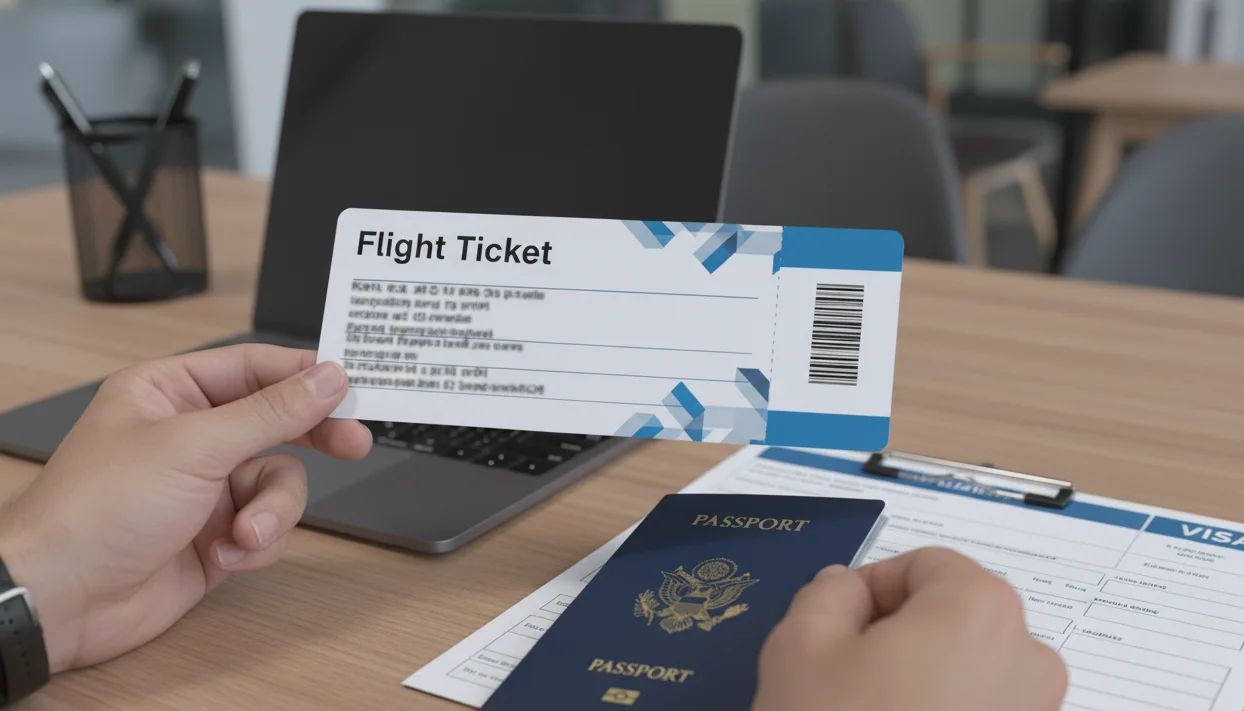
Short answer: An OTA booking reference that is not found on an airline’s public website is not automatically a fake or unusable document. Check the issuing system, passenger name, route, dates, ticket status and the destination checklist before submitting. If the record cannot be verified or no longer matches your file, request a current replacement rather than presenting an outdated reference. A temporary dummy ticket for visa can support a file, but it cannot guarantee approval, boarding or entry.
Your visa file is ready, the flight reservation looks clean, and then the airline website says the booking cannot be found. That moment causes more panic than it should, especially when the document carries an OTA booking reference instead of the kind of confirmation travelers expect from a direct airline purchase.
What matters is not gut feeling. It is whether your reservation is still strong enough for submission, needs a refresh, or should be replaced before appointment day. We will sort out why airline-site checks fail, which warning signs actually matter, and how to judge your next step without guessing or overreacting. If airline-site checks are worrying you, use a dummy ticket with clear PNR-backed reservation details.
Key facts:
- OTA, airline and issuing-system references may not display in the same public lookup.
- A “not found” result is a signal to investigate, not proof by itself that a document is false.
- Match the passenger name, route, dates, status and total stay across the whole visa file.
- Save the submitted PDF and any verification evidence, then keep one current version.
- A temporary travel-proof document supports planning; it does not replace visa or entry requirements.
Need a clear temporary reservation for a visa file? Use the passenger name, route and dates your supporting documents actually support, then keep the current record consistent.
Official-source check: Confirm the issuing OTA’s and airline’s current reservation-lookup, ticketing and schedule rules, then check the destination authority’s visa, transit and onward-travel requirements. Use the IATA Travel Centre for passport, visa, health and carrier-facing checks; the issuing system and destination authority control their respective records and decisions.
Reviewed for: OTA and airline reference differences, public lookup limits, PNR status, passenger-name matching, visa-file consistency, replacement decisions and document-version control.
When The Airline Website Says “Not Found,” But Your Visa File May Still Be Fine

You can have a clean flight reservation PDF, a booking reference on the page, and still get a “not found” result on the airline website. For visa applicants, that feels like an instant red flag, but it often says more about how the reservation moved through booking systems than about whether the itinerary is usable in your file.
| What you see | What it may mean | Best next check |
|---|---|---|
| OTA reference works only in the OTA portal | The issuing channel may use a separate locator | Save the current record and check the issuing system’s status |
| Airline site returns “not found” | Public lookup may not expose every channel or segment | Confirm airline, passenger, route, dates and ticket status through the proper channel |
| Passenger name or route differs | The document may not support the submitted file | Correct or replace it before relying on the PDF |
| Reference is expired, cancelled or superseded | The old document should not be presented as current | Preserve what was submitted and prepare one truthful current version |
Why An OTA Booking Reference Can Exist Before The Airline Search Tool Fully Recognizes It
A visa reservation created through an OTA-linked workflow does not always behave like a fully paid ticket bought on the airline’s own website. That difference matters most when you try to verify it through the airline’s public “Manage Booking” page.
In many cases, the reservation record exists inside a booking chain before the airline’s passenger-facing tool displays it clearly. The document may already show your route, travel dates, and booking reference, while the airline portal still does not return a result.
That can happen with Schengen visa applicants who generate a reservation for Paris or Rome a few days before biometrics and then test it against the airline search tool too early.
This is where many applicants make the wrong call. They assume the airline website is the final judge of whether the reservation is legitimate enough for a visa packet. It is not. It is one public-facing layer. Your reservation may still be structured correctly for visa documentation even when the airline lookup page is not helpful yet.
That is especially true when the reservation sits in a hold, queue, sync window, or intermediate booking state. The airline search page is built for passengers trying to manage a trip. Your visa file is built to show a credible travel plan.
The Difference Between “Held In A Reservation Workflow” And “Visible In A Passenger Self-Serve Portal”
These two things are not the same, and visa applicants get into trouble when they treat them as identical.
A reservation can be present in a booking workflow, tied to a route and dates, and ready to appear on a visa-facing PDF. But the airline’s self-serve portal may still require a different timing window, a different surname format, or a direct-airline retail record before it displays anything useful.
That is why a UK Standard Visitor visa applicant flying Karachi to London, or a Canada TRV applicant routing through Doha to Toronto, may see a proper itinerary on the document and still fail a website check. The reservation is not necessarily weak. The problem is often the verification method.
What should concern you more is whether the document itself looks coherent:
-
Does the passenger's name align with the passport name format?
-
Do the outbound and return dates match the trip length in your application?
-
Does the route make sense for your origin and destination?
-
Was the reservation issued close enough to your appointment date to look current?
Those points matter more in a visa packet than whether the airline portal behaves like a direct purchase page. If the itinerary fits your travel story and the document details are consistent, you may still be on solid ground.
Why Timing Creates False Alarms Right Before A Visa Appointment
Timing creates a lot of unnecessary panic, especially in the last 72 hours before submission.
A same-day reservation may not show consistently if you check too quickly. A reservation issued several days earlier may also behave differently if you are checking after a refresh window or close to a booking expiry point. Applicants often interpret that change as proof that the itinerary was never usable, when the more accurate conclusion is that the timing of the check changed the result.
This matters in real visa workflows. A Schengen applicant with a VFS appointment on Tuesday may generate a reservation on Monday night, print the PDF, and then wake up to an airline-site failure on Tuesday morning. That does not automatically mean the document is unfit for submission. It means you should assess the reservation in context, not react to one screen result.
Here is the more practical way to read timing:
-
Immediate failure right after issue can be harmless if the document is otherwise complete and current.
-
Delayed failure after a time gap may simply reflect the reservation aging or moving out of a public lookup window.
-
Repeated failure plus document inconsistencies deserve closer attention before submission.
The mistake is not checking. The mistake is assuming every failed check means the same thing.
What You Should Stop Assuming The Moment Verification Fails
The first assumption to drop is that a failed airline-site search means the reservation is fake. For visa use, that conclusion is too fast and often wrong.
The second assumption is that an embassy, consulate, or visa center will test your flight document exactly the way a traveler would. In many cases, document review is more basic and more practical. Reviewers look for consistency, plausibility, current dates, and alignment with the rest of your application. They are not always running consumer-style booking checks to validate every itinerary.
The third assumption is that every booking reference behaves the same way across carriers, routes, and booking channels. It does not.
A reservation for Madrid on one carrier can surface differently from a reservation for Vancouver on another. One portal may recognize the record quickly. Another may not display it at all in a useful way.
How Visa Officers Are More Likely To Read The Reservation Than To Test It Like A Traveler
Once your flight document enters a visa file, it stops being a travel-shopping item and becomes supporting evidence. That shift changes what matters, especially for Schengen, UK Standard Visitor, Canada TRV, Japan short-stay, and Australia Visitor applications, where document consistency often matters more than retail-style booking behavior.
What Makes A Flight Reservation Look Coherent Inside A Visa Application Packet
A coherent reservation fits the rest of your application without forcing the reviewer to make excuses for it.
Start with the obvious match points. Your name should line up cleanly with your passport. Your travel dates should fit the leave period, event dates, or trip window you declared. Your destination should match the country where you are applying to go, and your return should support the length of stay you requested.
That sounds simple, but this is where many weak files start to wobble.
A Schengen application for a 10-day Italy trip should not show a return after three weeks unless the rest of the file explains it.
A UK visitor file built around a family event in Manchester should not carry an arrival airport and onward timing that make the stated plan look careless. A Canada TRV file should not show travel dates that sit outside the cover letter narrative.
Visa reviewers notice pattern breaks fast. They may not care whether you checked the booking on the airline website ten times. They do care when the itinerary and the rest of the file tell two different stories.
A strong reservation usually does four things well:
-
Matches the trip purpose
-
Supports the requested stay length
-
Uses a believable route
-
Looks current for the submission date
If those four pieces hold together, the document starts doing its job properly inside the packet.
Why “Looks Official” Is Not Enough If The Itinerary Itself Raises Questions
A polished PDF can still create doubt.
Reviewers are used to seeing travel documents. They are not only reacting to logos, layout, or whether the page looks polished. They are also reading for logic. That matters more than applicants often realize.
Take a France visa file showing a neat-looking reservation with a landing city far from the declared first stop, a same-day domestic transfer that is not mentioned anywhere else, and a return date that no longer matches the employer's leave letter. The document may look formal, but the itinerary raises more questions than it answers.
The same applies to Japan's short-stay applications. If your cover letter says a one-week Tokyo visit, but the reservation shows a multi-city routing with long gaps and odd transit choices, the issue is not visual quality. The issue is plausibility.
A reservation can look official and still feel wrong because:
-
The route is too messy for the stated trip
-
The transit time looks unrealistic
-
The arrival and return dates conflict with the application
-
The airport choice does not fit the declared plan
-
The document looks polished, but the trip logic looks weak
For visa use, clean formatting helps. It does not rescue an itinerary that feels disconnected from the rest of the file.
When Airline-Site Failure Is A Minor Issue And When It Becomes A Real Submission Risk
This is where you need a practical risk lens, not a nervous reaction.
Lower Risk usually looks like this:
-
The reservation is recent
-
The names and dates align with the application
-
The route makes sense
-
The only issue is that the airline website does not display it
In that situation, the airline-site failure is often a side issue, not the central problem.
Moderate Risk starts when the failed lookup sits next to other weaker points. Your appointment date moved, but the itinerary did not. Your cover letter says 12 days, but the flight dates show 9. Your route still works, but the file has started to drift.
Higher Risk appears when the reservation is no longer helping the case at all. The details conflict. The document looks stale. The route feels patched together. The failed airline lookup is no longer the only concern. It becomes part of a larger pattern that makes the trip plan harder to trust.
That is the right way to judge the issue for visa use. Do not isolate the airline-site result from the quality of the file around it.
Your flight reservation should support your story, not try to save it.
That means you should submit it as one clear part of a coherent packet. It should agree with your travel dates, purpose, financial planning, and time away from work or study. It should not be the one document doing all the heavy lifting while other parts stay vague.
For example, if you are applying for a Spanish tourist visa with a short leave window and a clear day-by-day plan, your reservation only needs to confirm that travel timing makes sense. It does not need to prove more than that. The same logic applies to a UK visitor file for a family visit or a Canada TRV file built around a short holiday.
When the existing reference cannot be verified or no longer matches the route you support, DummyFlights can help you prepare a current temporary document around the dates and passenger details you actually use. Confirm current service terms and the destination checklist before relying on any document.
How To Judge Whether Your OTA-Based Dummy Ticket Is Safe To Submit, Refresh, Or Replace
For the broader document standard, compare your record with the dummy ticket for visa guide and keep the version that your evidence can honestly support.

At this stage, you do not need more anxiety. You need a clean way to decide whether your dummy flight ticket still fits your embassy appointment and the rest of your visa application process.
The Three-Part Check That Matters More Than Repeatedly Refreshing The Airline Search Page
Start with three checks that matter more than endless airline-site searches during the visa submission stage.
First, check identity alignment. Your passenger name record should match your passport format closely, and the PNR code on the PDF should not sit next to spelling issues, route confusion, or date errors. A valid PNR is useful only when the rest of the travel details also make sense.
Second, check timeline alignment. Your flight itinerary should still fit your visa form, supporting letters, and bank statements. If your Schengen biometrics date moved or your UK visitor travel window changed, an old document can weaken the file even if it once looked fine.
Third, check the verification context. A reservation may exist in the airline's system without showing properly on the airline's official site. That is why you should judge document fit, not just search-page behavior.
Signs Your Reservation Is Strong Enough To Keep
You can usually keep the document when it still reads like a legitimate dummy ticket prepared for a real visa file, not a rushed upload.
Look for these signs:
-
The route still fits the trip. A round trip for a French tourist visa or a return ticket for a Canadian TRV should still match the stay length in your application.
-
The document is recent. A verifiable flight reservation created close to your visa appointment date looks more reliable than one issued far earlier.
-
The schedule supports the purpose. If you mentioned conference dates, family visit dates, or a short holiday window, the flight details should support that same travel itinerary.
-
The record is internally clean. Names, dates, and sectors line up without odd gaps.
If your file includes onward travel for a multi-country Schengen plan, the onward ticket should also fit the route logic instead of creating confusion.
Signs You Should Refresh The Booking Before You Submit
A refresh is the right move when the document is not bad, but no longer current enough for the visa process you are about to complete.
This often happens when a temporary flight reservation was created early, then your slot moved, your employer letter changed, or your travel window shifted by a few days. For a Japan short-stay or Australia Visitor file, even a small date drift can make the dummy ticket for visa purposes look disconnected from the rest of the application.
You should refresh when:
-
The mentioned flight itinerary no longer matches your latest cover letter
-
Your embassy appointment moved, but the reservation did not
-
Your passport name format was corrected elsewhere in the file
-
The route still works, but the dates now look stale
This is not the same as replacing a weak document. It is updating a dummy ticket booking, so it still behaves like an actual flight reservation within your paperwork.
Signs You Should Replace It Entirely Instead Of Hoping Nobody Notices
Replacement makes more sense when the document creates doubt on its own.
Do not confuse a real dummy ticket with a fake ticket. The issue is not whether the reservation is temporary. The issue is whether it now looks inconsistent, altered, or implausible for embassy review.
Replace it if you notice any of these:
-
The PDF looks like a sample ticket rather than a live reservation record
-
An e-ticket number or a valid e-ticket number appears where the document clearly is not a paid, confirmed flight ticket
-
The route includes unrealistic transit timing or airport pairings
-
The name formatting problem is serious enough to raise identity questions
-
The file tries to look like an actual ticket, a real ticket, or a real flight ticket when it is not
That last point matters. You do not need a real airline booking for visa support. You need a credible document. Trying to imitate a fully paid real airline booking can create more risk than using a clean, transparent reservation from reputable travel agents or established booking channels tied to major airlines.
When time is short, make the call based on risk, not hope.
If your dummy flight ticket online still matches the current route, dates, and name format, keep it. If the structure is fine but the timing is off, refresh it. If the document contains obvious conflicts, replace it before uploading.
Use this fast rule:
-
Keep it if the flight booking still supports the file and the airline reservation details remain coherent.
-
Refresh it if the temporary reservation is sound, but your timeline has changed.
-
Replace it if the document now looks misleading, over-edited, or disconnected from the application.
For Indian travelers dealing with last-minute visa appointments, the biggest mistake is waiting until the final ticket decision. You do not need a refundable ticket, a non-refundable ticket, or an actual paid fare just to protect visa approval. You need a reliable dummy ticket that stays consistent with your papers through the full visa journey.
What Applicants In 2026 Should Do Differently Before Upload Day Or Embassy Appointment Day
Applicants applying from India may receive VFS or destination-portal instructions, while applicants in the United States may follow a consular checklist. In both cases, the destination authority’s current rules control, and an OTA or airline lookup result should be explained accurately rather than overstated.
If the destination asks for a flight reservation rather than a temporary dummy ticket, review BookForVisa’s flight reservation for visa guide so the document type and verification explanation remain clear.
By this point, the real task is not finding more reassurance. It is tightening your file so the reservation still works on the day you upload documents or walk into your embassy appointment.
Stop Using Airline-Site Search As Your Only Trust Test
A failed airline lookup should not be your only trust test, especially when reservations move through online travel agencies before they appear clearly in passenger-facing tools.
That matters because visa review is not the same as traveler self-service. A booking can support your application even when the airline portal gives you nothing useful. What you need to judge is whether the document still reads like a strong flight reservation inside the rest of your file.
Ask better questions instead:
-
Does the route still match the trip purpose?
-
Do the travel dates still fit your declared stay?
-
Does the name formatting still align with your passport?
-
Does the document look current for the day you will submit it?
A valid ticket for visa support is not the same as a paid boarding-ready purchase. For this purpose, you are checking document credibility, not trying to manage seats or add baggage through an airline account.
Build A Reservation Review Routine Around Your Actual Submission Timeline
Most mistakes happen when applicants create a reservation, save the PDF, and then stop reviewing it until the last minute.
A better routine is tied to your own timeline.
Check the reservation when it is issued. Check it again before the final upload. Check it once more if your appointment, travel window, or cover letter dates change. That is enough in most cases.
If you are preparing for last-minute visa appointments, you may only have a few hours between document finalization and submission. In that situation, do not waste time refreshing airline pages over and over. Use that time to confirm whether the reservation still matches your current application set.
Your review should cover more than the flight page itself. If your file includes travel insurance, hotel bookings, or other supporting plans, your dates should still line up cleanly. The same goes for any accommodation bookings referenced elsewhere in the application.
This is also where applicants trip over combined paperwork. If your file includes flight and hotel reservations, do not let the flight dates move while the stay dates remain unchanged. Even one mismatch can make the packet feel rushed.
What To Save With The Reservation So The File Still Looks Strong Under Scrutiny
You do not need a huge folder of screenshots. You need a neat record that shows what the reservation looked like when you chose to rely on it.
Save the final PDF you plan to submit. Keep a timestamped copy in your records. If the reservation screen showed a booking reference, route, and passenger details clearly at the time of issue, save that view once and move on.
This matters when dummy flight reservations are refreshed close to submission. You want one clean version in the file, not multiple overlapping copies that create confusion.
Keep your saved set simple:
-
The final reservation PDF
-
One backup copy with the issue date visible
-
Any clean confirmation view that helps preserve the route and timing
-
The latest version only, if earlier dates were changed
Do not clutter the packet with extra pages just because you are nervous about verification. More pages do not automatically make the file stronger. Clean consistency does.
How To Avoid Last-Minute Self-Sabotage When Plans Change
Most weak submissions are not caused by the reservation channel. They are caused by late changes that were never carried through the full file.
A common example is moving the travel window after the reservation was created. Another is updating the cover letter but forgetting the return date on the flight document. Some applicants even refresh the flight but leave an older dummy hotel booking or earlier date reference elsewhere in the packet.
That is how otherwise usable documents start to look careless.
When plans change, update all connected references. That includes your reservation, your trip explanation, and any supporting timing around leave, events, or accommodation. If the file contains hotel bookings, keep them aligned with the same arrival and departure pattern shown in the flight plan.
Also, avoid mixing document types in misleading ways. A clean reservation should not suddenly be presented like a fully paid travel product if it is not one. You do not need to force it into the shape of a final airline purchase. You need the reservation to remain coherent, current, and believable.
Would A Neutral Reviewer See A Credible Trip Plan Or A Patchwork Of Documents?
This is the question that matters most right before submission.
A neutral reviewer will not see your stress. They will only see the file in front of them. If the route makes sense, the dates align, and the supporting papers point in the same direction, your reservation is doing its job.
If the packet shows mismatched timing, drifting dates, and disconnected support pages, even a clean-looking flight document can lose value fast. That is why the final check should focus on the whole trip story, not just whether one screen can find the booking.
Your reservation should fit the application like one piece of a complete plan. It should not conflict with your supporting schedule, your insurance dates, or any related documents attached to the same trip.
When Your Booking Reference Looks Fine, But The Airline Site Does Not
If your reservation carries an OTA booking reference and the airline website cannot find it, do not treat that result as the whole story. What matters more is whether your flight document is current, consistent, and aligned with the rest of your visa file. That is the standard you should use before upload day or your embassy appointment.
Once you check the dates, route, name format, and supporting documents together, your next step becomes clear. You can keep the reservation, refresh it, or replace it with confidence instead of reacting to one failed airline-site search.
Ready to make your reservation evidence easier to check? Keep one current PDF, one consistent route and a short truthful explanation of the issuing channel.
FAQ
Why does an OTA booking reference fail on the airline website?
The OTA and airline may use different locator systems, and a public Manage Booking page may not expose every channel, segment or temporary record. Check the issuing system and the airline’s current guidance.
Is an OTA booking reference automatically fake if it is not found?
No. “Not found” is a prompt to investigate. Compare the passenger name, route, dates, status and issuing channel before deciding whether the record is usable.
Can I submit a dummy ticket with an OTA reference for a visa?
Only when it is truthful, current, consistent with the rest of the file and permitted by the destination checklist. Do not claim that an unverified or expired record is active.
What should I do if the OTA and airline show different references?
Keep both references clearly labelled, explain which system issued each one, and use the record that can be checked through the proper channel. Avoid mixing conflicting versions.
Should I replace the reservation before an embassy appointment?
Replace or refresh it when the current record is expired, cancelled, materially changed or inconsistent with your submitted dates and route. Preserve the original submission for your records.
Does a verified dummy ticket guarantee visa approval or boarding?
No. It can support a coherent application, but approval, boarding and entry depend on the destination authority, airline and complete supporting evidence.
Friendly reminder: DummyFlights provides temporary travel-proof documents for planning and application support. Requirements vary by destination, airline, route and applicant situation. A dummy ticket can support a file, but it does not guarantee approval, boarding or entry.