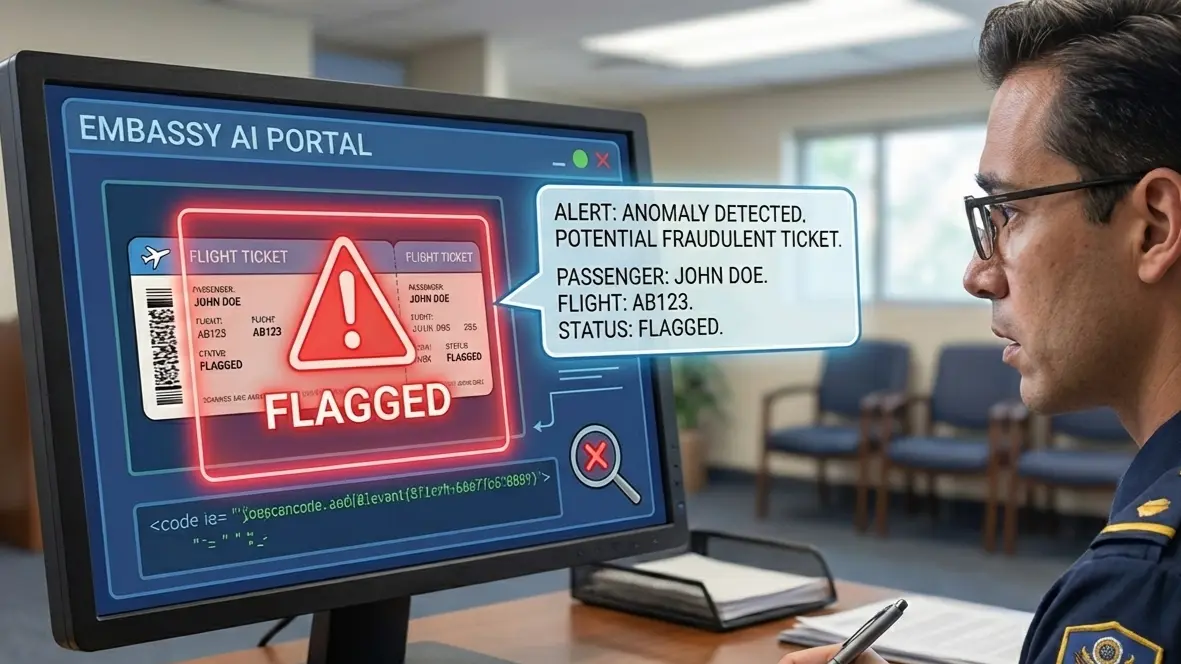
Dummy Ticket for Wet-Lease and Partner-Airline Flights

Dummy Ticket for Wet-Lease and Partner-Airline Flights
Flight Booking | Published 07 Sep, 26 · Updated 07 Sep, 26
Short answer: A wet-lease or partner-airline dummy ticket can support a visa file when the marketing carrier, operating carrier and flight details still describe one clear, verifiable journey. Use the wet-lease or partner-airline dummy ticket only as truthful temporary travel proof: keep the passenger name, route, dates, flight number or partner reference and PNR consistent, and explain a carrier-name difference briefly when needed. It cannot replace a visa, transit authorization or other required document.
Key facts
  • Different carrier names may reflect marketing, operating, codeshare or wet-lease roles.
  • Passenger name, airports, dates, flight reference and PNR matter more than a single logo.
  • Never edit an airline name, flight number, PNR or operating note on a PDF.
  • Replace a reservation that is expired, cancelled or no longer verifiable rather than defending it.
Official-source check: Airline document checks use current passport, visa and entry requirements, and IATA notes that Timatic information powers checks within airline systems. UK visitor guidance says supporting documents do not guarantee a visa or entry decision and applicants must show they will leave at the end of the visit. The EU Visa Code likewise assesses journey purpose and intention to leave before visa expiry. Sources: IATA Timatic travel-document requirements, GOV.UK supporting-documents guidance and EU Visa Code.
Reviewed for: wet-lease and partner-airline terminology, marketing-versus-operating carrier clarity, PNR verifiability, route-date consistency, embassy and airline-check practicality, and safe temporary-document claims.

Your visa file can look tidy until the flight reservation shows one airline on the PDF, another on the operating note, and a third result when the PNR is checked. That mismatch is common on wet-lease and partner-airline routes, but it can still make a reviewer pause if the dates, flight number, or route story feel unclear.

We need to separate harmless airline-system differences from details that can weaken your application. The key is knowing which name matters, where the PNR should verify, and when a simpler itinerary is safer than explaining a complex partner route. We need to know when a different airline name needs a short note, not a new booking. Use a dummy ticket that keeps details clear, verifiable, and visa-ready.

Wet-lease and partner-airline reservations can show a marketing carrier, operating carrier and aircraft provider in different places. That is not automatically a problem: the passenger name, route, dates, flight reference and PNR must still describe one verifiable journey. For the reservation foundation, see the Dummy Ticket for Visa 2026 complete guide; for itinerary evidence and consular expectations, use the flight reservation for visa complete guide.

Why A Wet-Lease Or Partner-Airline Dummy Ticket Can Look “Wrong” Even When The Reservation Is Valid

Why A Wet-Lease Or Partner-Airline Dummy Ticket Can Look “Wrong” Even When The Reservation Is Valid

A flight reservation can look perfectly normal in one place and confusing in another. That is especially true when your visa itinerary uses a wet-lease, codeshare, interline, or partner-airline route.

The Airline Name On Your PDF May Not Be The Airline Flying The Plane

The airline name printed on your visa PDF is not always the same airline that operates the aircraft. That difference can surprise you when you check the flight later and see another carrier listed beside the same route.

For example, your reservation may show a flight from Lagos to Amsterdam under one airline code, while the operating note says the flight is handled by a partner carrier. A Schengen visa reviewer is not usually checking who owns the aircraft. The reviewer is checking whether your trip from Nigeria to the Netherlands looks clear, dated, and connected to your stated travel plan.

This is where applicants often overreact. They see two airline names and assume something is wrong. In many partner-airline bookings, the reservation is still valid because the core details match:

  • Passenger name

  • Departure city

  • Arrival city

  • Travel date

  • Flight number or partner flight reference

  • Booking reference or PNR

  • Reservation status

The airline logo is not the only truth inside the booking. The operating note, flight code, and reservation system can each show a different layer of the same journey.

A Canadian visitor visa applicant flying from Manila to Toronto may see one carrier on the PDF and another airline operating the long-haul segment. A UK Standard Visitor Visa applicant flying from Accra to London through a Gulf hub may see a partner flight number instead of the operating carrier’s own code. These differences can be normal when airlines share routes, aircraft, or booking systems.

The mistake is treating every airline-name difference as a risk. The smarter approach is to compare the visible details that connect the reservation to your visa file. If the dates support your appointment timeline, the route matches your application, and the PNR is verifiable in the right place, the airline-name gap may simply be a system display issue.

Wet-Lease Flights Create The Biggest Visual Confusion For Visa Applicants

Wet-lease flights create more confusion than ordinary partner routes because another airline may provide the aircraft, crew, maintenance, or operating support. You may not see all of that on your visa PDF, but you may see it when checking the flight elsewhere.

This matters because wet-lease details can appear in small wording that looks unfamiliar. A flight may be sold under one airline, operated by another, and flown using aircraft supplied through a wet-lease arrangement. For a visa applicant, that can feel like three different airlines are attached to one journey.

Take a short-stay Schengen applicant traveling from Casablanca to Paris. The reservation may show the airline used for booking, while an airport schedule or flight-status page shows a different operating name. If the same departure date, destination, and passenger details remain consistent, the difference does not automatically weaken the itinerary.

Wet-lease wording usually becomes stressful because visa documents are judged by clarity. You want the officer or document screener to understand the trip quickly. When a flight line looks unusual, your job is not to explain aviation leasing. Your job is to make sure the reservation still reads cleanly as travel evidence.

For visa purposes, focus on what the wet-lease arrangement changes and what it does not change.

It may change:

  • The airline shown as operating the aircraft

  • The aircraft type listed on flight-status pages

  • The check-in counter or airport handling carrier

  • The “operated by” line on the itinerary

It should not change:

  • Your name

  • Your travel date

  • Your origin and destination

  • Your intended entry or exit country

  • The logic of your visa application

  • The ability to verify the reservation where appropriate

That distinction is important for applicants applying to countries with strict document screening, such as the UK, Schengen states, Canada, Australia, or Japan. These applications rely heavily on consistency across your file. A wet-lease note is manageable. A confusing route that does not match your declared travel dates is harder to defend.

Partner-Airline Reservations Can Display Differently Across Airline Websites

Partner-airline bookings do not always appear the same way across websites. One airline may show the full reservation. Another may show only one segment. A third system may recognize the flight but not display passenger details.

That does not always mean the reservation is unusable. Airline systems are not built mainly for visa applicants. They are built around booking ownership, operating responsibility, ticketing access, and partner data-sharing rules.

A US B1/B2 visa applicant flying from Karachi to New York through Istanbul may have a reservation involving more than one airline relationship. The PDF may show the marketed flight, while the operating airline’s site displays a different flight code. If the PNR was created under the marketing carrier’s reservation system, the operating carrier’s website may not show the same passenger-facing details.

The same issue can happen with interline routes. You may book a journey where one airline sells the first leg and another handles the onward connection. Your PDF may combine both segments neatly, but each airline website may display only the segment it controls.

For visa applicants, this matters during self-checking. You may enter the PNR on the first airline’s website and see the reservation. Then you may enter the same PNR on the second airline’s website and see nothing. That can cause panic, especially before a Schengen appointment, VFS submission, UKVCAS upload, or Canadian visitor visa document upload.

The better method is to check the reservation in the context of the airline shown on the itinerary. Start with the carrier named most clearly on the PDF. Then look for any “operated by” wording. If there is a partner note, check whether that airline uses a separate reference or only recognizes the flight number.

Do not attach random screenshots from different airline websites just because they look official. A clean PDF with a clear PNR is usually stronger than a pile of system views that show slightly different airline names.

The Difference Between A Normal Display Gap And A Document Problem

A normal display gap is a difference in how airline systems describe the same valid journey. A document problem is when the reservation no longer supports the visa application clearly.

A normal display gap may look like this:

  • The PDF shows one airline, while the flight status says “operated by” another airline.

  • The marketing flight number differs from the operating flight number.

  • The airline website shows the route, but not the wet-lease provider.

  • The airport display lists the operating carrier instead of the carrier shown on your reservation.

  • One partner airline website does not find the PNR, while the main booking carrier does.

These situations can be acceptable when the travel story remains clear. A France Schengen tourist visa file should still show a sensible arrival in France or the correct first-entry country. A UK visitor visa file should still show travel dates that match the visit purpose. A Canadian visitor visa file should still show a believable itinerary for the intended stay. The airline-name difference should not distract from that logic.

A document problem is different. It affects the trustworthiness or clarity of the reservation itself.

Watch carefully for:

  • Passenger name spelling that does not match the passport

  • Travel dates that conflict with your visa form

  • A return date that does not match your leave approval or invitation period

  • A route that enters the wrong country for your stated plan

  • A cancelled or expired segment

  • A PNR that cannot be checked through the relevant carrier or reservation channel

  • A PDF that shows contradictory airline, date, or destination details

These issues deserve correction before submission. They are not the same as a harmless partner-airline display difference.

The safest way to read any wet-lease or partner-airline reservation is to separate branding from evidence. Airline branding may shift across systems. Evidence must stay stable. Your name, dates, route, and reservation reference should point to the same trip every time.

The Four Airline Identities That Can Appear On One Visa Flight Reservation

A partner-airline itinerary can carry more than one airline identity at the same time. For visa use, the goal is not to remove that complexity, but to understand which name belongs to which part of the reservation.

The Marketing Airline Is The Name Most Applicants Notice First

The marketing airline is usually the airline name you see first on the PDF. It may appear beside the flight number, route, logo, or booking reference.

This is the airline that presents the flight as part of its network. In a partner-airline setup, it may sell or display the flight even when another carrier operates the aircraft. That is common on codeshare routes, where one flight can carry more than one airline code.

For example, you may prepare a flight reservation for a Schengen visa from Delhi to Rome. Your PDF may show Airline A with its flight number. When you check the route later, the same aircraft may appear under Airline B because Airline B operates the flight. That does not automatically create a visa issue. It means the flight is being marketed through one airline identity and operated through another.

The marketing airline matters because it often controls the booking view available to you. If your PNR verifies on the marketing airline’s website, that may be the most relevant system view for your reservation. Another partner airline may not show the same booking, even when the segment is valid.

You should check whether the marketing airline details match your visa file:

  • The city pair supports your declared travel plan

  • The travel date matches the visa form

  • The flight timing fits your appointment and entry plan

  • The passenger name matches your passport

  • The reservation reference is visible and readable

A marketing-airline name difference becomes a concern only when it creates a contradiction. If your UK visitor visa form says you plan to travel from Dubai to London on 12 July, your flight reservation should support that same route and date. The airline identity can involve partners. The travel story should not shift.

The Operating Airline Is The Detail Embassies May See During Verification

The operating airline is the airline actually responsible for flying the segment. This is the carrier that may handle the aircraft, crew, check-in process, and airport operation.

On a visa reservation, the operating airline may appear in a small line such as “operated by.” Some applicants miss this detail when reviewing the PDF. Later, they search the flight number online and see a different airline name. That moment creates confusion, especially before a consulate appointment or document upload deadline.

For visa purposes, the operating airline is not a problem by itself. Embassies and consulates often request a flight itinerary or reservation so applicants do not need to purchase a full ticket before visa approval. A genuine temporary flight reservation can show travel intent without exposing you to the financial risk of non-refundable fares.

The operating carrier detail becomes important when a strict consulate checks the reservation more closely. Verifiable flight reservations with a live PNR are especially useful for high-security checks because the reviewer can see that the itinerary is not a manually created fake document.

A proper reservation should not hide the operating carrier if it appears naturally in the booking. Transparency is safer than forcing every line to show the same airline name.

For example, a Canada visitor visa applicant may submit a route from Nairobi to Toronto through a European hub. The PDF may show the marketing airline on both legs. The long-haul segment may be operated by a partner. If the PNR, name, and dates remain consistent, that operating-carrier note helps explain the system difference rather than weaken the file.

The operating airline matters most when:

  • The embassy checks the flight using the operating carrier’s route data

  • The flight number appears under two airline codes

  • The airport or departure board lists a different carrier

  • The reservation uses a codeshare or wet-lease arrangement

  • The applicant needs to explain the route during an appointment

You do not need to turn this into a technical explanation. You only need to know that “marketed by” and “operated by” can both be true.

The Wet-Lease Aircraft Provider May Appear In Smaller System Notes

A wet-lease arrangement adds another airline identity to the reservation. In a wet-lease agreement, one airline provides the aircraft and crew to another airline. This gives airlines operational flexibility while keeping routes active under partner or main-carrier branding.

For visa applicants, wet-lease details can look strange because the aircraft provider may appear in places you did not expect. It may not be visible on the PDF. It may appear on a flight-status page, airport display, or aircraft information note. Sometimes it appears only after the booking is checked closer to the departure date.

This is why a flight reservation from Istanbul to a Schengen city may show one airline on the itinerary, a partner airline in the operating note, and another aircraft provider in a system detail. The reservation can still refer to the same journey.

The wet-lease provider usually matters less than the reservation’s core evidence. A visa officer is not normally deciding your application based on who supplied the aircraft. The officer is reviewing whether the flight supports your declared travel plan.

Still, the wet-lease provider can create confusion if the rest of the itinerary is already complicated. A multi-city reservation with several partners, tight transit times, and mixed flight numbers can make the document harder to read. In that situation, we should choose clarity wherever possible.

The practical check is simple. If the wet-lease detail appears, compare it against the main booking fields:

  • Does the route still match your intended entry and exit?

  • Does the date still match your visa application?

  • Does the passenger name remain correct?

  • Does the PNR still verify through the relevant booking channel?

  • Does the PDF clearly show the marketed or operating airline?

Wet-lease wording is not something you need to erase. It is something you need to understand before submission. A clean reservation can include operational complexity, but it should not force the reviewer to guess which journey you are claiming.

The Ticketing Or Reservation Source Should Not Overpower The Airline Details

The reservation source is the provider or booking channel that creates the temporary flight reservation. It should support the airline details, not dominate them.

For visa use, the strongest document is not the flashiest PDF. It is the clearest one. The airline, route, date, passenger name, flight number, and PNR should be easy to find. Any provider branding should stay secondary.

This matters even more with partner-airline and wet-lease routes. If the source’s layout is too heavy, the officer may need to work harder to understand the actual flight. That is not ideal when the itinerary already includes a marketing airline, operating airline, and possible wet-lease provider.

A standard flight reservation is widely accepted by embassies for routine visa proof and can meet most ordinary visa-document needs. For stricter checks, a verifiable reservation with a live PNR is more important because it connects the PDF to an airline or reservation-system record.

You may see dummy tickets offered at prices starting as low as $5 to $9.99, depending on the service and ticket type. In many cases, a standard dummy flight reservation ranges from around €8.99 to €17.99 per person, based on the verification level and provider. Price alone should not be the deciding factor for a partner-airline itinerary. The important question is whether the reservation is genuine, readable, and verifiable.

A good provider should create reservations through proper booking channels, including systems linked to airline reservation records where applicable. It is also wise to select reputable providers that create reservations in the Global Distribution System, since GDS-based records help support validity across airline and partner networks.

There is a clear line between a genuine temporary reservation and a fake ticket. A genuine temporary reservation is a legal and standard travel-industry practice for visa documentation. A fake ticket with invented flight data or edited airline details can lead to refusal, credibility concerns, or worse.

For complex routes, the reservation source should help you answer these questions quickly:

  • Which airline is marketing the flight?

  • Which airline is operating the flight?

  • Is there an “operated by” or partner note?

  • Does the PNR appear clearly?

  • Does the passenger name match the passport?

  • Does the route match the visa category and travel purpose?

For applicants who need a cleaner visa-ready document, DummyFlights.com provides instantly verifiable reservations with a PNR and PDF while keeping the focus on the actual flight details.

The source should make the four airline identities easier to understand, not harder to separate. Once those identities are clear, we can look at how embassies, VACs, and consulates may interpret the same partner-airline reservation during document review.

How Embassies, VACs, And Consulates May Read A Partner-Airline Dummy Ticket

How Embassies, VACs, And Consulates May Read A Partner-Airline Dummy Ticket

A partner-airline dummy ticket is reviewed as part of your wider visa file, not as an aviation document on its own. The reviewer wants to see whether your route, dates, and onward travel plan make sense without needing to decode every airline relationship.

The First Review Is Usually About Consistency, Not Aviation Complexity

Most embassy, VAC, or consulate checks begin with simple consistency. The reviewer compares your flight reservation with the rest of your application.

They are usually looking at practical travel logic:

  • Does your arrival date match the visa form?

  • Does your return or onward date support your stated stay?

  • Does the destination match the country you say you will visit?

  • Does your route make sense for your passport, location, and travel purpose?

  • Does the PNR or booking reference look verifiable?

This matters more than whether the flight is marketed by one airline and operated by another. A partner-airline name difference may be normal. A date mismatch can create a real problem.

For example, a Schengen visa applicant applying through France should avoid submitting a reservation that clearly shows Germany as the main stay unless the rest of the file supports that plan. A UK visitor visa applicant should avoid a return date that conflicts with an employer leave letter. A Canadian visitor visa applicant should make sure the flight dates match the invitation period or event dates.

Embassies and consulates often request a flight itinerary or reservation so applicants can avoid purchasing a full ticket before visa approval. That is why a dummy ticket is a cost-effective alternative to buying a full-priced airline ticket, especially when the fare is non-refundable.

A genuine temporary reservation gives you a way to show travel intent while you wait for a visa decision. It helps you avoid the financial burden of paying for a flight before you know whether the visa will be issued.

This is also why the reservation must remain coherent. The document should not make the officer wonder whether you are entering the right country, staying for the declared period, or leaving within the permitted time.

A standard flight reservation is widely accepted by embassies for routine visa proof and can meet most ordinary visa requirements. For stricter posts, a verifiable PNR becomes more important because the reviewer may want to confirm the reservation rather than only read the PDF.

A Codeshare Flight May Look Like Two Flights Even When It Is One Segment

A codeshare can make one flight appear as two different flights. That does not mean you are taking two aircraft. It often means two partner airlines are using separate flight numbers for the same operated segment.

This is common on routes used by visa applicants. You may book a flight from Mumbai to Paris, Manila to Sydney, Nairobi to Amsterdam, or Doha to Toronto. The PDF may show one airline code. A flight-status page may show another. The airport board may show the operating carrier.

For a visa reviewer, this only becomes confusing if your submitted documents show conflicting information without context. If your PDF says one flight number and your extra screenshot shows another, the reviewer may not immediately know both numbers refer to the same operated flight.

That is why we should be careful with extra attachments. A clean reservation PDF is often easier to read than several screenshots from different airline systems. Screenshots can introduce new differences:

  • One system may show the marketing flight number

  • Another may show the operating flight number

  • One page may show local time while another shows time-zone adjusted details

  • One airline may display only the first segment

  • A partner site may hide the passenger name or booking status

A codeshare flight can also affect PNR visibility. Your booking reference may work on the marketing airline’s website but not on the operating airline’s website. In some cases, the operating airline may use a separate reference. In other cases, it may show the flight but not the passenger record.

That does not automatically make the reservation unsuitable for visa use. Dummy tickets are designed to include a valid Passenger Name Record when verification is required, and that PNR should be checked through the correct airline or reservation channel.

The key is not to chase every display version. The key is to make sure the submitted version supports your visa file clearly.

A tourist visa file should show a realistic arrival and return. A business visa file should support the meeting dates. A student visa file should align with the program start or reporting window. A transit or onward-travel requirement should show that you will continue or leave as required.

A codeshare detail is acceptable when it supports that travel story rather than distracting from it.

Wet-Lease Details Can Trigger Questions If The Route Already Looks Unusual

Wet-lease details usually do not cause trouble on their own. They become more noticeable when the route already looks difficult to understand.

In a wet-lease agreement, one airline provides the aircraft and crew to another airline. That gives airlines operational flexibility and supports partner networks. For a visa applicant, it can add another name to the reservation or flight-status view.

If your route is simple, this extra detail may not matter. A reservation from Tunis to Rome with one clear travel date and a visible PNR can still be easy to assess, even if the aircraft is operated under a wet-lease arrangement.

If your route is already complicated, the same wet-lease detail can attract more attention. This can happen when your itinerary includes:

  • Multiple partner airlines on one journey

  • A first-entry country that does not match the main destination

  • Very short transit times

  • A return route through a different region

  • A multi-city routing that does not match the visa category

  • A departure date that sits outside the appointment or document-validity window

For example, a Schengen applicant claiming a short tourism stay in Spain may create confusion with an itinerary that enters through another country, switches carriers twice, and shows a wet-lease operator on one leg. The problem is not only the wet-lease line. The bigger issue is the whole route may require too much explanation.

A dummy ticket can be one-way, return, or multi-city, depending on what the visa rules require. That flexibility is useful, but the chosen format should fit the application. A return reservation may suit a short-stay tourist visa. A one-way or onward reservation may fit certain long-stay, student, or onward-travel scenarios. A multi-city reservation should be used only when the travel plan genuinely needs it.

Some global distribution systems may also use dummy or placeholder segments for booking capacity between different carrier reservation systems. That is another reason airline-system views can vary. But for your visa file, the final document still needs to look clear and purposeful.

A reviewer should not need to solve the route. They should be able to read it.

The Safer Embassy-Facing Standard: Clear Route, Active PNR, Matching Dates

The safest partner-airline dummy ticket is not always the simplest aviation product. It is the reservation that reads clearly from the visa officer’s side.

You want three things to work together: clear route, active PNR, and matching dates.

The route should show how you plan to enter and leave. If the embassy requires proof of onward travel, the reservation should make that onward movement obvious. Embassies often accept dummy tickets as proof of onward travel because they help show that the applicant does not intend to overstay.

The PNR should be live when verification matters. Some reservations are valid for 24 to 72 hours. Others can be extended up to 14 days depending on the airline policy and booking service used. That timing matters when your appointment, upload deadline, or biometric submission is scheduled close to the reservation expiry.

The dates should match the rest of your file. If your appointment is on Monday and your reservation expires before the officer checks it, you may lose the benefit of a verifiable record. If your itinerary shows travel before your intended visa start date, it can raise questions. If your return date goes beyond your allowed leave or invitation period, the document weakens your story.

Dummy tickets are widely accepted for visa processing because they provide a legal and industry-standard way to demonstrate travel intent without buying a full-priced ticket before approval. They are used for tourist, student, and business visa files when the embassy requests a flight itinerary or onward-travel proof.

The process is usually simple: you select a flight plan, submit passenger details, and receive the reservation by email or messaging service. But with partner-airline routes, the review should not stop after receiving the PDF. You should check whether the airline identity, operating note, and PNR visibility make sense for the embassy that will review your file.

The best embassy-facing version is the one that lets the reviewer understand your travel plan quickly, even when partner airlines sit behind the route.

Before You Submit: A Visa-Safe Audit For Wet-Lease And Partner-Airline Reservations

A partner-airline reservation should be checked before it enters your visa file. The goal is to catch display differences early, while there is still time to correct the PDF, adjust the route, or choose a cleaner flight plan.

Check Whether The Passenger Name Survives Every System View

Your name is the first detail that must stay stable across the reservation. Airline names may vary on wet-lease and partner routes, but your passport name should not become confusing.

Start with the PDF. Check the surname, given name, middle name, and name order against your passport. Then check the same name in any available PNR view. Some airline systems shorten long names or remove spaces. That can be normal. A missing letter, reversed surname, or wrong traveler title is different.

For visa use, the name must clearly point to you. This matters more on partner-airline reservations because one system may display your name differently from another. A marketing airline may show “Ahmed/Mohammed Mr.” while the operating carrier may show a shorter version. That can still be acceptable if the passport identity is obvious.

Be more careful when your name includes:

  • Multiple given names

  • Hyphenated surnames

  • Patronymic or family naming patterns

  • Special characters

  • Different passport and national ID formats

  • A single name shown across two booking fields

For a Schengen visa appointment, the document screener may compare your reservation with your passport, insurance, application form, and travel purpose. For a UK or Canada file, the officer may read the itinerary beside your employment letter, invitation, or study plan. If the name looks inconsistent, the airline partnership becomes secondary. The identity issue becomes the problem.

Do not fix a name error by editing the PDF yourself. Request a corrected reservation if the spelling is wrong. A genuine flight reservation should keep the passenger identity connected to the booking record, not just the visible document.

Match The Flight Dates To Your Visa Story Before Worrying About The Airline Name

The travel dates should support the reason you are applying. A wet-lease note may look unfamiliar, but a date mismatch can weaken the file much faster.

Check your departure date, arrival date, and return or onward date against every time-sensitive document in your application. For a France Schengen tourist visa, the flight dates should fit the hotel stay, travel insurance, and leave approval. For a UK Standard Visitor Visa, the dates should fit your invitation, event schedule, or holiday window. For a Canadian visitor visa, the dates should support the purpose described in your letter.

Do not only check the calendar dates. Check the direction of travel.

A reservation from Lagos to Paris may depart late at night and arrive the next day. A flight from Manila to Sydney may cross time zones. A route from Karachi to Toronto may include a long connection that shifts the arrival date. These details matter when your visa form asks for intended arrival or departure dates.

Partner-airline routes can also create timing confusion when different systems show local time, connection time, or segment-based display. The PDF may show one full itinerary, while an operating airline page may show only one leg. That is why the PDF must make the whole journey readable.

Before submission, compare the reservation to:

  • Visa form travel dates

  • Appointment or biometric date

  • Travel insurance coverage

  • Invitation or conference dates

  • Employer leave approval

  • School reporting or orientation date

  • Return-to-work or return-to-study date

  • Proof of onward travel requirement

A standard flight reservation is widely accepted by embassies for routine visa proof and meets most ordinary visa-document needs. That acceptance depends on the reservation making sense inside the full file. A technically valid partner-airline booking can still look weak if the dates suggest you may arrive before your permitted window or stay beyond your declared plan.

Verify The PNR Where It Is Most Likely To Appear

The PNR should be checked through the right airline or reservation channel. With partner-airline flights, that is not always the first website you try.

Start with the airline shown most clearly on the PDF. This is often the marketing carrier. Enter the PNR or booking reference with the passenger surname exactly as shown on the reservation. If the booking appears there, check the route, dates, and passenger details.

If the PDF includes an “operated by” line, the operating airline may show the flight differently. It may recognize the segment under its own flight number. It may show limited details. It may not show the booking at all if the record sits mainly with the marketing airline or booking system.

That does not automatically mean the reservation is unusable. Partner airlines do not always share the same passenger-facing lookup view. A PNR can be valid in one system and limited in another.

Use this order when checking a wet-lease or partner-airline reservation:

  1. Check the airline named on the main reservation.

  2. Look for any “operated by” note.

  3. Check whether the partner airline uses a separate flight number.

  4. Compare the route and date, not only the airline logo.

  5. Confirm the PNR is active during the visa submission window.

The validity of a dummy ticket reservation usually ranges from 24 to 72 hours. In some cases, it can be extended up to 14 days, depending on the airline policy and the booking service used. This timing is important when your visa appointment is not the same day you receive the reservation.

For example, if your VFS appointment is on Thursday, a reservation created on Monday may be close to expiry by the time the document is reviewed. If your online visa upload happens days before biometric submission, check whether the PNR will still be useful during the expected review point.

A dummy ticket is usually booked through a simple process: you select a flight plan, submit passenger details, and receive the ticket by email or messaging service. For a partner-airline route, the extra step is verification. You should not stop at receiving the PDF. You should confirm that the record can be read where it is most likely to appear.

Review The “Operated By” Line Before Printing Or Uploading

The “operated by” line is small, but it can prevent confusion. It tells the reviewer why the airline name on the PDF may not match the airline name shown in another system.

Read the full flight line before you print or upload the reservation. Do not focus only on the logo or heading. On partner routes, the important details may sit below the flight number or beside the aircraft information.

A clean flight line may show:

  • Marketing airline name

  • Flight number

  • Departure airport

  • Arrival airport

  • Date and time

  • Booking reference

  • “Operated by” carrier

  • Passenger name

  • Reservation status

If the operating line is present, make sure it does not contradict the main route. It should explain the partner relationship, not create a second trip. If the PDF shows London as the destination but the operating detail shows a different final city, request a corrected document before submission.

Also check whether the partner note affects your visa route logic. For Schengen files, the first-entry country and main-destination country can matter. For onward-travel proof, the departure from the destination country should be clear. For student or long-stay files, the arrival timing should support the start date or reporting schedule.

Do not crop out the “operated by” line to make the document look simpler. That can create more confusion if the PNR view later shows the operating carrier. It is better to submit a complete reservation that explains itself.

If the PDF is too crowded, check whether the key details are still readable after printing or uploading. Some visa portals compress documents. Small operating-carrier notes may become hard to read. A poor scan can make a normal partner-airline detail look suspicious simply because the reviewer cannot see the context.

Use a clean PDF instead of screenshots where possible. Screenshots often cut off booking references, passenger names, or partner notes. A complete reservation page gives the reviewer enough detail to connect the marketing airline, operating carrier, and route.

When A Partner-Airline Dummy Ticket Is A Smart Choice — And When To Avoid It

A partner-airline reservation can either make your visa route look natural or make it harder to read. The difference depends on whether the airline arrangement supports your travel story or adds avoidable noise.

Use Partner Flights When They Match The Realistic Route A Traveler Would Take

Partner flights make sense when they reflect how travelers actually move between two countries. Not every city has direct flights to every visa destination. Some routes naturally depend on hubs, alliances, regional carriers, or operating partners.

If you are applying for a Schengen visa from a city with limited direct flights, a partner route through a major European hub may look completely normal. If you are applying for a UK visitor visa from a smaller airport in Africa, South Asia, or the Middle East, one operating carrier and one marketing carrier may be part of the most practical route.

The key is realism. The reservation should look like a route a traveler would reasonably choose.

A partner-airline dummy ticket can be a smart choice when:

  • Your departure city has few direct international options

  • The partner route uses a common transit hub

  • The connection time is believable

  • The destination matches the visa country or stated first entry

  • The return or onward route supports the stay length

  • The PNR and flight details remain clear on the document

For example, a Morocco-based applicant visiting Italy may use a route that connects through France or Spain. A Pakistan-based applicant visiting Canada may route through the Gulf, Turkey, or Europe. A Philippines-based applicant visiting the UK may use a partner flight through a major Asian or Middle Eastern hub.

Those routes do not look strange just because more than one airline is involved. They look natural when the travel path is efficient, the timing is sensible, and the reservation details are easy to follow.

This is where a dummy ticket works well for visa planning. You can show travel intent without buying a full-priced ticket before approval. You can also choose a one-way, return, or multi-city reservation depending on the visa requirement and travel purpose.

A standard flight reservation is widely accepted by embassies for routine visa proof and meets most ordinary visa requirements. That works best when the itinerary looks like a practical journey, not a route built only to satisfy a document checklist.

Avoid Wet-Lease Complexity When A Direct Or Cleaner Route Is Available

A wet-lease route is not automatically a problem. Still, we should not choose complexity when a cleaner option supports the same visa story.

If two reservations show the same travel dates, same destination, and same visa purpose, choose the one that is easier for a reviewer to understand. A direct flight, single-carrier route, or simple partner connection often reads better than an itinerary with a wet-lease note, two flight numbers, and multiple operating names.

This matters most when your visa file is already document-heavy. A student visa may include admission letters, funding documents, course dates, and accommodation details. A business visa may include invitation letters, conference schedules, and employer proof. A family visit visa may include sponsorship, relationship documents, and address proof.

In those cases, your flight reservation should not add avoidable questions.

Avoid wet-lease complexity when:

  • A direct flight exists at similar dates

  • A single-partner route is available

  • The wet-lease operator name looks unrelated to the route

  • The connection airport does not support the stated destination clearly

  • The PDF requires extra explanation before the route makes sense

  • Your visa type already needs strong date and purpose alignment

For example, a short Schengen tourist trip from Dubai to Paris does not usually need a complex routing through multiple countries if a simpler arrival route is available. A UK visitor visa reservation from Doha to London should not look unnecessarily indirect when a cleaner route supports the same intended travel period.

A dummy ticket is normally booked through a simple process. You select a flight plan, submit passenger details, and receive the ticket by email or messaging service. That process is helpful, but the route choice still matters. You should not only ask whether the reservation can be created. You should ask whether the reservation will look clean inside your visa file.

The best route is not always the cheapest-looking route. It is the route that supports your application with the least confusion.

Be Careful With Multi-Partner Routes Across Several Regions

Multi-partner routes can be useful, but they need careful handling. They can make sense for long-distance travel, remote departure cities, or destinations with limited direct access. They can also make a visa file harder to read if the airline relationships are spread across too many regions.

A multi-partner reservation may include one airline on the first leg, a codeshare on the second, and a wet-lease operator on the third. The PDF may show one full journey, but airline websites may split the view. One partner may show the PNR. Another may show only the flight number. A third may show the operating carrier without the passenger record.

For visa use, that creates a practical risk. The reviewer may not study every airline relationship. They may simply ask whether the route supports the application.

Be especially careful when your itinerary includes:

  • Two or more transit countries before reaching the visa destination

  • A return route that uses different regions from the outbound route

  • Separate-looking flight numbers for the same operated segment

  • A partner carrier that does not obviously serve the destination

  • Long gaps between connecting flights

  • Overnight transits that are not explained elsewhere in the file

A multi-city dummy ticket can be useful when the visa requirement calls for it. For example, a traveler visiting more than one Schengen country may need an itinerary that reflects the actual entry and exit pattern. A business traveler attending meetings in two countries may also need a route that shows both stops.

But multi-city does not mean messy. Each segment should have a clear purpose. Each date should connect to the travel plan. Each airline identity should be readable without forcing the reviewer to compare several external systems.

Also watch reservation validity. A dummy ticket typically stays valid for 24 to 72 hours, which is often enough for a visa appointment or document submission. Some reservations may last longer depending on the airline policy and booking method. If a multi-partner route has several segments, make sure the booking remains useful during the submission window.

A complex route that expires before review is not helpful. A simple route with a visible, timely reservation is usually stronger.

Choose The Itinerary That Supports The Visa Category, Not The Airline Arrangement

The visa category should guide the flight reservation. The airline arrangement should support that category quietly in the background.

For a tourist visa, the itinerary should show a believable visit period. A return flight usually helps show that the trip has a planned end. If the route uses a partner airline, the entry and exit dates should still be easy to read.

For a business visa, the reservation should match meeting dates, conference dates, or company invitation timing. A partner-airline route is fine when it gets you to the business destination on time. It becomes less helpful if the connection pattern makes arrival look late, rushed, or unrelated to the event.

For a family visit visa, the flight dates should fit the invitation period and the host’s explanation. If the host letter says you will visit for three weeks, the reservation should not show a much longer stay unless the rest of the file explains it.

For a student visa, the route should support the reporting date, course start date, or orientation period. A one-way flight may be suitable in some long-stay contexts, while an onward or return reservation may be expected in others. The chosen format should match the visa instructions and the country’s expectations.

For transit or onward-travel proof, the booking should show that you will leave or continue as required. Embassies often accept dummy tickets as proof of onward travel because they help show travel intent without requiring a full purchase before approval.

Use the airline arrangement only after the visa logic is clear.

A good order of thinking is:

  1. What visa category are you applying for?

  2. What travel dates support that category?

  3. What route makes sense from your country to the destination?

  4. Is a return, one-way, or multi-city reservation appropriate?

  5. Does the partner-airline setup keep the itinerary readable?

  6. Can the PNR be checked during the submission window?

This approach keeps the reservation focused on the visa decision. You are not trying to impress anyone with a complex airline network. You are showing a route that matches your purpose, timing, and intention to travel.

How To Explain A Wet-Lease Or Partner-Airline Display Difference Without Overdoing It

A partner-airline name difference rarely needs a long explanation. The goal is to make the reviewer comfortable, not to teach airline operations inside your visa file.

Use A Short Note Only When The Difference Could Confuse The Reviewer

Not every wet-lease or partner-airline reservation needs an added note. If the PDF already shows the marketing airline, the operating airline, the route, the date, and the PNR clearly, extra explanation may only add clutter.

A short note helps when the difference is visible enough to distract from the travel plan. For example, your Schengen visa reservation may show a flight from Mumbai to Madrid under one airline code, while the small print says the segment is operated by a partner airline. If the rest of your file is clean, that may not need explanation. If the airline name looks completely different in the PNR view, a brief note can prevent confusion.

Use a note when:

  • The PDF shows one airline name prominently, but the PNR view shows another.

  • The flight number belongs to the marketing airline, but the aircraft is operated by a partner.

  • The embassy checklist asks for a verifiable flight reservation, and your verification page displays the operating carrier.

  • The route includes a wet-lease note that may look unrelated to the airline logo.

  • The visa officer may compare the reservation against an airline website during review.

Keep the note close to the flight reservation. Do not place it deep inside a long cover letter where the reviewer has to search for it.

For a France Schengen file, the note should help confirm the arrival route and dates. For a UK Standard Visitor Visa file, it should confirm that the flight supports the stated visit period. For a Canada visitor visa file, it should make the long-haul route readable if the operating carrier differs from the booking carrier.

A standard flight reservation is widely accepted by embassies for routine visa proof and meets most ordinary visa requirements. That does not mean every reservation needs commentary. A note is useful only when it removes a likely question.

Keep The Explanation Focused On The Reservation, Not Airline Industry Details

The best explanation is short, factual, and tied to the booking. You do not need to describe airline alliances, wet-lease contracts, or reservation-system ownership.

Use plain wording. The reviewer needs to know that the flight reservation is still the same journey. They do not need a technical aviation background.

A helpful explanation can cover four points:

  • Passenger name

  • Flight route

  • Travel date

  • Airline display difference

For example:

“The flight reservation for [Passenger Name] from [City] to [City] on [Date] is booked under [Marketing Airline]. The segment is shown as operated by [Operating Airline] due to a partner-airline arrangement.”

That is enough for most visa files. It tells the reviewer what they are seeing and why the airline name may differ.

For a Netherlands Schengen application, the wording should support the entry plan. For a business visa to Germany, it should connect to the meeting date. For a family visit visa to the UK, it should support the arrival and return period shown in the invitation. The explanation should stay attached to the travel purpose, not airline mechanics.

Avoid wording that sounds uncertain. Do not write, “Maybe the airline changed,” or “We are not sure why another airline appears.” That makes the reservation feel less controlled.

Use confident wording when the reservation details are clear:

  • “This segment is operated by a partner airline.”

  • “The PNR may display the operating carrier for this route.”

  • “The booking remains for the same passenger, date, and route.”

  • “The flight number and operating note refer to the same scheduled journey.”

Do not use technical terms unless they appear on the reservation itself. If the PDF says “operated by,” use “operated by.” If the booking mentions a wet-lease operator, you can say “aircraft operated by.” You do not need to use terms like ACMI, interline settlement, or host system.

The dummy ticket booking process is usually simple: you select a flight plan, submit passenger details, and receive the ticket by email or messaging service. Once you receive it, the explanation should be based on what the document actually shows. Do not invent a partner relationship that is not visible in the reservation.

Do Not Attach Random Screenshots That Create New Contradictions

Screenshots can be useful in limited cases, but they can also make a clear reservation look messy. This is common with wet-lease and partner-airline routes because each system may display a different part of the same booking.

A flight-status screenshot may show the operating carrier. An airline lookup page may show the marketing carrier. An airport schedule may show a shortened route name. A partner website may show the flight number without your passenger details.

If you attach all of these, the reviewer may see conflict instead of confirmation.

For a Schengen appointment, you usually want a clean flight reservation PDF that matches the visa form. For a UK or Canada online upload, you want the document to be readable after compression. For a student visa file, you want the arrival date to be obvious without extra pages.

Avoid attaching screenshots that show:

  • A different date format without context

  • A flight number that differs from the PDF without the partner note

  • A flight-status page that does not include your name

  • A route page that shows only one leg of a multi-segment journey

  • A partner website error message

  • A fare-search result instead of the actual reservation

  • A cropped page that hides the PNR or passenger name

These attachments can raise questions that the original reservation did not create.

If you do add a screenshot, use it for one clear purpose. For example, if the embassy requires proof that the PNR is verifiable, attach a page that shows the same passenger name, same route, same date, and same booking reference. Do not attach a general flight-search result just because it shows the airline exists.

With partner-airline dummy tickets, less can be stronger. The reviewer should see one clean reservation and, if needed, one short explanation. The file should not feel like a collection of disconnected airline pages.

What To Say If Asked About The Different Airline Name During A Visa Appointment

If a visa officer, VAC staff member, or document checker asks why another airline appears, answer calmly and directly. Do not sound surprised by your own reservation.

Your response should confirm that the journey is the same and that the airline difference is due to operation or partnership.

A clear answer could be:

“The reservation is under the listed airline, and that segment is operated by its partner carrier. The route, date, passenger name, and PNR match the submitted itinerary.”

That answer works because it returns attention to the details that matter for the visa file.

For a Spain Schengen appointment, you can connect the answer to your planned entry and return. For a UK visitor visa query, you can connect it to the stated travel period. For a Canadian visitor visa file, you can connect it to your arrival city and return or onward plan.

Keep your answer short. Do not volunteer a long explanation about airline leasing unless the officer asks for more. Most appointment questions are about document clarity, not airline contracting.

If the officer asks why the PNR appears on one airline website but not another, you can say:

“The booking is held under the airline shown on the reservation. The other airline appears because it operates the segment as a partner carrier.”

If the officer asks whether the reservation is confirmed, point to the PNR, passenger name, and itinerary status shown on the document. Do not rely only on the airline logo.

If the officer asks why the aircraft operator differs from the PDF, say:

“The flight is marketed under the booking airline, while the aircraft operation is handled by the partner airline shown in the operating note.”

This is enough. The more you add, the more complicated the answer may sound.

The safest preparation is to read your own reservation before the appointment. Know the marketing airline, operating airline, route, travel date, and PNR. That way, if the display difference comes up, your answer sounds organized and normal.

What To Do When Your Dummy Ticket Looks Different After Booking

A wet-lease or partner-airline reservation can change how it appears after the PDF is issued. Your response should be calm, practical, and focused on whether the itinerary still supports your visa application process clearly.

If The Airline Website Does Not Find The PNR, Check The Correct Carrier First

A missing PNR result on one airline website does not always mean the reservation has a problem. Partner-airline bookings can sit under one carrier’s system while another airline operates the actual flight.

Start with the airline shown most clearly on your reservation PDF. Use the surname exactly as it appears on the booking. If your passport has multiple surnames or a long family name, try the same order used on the PDF.

Then check the flight details shown beside the PNR. Do not stop at the airline logo.

Look for:

  • Passenger name

  • Departure city

  • Arrival city

  • Travel date

  • Flight number

  • Booking status

  • Partner or operating-carrier note

If the reservation appears under the marketing airline, that may be enough for visa use. The operating airline’s website may not show the passenger record, especially when the flight is sold through a partner carrier.

This happens often with codeshare routes. One airline may own the customer-facing booking view. Another airline may operate the aircraft. A third page may show only the schedule, not the passenger record.

For example, your dummy air ticket may show a Johannesburg to Amsterdam route under one airline code, while the operating carrier appears in the flight-status view. If you search the operating carrier’s site first and the PNR fails, you may think the booking is not visible. The correct check may be through the marketing airline named on the PDF.

Also check whether the reservation uses a different booking code for partner access. Some itineraries include one main booking reference number and another airline-specific reference. If both appear, use the correct one for each airline’s system.

A valid PNR should be checked through the airline’s official lookup path where possible. That may be the official airline website, the airline's official site, or the system linked to the carrier shown on your itinerary.

Do not refresh, retry, and panic across many websites. Use the carrier hierarchy shown on the document. The booking source, marketing airline, and operating airline each have a different role. The correct lookup path depends on which airline controls the passenger-facing record.

If The PDF Shows One Airline And The PNR View Shows Another, Compare The Core Fields

An airline-name difference is not the first thing to judge. The core reservation fields matter more.

Open the PDF and the PNR view side by side. Compare the details that connect the booking to your visa application. If those details match, the airline display difference may be a normal partner-airline issue.

Compare these fields first:

  • Name: Does the passenger name match your passport closely?

  • Route: Do the departure and arrival cities match your visa plan?

  • Date: Does the travel date match your form, invitation, leave letter, or appointment timing?

  • Flight Number: Does the number match, or does the page show a clear partner equivalent?

  • Status: Does the reservation appear active or confirmed for itinerary purposes?

  • Timing: Do the departure and arrival times support your stated entry and exit?

  • Carrier Note: Does the page say “operated by” or show a partner relationship?

If the PDF shows one airline and the PNR view shows another, read the operating line carefully. The PNR view may prioritize the airline that operates the aircraft. The PDF may prioritize the airline that markets or sells the route.

That difference is manageable when the route remains the same.

For a Spain Schengen file, the important issue is whether the reservation supports your entry into Spain or your Schengen travel plan. For a uk visa, the route should support your arrival and return dates. For a canada visa, the itinerary should match your declared visit period and onward or return plan. For a japan visa, the route should also fit the intended entry date, stay period, and departure plan.

A flight reservation for visa should not be judged only by the airline name. It should be judged by whether it gives the reviewer a clear, checkable travel path.

A dummy ticket for visa can be useful here because it lets you show travel intent without buying a non refundable ticket before approval. That keeps your travel plans flexible and helps you avoid losing money if the visa decision takes longer than expected.

A dummy flight ticket legal for embassy use should be a genuine temporary reservation, not an edited document. Genuine dummy tickets should show real itinerary details, a valid pnr code, and enough information to verify the record through the right booking channel.

A display mismatch becomes a problem when the core fields no longer match.

Request correction before submission if:

  • The PDF shows a different destination than the PNR view

  • The passenger name is wrong

  • The date changed without explanation

  • The booking shows a cancelled segment

  • The return flight no longer appears

  • The PNR view shows a route that does not support your visa category

  • The operating note creates a contradiction instead of clarification

Do not try to explain away a true mismatch. A partner airline can explain a different carrier name. It cannot explain the wrong passenger, wrong city, or wrong date.

If The Operating Airline Changes Before Submission, Decide Whether The Visa File Still Looks Clean

Airline operations can change before departure. A partner carrier may be replaced. A wet-lease aircraft provider may appear closer to the travel date. A flight number may remain the same while the operating note changes.

For your visa file, the question is not whether the airline industry changed something behind the scenes. The question is whether the reservation still reads clearly.

Check the updated display against your application before uploading or printing the document.

Ask these questions:

  • Does the arrival country still match the visa application?

  • Does the first-entry point still make sense?

  • Does the return or onward date still support the planned stay?

  • Does the PNR still appear under the relevant booking channel?

  • Does the PDF now look inconsistent with the airline website?

  • Would a reviewer understand the route without extra research?

If the answer is yes, the operating-carrier change may not require action. You can proceed with the cleaner version of the reservation and keep your explanation short if asked.

If the answer is no, consider getting an updated reservation that reflects the current display more clearly.

This is especially important for applications where the route logic matters. A Schengen application may depend on the main destination and entry pattern. A transit visa may depend on onward movement. Business travel may depend on arriving before a meeting. Student travel may depend on reaching the destination before a reporting date.

An onward ticket can also matter when immigration officers want to see that you plan to leave or continue your journey. That is where a verifiable ticket can support the route without forcing you to buy a fully paid ticket too early.

A changed operating airline can also affect how the PNR appears. The marketing airline may still show the booking. The new operating carrier may show only the flight schedule. If that creates confusion, use the document that presents the reservation in the clearest and most complete way.

Do not add multiple outdated versions to “prove” the change. That can make the file look less organized. Use the version that matches the current reservation and your visa story.

Some partner routes may involve normal airlines that appear differently across systems, including major carriers such as singapore airlines or united airlines. This does not mean you can choose a specific airline at will. It means dummy ticket airlines and reservation systems may display marketing and operating details differently when partners share routes.

If you are working with a travel agency or visa service, ask for the version that makes the airline relationship clear. Providers that provide flight reservations should show the airline name, route, date, passenger details, and PNR in a clean format.

A cheap dummy ticket can still be suitable if the record is genuine, readable, and checkable. A higher-priced document is not automatically better. The practical question is whether the dummy ticket suitable for your appointment date, route, and embassy upload window.

If The Reservation Becomes Unverifiable, Replace It Instead Of Explaining It Away

A partner-airline display gap can be explained. An unverifiable or expired reservation should be replaced.

There is a clear difference between a booking that appears under the correct airline system and a booking that no longer appears anywhere useful. If the PNR has expired, the segment is cancelled, or the booking status is no longer visible during the submission window, a written explanation will not carry the same weight as a live, checkable reservation.

Do not submit an old PDF just because the route looks good. Visa reviewers may check the reservation after your appointment or after document upload. If the record has already dropped from the system, the document may not support your file as intended.

Replace the reservation when:

  • The PNR no longer works through the expected carrier

  • The booking status is cancelled or unavailable

  • The travel date changed but the PDF did not

  • The airline website shows no matching route or passenger details

  • The reservation expired before the appointment

  • The PDF and system view no longer describe the same trip

  • The operating-carrier change makes the route unclear

Also avoid manual fixes. Do not edit the airline name, flight number, PNR, date, e ticket number, or operating note on the PDF. A corrected reservation should come from the booking record, not from document editing.

This matters even more with wet-lease and partner-airline flights because the file may already include several airline identities. Any manual change can make the document harder to trust if the reviewer checks the PNR and sees different data.

If you need a replacement, keep the new reservation focused. Choose a route that supports the same visa purpose, travel period, and onward or return plan. If the previous partner route caused confusion, choose a simpler route when possible.

You may need to book dummy ticket again if the old record expires before submission. In other cases, you may only need to get a dummy ticket with a clearer route or a more stable partner-airline display.

A dummy flight ticket online should still point to real flight data and available flight seats at the time the reservation is created. It should not be treated as a paid ticket, real flight ticket, real ticket, confirmed ticket, or confirmed flight ticket unless the document truly reflects that level of purchase or confirmation.

One way dummy tickets can work for certain long-stay, student, transit, or onward-travel situations, but the route must match the visa instructions. A return reservation may be safer when the embassy expects proof that you will leave after a short visit.

Do not confuse flight evidence with accommodation evidence. A dummy hotel booking, hotel bookings, hotel reservations, or a sample ticket for accommodation cannot replace a flight reservation when the checklist asks for travel itinerary proof.

Also remember that dummy tickets accepted by embassies do not guarantee visa approval. A verified flight reservation can support your file, but the final decision also depends on funds, ties, purpose, immigration history, and the rest of your documents.

A standard flight reservation is widely accepted by embassies for routine visa proof and meets approximately 90% of visa requirements.

In rare cases, route proof may also matter for exit visa procedures or onward-travel checks after arrival. That is why the airline's official record, the PDF, and your application should point to the same journey, even when wet-lease and partner-airline systems display different carrier names.

Make Your Partner-Airline Reservation Easy For The Embassy To Trust

A wet-lease or partner-airline dummy ticket does not need to look identical across every system. What matters is that your PDF, PNR view, route, dates, and passenger details all point to the same journey.

When you prepare a visa file for Schengen, UK, Canada, Japan, or any other destination, choose the reservation that reads cleanly from the reviewer’s side. If the airline name differs, know whether it is the marketing carrier, operating carrier, or wet-lease provider. Keep explanations short, avoid conflicting screenshots, and replace the reservation if it becomes unverifiable. Your goal is simple: a flight document that supports your travel plan without making the embassy guess.

Need a clear reservation for a partner-airline or wet-lease route? DummyFlights helps you prepare temporary, document-ready flight proof with consistent passenger, route, date and PNR details.

Create your dummy ticket

FAQ

Why can two airline names appear on one reservation?

A marketing carrier may sell the flight while a partner operates it. A wet-lease provider may also supply the aircraft and crew. Compare the flight number, route, dates and PNR before treating the difference as an error.

Will an embassy reject a partner-airline dummy ticket?

Not automatically. A clear, verifiable itinerary that matches the application is more important than having one airline name everywhere. Follow the destination’s own checklist.

Should I edit the airline name on my PDF?

No. Never manually change the airline, flight number, PNR, date or operating note. Ask the provider for a corrected reservation if the record is wrong.

What if the PNR cannot be verified?

Treat that as a separate problem from a normal carrier-name difference. Replace an expired, cancelled or unavailable reservation and keep the new route consistent.

Do I need to explain a wet-lease arrangement?

Only if the display difference could confuse the reviewer. A short factual note identifying the marketing and operating carriers is usually enough.

Does a partner-airline reservation guarantee visa approval?

No. A flight reservation is only one part of a visa file, and it never guarantees approval, boarding or entry.

Friendly reminder: DummyFlights provides temporary travel-proof documents for planning and application support. Requirements vary by destination, airline, route and applicant situation. A dummy ticket can support a file, but it does not guarantee approval, boarding or entry.