
Short answer: A daylight-saving change can skip or repeat a local hour. Check the airline’s current schedule and each airport’s local date and time before using a temporary itinerary, especially when a U.S. connection or H-1B travel window is involved. If a displayed time is impossible or the flight changes, ask the issuer to correct the booking rather than editing the PDF. Review the current DummyFlights options only after you know what travel proof your case requires.
For an illustrative U.S. spring-forward weekend, a displayed 02:30 local departure may be impossible at an airport whose clock jumps from 02:00 to 03:00. Check the specific airport, date and airline schedule before treating the itinerary as valid.
We show how Daylight Saving Time changes affect a dummy booking, how to match the reservation to your start window, and how to protect your plans if processing runs long. You will also learn which checks to run before you confirm anything with a booking tool, so your hold looks clean and consistent from the first page to the last. Pair your H-1B timing with a verifiable dummy ticket that stays valid when clocks change.
Key facts
- A spring-forward clock change skips a local hour; a fall-back change repeats one.
- Different connection cities can switch on different dates or not observe daylight saving at all.
- An H-1B approval notice and visa or admission rules determine the travel window; a flight booking does not.
- A 221(g) case may require additional documents or administrative processing; do not assume the original flight date will remain usable.
- Temporary-reservation change rights and validity depend on the actual provider terms.
Need travel proof for the route you actually intend? Check the current booking type, validity and change terms before ordering.
Review booking optionsIn This Guide
Official-source check: For the U.S. clock-shift example, check the NIST daylight-saving rules; the IANA time-zone database covers location-specific offsets. For a U.S. visa case paused under 221(g), use the State Department’s administrative-processing guidance and the instructions from your consular post.
Reviewed for: DST-local-time checks, H-1B arrival planning, 221(g) uncertainty and provider-specific reservation changes.
Why Clock Shifts Can Quietly Break Your Flight Reservation
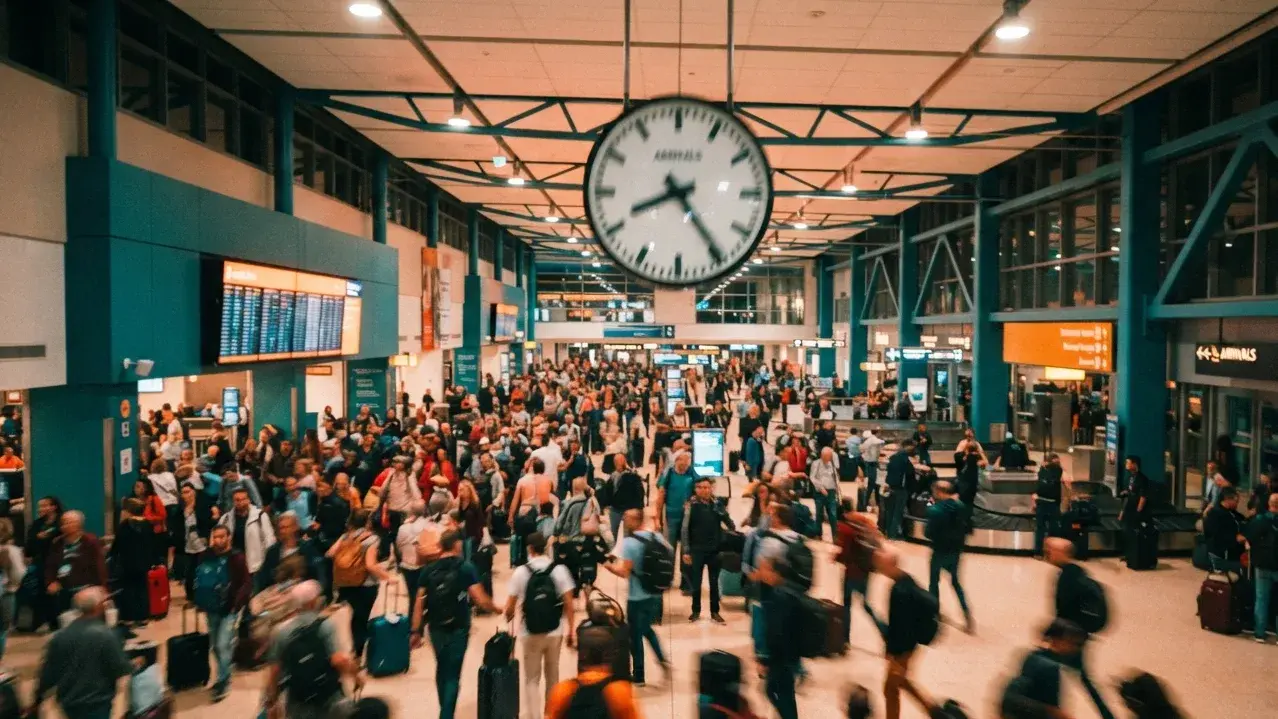
A reservation can look perfect on screen and still carry a time error underneath. Before you worry about interview slots, you need to see how a clock change reaches the booking itself.
What Happens When Clocks Skip Or Repeat An Hour
During a DST transition, clocks may skip an hour or repeat an hour. That one sentence explains most of the confusion applicants run into.
Spring Forward leads to a gap in time where a local hour does not exist. In the United States, clocks jump from 2:00 a.m. straight to 3:00 a.m. A departure listed at 2:30 a.m. on that night points to a moment nobody lived through.
Fall Back creates ambiguous timestamps, as local times can occur twice. A 1:30 a.m. departure could mean the first 1:30 or the second one, an hour later. The booking only makes sense if the system knows which one you mean.
Delhi does not observe daylight saving, and each country sets its own clock rules, so you never see the shift at home. It appears on the US side of the itinerary, usually on an arrival time or a domestic connection. That is where trouble starts.
How Booking Engines Store Time Behind The Scenes
Airline and booking systems handle time zones in different technical ways. What matters to the traveller is that the final document matches the airline’s actual local departure and arrival times; do not assume how every engine stores a timestamp.
Dummy booking systems handle DST by using UTC to avoid local time confusion. That is why a well-built reservation keeps its meaning even when a local clock moves forward or back.
Daylight Saving Time (DST) transitions can lead to ambiguous timestamps in booking systems. The risk sits in the display layer and in manual edits, not in the stored value. Mistakes usually enter when someone types a local time by hand.
Ambiguous or missing timestamps can lead to issues in automated booking systems during DST. A system may reject a gap-hour entry, shift it silently, or attach it to the wrong offset. You rarely get a warning when that happens.
Which Transition Nights Carry The Most Risk
In most U.S. locations that observe DST, clocks move on the second Sunday in March and first Sunday in November. Other countries have different rules, and some do not change clocks. Verify the specific airport and travel date.
Your riskiest legs are therefore US arrivals and US domestic connections near those Sundays. Departures from Delhi stay stable because the origin clock never moves.
Avoid times between 1:00 a.m. and 3:00 a.m. at any US airport on a transition night. Mid-morning and evening flights sit far from the problem zone. That small choice removes most of the ambiguity before any system has to resolve it.
Spotting A Reservation That Shows The Wrong Departure Time
Run these quick checks on the PDF before you carry it anywhere:
The departure time matches the published schedule for that flight number.
The arrival time uses the right UTC offset for the destination on that date.
No leg departs or arrives inside the skipped hour.
The total flight time looks realistic. A nonstop from Delhi to the US East Coast runs roughly 14 to 17 hours.
Take Priya's printout as an example. It lists a Delhi departure at 23:30 and a New York arrival at 05:10 the next morning, while the airline's own page shows a flight time an hour shorter. The offset is the culprit, and a quick UTC check exposes it in under a minute.
A duration that looks an hour too long or too short is the fastest red flag. Convert both times to UTC, subtract, and compare the result with the published flight time.
Why Both Departure And Arrival Times Need A Second Look
Check both departure and arrival times when booking transportation across DST boundaries. Most applicants verify the departure and assume the arrival follows. The arrival is the one that moves.
Picture a flight leaving Delhi on a Saturday night and reaching Newark on Sunday morning, hours after clocks change. Last week's schedule would show a different arrival offset. The same flight number now shows an arrival time one hour different on the US clock.
Keep a small note for every leg with three entries:
Local departure time at the origin airport
Local arrival time at the destination airport
The same two moments in UTC
Write the local arrival time and the UTC time side by side in your notes. If someone asks about your landing time, you can answer in one sentence without recalculating. Once your timestamps are clean, the next job is making the whole reservation fit your H-1B paperwork.
Building A Reservation Around Your I-797 Approval Notice
Accurate times matter little if the reservation points at the wrong stretch of your calendar. Your approval notice sets the frame, so build everything around it.
Do You Need A Reservation At All For An H-1B Visa Stamp
A flight reservation is not a universal H-1B visa requirement. Check the current instructions from the consular post and bring the petition and appointment documents it requests.
A genuine, current itinerary may help you explain intended travel if asked, but a hold is not automatically necessary or beneficial for every H-1B case.
A PNR can identify a booking record, but public airline lookup is not the only verification channel and does not by itself prove ticketing. Never use an edited or fabricated itinerary.
Carry only documents that are relevant and accurate. An optional reservation has a fee and may expire, so it is not cost-free to keep one ready.
Reading The Validity Period On Your Approval Notice
Read the validity period on the actual I-797 and compare it with the visa and admission rules. Your work start date and arrival plan may require employer coordination.
Some H-1B beneficiaries may be admitted up to ten days before petition validity begins, subject to the applicable admission rules and officer determination. Confirm the current rule for your case and do not plan work before authorization begins.
Clock changes add a small twist. If your window opens near March or November, a late-night flight can cross onto the next calendar day because of the shifted hour. Check the local landing date, not only the departure date.
What A Clean H-1B Itinerary Usually Looks Like
A one-way trip may fit relocation for an H-1B assignment; a return is not universally required or suspicious. Show the route you genuinely intend to take.
For the distinction between temporary proof and a paid ticket, see the DummyFlights definition guide.
Keep the route simple:
A nonstop or a single connection from Delhi or Mumbai
A layover of two to four hours
No overnight connection on a clock-change night
A final stop in or near your worksite city
A connection through several time zones can still be legitimate. Check each segment’s local date, offset and transit-document requirements.
Simple routes leave fewer timestamps to verify. That makes your own checking faster and your paperwork easier to read.
Arriving Early Enough To Settle Into Your New Role
Arrive early enough for your real housing and work arrangements within the admission period permitted for your case. Seven to ten days is not a universal target.
Count backward in this order:
Find your first workday on the offer letter.
Subtract 10 days to find the earliest allowed arrival.
Choose a landing date at least 7 days before the workday.
Convert the arrival time to US local time and confirm the calendar day.
Illustration: if Daniel’s first workday is 15 March, a proposed arrival several days earlier may help with settling in, but the allowable date depends on the actual petition and admission rules.
Tying Your Arrival City To The LCA Location
The LCA identifies employment location details; an international arrival airport need not be identical to the worksite city. Show a credible onward connection if the gateway is elsewhere.
Illustration: Emily may land at a U.S. gateway before reaching Austin. Her onward route should make sense for the actual worksite and start date; San Francisco is not inherently disqualifying.
A gateway transfer can occur on a separate ticket or later date if it is the genuine plan. Explain any substantial gap; do not invent a same-day connection.
Moving between cities later is normal. The reservation only needs to reflect the plan you filed.
Keeping Every Document Consistent Before The Interview
Keep all documents consistent to avoid interview friction. Small mismatches stand out when an officer reads several papers in a minute.
Match these details across every page you carry:
Employer name and worksite city
Job start date and validity period
Arrival city and landing date on the reservation
Name spelling exactly as printed in the passport
Read each paper once as the officer would. Ask whether the city, the employer, and the landing date make sense together. If you hesitate on any line, the officer might too.
Your employer's cover letter and support letter should tell the same story as your reservation. If the information differs anywhere, fix the itinerary before the appointment, not after. Even a flawless plan can stall if the interview ends with a pause instead of a stamp.
If your visa-file flight dates move after submission, the BookForVisa reservation-change guide explains how to keep the revised itinerary consistent with the rest of the application.
How A Flexible Hold Protects You When Processing Drags On

Interviews do not always end with a stamp. When a case pauses, the reservation you built has to survive the wait.
What A 221(g) Hold-Up Does to Your Plans
A 221(g) refusal can involve requested documents or administrative processing. A flight hold cannot protect against or shorten the process; update travel plans only when the consular instructions and case status justify it.
Administrative processing time varies by case. A proposed arrival may become impractical before the visa is issued.
The reason for a 221(g) action varies. Follow the written notice and avoid assuming why the case paused or how long it will take.
If a case pauses, coordinate with the employer and consider whether the booking should be changed under the issuer’s terms. Do not repeatedly rebook dates before a realistic window is known.
The pause also changes the conversation with your employer. Many employers can adjust a joining schedule, but only when they hear early and get a realistic new timeline.
Daylight Saving Time adds another layer. A hold built for a February interview may face a different UTC offset when you finally fly in April. Recheck every timestamp when you move it.
Handling Employer Conversations During A Pause
Your recruiter or HR team can help you navigate a revised joining schedule, but they need clear facts. Send a short message as soon as the notice arrives.
Include these points:
The date of your interview and the type of notice you received
Your best estimate of when processing may finish
A revised landing window that still fits the 7 to 10 day target
The updated reservation PDF showing the new arrival city and time
Ask HR to confirm the new joining arrangement in writing, so your documents and theirs agree.
Keep the tone calm and specific. Employers respond better to a clear plan than to an open question. Avoid promising a firm arrival date until your passport is back in hand.
Why Fares On This Route Jump During Holidays
India-US flight prices fluctuate significantly during holidays. Diwali travel, year-end breaks, and summer vacations pull fares up fast, and seats on direct routes disappear early.
A temporary reservation does not lock an airfare or protect against a later fare increase. It can document a planned route without buying a final ticket, where appropriate.
A hold preserves a planning option, not a fare price. Compare refundable, changeable and temporary-reservation terms for the actual trip.
Choosing A Hold That Survives Rescheduling
Date changes may be available under a provider’s terms, but they are not universally free or unlimited. Read the expiry and revision rules before ordering.
When picking a provider, look for these basics:
A live PNR you can confirm on the airline's own manage-booking page
A PDF itinerary with accurate local times at each airport
Free changes, with no fee per change
Fast support when you need an update
A provider may use different airlines and booking systems. Ask how the reservation is issued and verified, what is included, and whether date changes cost extra; do not rely on a fixed airline list or price.
Keeping Costs And Stress Low While You Wait
A temporary booking can limit exposure to a full non-refundable fare, but it still has a fee and expiry. Keep the employer and travel documents current while the case is pending.
Review your case status every two weeks.
Send the updated itinerary to your employer's HR team as soon as dates move.
Share only the latest PDF so nobody works from an old copy.
Buy the real ticket only after your passport returns with the visa.
Illustration: if Emily’s travel shifts from February to April, Austin’s UTC offset may differ. She should recheck the airline’s actual arrival time and each connected document.
Request any needed change from the issuer; never edit flight times by hand. Keep prior versions in a record of what was submitted, and mark the new document clearly as current.
A Practical Routine For Booking Across A Clock Change
You do not need technical skills to handle DST safely. You need a short routine and the habit of following it every time you book or edit.
Checks Before You Confirm
Write down your first workday and subtract 7 to 10 days to find your landing window.
Choose a route that ends in or near your LCA city.
Prefer midday or evening departures, which sit far from any gap hour.
Enter your name exactly as it appears in your passport.
Review every departure and arrival in local time and in UTC.
Download the PDF and verify the PNR before you save it.
Save a screenshot of the airline's manage-booking page next to the PDF. If anyone questions a timestamp, you can show the live record in seconds.
Repeat the last two checks if your travel falls within a week of a transition. That single habit catches most errors.
From Interview To Landing
Lena's first workday in Boston is 16 November. She books a hold in September that lands on 8 November, a week after the US sets clocks back.
She checks three things. First, the PDF shows her Boston arrival at the November offset, UTC minus five, and not the September offset, UTC minus four. Second, the flight time still matches the published duration. Third, her landing date is eight days before the workday, inside the 7- to 10-day target.
Because the arrival falls after Fall Back, no local time repeats on her travel night. She saves the PDF, notes the UTC time beside it, and moves on. The whole review takes about ten minutes.
Handling Connections Across Different DST Schedules
International connections can face issues due to differing DST schedules. The United States and Europe change clocks on different Sundays, so for a few weeks each year the usual time gap between them shrinks or grows by an hour.
In autumn, Europe sets clocks back in late October while the US waits until early November. In spring, the US moves first, and Europe follows in late March. A layover calculated with last month's offset can look an hour off.
Hubs that skip DST, such as Dubai, keep one steady offset. The US leg still shifts, so the same checks apply.
Keep layovers between two and four hours on a hold itinerary. If one tool shows 1 hour 10 minutes and another shows 2 hours 10 minutes, the offsets disagree and the booking needs review.
Aligning Flight And Hotel Entries With Destination Local Time
Flight and hotel dates should align with the destination's local time to prevent mismatches. Your flight reservation is the focus here, but any other travel paperwork follows the same rule.
Use the arrival city's local calendar for every document. A flight that leaves Delhi on the 9th and lands on the 10th local time should show the 10th as your landing day.
Mismatched dates are the quickest way to confuse an officer who reads your papers fast. A one-day gap between two sheets looks like a mistake even when it is only a time zone effect.
Add a short line to your notes explaining the shift, such as arrival on the 10th local time after a departure on the 9th from Delhi. That one sentence settles most questions before they grow.
Use each event’s own local airport date and time, labelled clearly. Do not impose one location’s calendar on every page of a multi-time-zone journey.
Quick Answers To Questions Applicants From India Keep Asking
Does my hold change if clocks shift after I book? The stored UTC time stays fixed. The local display can change by an hour, so recheck the PDF afterward.
Which time zone does the PDF show? It shows local times at each airport. Compare them against UTC to confirm the flight duration.
Should I rebook if a time falls in the skipped hour? Yes. Ask your provider to move it a few hours so no leg sits in the gap.
Is a change of one hour worth rebooking over? Only if it moves a leg into the skipped hour or breaks a connection. Otherwise, note the difference and keep the booking.
Can I share the hold with my employer's HR team? Yes. Share the PDF once the final timestamps are confirmed. Those checks are all you need, so what remains is walking into your appointment with confidence.
Book Once, Verify The Clock, And Walk In Prepared
Your H-1B case does not need a perfect hold, but it does need a consistent one. Treat the clock change as one more detail to verify, not a reason to worry. Match the reservation to your I-797 window, point it at your LCA city, and verify every timestamp in local time and UTC.
If processing stretches on, move the hold and recheck the clock. You keep your plans safe, your paperwork aligned, and your fare risk low until the visa is in your hands.
Before using a temporary reservation, check that the current document matches your genuine route and the evidence the receiving authority asks for.
See current optionsFrequently Asked Questions
Can a flight depart at 2:30 AM during a spring-forward change?
In a location that advances directly from 2:00 to 3:00 AM, 2:30 AM does not occur on that date. Confirm the airport’s local rule and the airline’s actual schedule.
Does an H-1B applicant always need a flight reservation at the interview?
No universal requirement applies. Follow your consular post’s document instructions and bring travel proof only when required or relevant.
What should I do if 221(g) delays my trip?
Follow the consulate’s instructions, coordinate a revised start date with the employer when necessary, and update the flight plan only when a new travel window is realistic.
Can I edit the PDF time myself?
No. Ask the issuer to correct or reissue the underlying reservation, then review every local time and date again.
Friendly reminder: DummyFlights provides temporary travel-proof documents for planning and application support. Requirements vary by destination, airline, route and applicant situation. A dummy ticket can support a file, but it does not guarantee approval, boarding or entry.