Your visa appointment is tomorrow, and a WhatsApp seller promises a flight reservation in five minutes. Then the PDF lands with a name typo, an odd routing, or worse, only a chat image with no email trail. In 2026, speed is not the win. Control is. You need an inbox-ready itinerary that stays consistent when someone checks it.
This guide turns WhatsApp into a repeatable workflow. You will learn what to send first, what deliverables to confirm before paying, how to audit the emailed PDF in three minutes, and how to request fixes without creating messy versions. Need an emailed PDF after a WhatsApp order falls through? Use our dummy ticket booking workflow with a clean resend trail.
Key Facts
- WhatsApp is useful as a communication channel, not as the final visa document.
- The PDF should still arrive by email so you have a cleaner delivery trail and backup copy.
- Do not send unnecessary sensitive data just because a provider asks for speed.
- Confirm revision rules before payment, especially for names, dates, route changes and email typos.
- Fast delivery is only valuable when the reservation stays consistent and verifiable long enough for your file.
Need a fast dummy ticket? Keep the WhatsApp conversation controlled, then create a clean dummy ticket with the correct passenger details, route and email delivery trail.
Create Your Dummy TicketIn This Guide
Official-source check: WhatsApp ordering should not weaken the visa-file standard. WhatsApp says personal messages are end-to-end encrypted, but applicants should still limit unnecessary sensitive sharing and use block/report controls when a chat looks unsafe. European Commission Schengen guidance says applicants may need documents for purpose, means, accommodation and intention to return. GOV.UK says visitors should show they can leave at the end of the visit and pay for return or onward travel, and it warns that submitting documents does not guarantee success. Sources: WhatsApp end-to-end encryption help, WhatsApp block and report help, European Commission Schengen visa guidance and GOV.UK visitor supporting documents.
Reviewed for: WhatsApp-order safety, email delivery trail, PNR terminology, payment-link hygiene, privacy-risk wording, Schengen/UK document alignment, route-date consistency and fake-ticket avoidance.
Why WhatsApp Feels Instant (And Why That’s Exactly Where People Get Burned)
When you are lining up documents for a Schengen Type C file or a Japanese tourist visa, WhatsApp can feel like the fastest shortcut. That speed is useful, but only if you control what “fast” means.
WhatsApp Speed Comes From Shortcuts - Learn Which Shortcuts Are Harmless Vs. Fatal
A WhatsApp “five-minute confirmation” usually happens because the seller skips steps that a normal email order flow would force, which matters if you are submitting a UK Standard Visitor application on a tight timeline. Some skipped steps are fine, like sending a price quote quickly or confirming whether your route is one-way or round-trip.
Other shortcuts create problems that show up later, such as when a Schengen consulate questions your inbound and outbound cities for a Paris to Rome plan. Use this split when you see speed promises:
-
Harmless shortcut: fast quote, clear delivery window, and a written promise of email delivery with a PDF for a Madrid to Amsterdam route.
-
Risky shortcut: “We will fix it later,” before they confirm your passenger's name spelling for a Canadian visitor visa file.
-
Fatal shortcut: asking for a passport scan to “start” a UAE visit visa itinerary, or refusing to say what the email will contain.
If your WhatsApp chat does not produce a deliverables list for a Schengen itinerary, we should treat the speed as marketing, not a process.
The Three WhatsApp Failure Modes Visa Applicants See Most
The first failure mode is a data mismatch, and it is brutal on applications like a US B1/B2 interview, where an officer may compare your itinerary to what you say out loud. WhatsApp invites typos because names get pasted, autocorrect changes letters, and sellers sometimes retype details instead of copying them exactly.
The second failure mode is format inconsistency, which can matter for a Japanese visa, where your documents are read together, and contradictions stand out. A PDF can look “off” when city names are abbreviated randomly, dates switch formats mid-page, or your Dubai to Istanbul segment appears with an odd time order.
The third failure mode is verification ambiguity, and it hits hardest when airlines or border staff ask for onward proof on routes like Bangkok to Kuala Lumpur or Manila to Singapore. If the seller cannot explain what is verifiable or cannot resend the same PDF by email, you may end up with a file you cannot rely on.
On a Schengen Type C file, WhatsApp ordering should stop these three failures before payment, not after the PDF arrives.
The Privacy Trap - What You Should Never Send “For Speed”
For most visa files, including Schengen Type C and UK Standard Visitor, you do not need to share a passport scan in a WhatsApp chat to generate a passenger-name itinerary. If a seller asks for sensitive images “to be sure,” that is not a speed feature; it is a privacy risk.
Keep your WhatsApp order to the minimum viable details, especially if you are applying for a Canada visitor visa and you are already sharing personal data across multiple forms. In practice, that means you send:
-
Full name as it appears in your passport for a Rome to Barcelona route.
-
Travel dates and whether you want one-way, round-trip, or multi-city for a Schengen plan.
-
An email address for delivery, typed carefully, for a Tokyo to Osaka add-on if you are packaging a Japan visa file.
Avoid sending anything you would not email to a visa portal, such as passport photos, selfies, or home addresses for a US B1/B2 context. If a seller says email delivery requires your passport scan, we should stop and choose a different channel or provider.
Dummy Ticket via WhatsApp: Myth-Busting
Myth: a WhatsApp screenshot is enough for a Schengen consulate because “it shows the booking.” Reality: many Schengen Type C document sets are built around attachable files, not chat images that blur when printed.
Myth: Any “PNR” message means you are safe for a UK Standard Visitor file. Reality: A reference is only useful when the document is consistent for your London to Edinburgh segment, and the seller can explain what the reference represents.
Myth: Faster is always better when you are hours from a Japan visa submission. Reality: speed without a correction window is how you submit the wrong name order or an impossible connection on a Seoul to Tokyo routing.
Myth: asking the seller to “make it look real” helps with a US B1/B2 interview. Reality: the safer ask is “make it accurate,” because accuracy survives questions about your New York to Los Angeles dates.
Quick Self-Check: What Outcome Are You Actually Buying?
Before you send payment on WhatsApp, decide which outcome you need for your case, such as a Schengen Type C application with a fixed appointment date versus a flexible UK Standard Visitor timeline. If you only need a clean attachment for a PDF upload portal, your priority is a coherent itinerary with correct names, routes, and dates.
If you need something that can survive a spot check at check-in on a Dubai to Bangkok route, you need more than a pretty PDF. You need a seller who will resend the same file by email, issue corrections quickly, and keep the details stable across versions.
Use this quick filter for a Canada visitor visa package:
-
If you cannot afford a second attempt, require email delivery, a clear correction policy, and a re-issue promise for your Toronto to Vancouver segment.
-
If you have time to review, focus on a three-minute accuracy audit for your Schengen dates and route logic.
-
If you are being rushed, treat the rush as a risk, especially for a Japan visa, where inconsistencies can cascade across your file.
When WhatsApp Is The Right Channel (And When You Should Walk Away)

A WhatsApp order can save your Schengen Type C timeline, but it can also create a document you cannot confidently upload. The difference is not luck; it is choosing the right lane for your visa and your route.
Choose Your Lane Before You Message Anyone
If you are preparing a Schengen Type C file for Spain and your appointment is in 24 hours, WhatsApp can work only if you already know your exact outbound and return dates.
If you are preparing a UK Standard Visitor application with flexible dates, WhatsApp can work only if the seller supports clean revisions by email.
If you are heading to a US B1/B2 interview and you will be asked to speak to your itinerary, WhatsApp can work only if you can review every detail slowly.
Use this quick filter for any flight reservation ordered in chat:
-
If your Australia Visitor visa (subclass 600) upload is due today, require email delivery within a stated time window before you pay.
-
If your Schengen Type C route has more than two legs, treat WhatsApp as viable only if the seller confirms a correction window in writing.
-
If your New Zealand visitor visa plans might shift by one day, treat WhatsApp as viable only if the seller confirms how fast re-issues happen.
-
If your Saudi visit visa timeline is uncertain, treat WhatsApp as risky if the seller locks you into one date without revision options.
-
If your Mexico tourist visa file must show onward travel from Cancun to Bogotá, treat WhatsApp as risky if the seller cannot repeat your route back accurately.
If a WhatsApp seller cannot restate your exact route for a Rome to Athens itinerary without errors, the process is already failing before payment.
If a WhatsApp seller pushes you to pay before they confirm deliverables for a Berlin to Vienna itinerary, the risk is now on your visa file.
“Green Light” Cases Where WhatsApp Ordering Is Genuinely Efficient
WhatsApp fits best when the visa file needs a clear attachment, and your travel plan is simple and stable.
A Portugal Schengen Type C file with a straightforward Lisbon to Paris round-trip is usually easier to execute in chat because there are fewer moving parts.
A Thailand eVisa plan with a simple Bangkok to Singapore onward segment is often easy to lock quickly because the route logic is clean.
A UAE visit visa plan with a one-way Dubai to Muscat onward segment is often easy to confirm because the itinerary structure is minimal.
WhatsApp also works well when you can tolerate a short review loop before you submit to a consulate portal.
A France Schengen Type C upload through a TLS-style portal benefits from WhatsApp if you can wait for the email PDF, open it on a laptop, and verify it line by line.
A Germany Schengen Type C checklist benefits from WhatsApp if you can still request a correction before you print your file packet.
WhatsApp is also efficient when the seller can reliably match your name format without extra documents.
A Japanese tourist visa file often includes names that must match passport formatting exactly, so WhatsApp works only when the seller copies what you send.
A South Africa visitor visa file often gets assembled with multiple documents, so WhatsApp works only when the flight document arrives cleanly by email without repeated versions.
If your route is simple and your dates are fixed, WhatsApp can be a fast ordering channel for a Brazil tourist visa itinerary like São Paulo to Santiago and back.
“Yellow Light” Cases Where WhatsApp Is Okay Only If You Tighten Controls
WhatsApp becomes fragile when your flight plan has complexity that invites small mistakes.
A Schengen Type C itinerary with open-jaw routing, like arriving in Milan and departing from Zurich, is a common WhatsApp failure point because the seller may “round-trip” it by habit.
A Schengen Type C multi-city plan like Prague to Vienna to Budapest becomes risky on WhatsApp because each leg introduces a new chance for date and city mismatches.
A Turkey sticker visa itinerary with a connection through Doha becomes risky on WhatsApp if the seller formats times inconsistently across segments.
WhatsApp also becomes fragile when multiple passengers are involved.
A Canadian visitor visa family file with three passengers becomes risky on WhatsApp because one typo can force multiple re-issues.
A UK Standard Visitor group plan with shared outbound flights becomes risky on WhatsApp because one person’s name format can differ and get copied incorrectly.
A Schengen Type C couple itinerary becomes risky on WhatsApp when one passport uses two surnames, and the seller compresses them into one.
WhatsApp becomes a “yellow light” when you have transliteration or name order sensitivity.
A Schengen Type C file for Italy becomes risky in WhatsApp when your passport name order differs from your everyday name order, and the seller “fixes” it.
A Japanese tourist visa file becomes risky on WhatsApp when the seller asks you to send a passport photo instead of simply copying the typed name you provide.
If you still want WhatsApp in these cases, add controls that fit visa realities:
-
For a Schengen Type C multi-city plan, insist the seller sends a typed itinerary recap for your approval before issuing the PDF by email.
-
For a Canada visitor visa family plan, send a single passenger list in one message so the seller does not stitch details from multiple chats.
-
For a UK Standard Visitor plan with uncertain dates, agree on a change window and how many re-issues you can request before submission.
-
For an Australia Visitor visa (subclass 600) upload, confirm the exact email subject or sender identity so you can find the file quickly.
If the seller refuses a recap for a Schengen Type C multi-leg route, WhatsApp is not the right channel for that booking.
“Red Light” Cases: Don’t Use WhatsApp As The Primary Channel
Some situations turn WhatsApp from “fast” into “avoidable risk” for your visa file.
A Schengen Type C appointment that starts in a few hours is a red light if the seller will not commit to a delivery time for the emailed PDF.
A US B1/B2 interview week is a red light if the seller will not guarantee consistent details across any re-issued versions.
Any request for unnecessary personal data is a red flag in a visa context.
A request for a passport scan to “start” a UK Standard Visitor itinerary is a red light because a typed name should be enough for a reservation document.
A request for card details inside WhatsApp for an Australian Visitor visa (subclass 600) file is a red light because secure payment methods exist.
Any vague promise is a red light when your route needs to be clean.
A promise like “PNR later” for a Schengen Type C route from Athens to Madrid is a red light if the seller cannot explain what you will receive by email now.
A promise like “screenshot is enough” for a Japanese tourist visa file is a red light because you need a stable attachment for document review and printing.
Pressure tactics are also a red light for visa work.
A countdown payment link for a Canadian visitor visa itinerary is a red light because legitimate processes do not require panic.
A threat like “price doubles if you ask changes” for a UK Standard Visitor itinerary is a red light because corrections are normal in travel planning.
If any red light appears, walking away protects your visa file more than “saving time” protects it.
Decide What You Need: “Good Enough To Attach” Vs. “Good Enough To Survive Scrutiny”
Your ordering method changes based on where the document will be tested.
A Schengen Type C file uploaded to a consulate portal is usually tested for internal consistency across your document set.
A flight reservation shown at check-in for a route like Kuala Lumpur to Bali is tested for clarity, retrievability, and whether it matches what you say.
Choose the “attach” standard when your main goal is a clean PDF that aligns with the rest of your application.
A France Schengen Type C upload often benefits from an attach-focused standard if your hotel and leave letters already anchor your dates.
An Australian Visitor visa (subclass 600) upload often benefits from an attach-focused standard if your itinerary is just one part of a larger evidence pack.
For an attach-focused order, your WhatsApp must secure these items:
-
A single emailed PDF that clearly shows your full name and route for your Schengen Type C dates.
-
A route sequence that matches your cover letter for a UK Standard Visitor plan.
-
Dates that match your stated leave period for an Australian Visitor visa (subclass 600) file.
-
A correction window that lets you fix typos before submission to the Canada visitor visa portal.
Choose the “scrutiny” standard when you may need to display the document live or answer questions about it.
A US B1/B2 interview can trigger scrutiny if your verbal plan does not match your route logic.
A Schengen Type C trip that starts with a long-haul route like Lagos to Istanbul can trigger scrutiny if an airline asks for onward proof.
For a scrutiny-focused order, your WhatsApp must secure stronger process controls:
-
A delivery timeline that ensures you can open the email and verify every line before your Schengen Type C appointment.
-
A clear re-issue path if you must shift dates for a UK Standard Visitor plan after a rescheduled appointment.
-
A stable file trail in your inbox so you can pull the PDF quickly at an airport counter for a route like Nairobi to Doha.
-
A confirmation that the seller will resend the same PDF by email if your first email gets filtered during a Japan tourist visa document assembly day.
Once you pick the right lane for your Schengen Type C, UK Standard Visitor, or US B1/B2 situation, we can lock in the exact WhatsApp message flow that forces clear deliverables and clean email delivery.
The WhatsApp-To-Email Workflow That Actually Works (With Checkpoints You Can Screenshot)
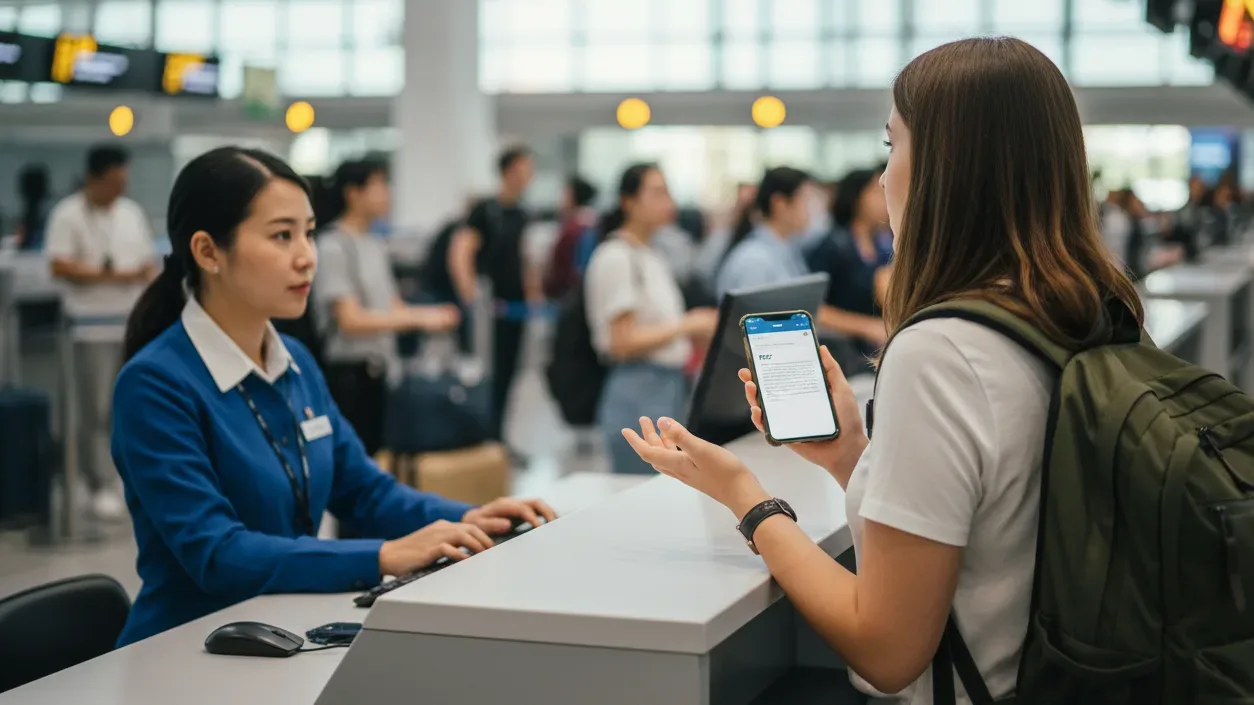
When your Schengen Type C upload window is tight, you do not need more messages. You need a simple WhatsApp flow that produces a clean email PDF you can attach without hesitation.
Step 1 — Your First Message Should Force Clarity (Without Sounding Paranoid)
For a Schengen Type C itinerary like Barcelona to Paris round-trip, your first WhatsApp message should read like a mini order form, not a conversation. That keeps the seller from “filling in the blanks” in a way that creates inconsistencies in your visa packet.
Send one message that includes only what a flight reservation needs for a visa file:
-
Route: City to city, plus whether it is round-trip, one-way, or multi-city
-
Dates: Use a clear date format that matches how you will write it in your cover letter for a France Schengen Type C file
-
Passenger Name: Full name exactly as shown in your passport MRZ line for a Japan tourist visa packet
-
Delivery Requirement: “Email PDF to: [your email] within [time]” for a UK Standard Visitor upload timeline
-
Correction Expectation: “Typos fixed as corrections, not a new order” for an Australian Visitor (subclass 600) set of documents
If your route is multi-city for a Schengen Type C plan like Rome to Vienna to Prague, list legs in the order you will travel, on separate lines, so the seller cannot swap sequencing in the PDF.
A useful test for a US B1/B2 interview itinerary is whether your first message is complete enough that the seller can repeat it back without asking “from where” or “which date.”
Step 2 — Require A “Quote + Deliverables” Reply Before You Pay
For a Germany Schengen Type C file, payment should only happen after you have a deliverables statement that you can forward to yourself as proof of what you ordered. WhatsApp is fast, but it is also easy for a seller to promise “confirmed” without defining what you will actually receive by email.
A solid “quote + deliverables” reply for a UK Standard Visitor itinerary should clearly state:
-
Total price in one number
-
Delivery time window tied to your deadline, like “within 20 minutes” for a same-day upload
-
The delivery method is email, not WhatsApp images
-
What the email includes, such as a PDF itinerary and a booking reference format, if applicable
-
Corrections policy that distinguishes typos from date changes
If you are assembling a Schengen Type C packet for Italy, do not accept “You will get the ticket” as a deliverables statement, because it does not specify email delivery, PDF attachment, or correction handling.
If your route includes a connection for a South Korea tourist visa plan like Seoul via Doha to Rome, require the seller to confirm the itinerary structure in the PDF, because connection formatting is where WhatsApp orders often lose clarity.
Step 3 — Pay Only After You’ve Set Revision Rules (The WhatsApp Version Of A Contract)
For a Canadian visitor visa application, revisions are normal because appointment dates move and flight dates shift by a day. WhatsApp becomes risky only when there is no written rule about what happens after the first PDF hits your inbox.
Set revision rules in one short message before paying, framed around your visa timeline:
-
Corrections window: “If there is a typo or missing leg, you will correct and resend within X minutes” for a Schengen Type C portal submission
-
Change window: “If I request a date change before I submit, you will re-issue and email the updated PDF” for a UK Standard Visitor application
-
Version control: “Please email only one final PDF per version, and label it clearly in the email body” for a Japan tourist visa document set you may print
If you are ordering an itinerary for a Schengen Type C trip like Lisbon to Amsterdam, ask the seller to confirm they will resend the same PDF if your email provider filters the first email, because inbox deliverability is part of your workflow, not an extra favor.
For a US B1/B2 interview, keep revision rules focused on accuracy, because the best outcome is an itinerary you can describe confidently in the same route order and dates.
Step 4 — Delivery Checkpoint: What A Proper Email Delivery Should Look Like
For a Schengen Type C file, email delivery is your audit trail, because it creates a stable copy you can attach, print, and retrieve later. WhatsApp images are easy to lose and hard to reproduce consistently in a consistent-style document packet.
When the email arrives for a Spain Schengen Type C itinerary, check these delivery signals before you even open the PDF:
-
Sender consistency: The sender identity should not look like a rotating set of personal emails that change per order
-
Attachment present: A real PDF attachment, not “view in chat” instructions, for a UK Standard Visitor upload
-
File opens cleanly: No password blocks or corrupted file behavior when you open it on a laptop for a Japan tourist visa print set
-
Email body matches order: A short recap of your route and dates helps confirm the sender did not mix your file with another applicant’s itinerary
If you are uploading for an Australia Visitor (subclass 600) application, ensure the PDF is readable at standard zoom, because a blurry itinerary becomes harder to trust as supporting evidence in a mixed document set.
If the seller asks you to “confirm receipt” before you open the PDF for a Schengen Type C itinerary, confirm only after you verify that the attachment matches your route, because a receipt message can be used to shut down correction requests.
Step 5 — The 3-Minute PDF Quality Audit (Before You Ever Submit It)
For a Schengen Type C consulate packet, the goal of a three-minute audit is not perfection. It is catching the fast mistakes that cause unnecessary follow-ups or create contradictions across your documents.
Run this audit on a laptop for a France Schengen Type C itinerary, like Paris to Milan:
-
Name Line Check (30 seconds):
-
Full name spelling matches your passport for a Japan tourist visa to the standard of precision
-
Name order is consistent across the PDF for a UK Standard Visitor document set
-
-
Route Logic Check (60 seconds):
-
Cities are correct and appear in your intended sequence for a Schengen Type C multi-city plan
-
No accidental swaps like returning or departing from the wrong city for a Canadian visitor visa itinerary
-
-
Date Coherence Check (60 seconds):
-
Departure and return dates align with your appointment and leave dates for an Australia Visitor (subclass 600) file
-
Multi-leg dates do not overlap or imply impossible same-day moves for a Schengen Type C plan
-
-
Format Consistency Check (30 seconds):
-
Dates use one consistent format throughout the PDF for a German Schengen Type C packet
-
Times and connections do not contradict themselves across segments for a US B1/B2 itinerary; you may be questioned about
-
If you spot a mistake for a Schengen Type C itinerary, treat it as a correction request, not a debate, because speed orders only work when corrections are handled cleanly.
Step 6 — Correction Protocol: How To Request Fixes Without Making It Messy
For a UK Standard Visitor application, messy versions create confusion because you may upload one file and later realize you have a corrected one. Here, we focus on a correction protocol that produces a clean replacement PDF with minimal back-and-forth.
Send one consolidated correction message that includes:
-
Order identifier: The route and date you ordered for your Schengen Type C itinerary
-
Exact corrections: One bullet per correction, written clearly
-
Replacement requirement: “Please email a single revised PDF and confirm this is the latest version” for your Canada visitor visa upload folder
Keep correction messages factual for a Japan tourist visa packet, because extra explanations encourage the seller to “interpret” your request instead of applying it precisely.
Use this correction format for a Schengen Type C multi-city itinerary like Vienna to Prague to Munich:
-
Passenger name: change “X” to “Y.”
-
Leg 2 date: change to [date]
-
Return city: change to Munich
If the seller replies with multiple partial images in WhatsApp for a Schengen Type C correction, redirect them to resend a full replacement PDF by email, because your application file needs one clean attachment.
If you prefer a structured alternative to ad-hoc WhatsApp ordering for a Schengen Type C or UK Standard Visitor timeline, DummyTicket.io offers instantly verifiable reservations, a PNR with PDF, free date changes within the same day of booking, transparent pricing: $15 (~₹1,300), is trusted worldwide for visa use, and accepts credit cards, which can reduce churn when your appointment date shifts.
Verification Without Drama — What “Verifiable” Should Mean In 2026 (And How To Confirm You Got It)
A flight reservation can look perfect on a PDF and still fail the moment someone asks a simple follow-up. Verification in 2026 is less about proving a secret technical detail and more about avoiding dead ends when your file is reviewed.
If the checklist wording is broader than WhatsApp and asks for a flight reservation for visa, keep that intent separate from this WhatsApp dummy-ticket workflow so the document choice matches the wording in your file.
If the basics are still unclear, read what is a dummy ticket first so you know the difference between a temporary reservation, a screenshot and a risky fake document.
Define “Verifiable” In Plain Terms Before You Accept The File
For a Schengen Type C application, “verifiable” should mean you can confidently support the itinerary if a consulate or visa center asks you to clarify a route or date. It should also mean the reservation details do not collapse into “we can’t confirm anything” if you need the file resent.
Here, we focus on three plain layers of verification that matter in real visa workflows:
-
Layer 1: Self-Verifiable Consistency
The itinerary holds up against your own document set.
Example: If your France Schengen Type C cover letter says you will enter through Paris and exit from Amsterdam, your PDF should not show entry through Brussels. -
Layer 2: Provider-Verifiable Support
The seller can confirm what they issued and resend the same document by email without changing details.
Example: If your UK Standard Visitor upload folder has a final PDF, the seller should be able to resend that exact version if your email search fails. -
Layer 3: Practical On-The-Day Verifiability
You can retrieve and present the file quickly in a live setting, such as airline check-in for a route like Kuala Lumpur to Singapore or Casablanca to Istanbul.
This is not a technical test. It is a readiness test.
If a WhatsApp seller claims “fully verifiable” but cannot explain which layer they mean, the phrase is doing marketing work, not process work.
The “Reference Number” Problem: When It Helps And When It’s Noise
For a Schengen Type C packet, a reference number can help if it ties the PDF to a coherent reservation record in the provider’s process. It can also be noise if it exists only as a string of letters with no stable meaning.
Use a “reference usefulness” check that fits the visa reality:
A reference helps when:
-
It stays the same across any corrected PDF versions for a German Schengen Type C file.
-
The provider can state what the reference represents, in plain language, without evasion.
-
The reference appears in a consistent place in the PDF and matches the email context.
A reference is noise when:
-
The provider uses a different reference format each time you ask for a resend for a Canada visitor visa upload.
-
The reference appears only in WhatsApp text, but not in the emailed PDF that you will submit.
-
The provider says, “Don’t worry about it” when you ask what the reference is.
For a US B1/B2 interview, avoid relying on a reference number as your main comfort. Officers rarely care about the number itself. They care whether your story and dates line up with what you present.
For a Japan tourist visa packet, a reference number can be useful only if it does not introduce confusion. If it changes between versions, it creates a question you cannot answer.
WhatsApp Provider Scripts You Should Be Able To Get (And Scripts That Are Red Flags)
WhatsApp deals often succeed or fail based on whether the seller’s language is specific enough to protect your file. Here, we focus on scripts you can request without sounding difficult, and scripts that should make you pause.
Scripts You Should Be Able To Get For A Schengen Type C Itinerary
-
“We will email a PDF itinerary within X minutes to your email.”
-
“If there is a typo, we will correct and re-email the PDF within X minutes.”
-
“If you change dates, we will re-issue and email a revised PDF, and we will confirm which version is the latest.”
-
“We will resend the same PDF if your email filters it.”
These are process scripts. They protect your ability to submit cleanly.
Scripts That Are Red Flags For A UK Standard Visitor Or Schengen Type C File
-
“We only send on WhatsApp, email later.”
-
“Verification is not possible, but it is fine.”
-
“Send a passport photo, and we will do the rest.”
-
“Pay now, we will confirm later.”
-
“Do not ask questions, it’s standard.”
The risk is not the service. The risk is the lack of a stable audit trail and the lack of a correction pathway.
If you are preparing a Schengen Type C file for a high-volume appointment day, vague scripts create stress because you cannot control timelines.
How To Avoid Accidentally Requesting Something That Increases Suspicion
Some applicants try to “improve” a document in ways that create new inconsistencies. That is avoidable if you keep your requests aligned with how visa files are assessed.
For a Schengen Type C packet, focus on accuracy and coherence, not on cosmetic changes. Use request language that matches normal planning:
-
Ask for the correct entry and exit cities that match your plan for Italy, Schengen Type C.
-
Ask for dates that match your leave letter window for the UK Standard Visitor.
-
Ask for a cleaner multi-city sequencing for Spain Schengen Type C if the legs are out of order.
Avoid requests that create “why” questions you cannot answer:
-
Avoid adding extra stopovers “to look realistic” if your cover letter shows a direct route.
-
Avoid asking for unusual connections that make your travel day look harder than it needs to be.
-
Avoid asking for details you do not need for the visa file, such as passport numbers, if your provider offers to add them without reason.
A practical example: If your France Schengen Type C cover letter says you will travel from Paris to Lyon by train, do not ask the flight reservation to include an internal flight between those cities “for completeness.” That can clash with your stated plan.
For a US B1/B2 interview, keep your itinerary simple enough to explain in one breath. If your PDF shows a complex route you never intended, it creates pressure in the interview room.
What To Do If The Embassy Asks A Follow-Up Question You Didn’t Expect
Follow-up questions often happen when something is unclear, not when something is “wrong.” Your goal is to respond with calm alignment to your application narrative.
Here are common follow-ups and how to handle them without overtalking:
Schengen Type C Follow-Up: “Why Are You Entering Through One Country And Exiting Through Another?”
Answer with itinerary logic tied to bookings you already submitted.
Example: “We enter through Paris and exit from Amsterdam because we are traveling overland between cities and leaving from the final stop.”
UK Standard Visitor Follow-Up: “Are These Dates Fixed?”
Answer with a planning frame that fits the visitor's travel.
Example: “These are the planned dates for the visit window. We will confirm final flights after the decision.”
Japan Tourist Visa Follow-Up: “Where Will You Be On These Dates?”
Answer with sequence and consistency.
Example: “We are in Tokyo first, then Osaka, then return.”
Keep your wording consistent with your cover letter and hotel plan if included elsewhere. Do not introduce new routes or new cities in a follow-up response.
If your follow-up relates to onward proof at the airline counter for a route like Jakarta to Bangkok, the best move is speed and clarity. Open the email, pull the PDF, and show the itinerary without searching through WhatsApp images.
Your Agent Sends The PDF But Refuses To Resend Via Email
This happens more than people expect, and it creates a practical failure point for visas like Schengen Type C that involve uploads and printed packets.
If you have the PDF only as a WhatsApp file, you risk:
-
Losing the attachment in chat history on a stressful appointment day.
-
Sending the wrong version to the visa portal when multiple files exist.
-
Struggling to print a clean copy for a Schengen Type C packet.
Handle it with a simple, process-based request:
-
Ask for an email resend to the same address used earlier.
-
Ask the seller to confirm the date and route in the email body.
-
Ask for one attachment only, so you do not create version confusion.
If the seller cannot resend by email for a UK Standard Visitor upload, treat that as a delivery gap. Your workflow needs an inbox trail.
If you are on a tight schedule, like an applicant departing from Delhi after an early morning appointment, and you need to retrieve the file quickly, email delivery is what keeps the document accessible when your WhatsApp media view is overloaded.
Pricing, Payments, And Scam Signals In WhatsApp Dummy Ticket For Visa Application Deals
WhatsApp ordering often fails at the moment money enters the chat. You can protect your Schengen Type C or UK Standard Visitor timeline by knowing which pricing patterns are normal and which ones predict delivery problems.
“Fast Confirmation” Pricing Patterns That Are Normal Vs. Suspicious
For a flight reservation used in a Schengen Type C packet, pricing should match a clear deliverable. If you cannot tie the price to an email PDF and a correction pathway, the price is not the issue. The process is.
Normal pricing patterns for a visa-use flight reservation:
-
A single fixed price for a simple route like Madrid to Paris round-trip with a stated delivery time.
-
A clear surcharge only when complexity increases, such as multi-city legs for a Germany Schengen Type C plan.
-
A written rule that spelling fixes are treated as corrections, not a new purchase.
-
A stable price that does not change mid-chat when you ask a basic question like “Will you email the PDF?”
These patterns support real visa workflows, including print-and-submit consulate packets.
Suspicious pricing patterns that predict trouble:
-
A low headline price for a UK Standard Visitor itinerary, followed by “extra fee to email.”
-
A price that changes after you share your route for a Schengen Type C file, without any added legs or dates.
-
A claim that “verification costs extra” without explaining what you receive for the base price.
-
A fee for “correction” when the correction is a typo introduced by the seller.
For a Japan tourist visa packet, suspicious pricing also includes “pay more to get it in PDF,” because a file-based submission process expects attachable documents.
If a provider sells “speed” as the main product but cannot define the deliverable in one sentence, you should assume the real cost will appear after you pay.
Payment Link Hygiene: How To Avoid The Most Common Traps
Here, we focus on payment behavior that keeps your Schengen Type C or Canada visitor visa file safe from last-minute chaos. WhatsApp payment problems often look like “it’s fine,” until you need a refund, a resend, or a correction.
Use a simple checklist before you click any link:
-
Check the link domain and format before you open it on mobile. If it looks like a random short link with no recognizable payment provider structure, pause.
-
Avoid links that expire in minutes for a visa timeline. A UK Standard Visitor application does not require a countdown payment window.
-
Do not pay inside chat by sharing card details. For a visa document purchase, use payment methods designed for secure transactions.
-
Keep a clean proof trail. Take a screenshot of the quote and deliverables message before payment. That matters if the seller later changes the rules.
If you are assembling a Schengen Type C packet, treat payment like part of document compliance. You want proof of what you ordered, not just proof that you paid.
A practical rule for a US B1/B2 context is to avoid any payment method where you cannot identify the recipient or dispute the transaction if the deliverable is not sent.
If the seller insists on “friends and family” type payments for a Canada visitor visa itinerary, you lose leverage if the email delivery fails. That is not a technical risk. It is a workflow risk.
The Refund Illusion: Why “Refundable” Language Gets Abused In WhatsApp Chats
Refund language can become vague fast, especially when the seller mixes “refundable ticket” concepts with “service fee” concepts. For a Schengen Type C or Australia Visitor (subclass 600) file, this confusion matters because you are buying a document and a delivery promise, not only a travel plan.
When a WhatsApp seller says “refundable,” we should clarify what they mean in a way that maps to visa reality:
-
Are they saying the service fee is refundable if delivery is late?
-
Are they saying they will redo the document if it contains errors?
-
Are they saying something about an airline fare rule, which may not even apply to what you are receiving?
For a UK Standard Visitor application, the useful refund question is not “is it refundable,” but “what happens if the PDF is wrong or not delivered on time?”
Use this message template style, adapted to your route:
-
“If the PDF is not delivered by email within [X] minutes, what is your remedy?”
-
“If the name is wrong, can you correct and resend at no extra charge?”
-
“If I need to shift dates because my appointment moved, what is the re-issue policy?”
For a Schengen Type C file, ask these before payment, because refund disputes after the fact do not help your appointment schedule.
If the seller answers with only reassurance and no policy, treat “refundable” as a marketing word, not a promise.
The Identity Consistency Check (Simple, Effective, And Underrated)
Many WhatsApp sellers can produce a PDF. Fewer can maintain a consistent identity across the full order lifecycle, which matters when you need a resend for a Schengen Type C print day or a UK Standard Visitor upload day.
Do a quick identity consistency check before you pay:
-
Does the seller have a stable name or brand identifier in WhatsApp, or does it look like a rotating personal account?
-
Does the email sender identity match the WhatsApp identity, at least in a consistent way?
-
Do they provide a consistent format for quotes and delivery commitments?
-
Do they answer policy questions clearly, like delivery time and corrections?
If you are preparing a Germany Schengen Type C packet and the seller changes phone numbers mid-chat, that is not automatically a failure. But it should trigger stricter controls, such as requiring email delivery confirmation and a clear resend policy.
A stable process is what you want, not just a friendly chat tone.
Verified Flight Reservations via WhatsApp: Visa Applicant Mistake Checklist
Here, we focus on mistakes that show up in real visa timelines, especially with flight reservations used for Schengen Type C and UK Standard Visitor files. These are not generic warnings. They are the specific moves that create problems later.
Avoid these common errors:
-
Paying before the seller confirms email PDF delivery for your Schengen Type C route.
-
Accepting “we will send a screenshot now and a PDF later” when your UK Standard Visitor file needs a stable upload.
-
Sending your passport scan “to speed it up” when a typed name should be enough for a flight reservation document.
-
Allowing the seller to “choose the route” for you, which can create odd logic in a Schengen Type C itinerary.
-
Letting the seller reformat your name, especially if your passport has multiple surnames used in a Canada visitor visa application.
-
Paying through a link you did not verify, then realizing you cannot trace the recipient if delivery fails.
-
Agreeing to a vague re-issue policy when your Australia Visitor (subclass 600) appointment date might move.
A useful self-test is whether you can forward the WhatsApp quote to a friend and have them understand exactly what you are paying for. If the answer is no, the seller has not defined the deliverable.
If you are ordering for a route where airline staff may ask for onward proof at check-in, such as Manila to Kuala Lumpur, add one more protection step: require the seller to confirm that the same PDF can be resent quickly by email if you cannot find it at the counter.
Once payment and identity signals look clean, we can shift to the part that actually affects approval outcomes: what officers and airline staff notice in 2026 when they see timing, formatting, and route logic.
What Gets Flagged In 2026 — Timing Windows, Format Expectations, And Human “Suspicion Triggers”
A flight reservation can be accurate and still raise questions if it lands at the wrong time or reads oddly in a stack of documents. Here, we focus on the patterns that trigger extra scrutiny in 2026 for ordinary tourist and visitor visas.
Timing Windows: How Close Is “Too Close” Between Issuance And Submission?
Timing is not only about the date on the PDF. It is also about whether you have enough time to correct mistakes before your file is locked.
For a Schengen Type C application, an itinerary issued minutes before you upload can be fine, but it increases your chance of a typo surviving into the portal. Many applicants only discover a name mismatch after submission, when the application is already in process.
Use timing windows that match real workflow pressure:
-
Schengen Type C visa center upload: Aim to receive the email PDF at least the day before you plan to upload, so you have time for corrections and printing.
-
UK Standard Visitor online submission: Aim for at least a few hours between receiving the PDF and uploading, so you can verify the route and dates on a laptop.
-
US B1/B2 interview week: Aim to finalize the itinerary several days before the interview, so your verbal explanation stays consistent with your document.
If your Schengen appointment is tomorrow morning and you order tonight, your main risk is not scrutiny. It is sloppy accuracy. Build a buffer so you can request a corrected PDF without panic.
A useful rule for a Japan tourist visa packet is to avoid last-minute issuance on the same day you are assembling and printing your forms. That is when you accidentally attach an older version or print a file with the wrong date format.
Format Expectations: What Looks Ordinary Vs. What Looks Manufactured
Visa officers and document reviewers often scan for internal logic, not artistic design. A PDF looks ordinary when it reads like a real travel plan and fits the rest of your application.
For a Schengen Type C file, ordinary format usually means:
-
The passenger's name is consistent with other documents in your packet.
-
Dates are presented in one clear format throughout the document.
-
The route is stated clearly with cities or airports, without confusing abbreviations.
-
The layout is readable when printed.
Manufactured-looking documents often share the same problem. They feel stitched together because the formatting changes mid-page, or the itinerary presents information in a way that does not match travel reality.
Here are 2026-era signals that often draw attention in a Schengen Type C or UK Standard Visitor review:
-
Mixed date formats inside the same PDF, such as one leg using day-month and another using month-day.
-
Inconsistent capitalization of city names makes the document look edited.
-
Unbalanced spacing where one segment appears compressed and another appears stretched.
-
Unexplained gaps in the itinerary, like a return flight that departs before the stated arrival.
For a US B1/B2 interview, format matters in a different way. If the itinerary looks confusing to you, it will be confusing to the officer. You want a PDF you can read quickly and explain without translating it in your head.
If you are ordering a multi-leg itinerary for a Schengen Type C plan like Paris to Vienna to Prague, ask for a format that clearly separates legs. Confusion often comes from legs blending together.
The “Why This Route?” Sanity Test Officers Sometimes Apply
In 2026, many reviewers apply an informal sanity test. They do not need to be aviation experts to notice a route that feels irrational compared to the rest of your application.
For a Schengen Type C application, these patterns can trigger a “why” question:
-
Entry and exit logic that clashes with your hotel bookings or itinerary narrative.
Example: Your cover letter says you will start in Rome, but your flight reservation shows entry through Amsterdam. -
A return flight from a different country without any explanation in your supporting documents.
Example: Your itinerary shows departing from Zurich, but your accommodation plan ends in Milan. -
A routing that is needlessly complex for a short visit.
Example: A five-day trip with three flight legs and multiple long connections.
For a UK Standard Visitor application, a “why this route” question can show up when your itinerary suggests unnecessary detours. A London trip with a return from Manchester can be fine, but it should align with your stated plan.
For a Canadian visitor visa, route sanity often ties to your declared visit purpose. If you state you are visiting family in Toronto but your itinerary routes you through multiple cities without mention, it can look misaligned.
We can reduce route questions by keeping your itinerary consistent with your story:
-
If your Schengen plan is “Italy plus one day in Switzerland,” then your flights should reflect Italy as the main anchor.
-
If your UK visit is “London only,” then an itinerary that includes a domestic hop can raise a question you did not need.
-
If your Japan tourist visa packet outlines Tokyo, then Osaka, then the flight segments should not suggest a reverse order.
Airline Counter Vs Embassy File Check: Why Your Document Needs To Satisfy Both
A flight reservation can be evaluated in two places, and the expectations differ.
An embassy or visa center review for a Schengen Type C file is document-based. They look for coherence across the whole packet. A clean, readable PDF that matches your dates and cities is the key.
An airline counter check is live and practical. Staff may want to see that you have onward travel when you check in for a route to a destination with strict entry rules, such as flying to Singapore or the Philippines.
If your reservation is only stored as a WhatsApp image, you may struggle to retrieve it quickly when your turn at the counter arrives. If it is in your email as a PDF, it is easier to pull up, show, and forward if needed.
Here are two separate readiness checks:
Embassy File Readiness For A Schengen Type C Packet
-
The PDF matches your cover letter dates.
-
The entry and exit cities align with your hotel or trip plan.
-
The itinerary reads cleanly when printed.
Counter Readiness For Onward Proof Situations
-
You can open the PDF fast on your phone or laptop.
-
The onward segment is easy to spot at a glance.
-
The document is not buried in a long WhatsApp thread.
For a UK Standard Visitor trip, the airline check is less about the UK itself and more about transit and onward segments if you route through countries with onward requirements. A clear itinerary helps you respond quickly.
You Get Asked To Show Onward Proof While Checking In
This scenario happens when you are flying to a destination that enforces onward travel rules at the airline level. It can happen even if your visa is approved, because airline staff are responsible for boarding decisions.
If you are asked for onward proof at check-in for a route like Bangkok to Kuala Lumpur or Manila to Singapore, the winning move is speed and clarity.
Here is a practical on-the-spot workflow:
-
Open your email app first, not WhatsApp.
-
Search by your route city name or the sender name.
-
Open the PDF and zoom out until the route and dates are visible.
-
Keep the phone brightness high so the staff can read it quickly.
-
If asked, point to the onward leg without scrolling.
Do not start explaining your entire trip. Staff usually need a fast confirmation that you have a planned exit.
If your itinerary includes a multi-city sequence, keep the onward leg easy to find. A PDF that forces scrolling or hunting creates friction and invites more questions.
If your check-in is at a busy hub and you have limited time, preparation matters. A traveler leaving from Mumbai with a tight queue may not get time to dig through chat media, so having the PDF in email can make the interaction smooth.
“Uncommon But Real” Situations: WhatsApp Orders Often Fail
For a Schengen visa file or a UK Standard Visitor upload, the tricky cases are rarely about speed. They are about whether your flight itinerary stays consistent when your dates, passengers, or routing get complicated.
Group And Family Itineraries: Where WhatsApp Errors Multiply
In a Canadian visa family application, a single swapped letter can force you to replace every document that references the same traveler. In a Schengen visa packet, that same typo can also collide with your application form and travel insurance name format.
When you order a dummy ticket for visa use for three passengers, send passenger data as one clean block so the seller does not stitch details from scattered chat bubbles. For a Paris to Zurich round-trip ticket, use a fixed structure that you can paste without edits.
Include the details most likely to be mis-copied on a group file:
-
Full names in passport order
-
One email address for delivery
-
Your booking reference no request, if the provider issues one
-
A request to include an e-ticket number only if the provider normally includes it on the PDF
If you are using dummy air ticket booking for a US B1/B2 interview week, ask the seller to repeat the passenger list back to you before they generate the PDF, because interview prep depends on stable names and dates. If you need tickets delivered promptly for a France Schengen visa print day, require email delivery as the default, not an extra step.
If you are comparing options for a cheap dummy ticket for a family, do not let price replace accuracy controls for a German Schengen visa upload, because corrections cost time during appointment week. If the provider can confirm a valid pnr format in writing for your Rome to Madrid file, you have a clearer anchor for version control.
If you want a sample ticket for reference while you review a group itinerary, use it only to check layout expectations for a UK Standard Visitor upload, not to copy routes or times.
Multi-City Itineraries That Must Look Intentional (Not Random)
For a Schengen visa itinerary like Lisbon to Vienna to Prague, the risk is not that the route is “too much.” The risk is that the legs look disconnected when compared to your cover letter and hotel plan.
If you book a multi-city dummy return flight ticket for a Spain Schengen visa packet, keep the routing directional and readable, because visa officers often do a fast “does this make sense” scan. If your trip is seven days, avoid adding extra legs that do not match your stated travel details.
If your plan ends in Amsterdam, your return ticket should depart from Amsterdam, not from an earlier city, because that mismatch is what triggers follow-up questions in a Netherlands Schengen visa review. If you are applying for a UK Standard Visitor visa and you also have onward travel, keep the onward ticket separate and clear so the UK portion stays easy to read.
Use one rule for multi-city clarity in a French Schengen visa file: each leg should be explainable in one sentence. If you cannot explain why you fly from Prague to Munich for one night, it will also be hard to explain if an airline or visa embassy reviewer asks about the gap.
If you are trying to lock fixed travel dates for a multi-city Schengen visa plan, write the legs on separate lines so the provider does not collapse them into a confusing block of flight details. If you are planning a round-trip ticket plus a side leg, keep the return tied to your final city to avoid a route that feels patched.
Minors, Guardians, And Mixed Passports
For a Schengen visa family packet that includes a minor, your consent letter and application form are only as strong as your name consistency across documents. For a UK Standard Visitor family upload, the same principle applies because supporting documents are compared line by line.
If your WhatsApp seller tries to add extra identifiers, keep the scope tight for visa requirements, because extra fields create extra mismatch risk across the visa application process. If you are ordering flight reservation services for a Canada visa family visit, keep the passenger set consistent so the child’s name does not shift between versions.
Mixed passports in a group can also create formatting trouble on a Schengen visa PDF, because long names can wrap, and short names can appear misaligned. If your provider claims they provide dummy tickets for minors and adults together, ask for a single, consistent layout so your packet reads cleanly in an Italian Schengen visa review.
If you are relying on WhatsApp because very few travel agents can process your mixed-passport family fast, keep all passenger details typed, because voice notes are easy to mishear on a Japan tourist visa packet day. If you need a verifiable flight reservation for a family, you require email delivery so you can store one final file per passenger set.
If you are tempted to combine a flight proof with a dummy hotel booking or ticket dummy hotel add-on, keep them as separate attachments in a Schengen visa portal, unless your checklist explicitly asks for both in one document bundle.
“I Need A Date Change In 30 Minutes” — The WhatsApp Stress Test
For a Schengen visa appointment reschedule, the stress test is whether your provider can re-issue cleanly without creating a version mess in your inbox. For a UK Standard Visitor upload, the same stress test applies because you may need to update one document without disturbing your whole file set.
If you need dummy ticket booking online with a rapid date change, send one consolidated instruction that references your desired date and nothing else. If you need to book dummy flight ticket revisions for a Canada visa upload, require a single replacement PDF by email, not partial screenshots.
Here is a clean change request that fits a Schengen visa workflow:
-
Change outbound date to [new date]
-
Change inbound date to [new date]
-
Keep the route unchanged
-
Email one revised PDF and confirm it replaces the prior version
If the provider calls it a confirmed flight ticket but they cannot update dates quickly for your UK Standard Visitor timeline, treat that as a process limitation, not a debate. If you already paid for the document as a paid ticket service, ask for the replacement to be sent immediately by email so you can upload the final version while your portal session is still active.
If you are choosing between providers, remember that dummy flight ticket benefits only matter when the revision flow matches your visa process and your appointment schedule.
Overnight Flights, Time Zones, And The Off-By-One-Day Problem
For a Schengen visa long-haul entry, overnight flights create the most common “this date looks wrong” issue, even when the route itself is normal. For a Japan tourist visa entry, time-zone shifts can also cause arrival dates to look inconsistent if the seller formats times loosely.
If your PDF shows an itinerary operated by KLM Royal Dutch Airlines or Singapore Airlines, treat the time and date logic as a quick plausibility check, not as an airline selection exercise. If your route is Dubai to Amsterdam, you can often sanity-check durations and date changes against an airline website without needing to log in.
If your itinerary shows a segment with Air India on a connecting route, verify that the arrival day makes sense for your Schengen visa entry date, because a same-day arrival on an overnight segment can look implausible. If your itinerary references an Emirates dummy ticket style carrier itinerary, focus on whether the time-zone shift is reflected consistently, because that is what matters for your visa packet.
If you want to cross-check, use the airline’s official site only as a general schedule sanity reference, because your document is not always meant to be an airline’s official site booking record. If a seller describes the product using labels like dummy ticket airlines or airlines dummy ticket, keep your focus on coherence and email retrievability for your visa process.
When You Should Scrap The Document And Reorder (Instead Of Patching)
For a Schengen visa packet, patching works for a spelling fix, but it fails when the itinerary structure is wrong. For a UK Standard Visitor upload, patching also fails when you end up with multiple versions and no clear “final” file.
Scrap and reorder for a Schengen visa application if any of these happen:
-
The entry or exit city is wrong compared to your cover letter
-
The provider sends online-generated dummy tickets with shifting formatting between versions
-
A correction introduces a new error in dates or routing
-
You are asked to accept a fake dummy ticket request style change that makes the document harder to explain
-
The provider cannot resend the same PDF by email when you request it
If you need an actual flight reservation-style itinerary for a US B1/B2 interview story, reorder when the route becomes too complex to explain in one breath. If a provider tells you it is just a temporary reservation, treat that as a normal planning concept, but require stable email delivery so the file stays usable.
A temporary flight reservation is useful in the visa application process because it can support planning without forcing you to purchase air tickets immediately. At its simplest, it means reserving flight seats for a short window while you assemble supporting documents.
If anyone claims they can guarantee visa approval based on a document label like a confirmed air ticket, treat that as a claim you should ignore, because approval depends on your overall file, not one PDF.
You’re Traveling Soon, But Your Visa Appointment Is Later
For a Schengen visa timeline, it is common to have a travel window in mind while your appointment lands weeks earlier. For a Canada visa timeline, you may also need to keep dates realistic relative to processing time and visa approval timing.
If your Schengen visa appointment is in three weeks and your travel is in six weeks, choose a document approach that can absorb date shifts without repeated edits. If your UK Standard Visitor biometrics date moves, align your itinerary dates with your declared visit window so your visa proof remains consistent across forms.
Here are a few more reasons to avoid locking a “final” itinerary too early in the visa process:
-
Appointment reschedules can shift your submission date
-
Leave approvals can move your fixed travel dates
-
A multi-city plan can be simplified after you confirm internal transport
If you are evaluating a provider and you want the best dummy ticket for a late appointment cycle, measure it by version control and clarity, not by chat speed. If you are asked to choose between a verified flight reservation and a document with unclear corrections, choose the one that stays stable across revisions so your visa process smoother plan does not break at the last minute.
Your WhatsApp Order, Ready For A Schengen Or UK File
For a Schengen visa packet, treat WhatsApp like a controlled checkout, not a chat. Lock your route and dates, confirm email PDF delivery, and keep one clean version that matches your cover letter and travel window. If you are applying for a UK Standard Visitor visa, the same discipline matters, so your upload stays consistent and easy to retrieve if you are asked for it later.
You should now feel confident choosing when WhatsApp is the right channel, checking the PDF quickly, and requesting a clean re-issue without creating messy versions. If you are submitting soon, re-open the final email, verify name and dates one last time, and upload only the latest PDF.
Keep the fast channel, not the risky shortcuts. If your appointment is close, use one clean route, one matching passenger-name format and one email-delivered PDF before you print or upload.
Create Your Dummy TicketFAQ
Can I order a dummy ticket via WhatsApp?
Yes, WhatsApp can be used as a communication channel, but the final document should still be a clean PDF that matches your visa form, passport name, route, dates and email delivery trail.
Is a WhatsApp screenshot enough for a visa application?
Usually no. A screenshot is weaker than a proper PDF reservation because it can miss traveller details, route data, booking reference, issuing context and a clean document format.
What should I confirm before paying through WhatsApp?
Confirm the route, passenger name format, travel dates, email address, delivery time, correction rules, payment method, refund wording and how the booking can be checked if verification is needed.
Should I send my passport by WhatsApp?
Send only the minimum details required to prepare the reservation. Avoid unnecessary full-document sharing when typed details are enough, and be cautious if a provider pressures you for unrelated private information.
Why should the PDF also be sent by email?
Email gives you a cleaner delivery trail, easier printing, backup access and a more stable file record than a chat thread that can be deleted, buried or hard to search later.
How do I know if a WhatsApp dummy ticket provider is risky?
Red flags include vague pricing, pressure to pay quickly, no correction policy, refusal to send by email, unclear company identity, unrealistic guarantees and documents that look like screenshots or edited images.
What does verifiable mean for a WhatsApp dummy ticket?
It means the reservation details should match a real booking record or approved verification method for that document type. The provider should explain the checking path without promising visa approval.
Can WhatsApp delivery be too fast?
Fast delivery is not automatically bad, but it becomes risky if speed replaces accuracy. Names, route, dates, PNR wording and email delivery still need to be checked before submission.
What if I need a correction after payment?
Request the correction clearly in one message, state what is wrong, provide the exact replacement detail and ask whether it requires a simple fix or full reissue before you submit anything.
Can a WhatsApp dummy ticket guarantee approval?
No. A dummy ticket can support travel-proof requirements, but approval depends on the full visa file, applicant profile, destination rules, officer assessment and consistency across all documents.
Friendly reminder: DummyFlights provides temporary travel-proof documents for planning and application support. Requirements vary by destination, airline, route and applicant situation. A dummy ticket can support a file, but it does not guarantee approval, boarding or entry.