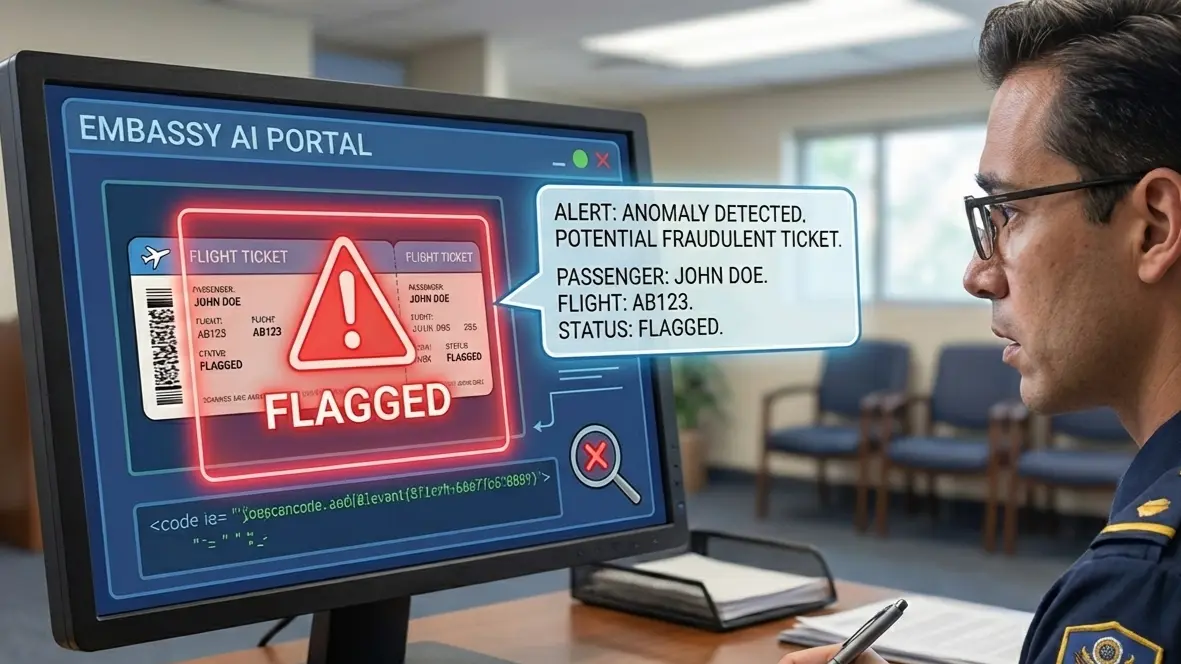
Short answer: A dummy booking can show two record locators when separate reservations, airlines or booking systems cover different legs. That is not automatically a problem. Identify which reference belongs to each leg, confirm the passenger name, route, dates and current status with the issuing source, and explain the connection clearly. A PNR alone does not prove an issued ticket or guarantee visa acceptance.
Your embassy officer opens your file and finds two record locators where they expected one. One covers Delhi to Frankfurt. The other covers Frankfurt to Mumbai. Neither looks wrong, yet both need to hold up under a quick check.
A dummy booking with two record locators works when you build it with care. The real decisions come first. Which legs deserve their own reservation? How do names and dates line up across both records? When does each hold expire before your visa appointment? Settle those points and your file reads as one clean plan.
This guide walks through the two-record route with practical Delhi and Mumbai examples: when to separate legs, how to compare names and dates, how to explain the connection, and what to do if one record changes.
Key facts
- Two references can be normal for separate bookings or airline systems; one itinerary does not always require two.
- Check each leg's passenger details, segment status and timing independently.
- A public airline lookup may not display every agency or interline record; ask the issuer how verification works.
- Use a reservation only where the receiving visa checklist permits it.
Need a truthful temporary itinerary for two legs? Check the route, traveler details, validity window and verification method before requesting your booking.
Explore DummyFlights optionsIn This Guide
- Why One Itinerary Sometimes Needs Two Record Locators
- Checking Each Booking Reference Before Submission
- Keeping Names and Dates Identical Across Both Records
- When Two One-Way Reservations Make More Sense Than a Round Trip
- Splitting a Journey Between Two Airlines Without Breaking Your Story
- Timing Both Holds Around Your Appointment and Decision Window
- Presenting Two PNRs in One Visa File
- Changing or Dropping One Leg While the Other Stays Intact
- Choosing an Issuer Who Can Explain Both Records
- Keeping Two Record Locators Consistent From Appointment to Decision
Official-source check: For terminology, IATA describes a passenger name record as reservation information and says a record locator is usually six characters, not invariably so. Your destination's current visa checklist decides which travel proof it accepts.
Reviewed for: two-reference itinerary logic, separate-carrier records, passenger-name and date consistency, reservation status and visa-proof claim limits.
Why One Itinerary Sometimes Needs Two Record Locators

Some trips simply cannot fit inside one reservation. Once your route crosses two carriers or two ticket types, the booking system splits it for you. Here is why that happens and what it means for your paperwork.
The Moment a Single PNR Stops Being Enough
Say Daniel Harper plans to fly from Delhi to Frankfurt, then continue to Lisbon for a Schengen visa. Two different airlines operate those legs. No single airline can hold both in one record.
A dummy booking usually requires two different record locators, known as Passenger Name Records or PNRs. Each record lives in one airline's system. Each carries its own booking reference and its own reservation status.
If a travel itinerary involves two different airline legs, it usually requires two separate bookings. That is normal system behavior, not a red flag. Airlines without a shared ticketing arrangement cannot write a joint record, so each carrier holds its own.
Your embassy knows this. Officers who handle European, Canadian, or Australian files see split records regularly. What they want is clarity about which record covers which leg.
What Two Separate Temporary Flight Reservations Look Like on Paper
Performing a dummy booking typically involves creating two separate temporary flight reservations. Each one is a temporary flight reservation held without full payment. Each one produces its own confirmation page or PDF.
A dummy ticket is a temporary flight reservation. It shows your name, flight numbers, dates, and a PNR. It may not show an e-ticket number because reservation and ticket issuance are separate stages.
With two records, you receive two documents. Document one might show Delhi to Frankfurt on the 14th. Document two might show Frankfurt to Lisbon on the 15th.
Each document should stand on its own. Each should also read correctly when placed next to the other. That second test is where most split bookings succeed or fail.
Itineraries That May Need Separate Records
You will usually end up with two record locators in these situations:
-
Two different airlines on one journey. Delhi to Dubai on one carrier, Dubai to Madrid on another.
-
An open-jaw route. You arrive in Rome but leave from Milan.
-
Separate outbound and return reservations. Each direction sits in its own record.
-
A multi-country trip with several visas. Each embassy may only care about one leg.
-
A stopover you want documented separately. A two-night stop in Singapore, for example.
Not every trip needs this. A simple Mumbai to Paris round trip fits comfortably in one record. Splitting it without a reason only adds more to verify.
What Embassy Officers Expect to Find in Your Flight Itinerary
Some visa checklists request a travel itinerary or flight reservation, while others require different proof. Check the current instructions for your visa category before choosing a paid ticket or temporary reservation.
Dummy tickets are commonly used for visa applications for this reason. A valid dummy ticket is accepted for visa applications when its details can be checked.
For a two-record itinerary, officers typically look for three things:
-
A departure city and arrival city that match your visa form
-
Dates that fall inside your requested stay
-
Two records that clearly belong to the same trip
If the second record looks unrelated to the first, the officer has to guess. Guessing slows your file down. The next discussion shows how to make each record easy to verify on its own.
When Split Records Can Fit a Visa File
Visa officers care about intent and credibility. A split record shows a route that real travelers use every day. Many people book legs with different airlines to match schedules or budgets, so officers see this pattern often.
The key is that both records must be real. A genuine dummy ticket has a verifiable PNR. The issuer should explain how the booking is retrieved; a public airline page does not necessarily expose every valid agency or partner record.
A truthful temporary reservation may be usable where the receiving checklist permits one; acceptance and legal treatment are not universal. Some visa checklists permit a reservation as evidence of intended travel, while others ask for different or stronger proof; check the receiving authority's current instructions. A valid dummy ticket gives your application the flight proof it needs without a large payment at the wrong time.
Using a fabricated ticket is a different matter, and we cover that line clearly later in this guide. For now, remember that two verifiable records carry more weight than one polished but unverifiable page.
Mistakes That Make Two Records Look Like Two Different Trips
The most common problem is not the split itself. It is a split that looks accidental. Officers read your file quickly, and any gap in logic makes them slow down.
Watch for these patterns:
-
Different spellings of the same city. Use the same airport names throughout.
-
Dates that drift. Leg two lands a day before leg one departs.
-
Mixed passenger names. One record uses a nickname.
-
Unrelated destinations. Leg two leaves from a city you never mention in your application.
Each of these makes the second record feel like it belongs to someone else. The fix is simple. Write your complete route in one sentence before you order anything. For example: "Delhi to Frankfurt to Lisbon on the 12th, Lisbon to Delhi on the 22nd."
Then order records that match that sentence word for word. A dummy ticket must have a valid PNR, and it must also tell the same story as every other page you submit. When both qualities are present, two records feel like one plan.
A last point on this topic: avoid collecting records you do not need. Two clear records beat four overlapping ones.
Every extra reference needs a clear purpose. A multi-leg reservation may share a locator, while separate bookings may have several; keep only the records that reflect your actual plan.
A Worked Example From Delhi to Lisbon
Let us follow Emily Carter, who applies for a Portuguese short-stay visa. She lives in Delhi and plans a ten-day trip.
Her route has three parts. Delhi to Frankfurt on the 12th. Frankfurt to Lisbon on the 12th, a few hours later. Lisbon back to Delhi on the 22nd.
Emily's provider creates record one for the Delhi to Frankfurt leg. Record two covers Frankfurt to Lisbon. A third record covers the return, since that flight uses a third carrier.
Now she holds three PNRs. All three show her passport name, all three fall inside her trip window, and all three can be opened on an airline site. That is a clean, defensible itinerary document.
If this feels like extra work, remember that the work happens once. After that, you only need to keep the records alive until your visa appointment date passes and the decision arrives.
Checking Each Booking Reference Before Submission
Two records mean two separate checks. An officer will not assume that one good record vouches for the other. You should run the same checks first, so nothing surprises you at the counter.
Why Each Record Gets Its Own Status Check
It is important to verify the status of each PNR independently to confirm the reservations are active. One record can be live while the other has lapsed or been cancelled.
Imagine Priya's first record is active but her second hold expired overnight. Her file now contains one live leg and one dead leg. An officer who checks only the second record sees a problem.
Never assume both are fine because the confirmation emails arrived together. Open each one separately, on a separate day if your timeline is long.
A credible temporary reservation should carry a genuine booking reference and an issuer-supported way to check its status. A reviewer may check the record, but the method and timing vary. It is also the thing you should test first.
Using the Airline's Manage Booking Page
A reviewer may confirm a booking through the issuer or an available airline system; there is no universal public lookup procedure. You can do the same from your phone in about two minutes per record.
Here is a simple routine:
-
Open the airline website for the first leg.
-
Go to the Manage Booking section.
-
Enter your booking code and your last name exactly as shown on your passport.
-
Confirm that the flight numbers, dates, and passenger details appear.
-
Repeat the steps for the second airline.
Verify your dummy ticket on the airline's official website, not on a third-party page. A reference may be retrievable through the airline, issuing agency or another relevant booking system, and that is the page an officer will trust.
If a record does not load, do not panic yet. Some systems take a few hours to sync a new reservation. If it still fails after a full day, contact your provider.
Reading the Result Like an Officer Would
A dummy ticket has a valid PNR that can be verified online. Once the page loads, read it the way an officer would, line by line.
Look at the passenger name first. Then check the route, the date, and the flight numbers. Finally, look at the reservation status. It should show as active or held, not cancelled or expired.
Take a screenshot of each result with the date visible. Save both in the same folder as your PDFs. If a question comes up later, you can show that both records were live on a given day.
When One Record Loads and the Other Does Not
A mismatch between the two checks needs a quick fix, not a restart. Ask your provider for the status of the missing record first. Many issues come from a typo in the booking code, such as a zero typed in place of the letter O.
If the record truly failed, request a replacement for that leg only. The working record can stay as it is. Then recheck both pages, since a replacement may carry a new booking code.
Keep a small log with the record, the check date, and the result. It takes one minute and gives you a clear timeline.
Warning Signs That a Record Will Not Hold Up
Some reservations look convincing but fail every check. Learn the signs so you can spot them early.
-
The booking code does not load. If the airline site returns "not found" after a day, the record is not live.
-
The name shows only initials. Real records carry full names.
-
No airline appears in the details. A flight number without a real carrier behind it leads nowhere.
-
The PDF has no booking code at all. A document with no reference cannot be checked.
-
Flight numbers do not exist on that date. Search the route and confirm the flight operates.
A fake ticket has no matching record in any airline or distribution system. It will fail the lookup the moment an officer tries it. That is the entire risk, and it is easy to avoid by running the checks above.
If you spot any of these signs, ask your provider for a corrected record before you submit anything.
What to Do If an Officer Checks Before You Do
Sometimes an embassy checks your record before you have had a chance to run your own tests. You may learn about it only when a question arrives by email.
Stay calm. Open both records at once and read their status. If both are live, reply with screenshots and a short note listing each booking code.
If one has lapsed, say so plainly and offer a fresh record. Honesty matters here. A short, clear reply with a new booking code usually resolves the matter.
Do not send a corrected PDF without explaining what changed. Officers want to understand the difference between the old and new documents.
Add the new record to your index page. Update the date in your tracking note. Then run the full verification routine once more.
Preparation turns this moment into a minor event. Applicants who have already saved screenshots and written down their expiry dates answer in minutes. Those who have not may spend days searching their email for the right file.
Keep a calm tone when you explain verification to a family member or sponsor who is helping with your file. Show them the airline page, the booking code, and the status.
Seeing the live record makes the process easy to understand. It also gives them confidence that your documents are in order.
Sharing Verified Records With a Sponsor or Travel Agent
Many applicants send their documents to a sponsor, an employer, or a relative who helps assemble the file. That is sensible, but it adds risk. Every forwarded copy is another chance for a file to be renamed, merged, or replaced.
Send the original PDFs, never screenshots of them. Add a short message listing both booking codes and the expiry date for each record. The reader then knows what to check and when.
Ask the helper to confirm they open the airline page rather than only the PDF. A PDF shows what was issued. The airline page shows what is live.
If a helper prints the documents, ask for a quick photo of the printout before it goes into the file. Comparing the photo with your original takes seconds and catches missing pages.
Agree on one person who owns the final folder. When two people edit the same file set, versions drift. One owner keeps the story consistent from the first check to the last.
Building a Verification Routine You Can Repeat
Your records stay live for a limited time, so one check is not enough. Set a simple rhythm instead.
Check both records on the day you receive them. Check again a week later. Check one last time the day before your appointment.
Use a small table in your notes:
|
Record |
Airline |
Booking Code |
Last Checked |
Result |
|---|---|---|---|---|
|
One |
Leg one carrier |
Code here |
Date |
Active |
|
Two |
Leg two carrier |
Code here |
Date |
Active |
This takes two minutes per round. It also gives you a record of when each check passed, which helps if you ever need to explain a lapsed hold.
If a hold is close to its end, ask your provider for a refresh before it lapses. We cover that timing in detail later. For now, the point is simple: verified once is good, verified on schedule is better.
Keeping Names and Dates Identical Across Both Records

A split itinerary gives errors twice as many places to hide. One wrong letter or one shifted date breaks the story. Here, we cover the details that matter most.
For the underlying visa-proof distinction, use the dummy-ticket-for-visa guide; this page focuses on how two booking references work together.
Passport Spelling Comes First
Dummy tickets should match your passport name exactly. A live PNR must match your passport exactly as well, down to hyphens, middle names, and order of names.
Take Alexander James Whitfield. If record one shows "Alexander Whitfield" and record two shows "Alexander James Whitfield," an officer sees two different strings. Both may be legal, but the file now looks inconsistent.
Mismatched names or spelling can lead to visa application issues. Even a single swapped letter can trigger a closer look.
Copy the name from the data page of your passport. Do not retype it from memory or from your email signature.
Making Both Records Read as the Same Trip
To ensure consistency, the passenger name and travel dates must match across both records in a split itinerary. Treat this as a hard rule.
Compare these fields side by side:
-
Full passenger name
-
Date of birth, if shown
-
Departure city for leg one and arrival city for leg two
-
Connection date and time between legs
-
Return date, if you hold a return record
A connection that looks impossible is a common trap. If leg one lands at 22:40 and leg two departs at 06:10 the same morning, the gap makes no sense on paper. Leave a realistic window.
Your dummy ticket should also match your travel itinerary for consistency. That means the dates on the reservation must agree with the dates you give elsewhere in your application.
Aligning Dates With the Rest of the Application
Inconsistent dates trigger manual checks during visa applications. Manual checks add days to processing and invite extra questions.
Your cover letter dates, your visa form entries, and your flight dates should all agree. If your cover letter says you arrive on the 14th, both records must support that.
Hotel paperwork follows the same rule. If your file includes a dummy hotel booking, its hotel dates should cover the same nights as your flights. Mixed signals cost you credibility.
Build a one-page table with every date in your file. Check each row against both PNRs before you submit.
Handling Details That Look Minor
Managing a split-PNR itinerary requires attention to detail to ensure coherence in travel documentation. Small items deserve a second look.
Watch for these:
-
Time zones. Departure and arrival times are local to each airport.
-
Date formats. Day-month versus month-day can flip a date entirely.
-
Terminal and airport codes. Delhi has one main airport, but other cities have several.
-
Name order. Some systems print the surname first.
Read both records aloud once. If anything sounds off, fix it before the embassy sees it.
Running a Side-by-Side Review Before You Submit
Open both PDFs next to each other on one screen. Read the first line of each and move down in order.
Ask yourself four questions:
-
Does the name read the same, letter for letter?
-
Does leg two start where leg one ends?
-
Does the gap between legs make practical sense?
-
Do the final dates fit the stay in my application?
Many applicants skip this review because the documents arrive from the same source. That is a mistake. Two records created minutes apart can still carry different data if one was edited or reissued.
Ask a friend to read them too. A fresh pair of eyes often catches a swapped letter or a wrong month at once. The review takes five minutes and can save weeks.
Special Cases With Long Names and Name Changes
Some passports hold names that do not fit airline fields neatly. A very long surname may be shortened by the system. A second given name may appear as an initial.
Ask your provider how the system treats long names before ordering. Then compare the result with your passport. If the airline record truncates the name, make sure both records truncate it the same way.
Name changes after marriage need extra care. Use the name on the passport you will present at the appointment, not the name on an older document.
If your passport has two surnames, confirm the order. Some systems reverse them, and a reversed order across two records is a real mismatch.
Think about hyphens and apostrophes too. Airline systems often remove them. Check how each record handles them and confirm that both records follow the same pattern.
Where an unusual name appears, add a short note to your index page. One line explaining the format can prevent confusion at the counter.
Do one more read-through for formatting. Capital letters, spacing, and the order of names should look identical in both records.
Small style differences are harmless in themselves. Still, a matching format makes the two documents feel like a pair, and pairs are easier to trust.
What to Do When a Date Must Change
Plans shift. Your appointment may move, or your employer may push your leave by a week. When a date changes, both records need to follow.
Update the first record, then the second. Do not stop halfway. A file with one old date and one new date is exactly the inconsistency that triggers a manual check.
After both updates, run the verification routine again. Download fresh PDFs and replace the old ones in your folder. Archive outdated files separately so they cannot slip into your submission by accident.
Then update your cover letter and any form that lists your travel dates. Treat the change as a small project with a checklist. When names and dates agree everywhere, you are ready to look at how the structure of the booking itself shapes your plan.
When Two One-Way Reservations Make More Sense Than a Round Trip
Booking each direction separately is a legitimate strategy, and many applicants use it for good reasons. It changes how your reservations look and how they behave. Let us walk through when it helps and how to present it.
Why Travelers Pair Two One-Way Tickets
Travelers often book two separate one-way tickets to secure a lower overall price. A carrier that is cheapest outbound may not be cheapest on the way back, so pairing the best of each can cut costs.
The same logic applies to your visa file. A pair of one-way records mirrors what many real travelers do. Officers recognize the pattern and do not treat it as unusual.
Independent bookings also give you flexibility. They allow travelers to change or cancel one leg without affecting the other. If your return date moves, you adjust one record and leave the outbound alone.
That independence is the practical heart of a two-locator approach. Each record has its own lifespan, its own rules, and its own status. You control them separately.
Consider Michael Brandt, who flies from Mumbai to Amsterdam. His outbound is fixed because of a conference. His return depends on a family event he cannot yet confirm. Two one-way records let him move only the return.
What a Paired Dummy Version Actually Proves
A dummy ticket is not a confirmed flight ticket. It is a temporary reservation that shows your intended route and dates. Understanding this difference helps you present it honestly.
An issued airline ticket generally carries an e-ticket number; a reservation record and ticket issuance are separate statuses. That number appears only after payment clears and ticket issuance takes place. A temporary, unticketed reservation may show a booking reference without an e-ticket number.
Dummy tickets are used for visa applications without full payment. They let you show a credible plan while you wait for the outcome. Nothing in your file claims the ticket is paid.
When you describe your documents in a cover letter, say "flight reservation" or "itinerary." Avoid calling it a confirmed airline ticket. Accurate wording keeps your file clean and your credibility intact.
Satisfying an Exit Plan Requirement With a Pair of Records
Some destinations ask for proof that you will leave. Dummy bookings may be used to temporarily satisfy proof of onward travel requirements. A pair of one-way records can serve this purpose well.
Imagine you are traveling from Delhi to Bangkok and then on to Kuala Lumpur. Thailand may want to see that you plan to depart. Your second record covers the onward flight ticket out of Bangkok.
That second record answers the exit question directly. It shows a departure city, a date, and a flight number. It also stays separate from your arrival record, which keeps both easy to read.
Keep the onward leg dated within the stay your visa allows. If your permitted stay is 30 days, an onward flight on day 45 contradicts your own application. Check the days before you request the record.
Waiting for Approval Before You Spend Money
Some visa authorities advise against buying non-refundable tickets before approval, while others set different evidence requirements. The reason is simple. A refusal would leave you holding a paid ticket for a trip you cannot take.
A fully paid ticket carries real risk at this stage. A non-refundable ticket is the sharpest example. If the visa is refused, the fare is usually lost, apart from some taxes.
A refundable ticket reduces that risk but costs more upfront, and refunds can still take weeks. Neither option is needed to prove your plan at the application stage.
A temporary reservation is not a boarding document. Travel normally requires an issued ticket and any documents required for the route. That is the clean division. Use temporary records while you wait. Purchase air tickets only once your visa decision is positive, and your dates are final.
Comparing Costs Honestly Before You Decide
Price is often the reason to split. Still, compare carefully before committing to a structure.
Real flight tickets bought as two one-way fares can be cheaper than a single return fare on some routes. On others, the round trip wins. Test your route on a few dates before choosing.
For a temporary reservation, the cost question is different. You are not comparing fares. You are comparing how much effort each approach demands.
A single record needs one check, one PDF, and one expiry date. Two records double all three. If a round trip works on your route, it is simpler to manage.
Choose two records when your route needs them, or when your dates require independent control. Do not choose them just because they look more detailed.
When you plan the real flight booking later, keep an eye on the same factors. Layover length, baggage rules, and change fees all differ between separate tickets. The planning you do now becomes useful again after your visa arrives.
If you are unsure which structure fits, sketch your route on paper first. Draw each flight as a line between two cities.
Count the airlines. Count the directions. If the sketch shows two carriers or two independent directions, two records make sense. If it shows one carrier and fixed dates, one record is enough.
Matching the Return Direction
Your return direction deserves the same care as your outbound. A one-way arrival with no sign of departure can raise questions in many countries.
Some applicants hold a return ticket as a single record instead. Others prefer a round-trip ticket for simplicity. Both approaches are valid. The two-locator approach is simply one more option.
Choose it when your outbound and return need to behave independently. Choose a single round trip record when your dates are firm, and one airline serves both directions.
Whichever you pick, the rule stays the same: every record must verify, match your name, and fit your stated stay. Next we look at what changes when your two legs belong to two separate airlines.
Splitting a Journey Between Two Airlines Without Breaking Your Story
A two-airline route is where most travelers first meet the two-locator rule. It also invites the most mistakes, because details live in two separate systems. Here is how to keep the route believable from end to end.
How Separate Carriers Create Separate Booking Codes
Separate airline bookings often have different references, though a linked interline booking can be handled differently. The airline or issuing system may assign its own reference, which is usually—but not always—six characters. Linked records and interline visibility vary.
A combined confirmation may or may not exist, depending on how the itinerary was booked. Your Delhi to Istanbul record belongs to one carrier. Your Istanbul to Rome record belongs to another.
Label each document the moment you receive it. Use clear file names such as "Leg1_Delhi_Istanbul" and "Leg2_Istanbul_Rome." When you open them months later, you will know which is which.
Store every booking code in a note on your phone. Having both codes in one place saves time during verification and again when you complete airline check-in for a real trip.
Setting Connection Gaps That Look Real
A connection gap tells an officer whether you understand your own route. Too short looks impossible. Too long looks careless.
For two separate records, travelers usually leave extra time because no airline protects the connection. A gap of three to six hours is common and easy to explain.
Overnight gaps are fine when the route needs them. If you land at night and the next flight leaves in the morning, the gap is believable. State it plainly in your travel notes.
Check the actual flight numbers on the airline sites. Make sure the flight operates on your chosen day. A flight number that exists only on Tuesdays will not help a Thursday record.
-
Confirm the terminal for each leg.
-
Confirm that both flights operate on the dates shown
-
Check the local arrival and departure times
-
Keep a minimum of three hours between separate records
Where Major Carriers Fit Into a Believable Route
Reliable providers book you with major airlines, and the airline is assigned by the provider, not chosen by you. A route could, for example, place one leg on Singapore Airlines and another on a European carrier.
If you are assembling the wider visa file, compare the two-leg evidence with the full flight-reservation planning guide; both records should tell the same travel story as the rest of your documents.
That mix looks natural because those carriers serve real long-haul and regional routes. Officers see the same combinations in genuine bookings every day.
Temporary reservations should be made with real airlines or GDS-backed providers to ensure legitimacy. A GDS is a global distribution system, the same backbone that travel agents use. Records created there can be checked by airlines.
If a provider cannot name a real distribution source, treat that as a signal to ask questions. A record that lives only in a private database cannot be verified by anyone else.
Making the Route Match Your Declared Plan
Your reservation should tell the same story as your application. If your form says you are visiting a sister in Munich, your records should reach Munich or a nearby airport.
Your travel plan should flow from your departure city to your destination without strange detours. A traveler from Mumbai who routes through three unrelated countries invites questions.
Keep the flight plan simple. One connection is easier to defend than three. If you need two airlines, use two records and keep the geography logical.
Cross-check the arrival airport against your accommodation city. Hotel bookings should sit in the city you reach, not three hours away. Small mismatches add up in an officer's mind.
Thinking Through Baggage and Transfers on Separate Tickets
A route on two separate records also has practical consequences in real life. You may not need to think about them for your visa file, but your itinerary should still make sense.
On separate tickets, bags are usually not checked through. You would collect them at the connecting airport, clear immigration, and check in again. That takes time, which is another reason a three-hour gap is sensible.
Consider the transit visa question as well. If your connection passes through a country that requires a transit visa for your passport, the route may be impractical. Check this early.
Officers sometimes notice routes that depend on a transit permission you do not hold. Choose connections in countries where your passport allows airside transit.
Keep a note of your reasoning. A sentence in your cover letter, such as "The connection in Frankfurt suits the host's schedule," adds credibility without adding length.
One more practical habit helps here. Write the carrier name next to each leg in your notes, and say which carrier operates it, not which one you prefer.
Your provider assigns the airline from available inventory, so your job is to check that the final route fits your plan, not to design it.
Reading Fare Rules for Each Record
Every record carries its own fare rules. These cover changes, cancellations, and name corrections. Rules differ by airline, so two records may follow two different policies.
Even a low-cost airline may charge a cancellation fee on a real purchase. On a temporary reservation, the rules matter less, but you should still read them. They show how the airline treats the record.
Know which of your records could be changed freely and which could not. That knowledge helps later if you ever convert a temporary record into a paid one.
Understanding fare rules also keeps your story honest. You will not promise flexibility that a record does not offer. With the route settled, timing becomes the next issue to manage.
Timing Both Holds Around Your Appointment and Decision Window
Records do not last forever. Two records mean two clocks, and they rarely tick at the same speed. Planning around them keeps your file alive when it matters most.
How Long a Hold Really Lasts
A dummy ticket can remain valid for 48–72 hours. Many travelers find that window comfortable for a standard appointment. Longer visa timelines need more planning.
Unpaid temporary holds for dummy bookings may expire within 24 hours to 14 days, depending on the airline and the booking source. That wide range is why you must ask for each record's end date.
When a reservation expires, its status changes. The record may show as cancelled or disappear from the Manage Booking page. An officer who checks at that point finds nothing.
Write the expiry of each record at the top of your tracking note. Two dates, one for each record, should sit next to your appointment date.
Working Backward From Your Appointment
Begin with the day of your visa appointment. Count backward to find the latest safe date to request your records.
Say Sophie Lambert has an appointment on the 20th. She wants both records to be fresh and valid for at least three days after that. She orders them around the 14th, when a 10-day validity covers the appointment comfortably.
Your visa appointment date is the first checkpoint. Some embassies review documents on the day. Others review them days later. Cover both cases.
Build a small buffer on each side. Two days before the appointment, verify both records. On the day itself, verify again. A quick check on your phone is enough.
Staggering Orders When the Decision Takes Weeks
Visa decision times vary widely. Some embassies decide in days, while others take several weeks. A hold lasting 10 to 14 days may expire before you hear back.
When the wait is long, consider staggering. Order the first record now and the second a few days later. The two will then expire at different times, and you can refresh them one after the other.
Alternatively, order both together and plan a replacement once the first expires. Either approach works as long as your file shows live records whenever a check occurs.
Some embassies confirm travel details again late in processing. Ask your provider whether replacement records keep the same dates. Keeping dates stable avoids fresh inconsistencies.
When Plans Stay Flexible but the File Cannot
Keep your travel plans flexible in real life, since the visa outcome decides them. Your file, however, needs firm entries. Embassies cannot assess a vague plan.
Choose intended travel dates that you could actually keep. Then hold them steady across your documents. If you change them, change them everywhere.
Flexible plans and fixed paperwork work together when you plan for them. Pick dates, record them in all documents, and use date changes with your provider only when truly needed.
Handling Public Holidays and Embassy Closures
Embassies close on their own national holidays and on those of the host country. A decision date that falls near a long weekend may slip by days.
Check your embassy's holiday calendar before you plan your timeline. Add two or three working days of margin around any closure.
Remember that your records keep ticking during closures. A hold that lasts 10 days runs through weekends and holidays alike.
If your appointment sits just before a holiday block, consider ordering fresh records the day after the appointment. Your documents stay current for the review period that follows.
Some applicants ask for a longer validity window when they know a holiday is coming. If your provider offers it, use it. If not, plan a replacement.
Keep your phone number and email current with the embassy too. A request for clarification can arrive during a busy period, and a missed message can cost days. Quick replies keep your application on track.
Set a phone reminder for each expiry date, one day ahead. A simple alert beats a good memory.
When the reminder fires, open the booking page, check the status, and decide whether to refresh. Two reminders cost almost nothing and prevent most lapsed holds.
A Timeline You Can Copy
Use this order of events as a template:
-
Two weeks before the appointment, confirm your passport spelling.
-
Ten days before, request the first record.
-
Nine days before, request the second record.
-
Seven days before, verify both and save screenshots.
-
Two days before, verify again.
-
After the appointment, track expiry dates and refresh if needed.
If your application includes invitation dates from a host, keep your reservation dates within them. Fixed travel dates in the invitation should match your records exactly.
Once the timing is stable, you can focus on how the two records appear inside the file itself.
Presenting Two PNRs in One Visa File
Good records can still look weak if they are scattered across a stack of papers. How you arrange them matters almost as much as what they say. This discussion shows how to build a file that an officer can read in a minute.
Where Each Record Belongs in Your Visa File
Place your reservation documents together, right after your passport copy and application form. Officers expect flight proof in a predictable spot.
Put record one on top, then record two. Follow the order of travel, so the first page covers your first leg. A reader should never need to rearrange pages to understand the route.
Many embassies publish a visa checklist. Read it line by line. Some ask for "flight reservation" and nothing more. Others want a full itinerary document with dates and names.
If the checklist names a format, follow it. If it is silent, use one PDF per record and add a short index page in front. That page lists both booking codes, both routes, and both dates in a simple table.
An index page costs you nothing and saves the officer time. Time saved at the desk often means fewer questions.
Explaining Both Records in Your Cover Letter
Your cover letter is the right place to introduce the split. Two or three sentences are enough.
Say something like: "This itinerary uses two flight reservations because the route involves two airlines. Record one covers Delhi to Frankfurt on the 12th. Record two covers Frankfurt to Lisbon on the same day."
Notice what that wording does. It names the legs, gives the dates, and explains the reason for two records. It never claims the tickets are paid.
Your cover letter dates must match your records exactly. If the letter says the 12th, both records say the 12th. A letter that says the 13th undoes your careful work.
Keep the language plain. Short sentences read well, and officers see hundreds of letters each week. A clear letter earns trust.
Showing Passenger Details and Flight Details Clearly
Each record should display passenger details in full. Name, booking code, and route should sit near the top of the page.
Flight details come next. List the carrier, flight numbers, departure and arrival airports, and times. Everything an officer needs should fit on one screen.
If your provider's PDF hides some of these items, ask for a clearer version. A cluttered layout hides facts, and hidden facts invite doubt.
Travel details across your whole application should also tell one story. Your planned travel dates, your accommodation nights, and your reservation dates should all land on the same days.
-
Arrival date equals the first hotel night
-
Departure date equals the checkout date
-
Return flight date equals your leave end date
-
Insurance coverage starts on arrival and ends on departure
Keeping Every Document Aligned With the Travel Itinerary
All documents must align with your travel itinerary for consistency. That includes everything from insurance to employment letters.
Take your travel insurance policy. Its start and end dates should cover both records fully. A policy that ends before your return flight leaves a visible gap.
Your hotel bookings should follow the same logic. If a dummy hotel booking supports your file, its hotel dates should wrap around your arrival and departure without overlaps or empty nights.
Your leave letter from work should cover your absence from the first departure to the final return. If the letter is shorter than the trip, an officer may doubt the plan.
Lay out every date on one page, then compare each document against it. This single habit prevents most alignment mistakes.
Digital Copies Versus Printed Copies
Upload and paper rules vary by authority and application channel. Prepare for both.
For uploads, keep each PDF under the size limit and use a clear file name. Merge the index page and both records into one PDF if the portal allows only a single file.
For paper, print in color and at full size. Booking codes should be easy to read, and no page should be cut off at the edges.
Bring a spare set to the appointment. Keep the digital copy on your phone too, since a quick lookup can answer many questions.
Check that links and codes still work in the printed version. If your PDF includes a scannable code, test it from the printout.
Never alter the file to fit a portal. If a record is too large, ask your provider for a smaller version. Altering a genuine document in any way invites doubt, and doubt slows a decision.
Finally, keep your documents in one tidy folder with a clear name. Inside, store the index page, both PDFs, the cover letter, and your verification screenshots.
When the embassy asks for something, you will know where it is. Fast, organized replies reflect well on your application.
Answering a Follow-Up Question From the Embassy
Sometimes an officer asks you to explain a record. Calm, simple answers work best.
If asked why you hold two records, explain the two-airline route. If asked about payment, state that the records are temporary reservations and that you will buy tickets after approval. Check the relevant checklist before assuming when a final ticket must be purchased.
If asked to prove a record is active, open the airline's manage booking page and show the live status. Your screenshots from earlier checks help too.
Keep both booking codes ready, along with your passport. Preparation makes the exchange short and confident.
Never promise something your documents cannot support. Honest, specific replies keep your application moving toward visa approval. When one record needs attention later, the next discussion shows how to handle it without disturbing the other.
Changing or Dropping One Leg While the Other Stays Intact
The biggest advantage of two records is control. One can move without the other. That freedom only helps if you use it carefully, so let us cover the situations you may face.
Why Independence Is the Strongest Reason to Split
Independent bookings allow travelers to change or cancel one leg without affecting the other. This is the quiet benefit of the two-locator approach.
With a single record, a change to one flight can ripple through the whole booking. With two, the second record stays exactly as it was.
Imagine Oliver Grant's appointment moves from the 5th to the 19th. His return date has to shift, but his outbound does not. He updates only record two and leaves record one untouched.
Fewer changes mean fewer chances for errors. You only need to re-verify the record you touched, plus a quick look at the other to confirm nothing shifted.
Editing Only the Affected Record
Start from the right place. Open the airline's manage booking page for the record you want to change, or contact your provider if they handle edits.
Follow these steps:
-
Note the current date and booking code.
-
Request the new date on that record only.
-
Wait for the updated PDF.
-
Check the new status online.
-
Replace the old file in your folder.
Do not edit both records unless both need it. Extra edits add risk with no benefit.
Some providers offer changes at no extra charge. That makes it easy to align your records with a rescheduled appointment. Ask about this before you order, since it affects how you plan.
Shifting a Date Without Creating a Mismatch
A date shift in one record can break a connection. If leg one now lands a day later, leg two must still make sense.
Check three things after any change: the gap between legs, the total length of stay, and the fit with your visa dates. If any of those slip, adjust the other record too.
Update your supporting documents as well. Your cover letter, hotel dates, and insurance must reflect the new plan. A single outdated page can undo an otherwise clean file.
Keep a version log. Record the change, the date you made it, and the files you replaced. A small log protects you from submitting the wrong version.
Replacing a Record That Has Lapsed
When a reservation expires, do not scramble. Ask for a replacement of that leg only. Its new booking code will differ from the old one.
Confirm the replacement is a valid PNR before you rely on it. Open the airline's page and read the status. Then update your index page with the new code.
Keep the old PDF in a separate archive folder. You may want to reference it if an officer saw the earlier version. Label it clearly as replaced.
If the filed itinerary materially changes, check the authority's instructions for updates rather than assuming you must wait to be asked. Many embassies prefer to be contacted through their portal, not by email.
Dropping a Leg From Your Story
Sometimes a leg no longer belongs in your plan. Perhaps you decide to skip a connecting city. Because the records are separate, you can remove one without damaging the other.
Before you drop anything, check your visa form. If the form lists the removed city, the discrepancy must be fixed there too. Otherwise, your file contradicts itself.
Your flight proof must still support your stated purpose. If your visa is for Germany, at least one record should reach Germany. Removing the only German leg would leave the file empty of support.
Make changes with the end in mind. A smaller, clearer file beats a long one with loose ends.
Common Slips When Editing a Single Record
Single-record edits are simple, yet a few slips repeat often.
-
Forgetting to download the new PDF. The old file stays in the folder and gets submitted.
-
Changing a date but not the cover letter. The paperwork now disagrees with itself.
-
Editing during peak verification time. A change made hours before an appointment leaves no time to recheck.
-
Assuming the booking code stays the same. Some changes issue a new code.
Build a short routine to avoid these errors. After any edit, rename the old file with "OLD" at the start, save the new file, and open the airline page to confirm the change.
Then read the new record next to the untouched one. This is the same side-by-side review you used at the start.
If you work with a provider, ask for confirmation of every change in writing. Having it in an email makes your own records easier to trust and easier to explain if a question comes up later.
Whenever you finish an edit, wait a few minutes and reload the airline page. Some systems update slowly, and an early check may show old data.
If the page still shows the previous date after a few hours, contact your provider. Do not submit anything until the live record matches your new plan.
Moving From Temporary Records to Real Tickets
After your visa arrives, you can buy the real tickets. That is the moment for a ticket purchase and the arrival of your final ticket.
An issued airline ticket generally carries an e-ticket number, while a reservation may exist before ticketing. Once you have it, your temporary records have served their purpose. You can let them lapse.
Match the real tickets to the dates in your approved visa. Entry dates are often fixed by the visa sticker. A booking outside the visa window can leave you stranded at the border.
Keep your records until the trip is done. They form part of your paper trail if the embassy asks follow-up questions. Choosing the right provider makes all of this easier, which is where we turn next.
Choosing an Issuer Who Can Explain Both Records
Everything in this guide depends on one thing: records that hold up when someone tests them. The provider you choose decides that. Here is how to judge quality before you spend anything.
Signs of a Genuine Dummy Ticket
A genuine temporary reservation should identify its issuing record. Ask whether it can be checked through the airline, agency or another booking channel, and which details are needed.
Look for a verifiable flight reservation that shows real flight numbers, real dates, and your exact passport name. Everything should match what the airline's system shows.
A genuine booking record matters, but a reference is not the whole visa file. Check the issuer-supported status, then compare the route and dates with the receiving checklist.
Many applicants search for a dummy flight ticket online and pick the first result. Slow down. Test the sample if the provider offers one, and look at how clearly the booking code appears.
Online-generated dummy tickets can be perfectly sound when they connect to real airline systems. The question is not how the document is made, but whether the record behind it exists.
Where a Temporary Reservation Ends and a Fabricated Ticket Begins
A truthful reservation avoids the deception of a fabricated document, but whether it is acceptable depends on the destination and purpose. They are temporary reservations made in a real booking system.
A fabricated ticket can lead to refusal or other consequences under the applicable rules. A fabricated document is made up, with no airline record behind it. That is what officers call a fake ticket, and it can lead to refusal or a ban.
The distinction is simple. If the PNR works on the airline's page, it is a reservation. If it does not, it is something else.
Do not alter booking details in a PDF or image to make them appear genuine. Ask the issuer to correct the underlying record and send updated proof. Never change dates in an image editor. Changing a genuine document turns it into something an officer can reject. Always ask your provider for corrections.
Describe your documents honestly in your application. A flight reservation is a flight reservation, and calling it a reservation keeps you on safe ground.
Questions to Ask Before You Order
Ask these questions before you pay:
-
Which booking system creates the record?
-
Will you receive two separate PDFs with two codes?
-
Can both records be verified on the airline's official site?
-
How long does each reservation last?
-
Can you change dates, and is there a cost?
-
How fast will the documents arrive?
Be careful with offers framed around a discounted price and urgent delivery. Speed is useful, but only if the record is verifiable. Quick delivery matters only if the document is accurate and suitable for the receiving checklist.
Compare current service terms and document quality rather than relying on price alone. Compare what is included, not only the price. A dummy air ticket that fails verification is not cheap at any price.
Check how the provider handles support. If a record fails, can you reach someone quickly? Reliable support matters when an appointment is close.
What to Confirm Before Placing an Order
Using a legitimate ticketing service provides a valid PNR without financial risk when applying for a visa. You get the record you need and avoid the cost of a full fare.
DummyFlights.com can help you request temporary travel proof; confirm the current verification method, validity window and change terms before ordering, which suits a two-record plan well.
Whatever provider you pick, ask for the booking code before you rely on the document. Verify it yourself. That one habit gives you control no matter whose service you use.
Reading Samples and Support Replies Carefully
You can learn a lot about a provider before you pay. Ask for a sample document and study it with the same care you would give your own.
Does it show a clear booking code? Does it list the airline, flight numbers, and times? Does the layout look like a genuine airline confirmation?
Send a short question to support and see how they reply. A good provider answers directly, names the booking source, and explains how verification works. A vague answer is a reason to pause.
Read the terms for the validity period and change policy. Make sure they match what you need for your timeline.
Avoid anyone who promises results that depend on an embassy's decision. No provider controls a visa outcome. Honest providers explain what they offer and leave the rest to you.
A provider that explains the process clearly will also help when you need a replacement record at short notice.
Keep your own expectations realistic too. A good provider reduces risk, but accurate details from you complete the process.
Give your name exactly as printed in your passport, confirm every date twice, and review the draft records on delivery. That teamwork produces reliable documents.
Keeping Your Own Copy Safe After Delivery
Once your records arrive, protect them. Save both PDFs in two places, such as your email and a cloud folder, and keep the original filenames intact.
Open each file immediately and read it line by line. Errors are easiest to fix on the day of delivery, while your provider's support team is already aware of your order.
Do not rename booking codes inside the file or retype them into your own documents from memory. Copy and paste them instead. A single swapped character turns a valid code into a dead end.
Store screenshots of the live airline pages next to the PDFs. Name them with the date, such as "Leg1_Status_12Oct". Months later, you will know exactly when each check took place.
Finally, remove old drafts and test files from the main folder. A clean folder lowers the chance of attaching the wrong document at the last minute.
Your Final Pass Before Submitting
Run this checklist once more before you submit:
-
Both booking records checked through the issuer-supported channel near submission
-
Passport name identical in both records
-
Dates consistent across records, letter, and form
-
Index page listing both booking codes
-
Expiry dates written down for each record
-
Screenshots of live status saved
If every item is checked, your file is ready. The two records will read as one plan, and an officer can confirm each one in seconds.
Keeping Two Record Locators Consistent From Appointment to Decision
Two record locators need not complicate your application when you explain what each covers. They simply show the real structure of your route. Verify each PNR on its own, match your passport name exactly, and keep every date identical in the records, your cover letter, and your forms.
Time your holds around your appointment and decision window, and change one leg at a time when plans move. A dummy booking can stay clean from first check to final approval.
When you are ready, a dummy ticket booking with two verifiable records gives your file a solid base.
Need a truthful temporary itinerary for two legs? Check the route, traveler details, validity window and verification method before requesting your booking.
Check current booking optionsFrequently Asked Questions
Are two booking references a problem for a visa file?
Not by themselves. Explain which leg each reference covers and ensure the combined route, names and dates match the application; follow the receiving checklist.
Does each airline always issue its own PNR?
No. Separate systems can create different locators, while some interline or agency bookings share or link records. Ask the issuer which reference works where.
Does a PNR prove that both flights are ticketed?
No. A reservation reference, segment status and issued e-ticket are different things. Check each leg's actual status.
What if one leg changes before my appointment?
Update the affected record and any connected dates, then use the issuer's current confirmation rather than editing an old PDF.
Can an embassy retrieve both references online?
Possibly, but access and lookup method vary by issuer, airline and authority. Do not assume a public Manage Booking screen shows every valid record.
When should I buy the final flights?
Follow your destination's visa instructions and fare-risk tolerance. An issued ticket may be necessary for actual travel even when a reservation suffices at application stage.
Friendly reminder: DummyFlights provides temporary travel-proof documents for planning and application support. Requirements vary by destination, airline, route and applicant situation. A dummy ticket can support a file, but it does not guarantee approval, boarding or entry.