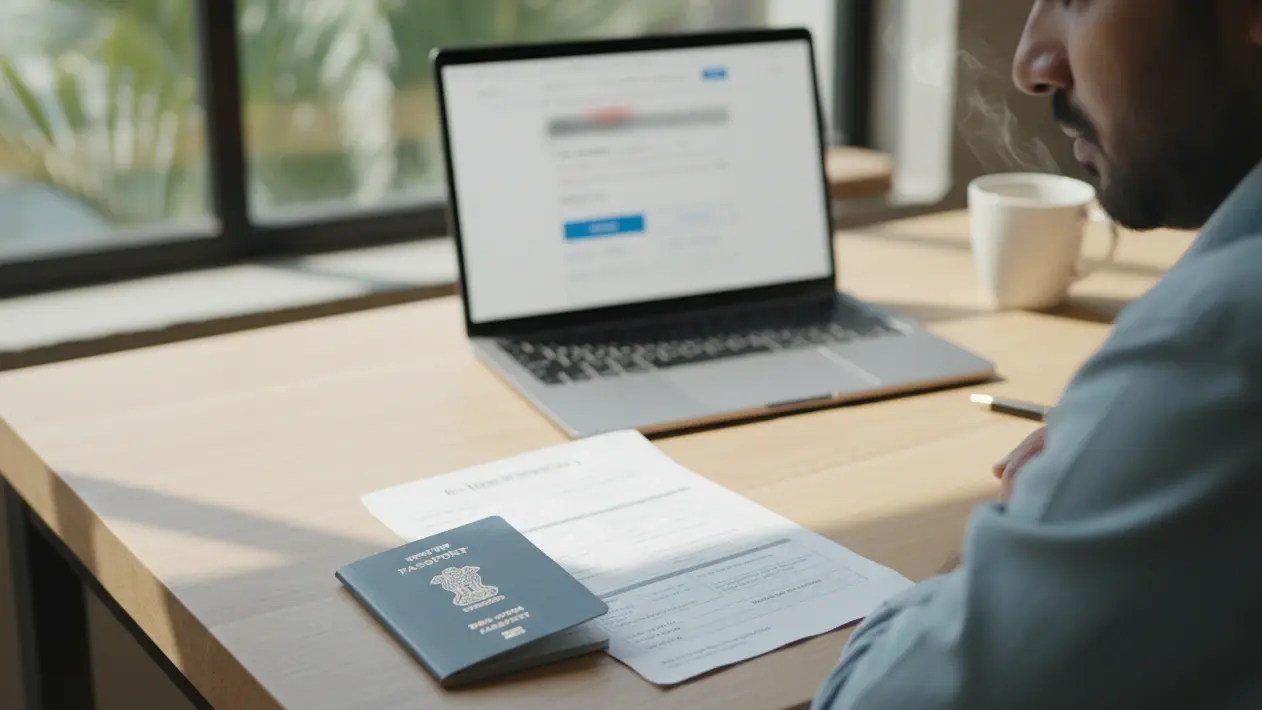
Short answer: If the airline checkout page shows an error, do not assume the flight failed or pay again immediately. Check email, the airline account and card status; the confirmation page may have failed after a booking succeeded. Ask the airline whether a reservation or e-ticket exists. If no paid booking exists and your visa checklist permits a reservation, an authentic dummy ticket can document your intended route without pretending to be paid airfare.
Key facts
- A failed confirmation page is not proof that a booking failed.
- A pending card authorization is not always a final posted charge or an issued ticket.
- Check airline support and the card issuer before making a second payment.
- A temporary visa reservation is separate from the attempted purchase and does not convey boarding rights.
In This Guide
Reviewed for: the checkout-stage airline error, payment uncertainty and risk of double-paying immediately before a visa deadline. This is different from a PNR lookup that says “not found” after a reservation has already been issued.
Official-source check: British Airways warns that a booking can succeed even when the confirmation page fails to load, and advises checking email before contacting the airline. The U.S. CFPB notes that pending card charges can differ from final posted amounts. IATA distinguishes PNR booking information from its ticket indicator.
| You see | Possible meaning | Next check |
|---|---|---|
| Error or blank confirmation | Booking may have failed or only the page may have failed. | Check email, account and airline support. |
| Pending card amount | Authorization may not be a posted purchase. | Ask the issuer and carrier before paying again. |
| Booking reference | A record may exist without an issued ticket. | Ask whether every leg is ticketed or only reserved. |
The airline payment page freezes three days before your visa appointment. You do not yet know whether the booking failed, the confirmation page failed, or a card authorization is pending. Stop before pressing Pay again: first check your email and booking account, then ask the airline or card issuer about any charge.
This guide separates three jobs: establish whether a paid flight already exists, resolve a payment or website error without duplicate charges, and obtain an honest visa-purpose itinerary if the checklist permits a reservation. A dummy ticket does not reverse an airline charge or replace a paid ticket for boarding.
First Determine Whether Airline Checkout Really Failed

A failed checkout rarely arrives at a convenient time. It usually shows up when your appointment is close, and your submission folder still has one empty slot.
What Usually Breaks During Checkout
A failed checkout can reflect a declined card, expired session, price change, payment-gateway problem or a confirmation screen that did not load. The visible error does not by itself tell you whether a booking was created.
Here are the usual suspects:
-
Payment gateway timeouts that return a blank page
-
Bank security checks that decline foreign merchant charges
-
Fare changes that appear halfway through checkout
-
Sessions that expire before you finish entering card details
Airline websites can have technical failures, but do not assume a general outage from one error message. Look for a carrier status notice or ask support if the same problem persists.
Even a major carrier can show an incomplete confirmation screen. Treat the booking reference, email receipt and airline account as stronger evidence than the page spinner.
A stalled checkout does not necessarily leave you without a booking. Check before creating a second itinerary or paying again.
Quick Fixes To Try Before You Give Up
Start with the booking outcome, not browser fixes. Check inbox, spam folder and airline account, and allow the carrier’s stated confirmation window. If no booking appears, follow the airline’s support instructions; only then try a clean browser session.
Work through this short list in order:
-
Open a private window or a different browser
-
Switch from your phone to a desktop, or the reverse
-
Turn off extensions that block scripts or trackers
-
Ask your bank to approve the charge, then try again
Do not repeatedly press Pay. Another attempt can create a duplicate authorization or booking. Save the time and error message, then establish what happened to the first attempt.
Two failed attempts do not prove the problem is on the airline’s side. Card authentication, browser settings, fare changes and site issues can look similar. Ask the airline or card issuer when the cause is unclear.
Deciding How Much Time You Can Afford To Lose
Count backward from your submission day, not forward from your frustration. Emma, for example, has a Monday slot for a trip from Delhi to London. It is Friday evening, and the checkout has failed twice.
An embassy or visa center’s late-document policy varies. Emma checks the current checklist and submission window, then gives the airline a defined time to confirm whether the first booking exists.
Set a practical cutoff before submission, but avoid presenting an alternative itinerary until you know the original purchase did not succeed or you can explain both records.
Why a Failed Payment Is Not a Dummy Ticket Problem
A visa-purpose reservation cannot resolve an airline payment dispute, release a card authorization or cancel a paid ticket. Handle the payment issue with the airline and card issuer separately.
When the relevant visa authority accepts a flight reservation or itinerary, a genuine temporary booking can show intended travel without claiming that airfare has been purchased.
Read the authority’s current checklist. If it requires an issued ticket or proof of payment, a temporary reservation may not satisfy it.
A reservation may be a lower-commitment option than nonrefundable airfare, but its duration, price, change terms and verification path vary. Do not assume it offers the same rights as a paid ticket.
How an Embassy Reads a Missing Itinerary
A missing travel document can leave a gap where the checklist requires one. It does not automatically mean refusal; the authority evaluates the full file under its own rules.
Keep the intended departure, return or onward route consistent with the visit purpose and stay dates. Whether a paid ticket is needed depends on the specific instruction.
A traveler may seek a reservation after checkout trouble, but first ensure that no paid booking was created by the failed screen. Then use only an authentic document with accurate passenger and route details.
Keep your cover letter in sync with the reservation. If the letter says ten days, the dates should show ten days. Small gaps like this create doubt that a simple check would have prevented.
Signs the Problem Sits With the Airline and Not With You
An error on two devices may suggest a site issue, but it is not proof. The airline’s support team and card issuer can identify whether a transaction or reservation exists.
Watch for these signals:
-
The error code appears on every route you try, not just one
-
The airline's own help page mentions maintenance or an outage
-
Other travelers report the same message on public forums
-
Your card works normally on other sites the same day
If the cause remains uncertain, stop retrying and contact the carrier. Preserve the error details and payment evidence while you prepare any permitted visa-document alternative.
Once you decide the checkout error is not worth another hour, the next question is how to get a reservation in your hands fast.
Get Visa-Purpose Travel Proof Without Duplicate Payment
Speed matters near an appointment, but accuracy matters more. Do not create conflicting itineraries just to fill a folder.
The Booking Steps From Form to Inbox
A reservation service may accept route, date and passenger details online. Delivery time and availability vary by provider and carrier; confirm current terms before ordering.
Follow this order:
-
Enter your route, travel dates, and passenger names exactly as they appear in your passport
-
Fill out a form with personal details to book.
-
Pay using your preferred method. Payment options include PayPal, UPI, or bank transfer.
-
Wait for delivery. Expect ticket delivery within 10 to 60 minutes.
Use the same spelling that appears on your visa form. A single swapped letter can raise questions later. Keep the confirmation email open in a separate tab while you finish your other paperwork.
Provide only the information legitimately needed to create the reservation. Be cautious of unnecessary identity, payment or password requests.
What You Pay and What You Get
Compare the current displayed price and inclusions, not a price list copied from another date or provider.
-
Dummy ticket prices start at $5.
-
Dummy tickets are available for as low as $3.
-
A dummy ticket with e-ticket costs $49.
-
Dummy hotel bookings are priced at $20.
-
Prices for dummy tickets can go up to $79.
A higher price does not automatically mean an e-ticket is issued. Ask for the precise document type and ticketing status in writing.
Compare the cost of a temporary reservation with a refundable fare or airline hold under the actual rules. The cheapest option may not meet the visa checklist.
If your embassy also asks about lodging, some services provide dummy hotel booking documents as well. Treat it as a separate item with its own dates and check it the same way.
Where a Verifiable Reservation Comes From
Some genuine reservations originate in an airline channel or agent booking system. The issuer should explain what record exists, how it can be checked and whether it is ticketed.
A booking reference identifies a reservation record. It is not the same as an issued e-ticket number, and it does not guarantee that every airline consumer site will display the record.
IATA explains that a PNR can contain an itinerary and ticket indicator. Ask the issuer for the appropriate lookup path. A missing result on one consumer site is a troubleshooting signal, not automatic proof of a fake booking.
Choose a route and issuer that can explain the carrier, booking channel and verification path. Do not assume you can select any airline or that every carrier will display an agency-created hold online.
When a Temporary Reservation Makes More Sense Than a Full Fare
Timing decides this choice. A visa can take weeks, and fares move daily. Buying early locks you into a price and a set of rules before you know the outcome.
A temporary reservation can avoid paying a full fare before a decision when the checklist permits it. It can still expire or require replacement, and it cannot be used as a boarding entitlement.
Ask yourself three questions:
-
Does the embassy ask for a paid ticket or only a reservation?
-
Could my dates change after the interview?
-
Would another failed purchase leave me stuck again?
Follow the official document wording. A requirement for a reservation is different from a requirement for an issued ticket or payment receipt; ask the authority if its instruction is unclear.
What To Do the Moment Your Reservation Arrives
Open the issuer document when it arrives. Check its actual deadline, route, names, dates, booking reference and ticketing state before uploading it.
Check these items first:
-
Passenger name spelled exactly as in your passport
-
Route, including the correct city codes
-
Dates that fit your appointment and your stay
-
A booking reference that is clearly visible
If anything looks wrong, contact the provider at once with a short note listing the error. Quick corrections protect your timeline. Late discoveries cost you slots.
A reservation that exists is only half the job, because the officer reviewing your file still has to be able to confirm it.
Verify the Reservation and Match the Application
Some authorities may verify a booking while others primarily review document consistency. Never promise that all embassies use the same lookup path.
Verifying the PNR on the Airline Page
Use an official airline or issuer channel to check the booking reference when available. If the consumer airline page does not display an agent-created record, ask the issuer for another legitimate verification method.
A Manage Booking page can be useful, but a successful lookup does not prove the flights are ticketed or still usable. Check each segment and the ticketing state.
A screenshot may help your own records, but it is a time-stamped snapshot and may not be required or accepted by a visa office.
Then compare what you see with your paperwork. Verify the ticket details against your visa application form. Check names, flight numbers, and dates line by line.
Matching Dates to Your Appointment and Form
Dates and local time can create inconsistencies. Correct an itinerary that departs before the application appointment or conflicts with the intended stay, but do not imply a single mismatch automatically causes refusal.
Here is how it plays out. Daniel applies for a Schengen visa and books a trip from Mumbai to Frankfurt. His visa appointment date is 12 November, but his reservation shows a departure date of 10 November.
Daniel should correct the intended dates and check the authority’s submission deadline. The concern is that the trip plan conflicts with the application, not that an appointment must always precede every booked flight date.
Line up these items across every document:
-
Departure date and arrival date, including the time zone shift
-
Planned departure and return, repeated in your cover letter
-
Flight details and flight numbers for each leg
-
Travel dates that fall inside your visa validity
Not verifying the ticket before submission is a common mistake. Make the check part of your routine, not an afterthought.
There is no universal 24-to-72-hour or two-week validity for dummy tickets. Ask the issuer for this particular hold’s ticketing deadline and recheck close to submission.
A multi-city route needs extra care. List the legs in the same order in every document, and make sure each leg appears in your visa file.
Warning Signs of a Fake Reservation
A failed public lookup can have several causes, including a wrong locator, surname format, codeshare or channel difference. It is a reason to investigate, not conclusive proof of a fabricated document.
Price alone does not establish authenticity. Request issuer details and a verification path; never submit a hand-edited or invented airline document.
Use this quick screen:
-
The record loads on the airline's system with your name
-
Dates and routes match your form exactly
-
The provider gives you a booking reference you can check
-
The file is a reservation, not an edited image
Use an authentic reservation accurately described as a reservation. If the record cannot be found through the expected path, ask the issuer to explain or replace it before submission.
Know the limits as well. A legitimate dummy ticket can provide temporary proof of travel plans but cannot secure an actual flight. Dummy tickets cannot replace a valid, confirmed ticket for boarding a flight.
Some visa checklists ask for planned return or onward travel. A reservation may support that requirement where permitted, but follow the specific authority’s wording.
Airline boarding and border-entry rules are separate from visa-document rules. An unticketed visa-purpose dummy reservation may not satisfy onward-travel requirements for an actual journey; check the carrier and destination rules before travel.
A Five Minute Routine Before You Hit Submit
Run a final pass on the whole folder before you upload or print anything. A short routine catches most errors.
-
Open the airline page and confirm the record loads
-
Compare passenger names against your passport page
-
Match each date to your visa form and cover letter
-
Check that your arrival date and return leg make sense together
-
Save the confirmation email and the screenshot in one folder
Then read the file as an officer would. Ask whether the story is clear: who is traveling, where, when, and why. If one answer is unclear, fix it now.
Keep the visa document available for submission, but do not assume the same temporary reservation is valid proof at an airline check-in counter.
Handling Questions at the Visa Counter
Sometimes an officer asks about your itinerary directly. Stay calm and answer in plain terms. You can say that you hold a reservation for your planned dates and will buy the final flight after approval.
Keep your answers short and consistent with the page. Do not guess at details you cannot see. If you need a number, read it from your copy.
A screenshot can show what appeared at one time. If asked, explain accurately whether the itinerary is a temporary reservation or issued ticket and offer the issuer’s verification details.
Even a verified reservation cannot help if money left your account during the error, so that deserves its own check.
Resolve a Card Charge That Appeared After the Error
A frozen page and a card entry require two checks: whether the transaction is merely pending or posted, and whether the airline created a reservation or issued a ticket. Do not infer either from the screen alone.
Check Your Bank Statement and Inbox First
Check the card issuer’s transaction status, amount and merchant; a pending authorization is not necessarily a final posted charge. The CFPB explains that pending charges may not equal final posted amounts.
Search your email, spam folder and airline account for a booking reference. British Airways says a booking can succeed even when its confirmation page fails to load; contact the carrier if the receipt does not arrive within its stated window.
Three outcomes are possible:
-
No charge and no email, so nothing happened
-
A charge without an email, so the booking is unclear
-
A charge and an email, so you hold a paid ticket
A confirmation email or reference may represent a booking without an issued ticket. Verify ticketing status and fare rules directly with the carrier.
Do not rebook in a panic. Duplicate purchases or authorizations can be difficult to unwind; the carrier and card issuer can tell you what happened to the first attempt.
Evidence To Keep and Who To Call
Gather proof before you pick up the phone. Screenshots of error messages and transaction details can be useful for resolving booking issues. Save the time, the amount, and the last four digits of your card.
Then reach out. Contacting airline customer support can clarify the status of a booking after an error. Give them your name, route, and the time of the attempt.
If you bought travel insurance alongside the fare, check whether the policy covers cancellations. Many plans handle this differently, so read the terms.
Keep a simple log of each contact:
-
Date and time of the call or chat
-
Name of the agent
-
What they promised and by when
Keeping Your Visa Timeline Moving in the Meantime
Do not let a payment investigation make you miss the authority’s stated document deadline. Keep the disputed transaction and any visa-purpose reservation as separate records.
If the checklist permits a reservation, use an authentic one while the airline clarifies the attempted purchase. Tell the issuer if a paid flight already exists so you do not create a contradictory second itinerary.
Review the destination's entry rules before you commit to dates. Destination rules vary on onward proof and stay length. Some countries also add exit visa procedures for departing residents.
Exit and onward-travel rules differ by country and traveler status. Check official destination and carrier requirements rather than assuming a visa document also serves at check-in.
You may also want a quick reference. Our dummy ticket FAQs cover common questions on validity, changes, and verification. Your travel plans stay on track when you check each step before submission.
Buying the Real Flight After the Error Is Resolved
Once the airline confirms whether the booking or ticket exists, decide whether another purchase is necessary. Request written confirmation of any cancellation or refund.
If the airline cancelled the failed attempt, confirm the refund timeline and the amount. If the airline kept the booking, confirm the dates and the passenger names. In both cases, save the reply.
Buy or finalize a real ticket when it makes sense for your visa and travel circumstances. There is no universal rule to wait until approval, and a browser change is not a substitute for confirming the earlier transaction.
Then update your records. Replace the reservation in your travel folder with the paid itinerary, and keep the old reservation for reference. Your documents should always show one current plan.
Protecting Yourself From a Repeat Failure
Before another attempt, verify card details with the issuer and compare the passenger name with the intended traveler. The cardholder name need not always match the passport name; carrier payment rules vary.
Avoid assumptions about a universally safer time of day. Use the airline’s current service notice, keep one transaction session, and do not refresh during final payment unless instructed.
Write down the time of each attempt. If the problem returns, you will have a clean record to share with support. That record speeds up any investigation and keeps the conversation short.
Keep the Visa File Coherent While Checkout Is Fixed
When airline checkout fails, first establish whether the original transaction created a booking or ticket. Then, if your visa checklist permits a reservation, obtain one that matches your current travel plan. Keep payment troubleshooting separate from visa-document verification.
A coherent file uses the right document for the checklist and tells the truth about what is paid, reserved and still pending. That is how you recover from a failed screen without compounding it with a duplicate charge or contradictory itinerary.
Still need a visa itinerary after the airline confirms there is no paid ticket? Read the authority’s checklist and order only the document it permits. Explore a temporary flight reservation for the genuine route and dates you intend.
Frequently Asked Questions
Does a checkout error mean no flight was booked?
No. The confirmation page may fail after the booking succeeds. Check email, airline account and support.
Should I press Pay again if the page freezes?
First confirm whether a booking or authorization already exists to avoid a duplicate purchase.
Is a pending card charge an airline ticket?
No. It may be an authorization. Verify whether the airline issued an e-ticket.
Can I use a dummy ticket while the airline investigates?
Where the visa checklist accepts an itinerary or reservation, an authentic temporary booking may support the file. Do not submit contradictory routes or claim it is paid.
What if an airline site cannot find my reservation?
Ask the issuer which booking channel and locator to use; a consumer lookup error alone does not prove a booking is fake.
Can an unticketed reservation get me on the plane?
No. Check the carrier’s ticketing and boarding rules for actual travel.
Friendly reminder: DummyFlights provides travel-planning documents; a temporary reservation is not a purchased ticket, a visa, a guarantee of accommodation, or permission to enter a transit country. Check the live booking and the applicable embassy, airline, airport and border rules before relying on it. No document guarantees a visa, boarding or entry.